Find the best digital marketing tools in 2026. We compare 35 tools for SEO, email, social media, analytics and AI, with free and paid options.
Best Digital Marketing Tools 2026: Honest Reviews
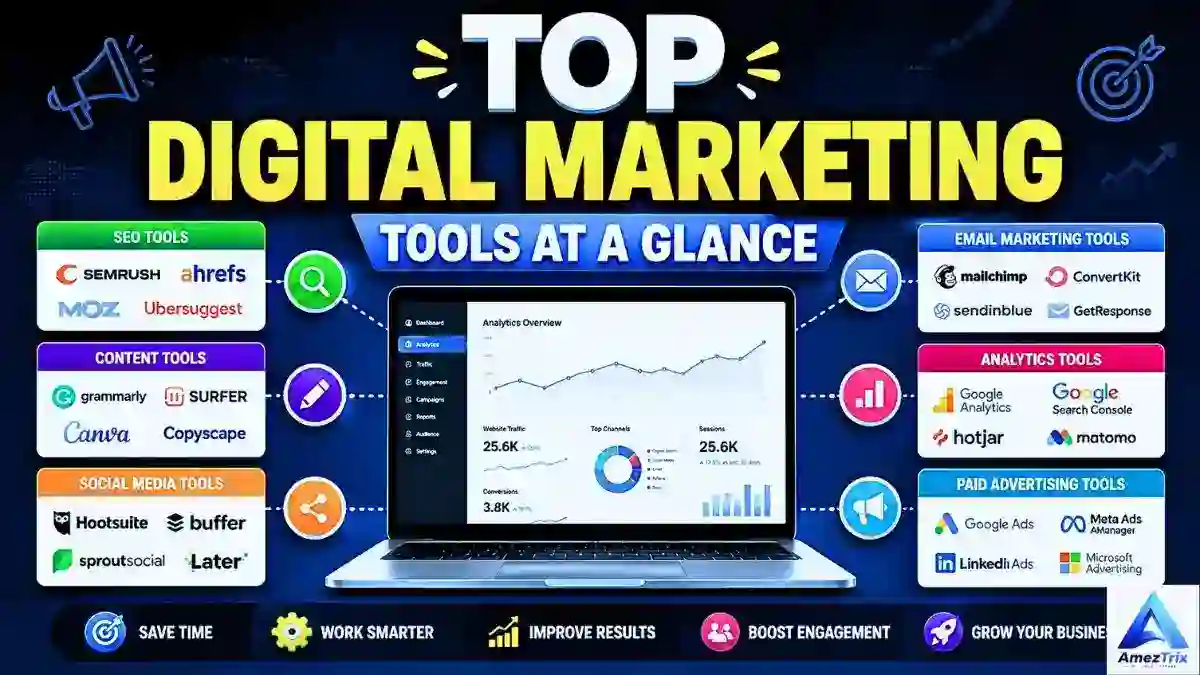
Quick answer: The best digital marketing tools in 2026 are Google Search Console, Google Analytics 4, Semrush, Ahrefs, Screaming Frog, Surfer, ChatGPT, Canva, HubSpot and Mailchimp. Between them, they cover search, analytics, content, design, CRM and email. This guide compares 35 tools, free options, and helps you pick a stack that fits your goal and budget. Updated October 2026.
Most lists of marketing tools hand you 80 logos and wish you luck. That is how people end up paying for six overlapping subscriptions and still cannot explain why traffic dropped last month.
This guide works the other way round. We start with the job you need done, show the tools that do it well, and point out where each one falls short. If you run a solo blog, a SaaS startup, an online store or a few client accounts, you will find a stack that fits.
TL;DR
- Start free: Search Console, Google Analytics 4, Google Trends, Clarity and Canva cost nothing.
- Pick one main SEO platform (Semrush or Ahrefs). Do not buy both on day one.
- Add a CRM and email tool only when you have leads to manage.
- Use AI for speed, then edit by hand. Tools give data; strategy gives results.
What Are Digital Marketing Tools?
Think of a marketing tool as a helper with one job. One helper shows how people find your website. Another shows what they do once they arrive. A third sends emails, a fourth makes pictures, and a fifth tells you which ads are wasting money.
In plain terms, digital marketing tools are software products that help you plan, run, automate and measure online marketing. You may also see them called digital marketing software, online marketing tools or internet marketing tools. They all mean the same thing: software that helps you get found, earn clicks and turn visitors into customers.
The main job types are:
- SEO and keyword research
- Content planning and creation
- Analytics, reporting and conversion tracking
- Design and creative production
- CRM and marketing automation
- Email and social media management
- Paid advertising
The big trend right now is consolidation. Semrush began as a keyword tool and now spans AI visibility, advertising, content and local marketing. But more software is not the goal. Every tool in your stack should exist because it solves a problem you actually have.
What Are the Top 10 Digital Marketing Tools in 2026?
This shortlist covers most of what a typical business needs. If you only read one section, read this one.
| # | Tool | What it does best | Free option |
|---|---|---|---|
| 1 | Google Search Console | First-party search data straight from Google | Yes |
| 2 | Google Analytics 4 | Tracking what visitors do on your site | Yes |
| 3 | Semrush | All-in-one SEO, content, ads and AI visibility | Limited |
| 4 | Ahrefs | Keyword and backlink research | Limited |
| 5 | Screaming Frog | Technical SEO crawling | Yes, limited |
| 6 | Surfer | Content briefs and on-page scoring | Limited |
| 7 | ChatGPT | Research, drafting and idea generation | Yes |
| 8 | Canva | Marketing design without a designer | Yes |
| 9 | HubSpot | CRM and marketing automation in one place | Yes, limited |
| 10 | Mailchimp | Launching an email program quickly | Yes, limited |
Free plans and limits change often, so confirm details on each tool’s official page before you commit.
Beyond the top 10, 25 more tools round out a mature stack. For automation-heavy workflows, see our guide to the best AI automation tools.
Which Are the Best Digital Marketing Tools by Category?
SEO and Keyword Research Tools
1. Google Search Console: The Best Free SEO Tool
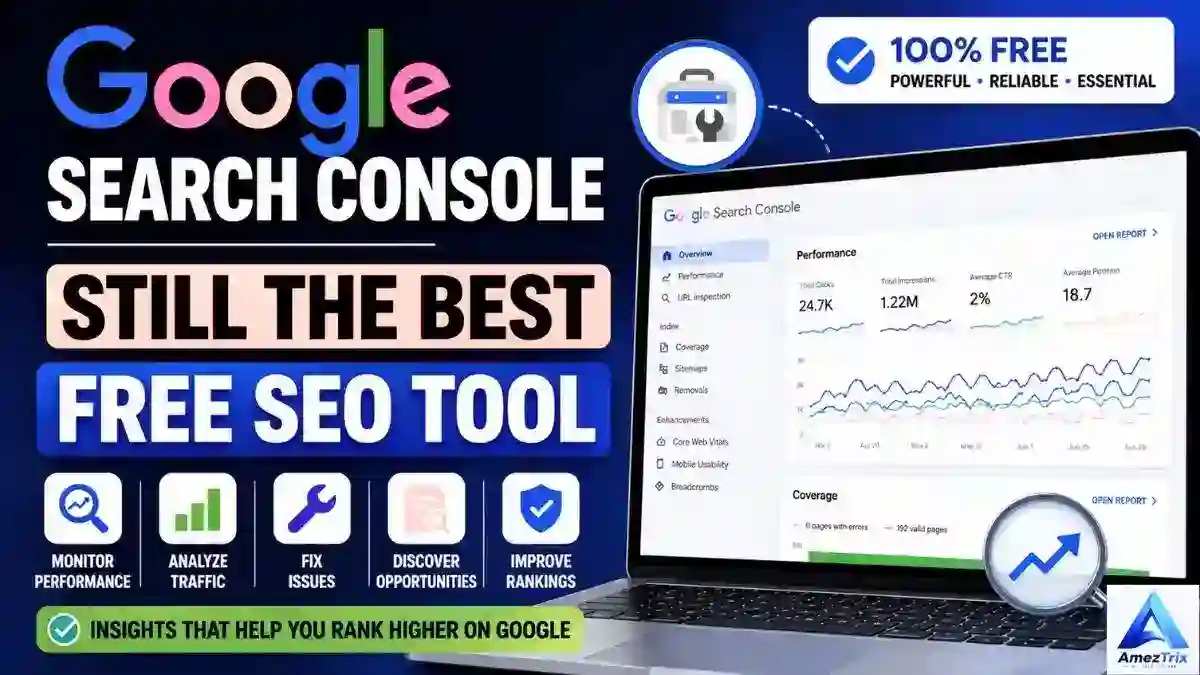
If organic traffic matters to you, start here. Search Console is the only place that shows the exact queries, clicks, impressions and average positions Google records for your site. It also flags indexing problems and lets you inspect any URL when a page underperforms.
Best for: every website | Price: free | Downside: shows what happened, not what to do next
2. Semrush: As Close to All-in-One as It Gets
Semrush covers SEO, content, competitor research, advertising and AI visibility tracking. You can find keyword gaps, track rankings, audit your site, analyze backlinks and study competitor ads.
Best for: agencies and serious content teams
Pros: huge feature set, strong competitor data
Cons: higher plans get expensive, and the first week has a real learning curve
3. Ahrefs: Still the Backlink Benchmark
Ahrefs built its name on backlink data and remains hard to beat there. It is equally useful for keyword and competitor research: what drives a rival’s traffic, who links to their best pages and which keywords you can realistically win.
Best for: SEO specialists, publishers and affiliate sites
4. SE Ranking
A budget-friendlier all-rounder with rank tracking, site audits and competitor research. A sensible pick for freelancers and small agencies who find the bigger platforms too heavy.
5. Screaming Frog SEO Spider: The Technical SEO Workhorse
Great content cannot rescue a broken site. Screaming Frog crawls your pages like a search bot and flags broken links, redirect chains, duplicate titles, canonical issues and weak internal linking.
Best for: SEO teams, developers and owners of large sites
6. Surfer: Content Built to Compete
Surfer compares your draft with pages already ranking for a query and scores topic coverage and structure. A high score does not guarantee a useful article, so treat it as a guide and keep your own judgment in charge.
7. Google Keyword Planner
Built for Google Ads, but handy far beyond it. You get keyword ideas, volume ranges and competition levels for free.
8. Google Trends
Shows how interest in a topic rises and falls. It is a fast way to spot seasonal peaks and emerging themes before competitors do.
9. Moz Pro
Keyword research, rank tracking, audits and link analysis with a gentler learning curve than the bigger platforms.
10. Ubersuggest
Keyword ideas, difficulty scores and basic audits. A sensible first SEO tool if complex dashboards put you off.
11. Yoast SEO
The WordPress classic for titles, meta descriptions, sitemaps, canonicals and readability checks. Plugins like this make optimization easier, but they will not rank your pages on their own.
12. Rank Math
A strong Yoast alternative with on-page analysis, schema markup, redirect management and internal link suggestions. For a deeper look at AI search visibility, read our guide to GEO ranking factors.
Analytics and Conversion Tools
13. Google Analytics 4 (GA4): Where the Real Story Starts
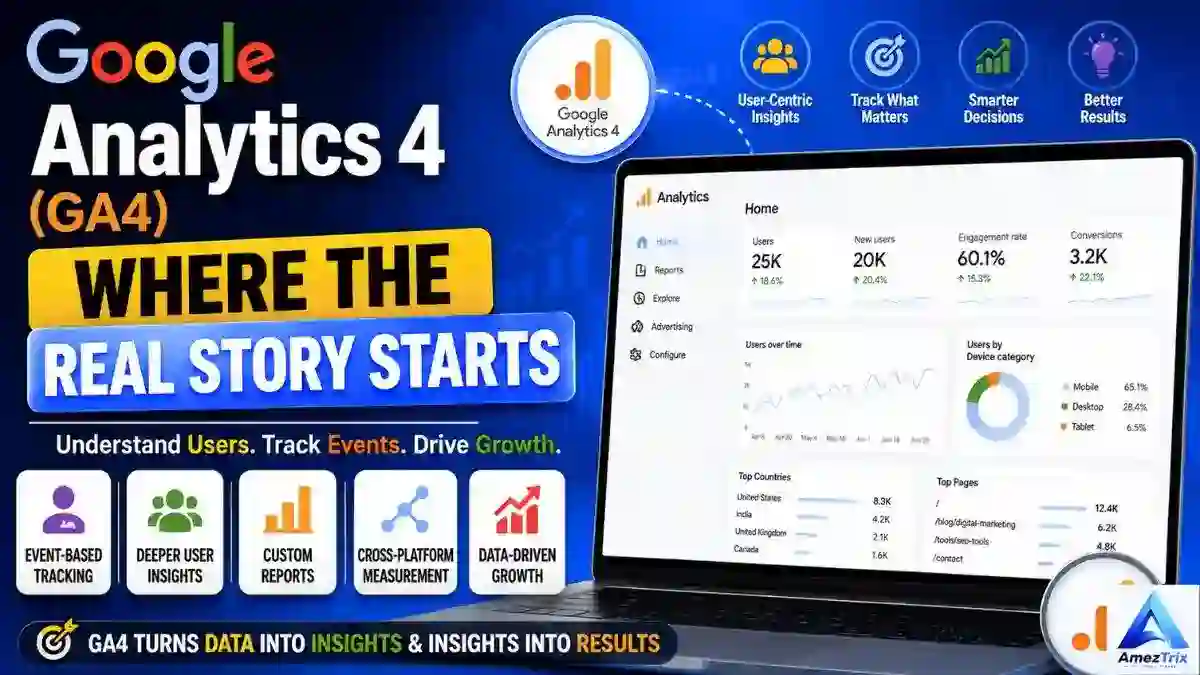
Search Console tells you how people find you. GA4 tells you what they do next: traffic sources, landing pages, engagement, conversions and custom events.
It only becomes useful once you set up real events. A store should track purchases; a service business should track calls and form submissions. Skip that step and you are staring at numbers with no meaning.
Best for: any site with a marketing goal | Downside: the interface confuses many first-time users
14. Looker Studio
Free dashboards that pull traffic, SEO, ads and conversion data into one report. A good dashboard answers the question somebody is actually asking.
15. Hotjar
Heatmaps, session recordings and on-page feedback reveal where visitors give up, often more clearly than any traffic report.
16. Microsoft Clarity
Free and surprisingly capable. It highlights rage clicks, dead clicks, scroll depth and session replays. Pair it with GA4: one gives the numbers, the other shows the behavior behind them.
AI and Content Tools
17. ChatGPT: The Assistant Most Marketers Quietly Rely On
Useful for brainstorming, keyword clustering, headlines, meta descriptions, ad copy variations and repurposing one piece of content into several formats. Use it as an assistant, not an autopilot. It can state wrong facts with confidence, so check every claim. To get cited in AI answers yourself, read our guide on how to rank in ChatGPT.
18. Grammarly
A reliable second editor for grammar, clarity and tone. Do not let it flatten your brand voice into something generic.
Design Tools
19. Canva: Design Without the Design Degree
Create blog graphics, social posts, YouTube thumbnails, presentations and reusable branded templates. Visuals often decide whether someone stops scrolling or moves on.
Best for: small businesses, solo creators and social media managers
20. Adobe Express
Quick social graphics, short videos and promo assets, especially if your team already works inside Adobe’s ecosystem.
21. Figma
Ideal when marketers and designers build landing pages, ad creative and brand systems together in real time.
CRM and Marketing Automation Tools
22. HubSpot: CRM and Marketing Together
HubSpot links marketing with sales through landing pages, forms, lead scoring, contact management and automated workflows. You can map a full journey: download, form fill, nurture sequence, sale.
Best for: teams that need marketing, sales and customer data in one system | Downside: costs climb quickly as you add features and contacts
23. ActiveCampaign
Built for layered email journeys with segmentation, lead scoring and sales alerts. A natural upgrade once basic email tools feel limiting.
24. Salesforce Marketing Cloud
Enterprise-grade email, personalization and automation for organizations with the budget and the team to run it.
25. Zapier
Connects your apps so repetitive jobs like form alerts, lead routing and CRM syncing run on their own. For more, see our guide to AI agent automation.
Email Marketing Tools
26. Mailchimp: A Friendly First Email Tool
Covers campaigns, list management, basic automation and newsletters. One practical tip: give subscribers value before offers, or open rates tend to slide.
27. Brevo
Formerly Sendinblue. Beyond email, it supports cross-channel messaging, including transactional messages.
28. Kit (formerly ConvertKit)
A popular pick for newsletter writers and creators who want simple automation without enterprise complexity.
29. MailerLite
A clean, beginner-friendly email platform with landing pages and simple automations. Good for small lists and tight budgets.
Social Media Tools
30. Buffer
Schedules posts across platforms and reports basic performance. Great for solo creators and lean teams.
31. Sprout Social
Adds social listening, deeper analytics and team workflows for when scheduling alone is not enough.
32. Metricool
Planning, scheduling and analytics in one dashboard, so you can see which platforms and formats really pay off.
Paid Advertising Tools
33. Google Ads
Reach people who are already searching. Intent is the advantage: someone typing “best web hosting for WordPress” is much closer to buying than someone casually watching a video.
34. Meta Ads Manager
Run awareness, lead, retargeting and sales campaigns on Facebook and Instagram. Sharp targeting will not rescue weak creative, so test visuals and copy as hard as you test audiences.
35. LinkedIn Campaign Manager
Targeting by job title, industry and company size is hard to match elsewhere, which suits B2B lead generation and SaaS marketing.
How Do the Best Digital Marketing Tools Compare?
| Tool | Category | Best For | Free Option |
|---|---|---|---|
| Google Search Console | SEO | Search performance | Yes |
| Google Analytics 4 | Analytics | Website behavior | Yes |
| Semrush | SEO / Marketing | All-in-one marketing | Limited |
| Ahrefs | SEO | Keywords and backlinks | Limited |
| SE Ranking | SEO | Budget-friendly SEO suite | Trial |
| Screaming Frog | Technical SEO | Site crawling | Yes, limited |
| Surfer | Content SEO | Content optimization | Limited |
| ChatGPT | AI | Marketing assistance | Yes |
| Canva | Design | Marketing graphics | Yes |
| HubSpot | CRM | Leads and automation | Yes, limited |
| Mailchimp | Email marketing | Yes, limited | |
| MailerLite | Small lists, simple automation | Yes, limited | |
| Buffer | Social | Scheduling | Yes, limited |
| Sprout Social | Social | Social management | Trial / paid |
| Google Ads | PPC | Search advertising | No |
| Meta Ads Manager | PPC | Social advertising | No |
| Looker Studio | Reporting | Dashboards | Yes |
| Hotjar | Analytics | User behavior | Yes, limited |
| Google Trends | Research | Trend discovery | Yes |
| Microsoft Clarity | Analytics | Session replays | Yes |
| Zapier | Automation | Workflow automation | Yes, limited |
| Rank Math | WordPress SEO | WordPress websites | Yes, paid upgrade |
Which Digital Marketing Tools Are Free?
You can build a capable stack without spending anything. These have free plans that are genuinely useful:
- Google Search Console: search queries, clicks and indexing
- Google Analytics 4: traffic and conversion tracking
- Google Trends: topic and seasonality research
- Google Keyword Planner: keyword ideas and volume ranges
- Looker Studio: reporting dashboards
- Microsoft Clarity: heatmaps and session replays
- Canva (free plan): graphics and social posts
- Several AI tools: limited but useful free tiers
How Do You Choose the Right Digital Marketing Tools?
Step 1: Start With Your Goal, Not the Tool
Decide what you need first: more traffic, more leads, more sales, faster social growth, better email engagement or higher conversions. That single answer shortens your list faster than any comparison chart.
Step 2: Go Free First, Paid Later
Begin with the free stack above plus a WordPress SEO plugin. Pay only when you can name the exact feature you are missing.
Step 3: Avoid Overlap
You do not need Semrush, Ahrefs, Moz Pro and Ubersuggest at once. Choose one main SEO platform and fill gaps with free tools. The same rule applies to email platforms, schedulers and CRMs.
Step 4: Match the Stack to Your Team Size
| Team Size | Recommended Stack |
|---|---|
| Solo marketer | Search Console, GA4, Canva, ChatGPT, one SEO tool, Buffer, a basic email platform |
| Small business | Add a CRM, email automation, paid ads, conversion analytics and a reporting dashboard |
| Enterprise | Advanced CRM, marketing automation, customer data platforms, enterprise analytics, attribution, social listening and AI visibility tracking |
Step 5: Test Before You Commit
Use free trials and run each tool on one real task for two weeks. If nobody opens it after that, cancel it.
Quick checklist before buying any tool
- ☐ Does it solve a problem I can describe in one sentence?
- ☐ Is there a free plan or trial I can test first?
- ☐ Does it overlap with something I already pay for?
- ☐ Will someone actually use it every week?
- ☐ Can I export my data if I leave?
- ☐ Can I measure whether it improved traffic, leads or sales?
Which Digital Marketing Tool Stack Fits Your Goal?
| Your Goal | Tools to Use | Why This Mix Works |
|---|---|---|
| Beginner setup | Search Console, GA4, one SEO platform, ChatGPT, Grammarly, Canva, Buffer, Mailchimp or Brevo, Clarity | Covers the basics at low cost. Add Zapier once repetitive tasks eat real time. |
| Small business | GA4, Search Console, Semrush or Ahrefs, Canva, HubSpot, an email platform, Google Ads, Meta Ads Manager, Clarity, Looker Studio | Prioritizes tools tied to revenue, not dashboards that just look impressive. |
| SEO-led growth | Search Console, GA4, Semrush, Ahrefs, Screaming Frog, Surfer, Google Trends, Keyword Planner, Rank Math | Classic SEO plus AI visibility tracking, which is fast becoming a baseline. |
| Content marketing | ChatGPT, Semrush or Ahrefs, Surfer, Grammarly, Canva, Search Console | AI helps with ideas, SEO tools supply data, Search Console shows what worked. |
| Social media | Canva, Buffer, Sprout Social, Metricool, Meta Ads Manager, LinkedIn Campaign Manager, GA4 | Posting often is not enough anymore. Winning takes creative testing and conversion tracking. |
| Email marketing | Mailchimp, MailerLite, Brevo, ActiveCampaign, HubSpot or Kit | The right pick depends on list size, automation needs and budget. |
A Simple Example
Imagine a small online store with one owner and no team. A sensible first month might be: Search Console and GA4 for tracking, Canva for product graphics, MailerLite for a welcome email, and ChatGPT for first drafts of product descriptions. Total software cost can stay close to zero until sales justify more. This is an illustration of how to build up, not a promise of results.
How Is AI Changing Digital Marketing Software?
AI now touches almost every part of marketing technology: keyword research, content ideas, copywriting, image generation, segmentation, reporting and personalization.
The workflow that holds up in practice looks like this:
Human strategy → AI assistance → Human review → Publishing → Data analysis → Optimization
AI makes marketers faster. It does not decide what to create, who it is for or how success is measured. AI visibility tracking is also becoming its own category, as tools start checking whether brands get mentioned in answers from ChatGPT, Gemini and Perplexity. Standards for how AI agents act for users are changing too, and our breakdown of the Meta AI agent standard explains where that is heading.
What Are the Most Common Digital Marketing Tool Mistakes?
- Running too many overlapping tools: usually just more open tabs, not better marketing
- Ignoring analytics you already have: if you are not measuring, you are guessing
- Obsessing over traffic alone: leads, sales and retention matter more in the end
- Publishing unedited AI content: fact-check it and make it sound like your brand
- Buying tools before diagnosing the problem: another keyword tool will not fix weak conversions
- Chasing vanity metrics: followers and pageviews look good in screenshots but do not pay bills
What Red Flags Should You Avoid When Choosing a Tool?
- Promises of guaranteed rankings, traffic or revenue. No tool can promise that.
- A free trial that asks for a card but hides how to cancel.
- No clear way to export your data.
- Pricing pages that hide what each plan actually includes.
- Reviews that all sound the same and never mention a downside.
What Are the Limitations of Digital Marketing Tools?
A keyword tool will not guarantee rankings. A scheduler will not make posts go viral. Analytics will not create conversions, and ad platforms will not promise profit. Paid platforms like Semrush, Ahrefs and HubSpot can also be costly for a small team, and most have a learning curve that eats the first few weeks.
Keyword volumes and difficulty scores are estimates, and different tools often disagree. Treat them as direction, not truth. Tools supply data, automation and speed. Strategy decides how well you use them.
Frequently Asked Questions About Digital Marketing Tools
What are the best digital marketing tools in 2026?
The best digital marketing tools in 2026 are Google Search Console, Google Analytics 4, Semrush, Ahrefs, Screaming Frog, Surfer, ChatGPT, Canva, HubSpot and Mailchimp. Together they cover SEO, analytics, content, design, CRM and email, which is enough for most small and mid-sized businesses.
Which digital marketing tools are free?
Google Search Console, Google Analytics 4, Google Trends, Keyword Planner, Looker Studio and Microsoft Clarity are free. Canva, HubSpot, Mailchimp and Buffer offer free plans with limits. Start with these, learn what you are missing, and only then pay for an upgrade.
What is the best digital marketing software for small business?
A lean setup works best: Google Analytics, Search Console, Canva, HubSpot’s free CRM, one email platform and one SEO tool such as Semrush or Ahrefs. Add Google Ads or Meta Ads only after your conversion tracking works, otherwise you cannot tell which spend is paying off.
What is the best tool for SEO?
Start with Google Search Console because it is free and uses Google’s own data. For deeper keyword, competitor and backlink research, Semrush and Ahrefs are the two main choices. Add Screaming Frog for technical audits. Most sites only need one paid SEO platform, not several.
What should beginners use first?
Begin with Search Console, Google Analytics, Google Trends, Canva and a free AI assistant. If you use WordPress, add Rank Math or Yoast. These cost nothing, teach you the basics of traffic and content, and show you exactly where a paid tool would actually help.
How many marketing tools does a business need?
There is no magic number. Many small businesses run well on five to ten tools, while large teams use dozens. Keep a tool only if someone uses it weekly and it supports a measurable goal such as traffic, leads or sales. Cut the rest.
Is Semrush or Ahrefs better?
Neither wins for everyone. Ahrefs is often preferred for backlink analysis and clean keyword research, while Semrush offers a wider all-in-one toolkit that includes ads, content and AI visibility features. Try the free or trial options of both, then keep the one that fits your daily workflow.
Will AI replace marketers?
AI is taking over repetitive tasks such as drafting, reporting and keyword clustering, but it does not set strategy or understand your customers. Marketers who pair AI speed with human judgment and original insight are the ones getting ahead. Treat AI as an assistant, not a replacement.
Final Verdict: Which Digital Marketing Tools Are Worth Using?
The best digital marketing tools are not the ones with the longest feature lists. They are the ones that solve your specific problem and move a number you actually care about.
For most websites, a strong start is Search Console, Google Analytics, Canva, an AI assistant, one SEO platform, an email tool and conversion analytics. If SEO drives your growth, add Semrush or Ahrefs. If leads matter most, HubSpot earns its cost. If social is central, pick one dedicated platform and commit to it.
Choose tools based on the strategy you need, not the tools you happen to own. Track results honestly, find the real bottleneck, and only then buy something new. If you also need reliable hosting underneath all of this, browse our web hosting guides.
About the Author
Rajendra Parmar is the founder of AmezTrix and a passionate AI and technology writer. He shares expert guides, honest reviews and practical tutorials on AI tools, WordPress, web hosting, SEO, digital marketing, gadgets and emerging technologies.

Rajendra Parmar
Founder & Editor • AmezTrix
Rajendra Parmar is the Founder and Editor of AmezTrix, a platform covering Artificial Intelligence, Technology, WordPress, Web Hosting, Digital Marketing, Gadgets, Software Reviews, and emerging innovations. His mission is to simplify complex technology through practical tutorials, honest reviews, and well-researched guides that help readers make smarter digital decisions.