Compare the best hosting with free domain, SSL, and WordPress support. Explore the top 10 hosting providers on AmezTrix before you buy.
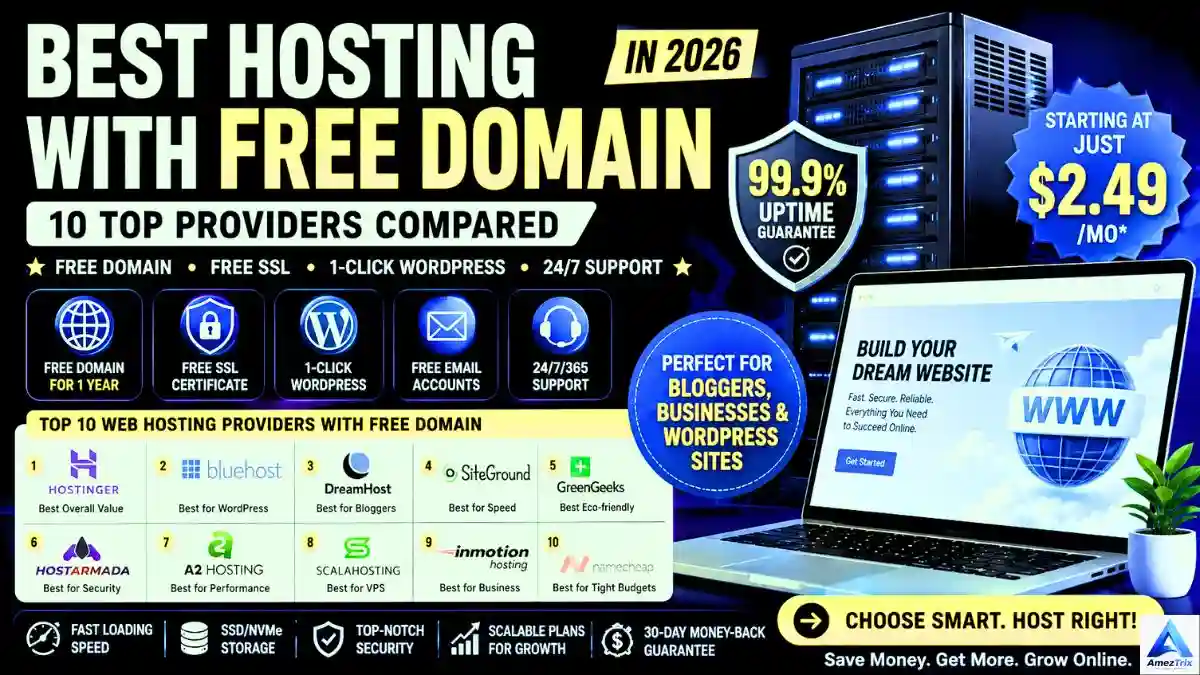
Key takeaways: A free domain usually covers year one only. Annual or multi-year plans are normally required. Renewal prices matter more than intro prices. Free SSL is standard, but domain privacy is sometimes extra. Always confirm terms at checkout.
Best Hosting with Free Domain (2026 Comparison)
The best hosting with free domain in 2026 is Hostinger for overall value, Bluehost for WordPress, and DreamHost for bloggers. Most hosts give the domain free for the first year only on annual plans, so compare renewal prices, domain privacy and refund terms before you buy.
Starting a website no longer needs a big budget. Bundling a domain with your hosting is one of the simplest ways to cut launch costs, and it removes a setup step beginners often find confusing. This guide compares ten hosts that offer a free domain. It also explains what “free” really means, so the first renewal invoice does not surprise you. For a wider shortlist, see our top 10 hosting providers guide.
What Does “Best Hosting with Free Domain” Mean?
It is a hosting plan that includes one domain registration (for example, yourbrand.com) at no extra cost, normally for the first 12 months. Web hosting is the server space that stores your site files. The domain is the address people type to reach it. Buying them together means one dashboard, one invoice, and automatic connection between the two, with no manual DNS work.
Advantages of a bundle:
- Lower upfront cost in year one
- Faster setup, since the domain connects automatically
- One place to manage renewals
- Easier for first-time site owners
Limitations: you may be locked into a longer billing term, only certain extensions (usually .com, .net, .org, or a few budget ones) qualify, and renewal rates apply after year one.
How We Evaluated These Hosts
This ranking is based on publicly listed plan details, provider documentation, and independent third-party reviews. We have not run our own speed tests on every host, so treat performance notes as general guidance rather than lab results. We looked at five areas:
- Free domain terms: which plans qualify and for how long.
- Performance: storage type, caching, CDN, and data center options.
- Security: free SSL, backups, malware protection, and firewalls.
- Support: live chat, tickets, and knowledge base depth.
- Value after year one: renewal pricing and refund policy.
Quick Comparison: Best Hosting with Free Domain
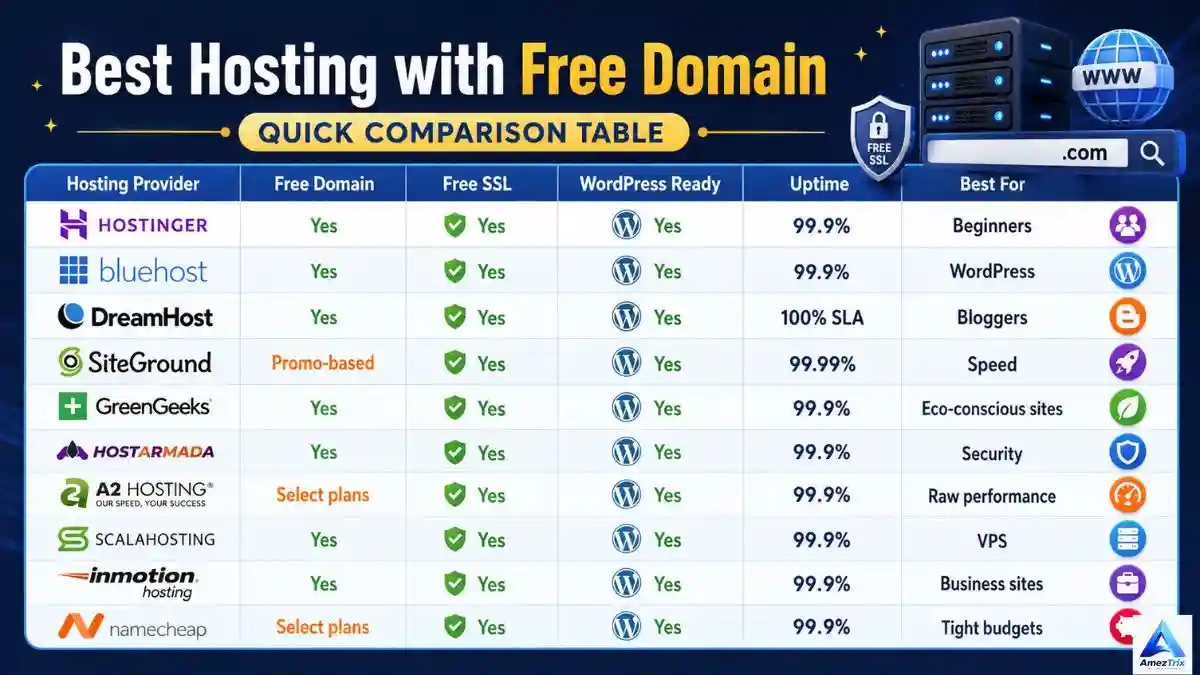
| Host | Free Domain | Free SSL | Price Tier* | Best For |
|---|---|---|---|---|
| Hostinger | Yes, 1st year on qualifying plans | Yes | Budget | Overall value |
| Bluehost | Yes, 1st year on most plans | Yes | Budget to mid | WordPress beginners |
| DreamHost | Yes, on eligible plans | Yes | Budget to mid | Bloggers |
| SiteGround | Not standard | Yes | Mid to premium | Speed and support |
| GreenGeeks | Yes, on eligible plans | Yes | Budget to mid | Eco-conscious sites |
| HostArmada | Yes, on eligible plans | Yes | Budget | Security-minded users |
| A2 Hosting | Varies by plan | Yes | Mid | Performance tuning |
| ScalaHosting | Yes, on eligible plans | Yes | Budget to mid | Growing to VPS |
| InMotion Hosting | Yes, on eligible plans | Yes | Mid | Business sites |
| Namecheap | Select plans | Yes | Budget | Tight budgets |
*Price tiers are relative and based on typical entry-plan pricing. Hosts change promotions often, so confirm exact prices and free-domain eligibility on the provider’s checkout page.
Top 10 Best Hosting Providers with a Free Domain
1. Hostinger: Best Overall Value
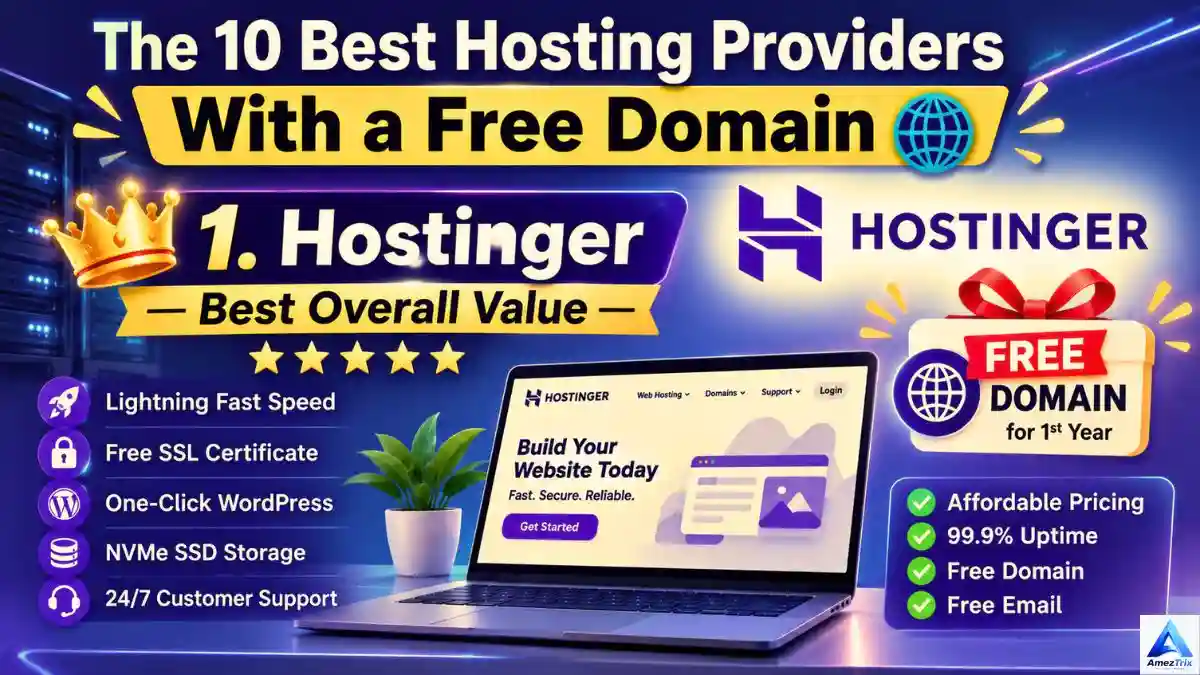
Hostinger pairs low entry pricing with a beginner-friendly dashboard. Independent pricing reviews report a free domain for the first year on qualifying annual plans, plus free SSL, free migration, and AI site-building tools. Note that the very cheapest single-site plan may not include the free domain, so check the plan you pick.
Pros: Low intro pricing, easy setup, free SSL and migration, WordPress-focused tools.
Cons: The best rates need long terms, and renewal prices are noticeably higher.
Best for: Beginners, blogs, portfolios, and small business sites.
2. Bluehost: Best for WordPress Beginners
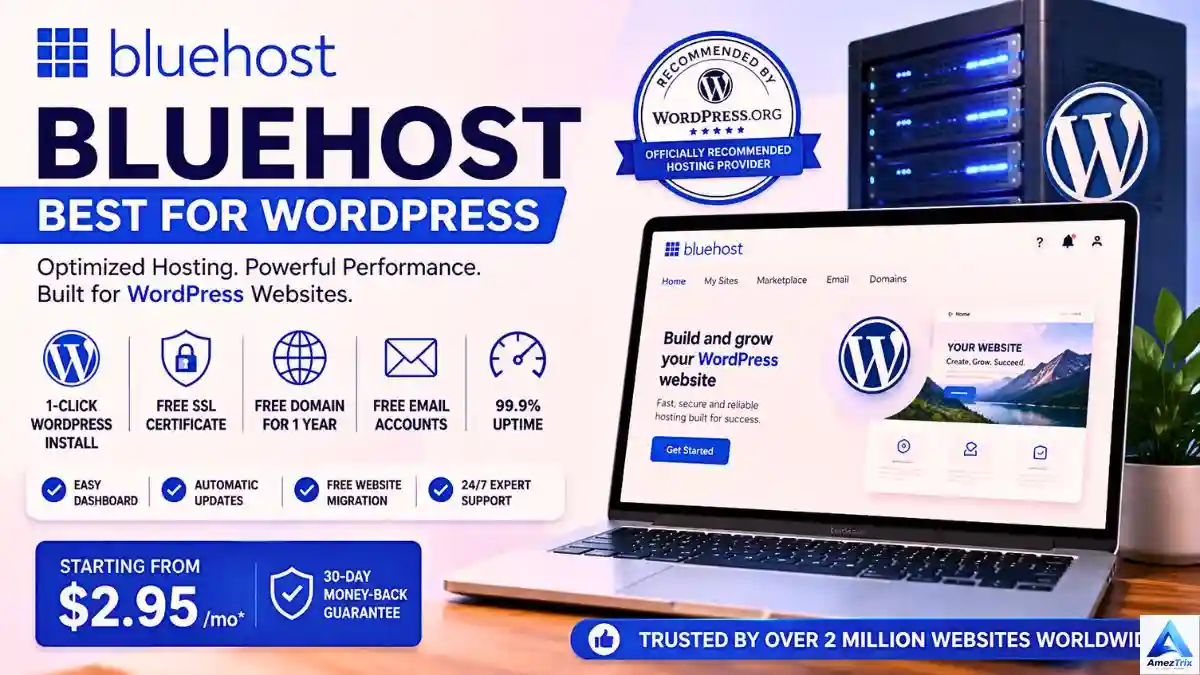
Bluehost is one of the hosts recommended by WordPress.org, and its onboarding wizard is built for first-time site owners. Most shared plans include a free first-year domain and free SSL. Domain privacy and some extras can depend on the plan tier, so read the plan comparison closely.
Pros: Smooth WordPress setup, beginner-friendly, solid ecosystem.
Cons: Renewal pricing is higher, and entry plans have limited resources.
Best for: New WordPress sites, small business pages, and affiliate blogs.
3. DreamHost: Best for Bloggers

DreamHost is known for clear pricing, a custom control panel, and one of the longest refund windows in the industry (historically 97 days on shared plans; confirm the current policy). Eligible plans include a free domain for the first year. It suits content-focused sites that want predictable terms.
Pros: Long refund window, WordPress-friendly, straightforward pricing.
Cons: Live chat is not always available around the clock, and some features need higher tiers.
Best for: Bloggers and content creators.
4. SiteGround: Best for Speed and Support
SiteGround runs on Google Cloud infrastructure and is respected for support quality and built-in caching. The catch for this list: a free domain is not a standard inclusion, so verify any current promotion. Renewals are also on the higher side, which makes SiteGround better for people who value performance over lowest cost.
Pros: Strong performance tools, helpful support, managed WordPress features.
Cons: No standard free domain, higher renewal rates.
Best for: Business sites and WooCommerce stores where speed matters.
5. GreenGeeks: Best Eco-Friendly Option
GreenGeeks says it offsets its energy use with renewable energy credits, which appeals to sustainability-minded site owners. Shared plans commonly include a free domain on eligible billing terms, along with free SSL and a free CDN. We recommend reading the provider’s own environmental claims before relying on them in your marketing.
Pros: Green hosting positioning, solid beginner tools, backups included.
Cons: Renewal increases, and entry plans offer limited resources.
Best for: Small businesses and bloggers who care about sustainability.
6. HostArmada: Best for Security Features
HostArmada focuses on cloud-based shared hosting with security tools such as malware protection and a web application firewall on supported plans. Free domain and free migration are typically available on eligible annual terms. It is a sensible choice if you are nervous about malware and want protection built into the plan.
Pros: Security-first features, free migration, competitive intro pricing.
Cons: Smaller brand than the market leaders, and renewals rise after the intro term.
Best for: Small business owners and security-conscious WordPress users.
7. A2 Hosting: Best for Performance Tuning
A2 Hosting targets users who care about speed and flexibility. It offers multiple PHP versions, developer-friendly tools, and faster “Turbo” tiers on higher plans. A free domain is not guaranteed on every package, so check eligibility first.
Pros: Developer tools, strong speed options, WordPress optimization.
Cons: The fastest tier costs more, and the free domain is plan-dependent.
Best for: Developers and growing sites that need headroom.
8. ScalaHosting: Best for Growing into VPS
ScalaHosting is a good fit if you expect to outgrow shared hosting. It offers managed VPS options, its own SPanel control panel, and security tooling. Free domain terms apply to eligible annual plans. The upgrade path is the main reason to choose it.
Pros: Smooth path from shared to managed VPS, free migration on many plans.
Cons: VPS plans cost more, and beginners may not need all the options.
Best for: Agencies, stores, and sites expecting growth.
9. InMotion Hosting: Best for Business Sites
InMotion Hosting targets business owners with generous resources, free migration, and a long money-back window (historically 90 days; verify current terms). Eligible plans include a free domain. The dashboard can feel dense to complete beginners.
Pros: Business-focused features, long refund period, good resource allowances.
Cons: Less beginner-friendly, and renewal pricing climbs.
Best for: Business websites and WooCommerce stores.
10. Namecheap: Best for Tight Budgets
Namecheap built its reputation as a domain registrar, so domain management is easy. Its hosting is budget-oriented, and the free domain generally applies to select plans or promotions only. It works well for small personal sites where cost matters most.
Pros: Easy domain management, low entry cost, simple plans.
Cons: Free domain is promotion-dependent, and premium features need higher tiers.
Best for: Personal blogs and small portfolio sites.
Is the “Free” Domain Really Free?
Usually, yes for the first year, but with conditions. Check these before paying:
- Billing term: Many hosts require 12 months or longer.
- Eligible extensions: Premium or niche extensions are often excluded.
- Renewal price: After year one, the domain renews at the standard rate.
- Domain privacy: WHOIS privacy is free with some hosts and a paid add-on with others.
- Transfers: Newly registered domains generally cannot be transferred for a set period. ICANN rules commonly set this at 60 days.
- Refunds: Some hosts deduct the domain’s value if you cancel and ask for a refund.
Also be careful with “free lifetime domain” claims. Read what happens if you leave the host.
Shared vs. Managed WordPress vs. VPS Hosting
| Feature | Shared Hosting | Managed WordPress | VPS Hosting |
|---|---|---|---|
| Cost | Lowest | Mid-range | Highest |
| Ease of use | Very easy | Very easy | Steeper learning curve |
| Performance | Good for small sites | Better, WordPress-tuned | Best, dedicated resources |
| Scalability | Limited | Good | High |
| Best for | Blogs, portfolios | WordPress-first sites | Stores, high traffic |
Most new sites should begin with shared or managed WordPress hosting and upgrade only when traffic demands it. Our guide to web hosting for beginners goes deeper on this choice.
How to Claim Your Free Domain: Step by Step
- Pick your plan and term. Confirm the plan lists a free domain.
- Search for your domain. Choose a short, brandable name. A .com is still the safest option for global audiences.
- Check the cart. The domain should show as free. Look for privacy add-ons you may not need.
- Complete checkout and verify your email address, since domain registrars require contact verification.
- Connect and install. Most hosts connect the domain automatically. Then install WordPress and enable SSL.
- Set a renewal reminder. Note the date and price for year two.
How to Choose the Right Plan
- Speed: Look for SSD or NVMe storage, caching, and a CDN. You can test any site with our speed checker.
- Uptime: Look for a clear uptime guarantee and recent third-party monitoring.
- Security: Free SSL, malware scanning, and backups should be included. Google treats HTTPS as a lightweight ranking signal.
- Support: Live chat matters most during your first weeks.
- Room to grow: Check the upgrade path and its cost.
If you want to see how hosting affects rankings, read our guide on how to rank on Google’s first page.
Common Mistakes and Red Flags
- Chasing the lowest price. Rock-bottom plans may skip backups or staging. Compare cheapest hosting plans by total value.
- Ignoring renewal pricing. Year two can cost two to three times more.
- Skipping the fine print on domain eligibility and privacy fees.
- Overbuying. A small blog rarely needs a VPS on day one.
- Red flag: unlimited everything with no stated limits, no clear refund policy, or no visible company information.
- Red flag: hosts that refuse to let you transfer or export your domain.
Pre-Purchase Checklist
- Does my exact plan and term include the free domain?
- What are the year-two hosting and domain prices?
- Is domain privacy included?
- What is the refund policy, and does it affect the domain?
- Are backups, SSL, and migration included?
- Can I upgrade without moving hosts?
Frequently Asked Questions
What does Best Hosting with Free Domain mean?
It is a hosting plan that includes a domain registration at no extra cost, usually for the first year on an annual plan. You pay the standard renewal rate from year two.
Is a free domain free forever?
No. In most cases it is free for the first year only. After that, you pay the registrar’s renewal price, which varies by extension.
Which hosting providers give a free domain?
Hostinger, Bluehost, DreamHost, GreenGeeks, HostArmada, ScalaHosting, and InMotion Hosting commonly offer one on eligible annual plans. SiteGround, A2 Hosting, and Namecheap depend on the plan or promotion.
Does free hosting include a free domain?
Rarely. Free hosting usually gives you a subdomain such as yoursite.example.com. A custom domain typically requires a paid plan or a separate purchase.
Is a free SSL certificate included?
With almost all reputable hosts, yes. Free SSL is now a baseline feature, but confirm it is enabled for your domain after setup.
Can I transfer my free domain to another registrar?
Usually yes, but newly registered domains are commonly locked for an initial period, often 60 days. Check your host’s transfer policy before you buy.
Which host is best for a WordPress beginner?
Hostinger and Bluehost are both strong first choices thanks to one-click WordPress installation, beginner dashboards, and automatic updates.
Is hosting with a free domain worth it?
For most new site owners, yes. It lowers upfront costs and simplifies setup. Just judge the plan by renewal price and features, not the free domain alone.
Final Verdict for Best Hosting with Free Domain
There is no single winner for everyone. Use this as a starting point:
- Best overall: Hostinger, for value and beginner-friendliness.
- Best for WordPress: Bluehost.
- Best for bloggers: DreamHost.
- Best for speed and support: SiteGround (no standard free domain).
- Best for security: HostArmada.
- Best for growth: ScalaHosting.
- Best on a budget: Namecheap.
Whichever you choose, weigh renewal cost, support, and security above the first-year discount. Compare more options in our guide to AI hosting providers or browse our web hosting category.
TL;DR: Pick Hostinger for value, Bluehost for WordPress, or DreamHost for blogging. The domain is usually free for year one only, so compare renewal prices, privacy fees, and refund terms before you pay.
About the Author
Rajendra Parmar is the Founder and Editor of AmezTrix, where he covers artificial intelligence, technology, WordPress, web hosting, and digital marketing. His goal is to simplify complex technology through practical tutorials and well-researched guides.
Editorial note: Hosting prices and promotions change frequently. Verify current terms on each provider’s website before purchasing.

Rajendra Parmar
Founder & Editor • AmezTrix
Rajendra Parmar is the Founder and Editor of AmezTrix, a platform covering Artificial Intelligence, Technology, WordPress, Web Hosting, Digital Marketing, Gadgets, Software Reviews, and emerging innovations. His mission is to simplify complex technology through practical tutorials, honest reviews, and well-researched guides that help readers make smarter digital decisions.