Learn how to rank website on Google first page with proven SEO tips for keywords, content, backlinks, technical SEO, traffic & higher rankings.
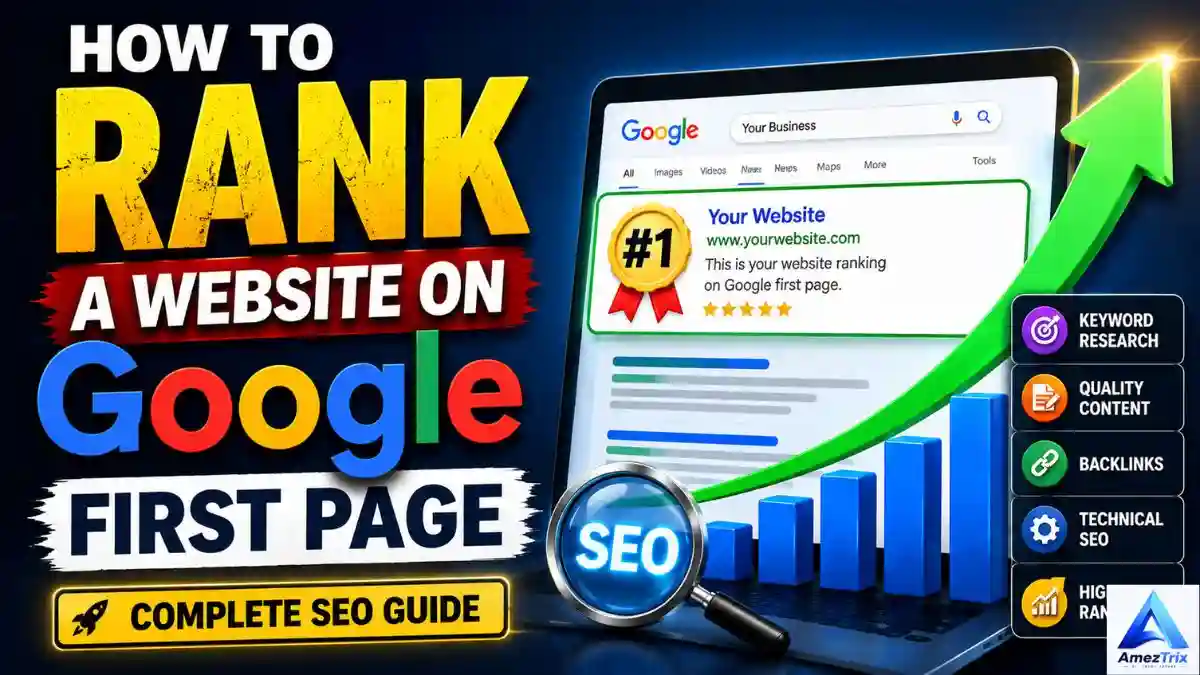
How to Rank a Website on Google First Page (2026 SEO Guide)
Getting a website onto Google’s first page is still one of the biggest wins a blogger, business owner, or marketer can chase. It’s free traffic that keeps showing up long after you’ve stopped actively promoting a page — no ad spend, no bidding wars, just visitors who found you because your content answered their question.
So how do you actually rank a website on Google’s first page?
Not by stuffing keywords into a page or buying a pile of backlinks. Learning how to rank a website on Google’s first page today comes down to several things working together: content that genuinely helps people, a clear match to what searchers are looking for, solid keyword research, a technically sound site, decent load times, smart internal linking, and a reasonable backlink profile. None of these alone will carry a page to page one — but skip enough of them and you won’t get there either.
Google is upfront about this: there’s no secret formula and no shortcut that guarantees a top spot. What they do say, consistently, is that content should be useful, easy to find, easy to understand, and genuinely relevant to what people are typing into the search box.
This guide walks through what it actually takes to rank a website on Google’s first page, written for someone starting a newer site as much as someone trying to push an established one further up the results.
What Does “How to Rank Website on Google First Page” Actually Mean?
When your page shows up among the organic (non-paid) results for a search term, it’s “ranking” for that term. If someone types “how to rank a website on Google” and your article is sitting in the top ten, you’ve earned a first-page position for that phrase.
But chasing a single keyword is a losing game. A page that’s built well will naturally start showing up for a cluster of related searches — variations in wording, related questions, and near-synonyms that all point to the same underlying need. Google’s systems are good at recognizing those relationships now, so you don’t need to repeat one exact phrase over and over. Write for the topic, not the string of words.
Can Every Website Rank on Page One?
In theory, yes — almost any legitimate site can rank for some relevant search. In practice, not every site can rank for every keyword, especially not right away.
What decides the outcome:
- How competitive the search term is
- What the searcher actually wants (intent)
- How good and complete your content is
- Your site’s overall authority
- Your existing backlinks
- How well your page matches the query
- Whether your technical setup lets Google crawl and understand the page
- How deep your expertise on the topic actually goes
- Who else is already ranking there
A brand-new site trying to outrank established players for a broad, high-competition term like “web hosting” or “digital marketing” is going to have a rough time. That’s not pessimism — it’s just how competitive those spaces are.
The smarter move for a newer site is going narrower. Instead of targeting “web hosting,” aim for “best web hosting for small business websites.” Instead of “AI tools,” go for “best AI tools for content creators.” Specific searches tend to have clearer intent behind them and noticeably less competition, which gives a new page a realistic shot.
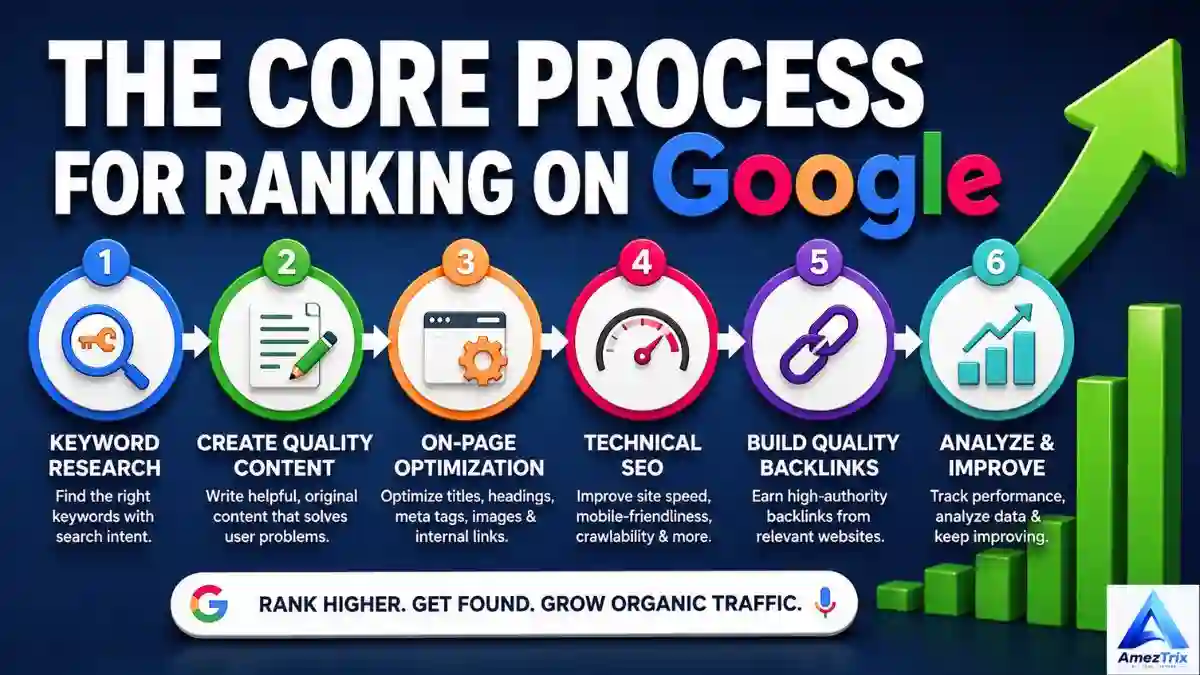
The Core Process for ”How to Rank Website on Google First Page”
1. Figure Out Search Intent First
Search intent is the “why” behind a query, and it’s arguably the single most important thing to get right before you write a word. (Google for Developers)
Someone searching “what is web hosting” wants an explanation. Someone typing “best web hosting for WordPress” is comparing options. Someone who searches “buy WordPress hosting” is ready to hand over a credit card. Same general topic, three completely different needs — and a page built for the wrong one won’t rank, no matter how well it’s written.
The broad categories to know:
Informational — the person wants to learn something. “What is SEO,” “how does AI work,” “how to create a website.”
Navigational — they’re trying to reach a specific site or brand. “Google Search Console,” “WordPress login,” “ChatGPT.”
Commercial investigation — they’re comparing options before deciding. Best web hosting providers,” “Hostinger vs Bluehost.”
Transactional — they’re ready to act. “Buy web hosting,” “download software,” “purchase domain.
Before you draft anything, work out which bucket your keyword falls into, and build the page to satisfy that specific need better than what’s currently ranking.
2. Do Real Keyword Research
Start broad: list the topics your site actually covers. A tech-focused blog, for instance, might revolve around AI tools, web hosting, WordPress, cybersecurity, gadgets, and digital marketing.
From there, break each topic down into keyword types:
- Primary keywords — the main phrase you want the page to rank for (e.g., “how to rank website on Google first page“).
- Secondary keywords — closely related supporting terms (“improve Google rankings,” “website ranking strategies”).
- Long-tail keywords — longer, more specific phrases with less competition (“how to rank website on Google first page,” “how to rank a small business website”).
- Related topics — the surrounding subject matter that adds depth (technical SEO, backlinks, Core Web Vitals, search intent).
Don’t chase search volume blindly. A keyword pulling in 100 searches a month that’s genuinely relevant to your audience is often worth more than one pulling 50,000 searches with brutal competition or weak relevance to your site.
3. Study What’s Already Ranking
Before writing, actually search your target keyword and look at what’s sitting on page one. Pay attention to:
- What intent those pages are serving
- Format (list, guide, comparison, video)
- Length and depth
- How they use headings
- What questions they answer — and which ones they miss
- Use of images, tables, or video
- How recently the content was updated
- The apparent authority of the domain
The goal isn’t to copy the top results — it’s to spot the gaps. What’s missing? What’s outdated? What would make a reader’s life easier that nobody else has bothered to include? Build something more complete, more current, and more useful than what’s already there.
4. Write for People First, Not Algorithms
The most common mistake in SEO is writing content that exists purely because a keyword has search volume, with no real person in mind.
Before publishing, ask yourself honestly:
- Who is this actually for?
- What problem does it solve?
- Is everything in here accurate?
- Does it add anything original — a perspective, an example, a data point — that isn’t just a rehash of five other articles?
- Does the reader walk away with a complete answer, or do they need to open three more tabs?
- Would someone actually bookmark or share this?
Content that passes this test tends to perform well over time because it earns trust, not just clicks.
5. Craft Titles People Actually Want to Click
Your title is the first — and sometimes only — impression you make in the search results. A strong one:
- Clearly says what the page is about
- Works the primary keyword in naturally
- Matches what the searcher is actually looking for
- Creates a bit of curiosity without overselling
- Doesn’t lie about what’s inside
Examples that work:
- “How to How to Rank Website on Google First Page: 15 Proven SEO Tips”
- “How to Get Your Website on Google’s First Page”
- “Google First Page SEO: How to Rank Your Website Higher”
Skip the clickbait. A title that oversells and underdelivers hurts your click-through rate over time as people learn not to trust it.
6. Structure Your Headings Logically
A clear H1/H2/H3 hierarchy makes long content scannable for readers and easier for search engines to parse. For example:
- H1: how to rank website on Google first page
- H2: What Does Ranking on Page One Mean?
- H2: The Core Ranking Process
- H3: Understand Search Intent
- H3: Do Keyword Research
- H3: Create Helpful Content
- H2: Technical SEO Checklist
- H3: Site Speed
- H3: XML Sitemaps
Readers skim before they commit to reading, so give them a structure they can scan in five seconds and decide “yes, this has what I need.”
7. Use Keywords Naturally, Not Mechanically
Once you’ve settled on a primary keyword, weave it into the places that matter — title, H1, intro, relevant subheadings, body copy, URL, alt text where it fits, internal anchor text, and meta description. But natural is the operative word.
Don’t write: “How to Rank Website on Google First Page, you need to rank a website on Google because ranking a website on Google matters.” That reads like a robot wrote it, because it does.
Instead: “Getting your site onto Google’s first page takes a mix of useful content, solid technical SEO, relevant backlinks, and a smooth user experience.”
Google’s systems understand synonyms and related concepts well enough now that forced repetition doesn’t help — it just makes the writing worse.
8. Build Topical Authority, Not Just One Article
A single post rarely establishes real authority on a competitive subject. Building a topic cluster does. If your core subject is SEO, that might mean publishing:
- How to Rank Website on Google First Page (pillar)
- What Is SEO?
- A Keyword Research Guide
- An On-Page SEO Guide
- A Technical SEO Guide
- An Internal Linking Guide
Then link them together thoughtfully. This gives readers a path to explore deeper and gives search engines a much clearer signal about what your site actually knows.
9. Link Internally — and Do It Well
Internal linking is the cheapest, easiest SEO win most site owners underuse. If you’ve got an article on AI agents, link out to related pieces on AI tools, automation, or how to build agents — with descriptive anchor text (“learn how to build AI agents”), never a bare “click here.
Good internal linking helps readers discover more of your content and helps Google understand how your pages relate to each other.
10. Get the Technical Foundations Right
Technical SEO is what lets Google actually crawl, read, and index your site in the first place. The essentials:
- HTTPS — a valid SSL certificate, no exceptions
- Mobile-friendly design — your site needs to actually work on a phone
- XML sitemap — created and submitted through Google Search Console
- Robots.txt — checked carefully so it isn’t accidentally blocking pages you want indexed
- Canonical URLs — used properly when duplicate or near-duplicate pages exist
- Clean URLs —
yoursite.com/seo/rank-on-google/beatsyoursite.com/page?id=12345every time - Crawlability — important pages need to be reachable through internal links, not buried
11. Speed Things Up
Site speed touches both user experience and your odds of ranking well. Areas worth attention: compressing images, browser caching, using a CDN, minifying CSS and JS, lazy-loading images, trimming third-party scripts, using modern formats like WebP or AVIF, and choosing a lightweight theme.
That said, don’t obsess over squeezing out a perfect PageSpeed score for its own sake. Aim for genuinely fast and usable, and move on.
12. Watch Your Core Web Vitals
These three metrics measure real-world page experience:
- LCP (Largest Contentful Paint) — loading speed; aim for 2.5 seconds or under
- INP (Interaction to Next Paint) — responsiveness; aim under 200 milliseconds
- CLS (Cumulative Layout Shift) — visual stability; aim under 0.1
Track these through Search Console, but keep perspective — excellent scores here don’t guarantee a top ranking on their own. They’re one signal among many, and relevant, helpful content still carries the most weight.
13. Make the Mobile Experience Genuinely Good
Most searches now happen on phones. Your site needs to load quickly, use readable font sizes, avoid horizontal scrolling, have tappable buttons, skip the intrusive popups, and display images correctly across screen sizes. Test on more than one device — a site that looks great on your desktop monitor can be a mess on a phone.
14. Optimize Images Properly
Images add value, but unoptimized ones drag your page down. Use descriptive filenames (google-search-console-seo-report.jpg, not IMG12345.jpg), appropriate dimensions, WebP or AVIF where it makes sense, compression, and alt text that actually describes the image — not a spot to cram in extra keywords. You can make high quality images by ai images ganareters in a secomds.
15. Earn Backlinks, Don’t Buy Them
Links from other sites still matter for authority, but quality beats quantity by a wide margin. Legitimate ways to earn them: original research, useful statistics, expert guides, digital PR, guest contributions on relevant sites, resource pages, and data-driven case studies. Steer clear of cheap backlink packages or link schemes — they’re a short-term trick with long-term risk.
16. Show Real E-E-A-T
E-E-A-T — Experience, Expertise, Authoritativeness, Trustworthiness — isn’t a single ranking factor you can check off. It’s a shorthand for signals Google’s systems use to judge whether content is trustworthy, with trust being the most important piece.
Build it by adding author bios, an about page, a contact page, editorial standards, reliable sourcing, and first-hand experience where it applies. For product reviews, explain how you actually tested something and what evidence backs your conclusions.
17. Put a Real Name on Your Content
Readers want to know who wrote what they’re reading. An author page with a name, background, relevant experience, and a list of published work goes a long way — especially for sites covering technical, financial, health, or otherwise high-stakes topics.
18. Link Out to Sources Worth Linking To
External links to authoritative sources — official documentation, government sites, original research, recognized organizations — add credibility. Just don’t link out for the sake of padding a link count. Every outbound link should earn its place.
19. Write Meta Descriptions That Earn Clicks
A meta description doesn’t directly move your ranking, but it shapes whether someone clicks your result over the one above or below it. A good one explains the benefit, matches intent, works the keyword in naturally, stays concise, and creates a reason to click without misleading anyone.
Example: “Learn how to rank website on Google first page with proven strategies for keyword research, content, technical SEO, and backlinks.”
20. Improve Your Click-Through Rate
If a page is showing up in search results but barely getting clicks, the problem usually lives in the title, meta description, or how the result is presented. Search Console will show you impressions versus clicks — a page with a lot of impressions and a weak CTR is often one title rewrite away from a meaningful traffic bump.
21. Actually Use Google Search Console
It’s free, and it’s one of the most useful tools available for understanding how Google sees your site: which queries drive impressions, which pages get clicks, average position, indexing issues, sitemap status, and Core Web Vitals data. Instead of guessing, use the data. If a page is sitting at position 8–15 for several related terms, improving that page is often a faster win than writing something brand new.
22. Update What You’ve Already Published
SEO isn’t only about publishing more. Sometimes the biggest opportunity is fixing what’s already live — outdated stats, broken links, thin sections, old screenshots, or a search intent that’s shifted since you first wrote it. Update content when there’s a real reason to, not just to fake a fresh date stamp.
23. Use Structured Data Where It Fits
Structured data (Article, Product, Review, FAQ, Local Business, and so on) helps search engines understand your content more precisely. It doesn’t guarantee rich results or a ranking boost — it should simply describe what’s actually on the page, accurately.
24. Build a Website Structure That Makes Sense
A well-organized site is easier for both visitors and search engines to navigate. A category structure like Technology → AI, Gadgets, Web Hosting, WordPress helps everything fit together logically. Avoid the temptation to publish on dozens of unrelated topics just because each one has some search volume — that scattershot approach tends to dilute authority rather than build it.
25. Skip the Keyword Stuffing
If a sentence reads like “Best SEO website SEO tips SEO Google website ranking best SEO,” it’s not helping anyone, least of all your rankings. Write naturally, and lean on synonyms, related phrases, and genuine subtopic coverage instead of repetition.
26. Be Careful With AI-Generated Content
AI is a useful tool for brainstorming, organizing research, and drafting — but publishing large volumes of generic, unoriginal AI content purely to game rankings is risky and increasingly easy for search engines to flag. If you use AI in your process: verify every fact, add your own insight and experience, sharpen the examples, edit the prose so it doesn’t sound canned, and make sure what ends up published genuinely helps the reader. AI should support your quality control, not replace it.
27. Create Content Other Sites Want to Link To
Original research, real statistics, free tools or calculators, templates, checklists, and detailed case studies tend to earn links naturally, in a way that another generic “10 tips” post never will. Instead of writing yet another surface-level SEO article, something like “100 SEO Statistics Website Owners Should Know” — well-sourced and kept current — has real link potential.
28. Don’t Neglect User Experience
SEO and UX aren’t separate disciplines anymore. A visitor should be able to understand your page instantly, find their answer fast, navigate without friction, read comfortably, and take whatever next step makes sense — all without fighting through excessive ads, auto-playing video, giant popups, or confusing navigation.
29. Aim for Featured Snippets Naturally
Some searches trigger special features like featured snippets. You improve your odds by answering questions directly and clearly — a short, plain-language definition for “what is” queries, numbered steps for how-to content, tables for comparisons. There’s no guarantee Google will pick your content, but clean formatting never hurts.
30. Treat SEO as an Ongoing Process, Not a One-Time Task
A sustainable approach looks roughly like this: research → create → optimize → publish → measure → improve → repeat. Start with real keyword research, build the best page you can, get the technical basics right, publish, watch Search Console, improve what’s showing early promise, build supporting content around it, and earn backlinks along the way. That loop, repeated consistently, beats chasing any single “trick” every time.
How Long Does Ranking on Page One Actually Take?
There’s no fixed timeline, and anyone who promises you a guaranteed spot within a set number of days isn’t being straight with you. A brand-new site might take several months to build meaningful visibility; an established site with existing authority can move much faster on the same content.
What affects the timeline: keyword competition, your site’s history, content quality, backlink profile, how well you’ve matched search intent, your topical authority, technical SEO health, and how consistently you publish.
Common Mistakes That Keep Pages Off Page One
- Chasing only high-volume keywords — they usually come with brutal competition.
- Publishing thin content — short isn’t automatically bad, but content that doesn’t fully answer the query rarely performs.
- Copying competitors — rewording someone else’s page isn’t the same as adding value.
- Keyword stuffing — write for humans.
- Buying spammy backlinks — earn them instead.
- Ignoring technical SEO — Google can’t rank what it can’t access.
- Ignoring mobile users — a huge share of your traffic is on a phone.
- Publishing scattered, unrelated topics — build depth in a lane instead of chasing every trend.
- Writing only for the algorithm — write for the person first.
- Never revisiting old content — pages go stale; check on them.
- Ignoring Search Console — the data tells you where the easy wins are.
- Expecting instant results — SEO rewards patience and consistency.
First-Page SEO Checklist
Keyword research: primary keyword chosen, search intent identified, related and long-tail keywords researched, competitor results analyzed.
Content: original information, strong intro, clear H1, logical H2/H3 structure, intent fully satisfied, real examples, accurate facts, credible sources, author info, solid conclusion, FAQ section where it helps.
On-page SEO: optimized title and meta description, clean URL, natural keyword use, optimized images with alt text, internal and relevant external links added.
Technical SEO: HTTPS, mobile-friendly, XML sitemap live, key pages indexable, robots.txt checked, canonicals set correctly, no broken links, Core Web Vitals monitored.
Authority: author profile, about page, contact page, trust signals, backlinks being earned, real expertise on display.
Measurement: Search Console connected, performance monitored, indexing checked, CTR tracked, rankings tracked, weak pages flagged for improvement.
A Practical 90-Day SEO Plan
Days 1–30: Build the foundation. Set up Search Console, create your sitemap, check indexing, fix technical issues, speed up the site, make it mobile-friendly, research your core topics and keywords, build a content calendar, and publish a strong cornerstone piece. Quality over quantity — resist the urge to publish a dozen thin pages just to have “more content.”
Days 31–60: Build topical authority. Publish supporting articles, form them into topic clusters, add internal links between them, strengthen existing pages, add useful images, build out author credibility, and start earning your first relevant backlinks.
Days 61–90: Optimize and scale. Dig into Search Console for pages ranking in positions 5–20 and push them higher. Rewrite weak titles and descriptions, fill in missing subtopics, add more internal links, update anything outdated, and either improve or retire genuinely weak pages. This is usually where the biggest wins hide — pages that already have some traction just need a push.
Ranking a Brand-New Website
New sites shouldn’t try to go toe-to-toe with established competitors on broad terms right away. A more realistic path: pick a focused niche, target long-tail keywords, write genuinely comprehensive content, build it into topic clusters, link everything internally, get the technical basics right, earn backlinks where you can, watch Search Console closely, improve pages that start gaining traction, and gradually work up to more competitive terms as your authority grows.
Ranking a Small Business Website
Small businesses should chase customers, not just traffic. Keyword patterns worth targeting: “[service] + [city],” “best [service] provider + [city],” “emergency [service] + [city],” “affordable [service] + [city].” Beyond keywords, make sure your site clearly shows your services, contact details, service area, customer reviews, pricing where relevant, FAQs, and a clear call to action. If you serve specific locations, local SEO needs to be part of the plan, not an afterthought.
Ranking a Blog
Bloggers do better building topic authority than scattering posts across unrelated subjects. A tech blog, for example, might build a cluster around AI: a pillar post on “Best AI Tools,” with supporting pieces on AI tools for students, AI tools for content creators, AI agents for business, a ChatGPT-vs-Gemini-vs-Claude comparison, and a how-to on building AI agents — all linked together into one coherent ecosystem.
The One Thing to Remember
If you take away nothing else from this guide, take this: don’t try to convince Google your page is valuable — make it actually valuable to the person reading it.
Search systems are built to reward content made for people, not content built primarily to game the algorithm. SEO’s job is to help genuinely useful content get found — it can’t turn a weak page into a strong one.
Frequently Asked Questions
How to Rank Website on Google First Page?
Start by understanding search intent, picking realistic keywords, writing original and genuinely helpful content, tightening up your technical SEO, building internal links, earning relevant backlinks, improving page experience, and keeping an eye on Search Console.
How long does it take to rank on Google’s first page?
There’s no set timeline — competition, site authority, content quality, backlinks, technical health, and industry all play a role.
Can a brand-new website rank on Google?
Yes, especially by targeting specific long-tail keywords, writing useful content, building topical authority over time, and keeping the technical side solid.
Does keyword density matter?
There’s no magic percentage to hit. Use your keywords where they make sense and cover the topic thoroughly instead.
Do backlinks still matter?
Yes — relevant, trustworthy links still support authority and discoverability. Buying links or joining link schemes isn’t a sustainable strategy.
Does site speed affect rankings?
Page experience is one signal among many, and Core Web Vitals are worth monitoring — but a perfect speed score alone won’t guarantee a top ranking.
Is AI-generated content allowed?
Using AI in your process isn’t the issue — what matters is whether the final content is genuinely valuable and follows spam policies. Publishing large volumes of unoriginal AI content purely to manipulate rankings is the real risk.
How do I check my Google rankings?
Google Search Console shows queries, impressions, clicks, CTR, and average position — it’s the most useful free tool for tracking organic performance.
Should I target one keyword per article?
Have a clear primary focus, but let the article naturally cover related searches and subtopics too. Search engines understand relationships between terms, so writing naturally beats forcing an exact match.
What’s the fastest way to improve rankings?
Often it’s not writing something new — it’s finding pages already getting impressions or sitting around positions 5–20 and improving their content, intent match, internal links, and titles.
Does publishing more content automatically help?
Not on its own. A pile of low-value pages doesn’t substitute for a smaller number of genuinely strong ones.
What’s the single most important SEO factor?
There isn’t one. Rankings come from relevance, helpful content, technical accessibility, authority, and user experience all working together.
Can anyone guarantee a first-page ranking?
No legitimate SEO professional can promise a specific position — results depend on competition, intent, content quality, and a long list of other factors that shift constantly.
Final Thoughts
Getting onto How to Rank Website on Google First Page isn’t a trick you pull off once — it’s a long game built from search intent, real keyword research, genuinely helpful content, solid on-page and technical SEO, smart internal linking, topical authority, quality backlinks, E-E-A-T, mobile optimization, healthy Core Web Vitals, good user experience, and consistent use of Search Console data.
There’s no guaranteed shortcut to position one. What works is building a site people trust, solving real problems for real readers, keeping things technically sound, and improving steadily based on actual data rather than guesswork. Do that consistently, and a site moves — gradually but reliably — from invisible, to indexed, to ranking, to page one, to sustainable organic traffic.
The goal was never really to rank first. It’s to be the best answer for the person searching. Get that right, and the ranking tends to follow.
About the Author
Rajendra Parmar is the founder of AmezTrix and a passionate AI & technology writer. He shares expert guides, honest reviews, and practical tutorials on AI tools, WordPress, web hosting, SEO, digital marketing, gadgets, and emerging technologies. His mission is to help readers make smarter tech decisions with accurate, up-to-date, and easy-to-understand content.

Rajendra Parmar
Founder & Editor • AmezTrix
Rajendra Parmar is the Founder and Editor of AmezTrix, a platform covering Artificial Intelligence, Technology, WordPress, Web Hosting, Digital Marketing, Gadgets, Software Reviews, and emerging innovations. His mission is to simplify complex technology through practical tutorials, honest reviews, and well-researched guides that help readers make smarter digital decisions.