Find the best web hosting for your website. Compare speed, pricing, security, WordPress, cloud & AI hosting options to the right host. | AmezTrix
Best Web Hosting in 2026: The Complete Guide to Picking the Right Plan
Picking the best web hosting is one of the biggest decisions you’ll make while building a website. Your host shapes everything — page speed, uptime, security, how well your site scales, how smoothly WordPress runs, and ultimately how visitors experience your pages.
Whether you’re launching your first blog, running a growing business site, opening an online store, publishing on WordPress, or deploying an AI-powered app, the hosting plan you choose can make or break the experience.
The problem is that there are hundreds of hosting companies and thousands of plans out there, and sorting through them can feel overwhelming.
Some hosts chase affordability, others chase raw performance, managed convenience, cloud flexibility, developer control, or AI-ready infrastructure. The “perfect” plan for a first-time blogger is rarely the right fit for a scaling business or an AI workload.
This guide breaks down how web hosting actually works, which features are worth paying attention to, which hosting type fits which project, and how to land on the best web hosting provider for your specific needs.
What Exactly Is Web Hosting?
Web hosting is the service that supplies the server space your website needs to store its files and deliver them to anyone who visits.
When a visitor types your domain into their browser, that browser connects to the server holding your website. The server then sends back the pages, images, scripts, and everything else needed to render your site.
Put simply:
Domain = your website’s address
Hosting = the server your website actually lives on
So example.com is the address, but you still need a server (hosting) behind it to actually store and serve the site.
Solid hosting gives you dependable uptime, quick server response, enough storage, security safeguards, backups, and the horsepower to handle your traffic.
Why Your Hosting Choice Actually Matters
Not every host performs at the same level.
A strong hosting provider can help your site:
- Load faster
- Handle more concurrent visitors
- Stay online more consistently
- Cut down on downtime
- Fend off common security threats
- Make WordPress easier to manage
- Scale smoothly as traffic increases
- Deliver a better overall visitor experience
- Support stronger Core Web Vitals scores
- Reduce the amount of manual maintenance you do
A weak host, on the other hand, tends to mean sluggish load times, unpredictable outages, tight resource caps, security gaps, and painful migrations down the line.
If your traffic depends on organic search, hosting performance matters even more — visitors expect pages to load fast, and so does Google.
Best Web Hosting at a Glance
There’s no single “best” host — the right pick depends on what your site actually needs, not just which plan is cheapest.
| Your Situation | Hosting Type That Fits |
|---|---|
| First-time blog | Shared Hosting |
| Personal website | Shared Hosting |
| Small business site | Shared or Cloud Hosting |
| WordPress site | WordPress Hosting |
| High-traffic site | Cloud or VPS Hosting |
| Scaling online business | Cloud or VPS Hosting |
| AI application | AI/GPU Hosting |
| Developer project | VPS or Cloud Hosting |
| Enterprise site | Managed Cloud or Dedicated Hosting |
| Tight budget | Affordable Shared Hosting |
There isn’t a one-size-fits-all provider. The real goal is matching the hosting environment to where your website is today — and where it’s headed.
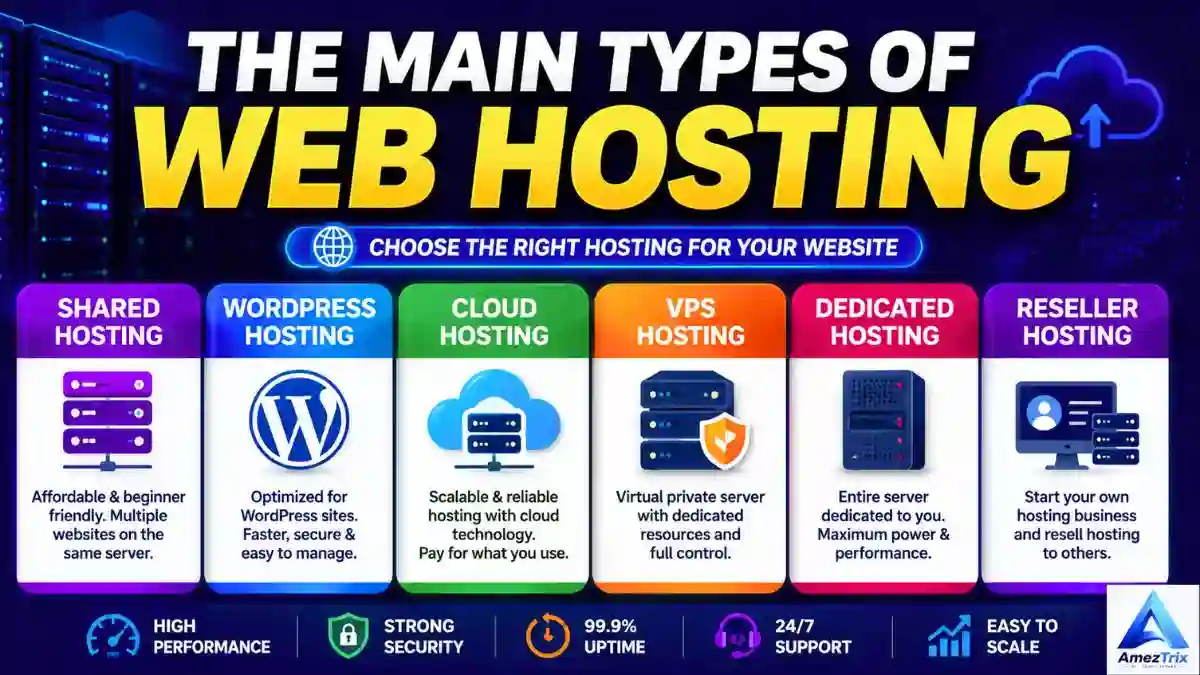
The Main Types of Web Hosting
Before you pick a provider, it helps to understand the categories you’re choosing between.
1. Shared Hosting

Shared hosting is typically the most budget-friendly starting point for anyone new to web hosting.
Multiple websites live on the same server and split its resources, which is exactly why providers can price it so low.
Good for:
- New blogs
- Personal sites
- Small websites
- Portfolios
- First-time site owners
- Low-to-moderate traffic
What’s good about it
- Low cost
- Simple to manage
- Beginner-friendly setup
- Usually comes with one-click WordPress install
- Free SSL is common
- No server administration knowledge required
What’s not
- You’re sharing resources with other sites
- Performance can fluctuate
- Less control compared to VPS or dedicated servers
- Not built for heavy traffic
For a brand-new website, though, shared hosting usually delivers solid value for the price.
If you’re just getting started, check out our detailed breakdown:
Best Web Hosting for Beginners: Fast, Secure & Affordable
2. WordPress Hosting
WordPress hosting is built specifically around sites running on WordPress.
Depending on the provider, it may include tuned server setups, auto-updates, built-in backups, caching, security tooling, staging environments, and support that actually understands WordPress.
Good for:
- WordPress blogs
- Business sites
- Content-driven websites
- Affiliate sites
- Online publications
If WordPress is your platform, hosting built around it will save you a lot of admin headaches.
3. Cloud Hosting
Cloud hosting spreads your site’s resources across a cloud network instead of relying on one physical server.
That structure usually means better scalability and flexibility, especially for sites whose traffic swings up and down.
It’s a natural fit for growing sites and businesses that need extra capacity on demand.
Good for:
- Growing websites
- Business sites
- High-traffic blogs
- Web apps
- E-commerce stores
- Projects built to scale
Read the full breakdown here:
Cloud WordPress Hosting: Best Providers 2026
4. VPS Hosting
A Virtual Private Server gives you a more isolated slice of a server, with resources set aside specifically for you.
VPS hosting generally hands you more control and flexibility than shared plans.
Good for:
- Developers
- Growing websites
- Web applications
- High-traffic sites
- Custom server setups
The trade-off is that VPS hosting demands a bit more technical know-how.
5. Dedicated Hosting
Dedicated hosting means an entire physical server belongs to you and only you.
That gives you serious control and resources, but it comes at a much higher price than shared hosting.
Good for:
- Large businesses
- Enterprise applications
- High-traffic sites
- Resource-heavy applications
Most beginners simply don’t need this level of hosting yet.
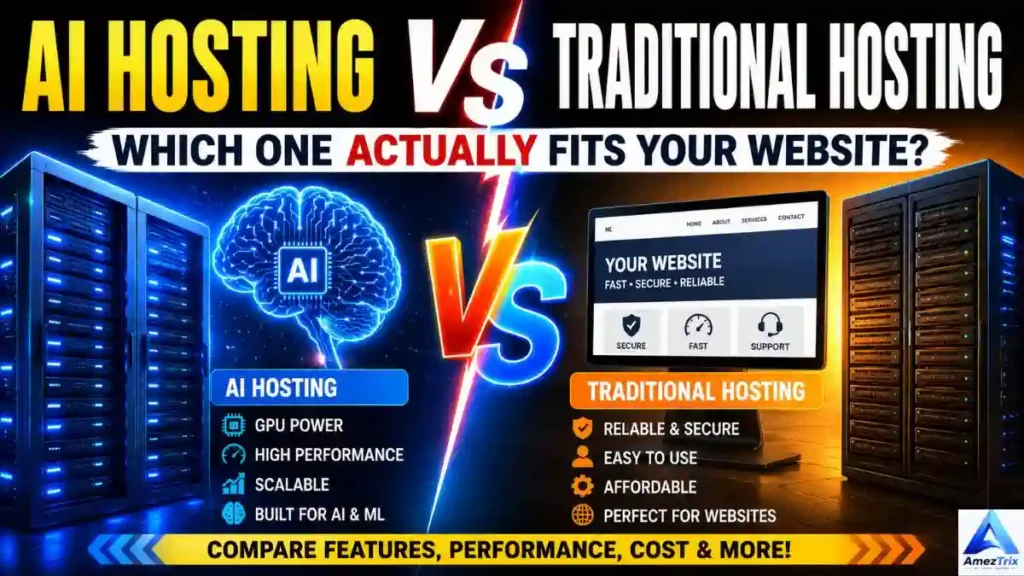
6. AI Hosting
AI hosting is purpose-built for machine learning and AI workloads.
Depending on the plan, AI infrastructure can include powerful CPUs, GPUs, generous RAM, high-speed storage, and specialized software environments.
It’s useful for things like:
- Machine learning
- AI inference
- Generative AI apps
- Large language model workloads
- Computer vision
- AI-powered APIs
- Heavy data processing
If AI infrastructure is what you’re after, see our full comparison:
Best AI Hosting: Top Providers & Plans
And for context on how it differs from standard hosting:
AI Hosting vs Traditional Hosting: Which Wins?
What Actually Makes Hosting “The Best”?
The cheapest plan on the page isn’t automatically the best plan for your site.
Here’s what’s actually worth evaluating.
1. Performance and Speed
Speed is arguably the single most important hosting factor.
A fast hosting environment shortens server response time and makes visits feel smoother.
Look for:
- Modern server hardware
- SSD or NVMe storage
- Server-side caching
- CDN integration
- Optimized web server software
- Enough CPU and RAM headroom
- Multiple data center locations
That said, hosting is only one piece of the speed puzzle — your theme, plugins, image sizes, JavaScript, CSS, database, and third-party scripts all play a role too.
2. Uptime
Uptime tracks how reliably your site stays live and reachable.
A dependable host should have a strong, consistent uptime track record.
Even the fastest website is useless if it’s frequently down.
When comparing providers, look for clear uptime policies and real service-level details rather than trusting marketing copy alone.
3. Security
Security should be a priority from day one, not an afterthought.
Key hosting security features to look for:
- Free SSL certificates
- Malware scanning
- Firewalls
- DDoS protection
- Secure account login options
- Automated backups
- Server monitoring
- Regular security patches
On your end, pair this with strong passwords, timely WordPress/plugin updates, and any extra security tools your site needs.
4. Backups
Backups aren’t optional — they’re your safety net.
Before you commit to a plan, check:
- How often backups run
- How long backups are kept
- Whether backups are automatic
- How easy restoration actually is
- Whether backups are stored separately from your live site
Don’t assume every plan handles backups the same way — many don’t.
5. Customer Support
Even reliable hosting runs into hiccups occasionally.
Good support turns a stressful outage into a quick fix.
Check whether the provider offers:
- 24/7 availability
- Live chat
- Ticket-based support
- A useful knowledge base
- Migration help
- WordPress-specific support
If you’re new to hosting, prioritize a provider whose support is easy to reach.
6. Scalability
Your hosting needs will change as your site grows.
A site pulling in 100 visitors a day has very different requirements from one pulling in a million a month.
Pick a provider that lets you scale up resources without forcing a full platform migration.
Cloud and VPS hosting tend to offer the most room to grow.
7. Storage
How much storage you need depends entirely on your site.
A simple, text-heavy blog needs relatively little space, while a site loaded with high-res images, video, downloads, and large databases needs considerably more.
Don’t pick a plan purely because it advertises “unlimited” storage — read the fine print on fair-use limits.
8. Bandwidth and Traffic
Bandwidth is how much data your site can transfer to visitors.
Image-heavy or video-heavy sites — or ones pulling serious traffic — burn through far more bandwidth than a lightweight blog.
Estimate your expected traffic and content load before you buy.
9. Free Domain
Some hosts throw in a free domain for the first year on select plans.
That’s a nice way to cut your startup costs.
Just make sure you check the renewal price, since the domain often isn’t free once that first year ends.
If a free domain matters to you, see:
Best Hosting with Free Domain: Top 10 Picks
10. Pricing vs. Renewal Costs
Hosting companies love advertising introductory prices.
But that first-year rate is often much lower than what you’ll pay at renewal.
So compare:
Introductory price + renewal price + what’s actually included
not just the number on the landing page.
A slightly pricier plan can easily deliver far better resources and support once you factor in renewals.
Is the Cheapest Web Hosting Actually Worth It?
Cheap hosting can work fine for beginners, but price alone shouldn’t drive the decision.
Budget plans often come with tighter caps on:
- CPU
- RAM
- Storage
- Backups
- Number of sites allowed
- Database limits
- Email accounts
- Traffic
- Support quality
If you’re working with a strict budget, compare a handful of providers side by side before you buy.
Our budget-focused guide can help:
Cheapest Web Hosting Plans: Budget Guide
The real target is affordable hosting with enough resources to actually work — not just the lowest number on the page.
Best Web Hosting for Small Businesses
Small businesses generally need a balance of affordability, reliability, performance, security, and room to grow.
A solid small-business plan should offer:
- Dependable uptime
- SSL
- Backups
- Strong performance
- WordPress compatibility
- Business email
- Security tools
- Easy management
- Simple upgrade paths
If you’re running a business site, compare hosts against business-specific needs rather than defaulting to the cheapest beginner plan.
Full guide here:
Top 10 Best Web Hosting for Small Business
Best Web Hosting for Beginners
If you’re new to this, prioritize simplicity above everything else.
A beginner-friendly host should make it painless to:
- Connect a domain
- Install WordPress
- Turn on SSL
- Set up email accounts
- Manage files
- Create backups
- Track resource usage
- Upgrade your plan
You don’t need VPS or dedicated hosting to launch a new site. For most new blogs and small websites, a decent shared or managed WordPress plan is more than enough.
Best Hosting for WordPress Sites
WordPress is one of the most widely used platforms out there, but how well it performs depends on both your host and your own site setup.
For WordPress, prioritize:
- One-click install
- Automatic updates
- WordPress-tuned servers
- Built-in caching
- CDN integration
- SSL
- Backups
- Malware protection
- Staging environments
- WordPress-savvy support
Beyond hosting, keep your install lean — trim unnecessary plugins, compress images, lean on caching, and keep themes and plugins current.
Best Hosting for AI Websites and Applications
Standard shared hosting generally isn’t built to handle serious AI workloads.
AI applications typically need:
- Strong CPUs
- GPUs
- Large memory capacity
- Fast storage
- High network throughput
- Infrastructure that scales
- AI-specific software environments
An AI app doing inference or training has fundamentally different infrastructure needs than a standard WordPress blog.
So choose AI hosting based on the actual workload, not just whichever plan looks the most powerful on paper.
Start here:
Best AI Hosting: Top Providers & Plans
And for a deeper comparison:
AI Hosting vs Traditional Hosting: Which Wins?
Hostinger vs SiteGround
When you’re comparing individual providers, weigh your own requirements rather than assuming one brand automatically beats the other.
Our full comparison covers:
Hostinger vs SiteGround: Which Is Better?
Including:
- Pricing
- Performance
- WordPress-specific features
- Security
- Support quality
- Ease of use
- Scalability
The right pick comes down to your budget, technical comfort level, and what kind of site you’re running.
Hostinger vs Bluehost
Another common matchup is Hostinger vs Bluehost.
If you’re stuck choosing between them, check out:
Hostinger vs Bluehost: Which One Actually Wins?
Compare the actual plan features instead of picking based on brand recognition alone.
Top Web Hosting Providers
The market is full of established hosting companies, each specializing in something different — shared plans, WordPress, cloud infrastructure, VPS, managed hosting, or developer-first environments.
For a broader look, see:
Top 10 Best Web Hosting Providers: Expert Reviews
Use it as your starting point when you want multiple providers side by side.
How to Choose the Best Web Hosting, Step by Step
A structured process makes this decision much easier.
Step 1: Know What You’re Building
Start by identifying your website type:
- Blog?
- Business site?
- Portfolio?
- WordPress site?
- Online store?
- SaaS product?
- AI application?
- High-traffic publication?
Your infrastructure needs flow directly from this answer.
Step 2: Estimate Your Traffic
A brand-new site rarely needs enterprise-grade infrastructure on day one.
Start realistic, then upgrade once you actually need to.
Step 3: Set Your Budget
Decide what you’re comfortable paying up front — and at renewal.
Renewal pricing matters just as much as the intro deal.
Step 4: Compare the Resources
Look closely at:
- CPU
- RAM
- Storage
- Bandwidth
- Number of sites allowed
- Database limits
- Backup options
Step 5: Check the Security Basics
Confirm SSL, backups, malware protection, and other essentials are actually included.
Step 6: Weigh the Support Options
Match the support level to your own technical comfort.
Beginners generally do best with easy-to-reach support.
Step 7: Think About Where You’re Headed
Avoid a host that makes upgrading a hassle.
Your hosting should be able to grow alongside your site, not hold it back.
Web Hosting Features Checklist
Run through this list before you buy:
- SSL certificate
- Dependable uptime
- Fast storage
- Sufficient CPU
- Enough RAM
- Reliable backup system
- Security protection
- CDN support
- Caching
- WordPress compatibility
- Easy-to-use control panel
- Responsive customer support
- Migration assistance
- Room to upgrade
- Clear renewal pricing
You don’t need every advanced feature on day one — just the ones that actually apply to your site.
Common Web Hosting Mistakes to Avoid
Shopping by Price Alone
The lowest price rarely equals the best value. Always weigh resources and renewal costs together.
Buying More Than You Need
Beginners often jump straight to expensive VPS or dedicated plans they don’t actually need yet. Start appropriately sized and scale up later.
Overlooking Renewal Pricing
An enticing intro rate can hide a much steeper renewal cost. Do the long-term math before committing.
Skipping Backups
A site with no reliable backup strategy is one bad update away from disaster.
Loading Up on Weak Plugins
Even great hosting can’t rescue a bloated WordPress install. Keep only what you actually use.
Ignoring Site Optimization
Hosting is just one part of speed. Also optimize:
- Images
- CSS
- JavaScript
- Database
- Fonts
- Plugins
- Caching
Does Web Hosting Affect SEO?
Hosting alone won’t push your site to the top of Google.
But it does influence factors tied to user experience and technical performance.
Good hosting can contribute to:
- Faster server response
- Stronger uptime
- Reliable crawling
- Better page performance
- A smoother visitor experience
Beyond hosting, SEO also depends on:
- Search intent
- Content quality
- Technical SEO
- Internal linking
- Backlinks
- Site architecture
- Mobile usability
- Structured data
- Overall page experience
Hosting is one piece of a much bigger SEO puzzle.
How Much Does Web Hosting Actually Cost?
Prices vary a lot depending on hosting type and provider.
Shared hosting is generally the cheapest entry point. WordPress, cloud, VPS, managed, and dedicated hosting all cost more since they come with additional resources or services.
Your total running cost may also include:
- Hosting itself
- Domain registration
- A premium theme
- Plugins
- CDN
- Email service
- Backup service
- Extra security tools
Always calculate the full cost of running your site — not just the hosting line item.
So Which Web Hosting Should You Actually Choose?
It really comes down to your situation.
Starting a New Blog
Go with affordable shared or WordPress hosting that includes SSL, backups, and decent support.
Running a Small Business
Choose a host with strong security, reliable backups, solid performance, and space to grow.
Building on WordPress
Pick WordPress-optimized hosting with caching, backups, security, and simple management.
Handling High Traffic
Look at cloud, VPS, managed hosting, or dedicated infrastructure.
Deploying AI Applications
Choose AI-focused infrastructure sized to your CPU, RAM, GPU, storage, and scaling needs.
Working as a Developer
VPS and cloud platforms usually give you the flexibility and server control you’re after.
Best Web Hosting: The Bottom Line
There’s no single hosting provider that’s the best web hosting choice for every website out there.
The right pick depends on your budget, the type of site you’re running, your traffic, your technical comfort level, your performance needs, and where you’re headed next.
Beginners generally do fine with affordable shared or WordPress hosting. Small businesses and growing sites often benefit from cloud hosting or a stronger WordPress plan. Developers and resource-heavy applications usually lean toward VPS or cloud infrastructure. And AI workloads need specialized AI hosting that traditional shared plans simply can’t deliver.
The biggest mistake you can make is choosing hosting purely on price or marketing promises.
Instead, weigh performance, uptime, security, backups, support, resources, scalability, and renewal pricing together before you decide.
Still researching? Explore the AmezTrix Web Hosting library for guides on top hosting providers, beginner hosting, small-business hosting, cloud WordPress hosting, AI hosting, budget hosting, free-domain hosting, and detailed head-to-head comparisons.
Get the hosting foundation right, and your site will be far better positioned for speed, security, traffic growth, and long-term success.
About the Author
Rajendra Parmar is the founder of AmezTrix and a passionate AI & technology writer. He shares expert guides, honest reviews, and practical tutorials on AI tools, WordPress, web hosting, SEO, digital marketing, gadgets, and emerging technologies. His mission is to help readers make smarter tech decisions with accurate, up-to-date, and easy-to-understand content.

Rajendra Parmar
Founder & Editor • AmezTrix
Rajendra Parmar is the Founder and Editor of AmezTrix, a platform covering Artificial Intelligence, Technology, WordPress, Web Hosting, Digital Marketing, Gadgets, Software Reviews, and emerging innovations. His mission is to simplify complex technology through practical tutorials, honest reviews, and well-researched guides that help readers make smarter digital decisions.