Meta Muse Wonder AI explained: Wonder vs Wonder Full, API and plan pricing, benchmarks, and how to start, compared with ChatGPT and Gemini.
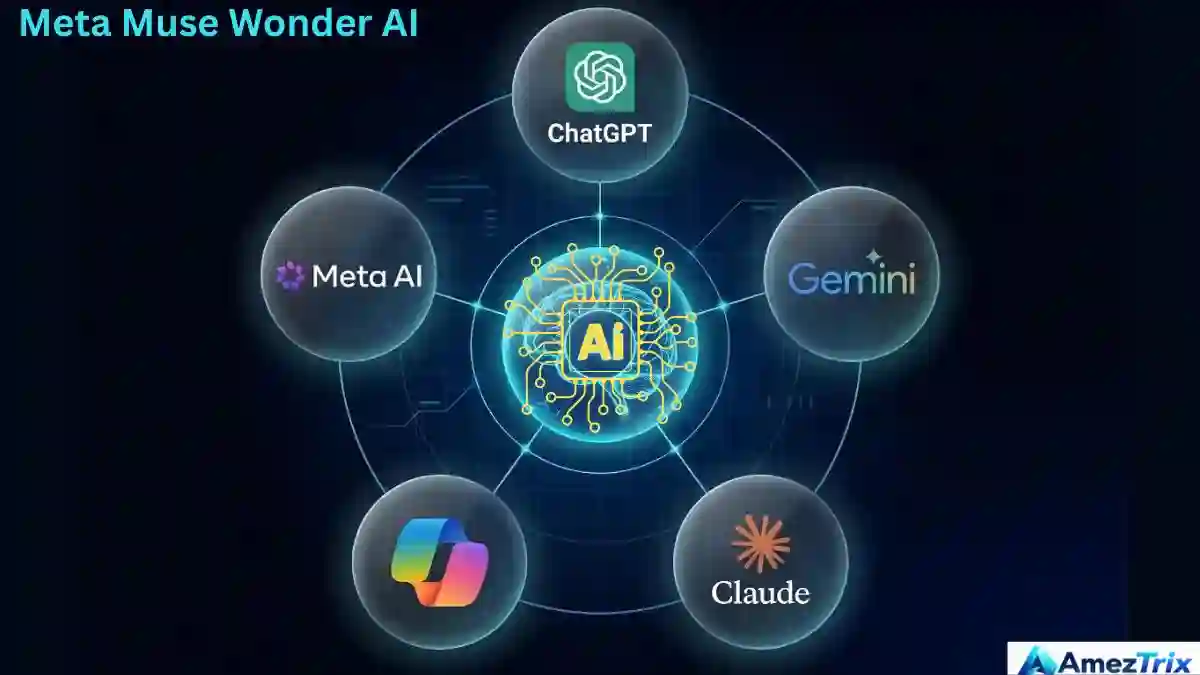
Most AI tools still sit and wait for your next message. Meta’s new Muse Wonder models are built to keep working on their own: plan the job, use tools, hold on to what you told them and try again when something breaks. That’s a bold claim, so let’s sort out what’s real, what’s marketing and what you can actually use today.
Quick answer: Meta Muse Wonder AI is a pair of models, Muse Wonder and Muse Wonder Full, that Meta launched on October 12, 2026. They’re designed for coding, long documents and multi-step agent work. Wonder is available through Meta’s API and Muse Code. Full is limited to paid Muse Code plans.
TL;DR: Key points
- Muse Wonder is the model you can call today through the Meta Model API or use inside Muse Code.
- Muse Wonder Full is the stronger sibling. It lives only in Muse Code, on the $50 Power Usage and $200 Maximum Usage monthly plans, and it is not available through the API.
- Wonder’s API price is $4 per million input tokens and $20 per million output tokens.
- Meta’s own scorecard looks impressive. The independent score is more modest, with Wonder Full landing just behind Claude Opus 5.5.
- “Muse” is the assistant. “Muse Wonder” is the model underneath. They are not the same thing.
What Is Meta Muse Wonder AI?
Meta Muse Wonder AI is the first frontier model family from Meta’s Superintelligence Labs, released on October 12, 2026. There are two models: Muse Wonder and Muse Wonder Full. Meta says they’re built for personal and professional agent tasks, including coding, long documents and specialist work in fields like law, finance and health.
Here’s the important bit. Those descriptions come from Meta, not from an independent lab. We’ll keep the two clearly apart as we go.
Meta also plans to bring the models into its Muse assistant later. For now, developers get the first look.
Meta Muse AI Model Explained in Plain English
It helps to picture three layers stacked on top of each other:

- The model is the brain. Muse Wonder and Muse Wonder Full are brains.
- The agent is the worker built around that brain. It breaks a goal into steps, opens tools and checks its own results.
- The product is the thing you actually open, such as the Muse app or Muse Code, Meta’s coding agent for the terminal.
Say you hand over a 40-page contract. A basic chatbot gives you a summary and stops. An agent can flag risky clauses, draft questions for your lawyer and track what changed between versions. A smarter brain helps a lot, but the tools and permissions around it decide what really gets done.
Muse, Spark, Glimmer and Wonder: Which Is Which?
Meta now has a crowd of “Muse” names, and mixing them up is the number one mistake people make. Here’s the cheat sheet.
| Name | What it is | Where you’ll find it |
|---|---|---|
| Muse | Meta’s personal AI agent and app | The Muse app |
| Muse Code | Meta’s coding agent for the terminal | Subscription or pay-as-you-go |
| Muse Spark | An earlier, lighter, faster model that Meta still offers as the cheaper option | Meta Model API, Muse Code |
| Muse Glimmer | A 30-billion-parameter model you can download and run locally | Open download |
| Muse Wonder | The new frontier model for agent and coding work | Meta Model API, Muse Code |
| Muse Wonder Full | The higher-compute version for harder jobs | Muse Code, top two plans only |
One more thing worth knowing: Meta hasn’t announced open weights for Wonder. If you want a model on your own machine, Glimmer is the one Meta currently gives you.
How Does Meta Muse Wonder AI Work?
Meta leans on two ideas that matter once a task gets long and messy.
Active Memory
This is Meta’s label for a model that keeps hold of what you’ve told it and connects those pieces over a long job. Meta backs the claim with a benchmark called MemoryBench. In everyday use, the goal is simple: the agent shouldn’t forget your rules halfway through a project.
Active Focus
Active Focus describes how the model behaves when things get tough. It tries a different route, recovers from an error, or stops to ask you a question instead of guessing. Picture a first code attempt that fails a test. A model with good focus reads the error, rethinks the approach and tries again. That doesn’t mean every bug gets fixed, but it beats giving up at the first wall.
Planning and tools
Wonder is built to plan multi-step work and use tools. The tools themselves come from the app around the model. Owning access to Wonder doesn’t hand it your inbox or your files. You choose what it can touch. If you’re curious how this kind of automation fits into a bigger workflow, our guide on AI agent automation covers the basics.
Meta Muse Wonder Full Features
| Feature | What it means for you | Example |
|---|---|---|
| Extra compute for hard tasks | Spends more effort on difficult problems | A big refactor across many files |
| Active Memory | Remembers what you said during a long job | Holding on to style rules and earlier decisions |
| Active Focus | Tries new approaches when stuck | Re-running a failing test a different way |
| Long coding work | Where Meta reports its best results | Software tasks that run for hours |
| Document-heavy agent work | Handles long, rule-filled material | Contract or policy review for a human to check |
| Safety training | Trained to refuse harmful requests and not reveal private information without permission | Turning down unsafe instructions |
Don’t think of Wonder Full as a “Pro switch” on the API model. It’s a separate model, and Meta serves it only through Muse Code.
Muse Wonder vs Muse Wonder Full: Which Do You Need?
| Comparison | Muse Wonder | Muse Wonder Full |
|---|---|---|
| Positioning | Frontier agent model | Meta’s most capable option |
| Meta Model API | Yes | No |
| Muse Code | Yes, pay-as-you-go or any subscription | Only Power Usage and Maximum Usage plans |
| Price | $4 input, $0.20 cached input, $20 output per million tokens | No public per-token price |
| Independent index score* | 52 | 56 |
| Best for | Building your own agents and apps | Heavy daily coding in the terminal |
*Artificial Analysis Intelligence Index v4.3.2, as reported in launch coverage.
And here’s the catch most write-ups skip. A Muse Code subscription pays for Muse Code and nothing else. If you build your own app with an API key, that usage is billed separately. So paying for Full inside Muse Code does not unlock Full for your app.
How Much Does Meta Muse Wonder AI Cost?
| Access route | What you pay | Good fit if you… |
|---|---|---|
| Wonder via Meta Model API | $4 per million input tokens, $0.20 per million cached input tokens, $20 per million output tokens | Build your own tools and want to pay for what you use |
| Wonder in Muse Code | Pay-as-you-go, or any subscription plan | Want a coding agent without writing integrations |
| Wonder Full in Muse Code | $50/month (Power Usage) or $200/month (Maximum Usage) | Code heavily every day and need the strongest model |
A quick example to make the API price feel real. Suppose a job uses 1 million input tokens and 200,000 output tokens. The input costs $4 and the output costs $4, so you’d pay about $8. That’s a simple illustration, not a quote, and real bills depend on your prompts and caching.
For context, Wonder’s API rates match what Anthropic charges for Claude Opus 5.5. Prices change, so check Meta’s official pages before you set a budget.
How to Start With Meta Muse Wonder AI, Step by Step
Method 1: Use Wonder through the Meta Model API
- Open Meta’s Muse Wonder model page.
- Sign in or create a developer account, and check whether your region is supported. Meta hasn’t published a full country list.
- Generate an API key and keep it in an environment variable. Never paste it into public code.
- Pick one small task with a clear result, like summarizing a document or writing a single function.
- Check the output yourself, then note the cost, speed and any failures before you scale up.
Method 2: Use Wonder or Wonder Full in Muse Code
- Install Muse Code using Meta’s official instructions, and read any install script before you run it.
- Choose pay-as-you-go for Wonder, or the Power Usage or Maximum Usage plan if you want Full.
- If the model you expect isn’t showing, check your plan in your Meta account.
- Give it a focused task with clear requirements, then review every change and run your tests before accepting anything.
Privacy note: Muse Code subscriptions start in Contributor mode. Per Meta’s subscription documentation, that mode gives you more usage in exchange for letting Meta train future models on your prompts, code, files and responses. Check the setting before you open a private or client project.
Method 3: Wait for the Muse app
Meta says Wonder will power the Muse agent later, but it hasn’t given a date or said which countries and plans come first. Watch the official Muse page instead of assuming your app already runs Wonder.
A beginner prompt that actually works
“Help me plan a blog post about AI agents for beginners. Give me an outline, the questions readers are likely to ask, and a list of facts I need to verify from current sources. Don’t invent statistics. Show me the plan before you write anything.”
Why it works: it names the audience, spells out the output and sets a rule, and it gives you a checkpoint before the agent starts the real work.
Real-World Examples: What Can You Use It For?
- Coding: Drafting features, tracking down failing tests and handling long jobs across many files. Keep version control and code review in place.
- Research planning: Organizing sources, building outlines and listing what still needs checking.
- Document review: Turning a long lease or policy into plain-language notes and questions. Treat it as decision support, not legal advice.
- Business reports: Summarizing customer feedback or project notes. Strip out sensitive customer data first.
- Repetitive digital chores: Sorting information and following a repeatable checklist, where the connected app allows it.
What Do the Benchmarks Really Say?
Launch day always brings a flattering chart. Here’s the balanced version.
| Test | Result | Source |
|---|---|---|
| Artificial Analysis Intelligence Index | Claude Opus 5.5: 58, Wonder Full: 56, Wonder: 52 | Independent |
| Meta’s 14-test table vs Opus 5.5 | Full wins 8, loses 6. Base Wonder wins 5, loses 9 | Meta |
| Meta’s table vs GPT-6 Astra | Full wins 11 of 14 | Meta |
| DeepSWE 1.1 (coding) | Full: 79.0 vs about 74 for Opus 5.5 and GPT-6 Astra | Meta |
| Legal agent test (LAB-AA) | Full: 13.1 vs 4.2 for Opus 5.5 | Meta |
| ProgramBench | Opus 5.5: 70.5 vs Full: 59.0 | Meta |
Three things stand out:
- Wonder Full looks strongest on long coding jobs and document-heavy agent work.
- Meta’s table gives Full a higher Artificial Analysis score (59.0) than Artificial Analysis itself publishes (56).
- One headline coding number, SWE-Marathon, was measured with Full at a different effort setting from the rest of the table, so it isn’t a fair like-for-like comparison.
Meta Muse Wonder vs ChatGPT: Which Is Better?
This one is slightly apples-to-oranges. ChatGPT is an app that runs OpenAI’s models. Muse Wonder is a model that shows up in developer tools first. The fairer match-up is Wonder against whichever OpenAI model sits behind your ChatGPT plan, such as GPT-6 Astra, which Meta tested against.
| Factor | Meta Muse Wonder | ChatGPT |
|---|---|---|
| What it is | A model family for agents and coding | A consumer and business assistant app |
| Easiest way to try it | Meta Model API or Muse Code | The ChatGPT app or OpenAI’s API |
| Everyday chat | Muse app support is still coming | A mature, ready-to-use experience |
| Coding claims | Strong on long autonomous coding, per Meta | Depends on the model and tools you pick |
| Evidence | Mostly Meta’s own benchmark table | Plenty of third-party testing |
Our take: If you want an assistant that works out of the box today, ChatGPT is the simpler choice. If you’re a developer testing long coding agents, Wonder deserves a trial on your own tasks.
Meta AI Agent vs Google Gemini Agent: How Do They Differ?
Google introduced its Gemini agent on October 8, 2026, at its Gemini at Work event. It’s aimed at the workplace: a single prompt box that handles knowledge work, questions and coding across Google Workspace, Slack and Microsoft 365. It can spin up sub-agents, act as a “coworker” with its own identity and email address, and record every action in an audit trail. It’s currently in private preview, and Google says it routes tasks between Gemini and Anthropic’s Claude models.
For personal use, the closer Google match is Gemini Spark, the personal agent announced at Google I/O 2026 for the Gemini app.
| Factor | Meta (Muse + Wonder) | Google (Gemini agent / Spark) |
|---|---|---|
| Main focus | Coding and personal agents | Workplace agent (Gemini agent), personal agent (Spark) |
| Model behind it | Meta’s Wonder family | Gemini models, plus Claude models in the work agent |
| Where it works | Terminal, API, Muse app later | Workspace, Slack, Microsoft 365, Gemini app |
| Enterprise controls | Not a headline feature at launch | Agent identity, audit trail, security gateway |
| Availability | Wonder is live for developers | Gemini agent is in private preview |
In short, Meta is leading with developers and coding, while Google is leading with workplace tools and controls. They aren’t really fighting over the same buyer yet. Before you pick, run your own five-task test on both.
Pros and Cons of Meta Muse Wonder AI
Pros
- Strong reported results on long coding and document-heavy agent tasks.
- Active Memory is aimed at long projects, not just one-off chats.
- Wonder is available to developers through the API right now.
- Its API pricing matches Claude Opus 5.5 on both input and output.
Cons and limits
- Full is behind a gate. You need a $50 or $200 monthly Muse Code plan, and there’s no API.
- Independent scores trail the leader. Opus 5.5 still tops the independent index.
- Mixed results. In Meta’s own table, base Wonder loses more rows than it wins against Opus 5.5.
- A privacy trade-off. Contributor mode lets Meta train on your submitted code and prompts.
- Open safety questions. Meta says that without mitigations it can’t rule out Full reaching an elevated risk level for chemical and biological weapons. With mitigations, it rates the remaining risk as moderate or lower. A fuller safety report has been promised.
- Not open. No open weights have been announced for Wonder.
Common Mistakes and Red Flags to Avoid
- Mixing up Muse and Muse Wonder. One is the assistant, the other is the model.
- Expecting Full on the API. It isn’t served there.
- Assuming a subscription covers your app. API usage is billed separately.
- Skipping the Contributor mode check. Look at it before using private code.
- Trusting launch charts. Look for independent scores and test on your own work.
- Downloading from look-alike sites. Start only from Meta’s official domains.
- Granting too many permissions. Connect only what the task needs and approve anything you can’t undo.
- Publishing AI output unchecked. Verify facts, prices and quotes first.
Meta Muse Wonder AI Checklist
- Decide whether you need the API (Wonder) or Muse Code (Wonder or Full).
- Confirm current pricing and regional availability on Meta’s pages.
- Check your Contributor mode setting before using private code.
- Choose one task with a measurable result and test it first.
- Run the same task on one rival model and compare cost and quality.
- Store API keys securely and limit connected apps.
- Review all code and facts before using them for real.
Frequently Asked Questions About Meta Muse Wonder AI
1. What is Meta Muse Wonder AI?
Meta Muse Wonder AI is a family of two models, Muse Wonder and Muse Wonder Full, launched on October 12, 2026. They’re built for coding, long documents and multi-step agent tasks. Meta calls them its most capable models so far, though that claim comes from Meta’s own testing.
2. Is Meta Muse Wonder AI free?
No. Wonder costs $4 per million input tokens and $20 per million output tokens through the API. Wonder Full needs a Muse Code Power Usage plan at $50 per month or a Maximum Usage plan at $200 per month. Check Meta’s pages for current terms.
3. What is the difference between Muse Wonder and Muse Wonder Full?
Wonder is available through the Meta Model API and Muse Code. Wonder Full is the stronger version that spends more compute on hard tasks. It lives only in Muse Code on the top two plans and isn’t served through the API. Full also scores higher on the independent index.
4. Can I use Muse Wonder Full through the API?
No. Meta doesn’t serve Wonder Full through its API, and it’s limited to eligible Muse Code subscribers. A Muse Code subscription also doesn’t give your own apps access to Full, because API keys are billed separately from the subscription credential.
5. Is Meta Muse Wonder better than ChatGPT?
Not clearly. Wonder is a model, while ChatGPT is a complete app. In Meta’s own table, Wonder Full beats GPT-6 Astra on 11 of 14 tests, but that’s Meta’s testing. Compare both on your own tasks, measuring accuracy, cost and time.
6. How is Meta’s AI agent different from Google’s Gemini agent?
Meta leads with Muse Wonder for coding and personal agents. Google’s Gemini agent, announced October 8, 2026, targets workplaces with sub-agents, agent identities and audit trails across Workspace, Slack and Microsoft 365. It’s in private preview, so direct comparisons are still limited.
7. Does Meta train on my data in Muse Code?
It can. Muse Code subscriptions start in Contributor mode, which gives more usage in exchange for permission to train future models on your prompts, code, files and responses. Check your plan settings before using private or client code, and read Meta’s current documentation.
8. Is Muse Wonder open source?
No open weights have been announced for Muse Wonder or Wonder Full. Meta’s downloadable option is Muse Glimmer, a 30-billion-parameter model you can run locally. Wonder is reached through Meta’s services, not as a file you can download.
Final Verdict: Should You Try Meta Muse Wonder AI?
If you write software, yes, it’s worth a small, careful test. Wonder is easy to reach through the API, and Wonder Full is aimed squarely at heavy coding. The reported results on long coding tasks are the strongest part of Meta’s case.
If you want a polished everyday assistant, hold off. The Muse app hasn’t confirmed when Wonder arrives, and Meta hasn’t published a full country list.
Our advice: Run the same three real tasks on Wonder and on the model you use now. Track accuracy, cost and how often you have to step in. The best AI model isn’t the one with the loudest launch. It’s the one that finishes your work correctly, safely and at a price you can live with.
Editorial note: This guide is based on public reporting and official materials available on October 14, 2026, not on our own lab testing. Access, pricing and benchmarks change quickly, so recheck Meta’s pages before you decide.
About Author
Rajendra Parmar is the Founder and Editor of AmezTrix, where he covers Artificial Intelligence, Technology, WordPress, Web Hosting, Digital Marketing, Gadgets, and Software. His mission is to simplify complex technology through practical tutorials, honest reviews, and well-researched guides that help readers make smarter digital decisions.

Rajendra Parmar
Founder & Editor • AmezTrix
Rajendra Parmar is the Founder and Editor of AmezTrix, a platform covering Artificial Intelligence, Technology, WordPress, Web Hosting, Digital Marketing, Gadgets, Software Reviews, and emerging innovations. His mission is to simplify complex technology through practical tutorials, honest reviews, and well-researched guides that help readers make smarter digital decisions.