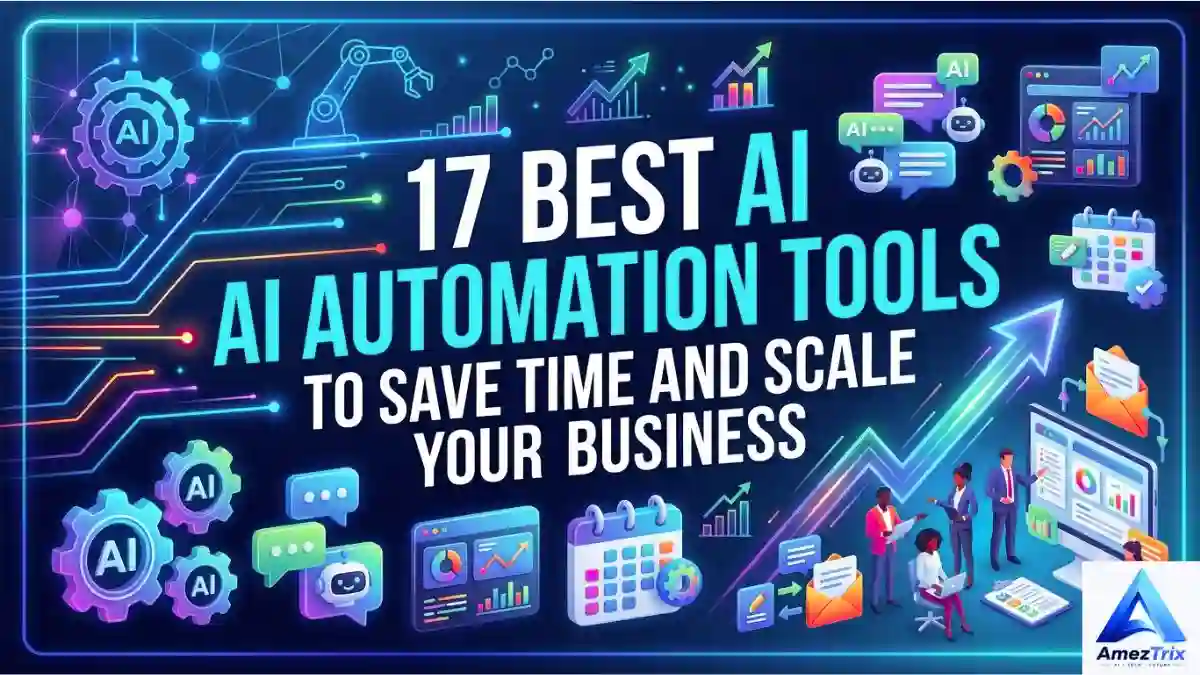
17 Best AI Automation Tools to Save Time and Scale Your Business in 2026
Be honest with yourself for a second: how much of your workday actually needs a human brain? Replying to the same three emails. Updating a spreadsheet nobody reads carefully. Chasing leads that went cold two weeks ago. Writing yet another status report. None of it is difficult. It’s just endless — and closing that exact gap is what AI-powered automation is built for.
Quick answer: AI Automation Tools pairs traditional workflow automation with an AI model that can read, reason, and decide — so instead of just following a fixed rule, a workflow can understand a message, judge intent, and choose the right next step on its own.
Ten years ago, “automation” meant if-this-then-that logic — rigid, dumb, but reliable. Today’s AI automation tools are a different animal entirely. They can read a message, understand what it means, decide what to do next, and carry out several steps in a row without anyone hovering.
In this guide, you’ll find 17 of the best AI automation platforms available right now, exactly who each one suits, and how to choose one without burning a month on trial and error.
Key Takeaways
- AI-powered automation = workflow automation + an AI model that adds judgment, not just rule-following
- 17 tools compared below, from no-code (Zapier, Make) to enterprise-grade (Salesforce, UiPath) to AI assistants (ChatGPT, Claude, Gemini)
- Free and open-source paths exist — n8n, Zapier’s free tier, and Make’s free tier are the easiest starting points
- Pick based on the task that’s actually eating your time, not the tool with the longest feature list
What Is AI-Powered Automation, Really?
Strip away the marketing language and it’s simple: AI-powered automation combines two things — software that carries out tasks on its own, and AI that adds judgment to how those tasks get done.
Old-school automation followed a script and nothing more. AI-driven automation does far more with the same trigger. It can:
- Read what the person actually wrote
- Work out whether they’re a serious lead or just browsing
- Drop them into the right CRM bucket
- Draft a follow-up that doesn’t read like a template
- Notify the right team member
- Schedule the next check-in
- Adjust course based on how the person responds
That mix of AI thinking, automated doing, and everything wired together is what separates modern AI-powered automation platforms from the rule-based tools most of us grew up with— and why so many businesses are quietly rebuilding how their workflows run.
Why AI-Powered Automation Actually Matters for Businesses
Repetitive admin work is sneaky. It never feels like a big deal day-to-day, but add it up over a month, and it’s often the single biggest drain on a team’s time. Data entry, inbox triage, reporting, lead qualification — none of it scales well as a business grows, and most teams just quietly absorb the extra load until people burn out.
Here’s what businesses actually get once AI automation tools are working properly:
- Time back for judgment calls, creative work, and real conversations with customers
- Lower costs, since you’re not adding headcount just to keep up with routine tasks
- Faster output, because AI can draft, research, and analyze quicker than any one person typing alone
- Better customer experience — faster replies and more relevant follow-ups shape how people feel about a brand, even if they can’t say exactly why
Automation is often the only thing standing between “this works fine” and “this falls apart” once a business goes from 20 customers to 2,000.
The 17 Best AI Automation Tools
There’s no single “best” AI-powered automation tool — anyone who tells you otherwise is probably selling something. The right pick depends entirely on the problem you’re trying to fix. Some of these are broad, general-purpose platforms; others are built for one job and one job only.
| Tool | Best For | Standout Strength |
|---|---|---|
| Zapier | General workflow automation | Massive app ecosystem |
| Make | Advanced, branching workflows | Visual builder |
| n8n | Developer-grade automation | Deep flexibility |
| Microsoft Power Automate | Enterprise / Microsoft shops | Native Microsoft 365 ties |
| HubSpot | Marketing and sales | Built-in CRM automation |
| Salesforce | Enterprise CRM | AI-driven sales workflows |
| UiPath | Enterprise-scale automation | Robotic process automation |
| ChatGPT | General AI assistance | Fast reasoning and drafting |
| Claude | Knowledge and analysis work | Handles long, complex material |
| Gemini | Google-centric teams | Deep Workspace integration |
| ClickUp | Project management | AI baked into task workflows |
| Notion AI | Knowledge management | AI inside your existing docs |
| Jasper | Marketing content | Purpose-built content workflows |
| ActiveCampaign | Marketing automation | Behavior-based customer journeys |
| Copy.ai | Sales and marketing | Go-to-market automation |
| Buffer | Social media | Streamlined content scheduling |
| Perplexity | Research | AI-powered search and synthesis |
1. Zapier
Zapier’s been around long enough that most people have at least heard of it, and it’s earned that reputation. What it does is simple on paper: connect two or more apps so an action in one kicks off a response in another.
A typical chain looks like: new website lead → CRM entry → AI review → personalized email → sales team alert.
With thousands of app integrations to pick from, it’s a natural fit if your business already runs on a pile of different SaaS tools — and honestly, who doesn’t these days? Use it for lead routing, email sequences, CRM updates, onboarding, notifications, syncing data between apps, and increasingly, layering AI decisions on top of all of that.
Best for: small businesses, marketers, agencies, and anyone who wants automation without touching a line of code.
2. Make
Make is for people who’ve hit the ceiling of what a simple trigger-and-action setup can do. Its visual, drag-and-drop canvas lets you build workflows with actual branching logic and multiple conditions — and just as importantly, it’s much easier to see exactly where something broke.
Sample flow: form submission → AI classifies the request → data lands in a database → CRM updates → email goes out → team gets pinged on Slack.
Best for: agencies, ops teams, and marketers who’ve outgrown the basics.
3. n8n
n8n has quietly become the go-to for developers and technical teams who want serious control over their automation instead of being stuck inside someone else’s interface. It hooks directly into APIs, databases, internal systems, and AI models.
Picture a support workflow: a customer question comes in, gets passed to an AI model, the model searches a knowledge base, drafts an answer, logs the conversation, and flags anything that genuinely needs a human.
Best for: developers, startups, and technical teams who want something highly customized (and often self-hosted).
4. Microsoft Power Automate
If your company already lives inside Microsoft 365, this is the obvious extension. It ties workflows together across Microsoft’s ecosystem and beyond — approvals, onboarding steps, notifications, reporting — without forcing your team onto a tool nobody’s used before.
Best for: enterprises with a heavy Microsoft footprint.
5. HubSpot
HubSpot packs CRM, marketing, sales, and customer service into one platform, and automation runs through nearly all of it. A typical journey: someone visits the site → gets captured as a lead → qualification happens → they land in the CRM → nurture emails go out → sales gets notified → follow-up happens. AI on top of that helps with content, segmentation, and communication.
Best for: growing businesses that want marketing, sales, and CRM automation without stitching together five separate tools.
6. Salesforce
Salesforce is still the heavyweight in enterprise CRM, and its AI layer helps sales teams manage pipelines, spot the opportunities actually worth chasing, and cut down on manual record updates. Workflows can update records, assign leads, generate follow-up tasks, and support forecasting on their own.
Best for: mid-sized to large companies with complicated sales operations.
7. UiPath
UiPath doesn’t quite belong in the same bucket as the others on this list — it’s built for robotic process automation (RPA), meant to handle repetitive, computer-based work at real scale: data entry, document processing, back-office grunt work. AI adds the ability to make sense of messier, less structured information along the way.
Best for: large enterprises automating high-volume back-office processes.
8. ChatGPT
ChatGPT isn’t a traditional automation platform, but it’s quietly become the engine sitting inside a lot of automated systems. Teams lean on it for drafting, summarizing, research, coding help, and brainstorming — and once it’s connected to an automation platform through its API, it stops being a standalone chatbot and becomes a real piece of a larger workflow.
A common pattern: customer message comes in → AI figures out what they want → pulls the relevant info → drafts a reply → a human signs off → customer gets an answer.
Best for: pretty much any business looking to fold generative AI into daily work.
9. Claude
Claude, from Anthropic, tends to shine on knowledge-heavy work — working through long documents, following detailed instructions, and producing writing that’s genuinely well-structured rather than generic filler. In practice, businesses use it for document review, research, drafting, summarizing, and internal knowledge tasks. The point isn’t replacing a role; it’s taking the first pass so a person can refine it from there.
10. Google Gemini
For teams already living inside Google Workspace, Gemini just slots in — helping with writing, research, summarizing, and making sense of data without anyone leaving the tools they already use every day.
Best for: Google Workspace users and teams who want Google AI Tools where they already work.
11. ClickUp
ClickUp pairs project management with AI features aimed at cutting down coordination overhead — task summaries, documentation, meeting notes, brainstorming, all inside the same tool your team already uses to track what’s going on.
Best for: project teams, agencies, and remote teams juggling more than one workstream at once.
12. Notion AI
Notion acts as a hub for notes, docs, and project tracking, and its AI features are built right into that space. Meeting summaries, documentation, content planning — it all happens without switching tabs every five minutes.
Best for: content teams, startups, and knowledge workers who’d rather keep information and AI in one place.
13. Jasper
Jasper is built specifically for marketing and content teams — blog posts, ad copy, campaign ideas, brand messaging. The workflow that actually works: AI drafts, a person reviews, someone with real expertise polishes it, then it goes out. That keeps speed high without turning your brand voice into mush.
Best for: marketing teams and agencies churning out a lot of content.
14. ActiveCampaign
ActiveCampaign is built around behavior, not blasts. A subscriber’s actions — opens, clicks, purchases — trigger the next step automatically: welcome sequence → engagement tracking → segmentation → personalized campaign → sales follow-up.
Best for: email marketers, e-commerce brands, and anyone focused on the full customer lifecycle.
15. Copy.ai
Copy.ai leans hard into go-to-market work, helping sales and marketing teams speed up outreach, prospect research, and the repetitive communication that eats up a rep’s day, alongside straightforward content generation.
Best for: sales and marketing teams trying to scale outreach without scaling headcount.
16. Buffer
Buffer keeps social media simple — planning, scheduling, and publishing across platforms without the constant manual back-and-forth. AI features help with idea generation and adapting one piece of copy for five different channels.
Best for: creators, small businesses, and social teams running multiple accounts.
17. Perplexity
Perplexity is built around AI-powered search — getting you from a vague question to a well-sourced answer fast. It’s genuinely useful for summarizing sources, comparing viewpoints, and giving researchers a faster starting line.
Best for: researchers, content strategists, students, analysts.
AI-Powered Automation Tools: Quick Comparison
| Tool | Ease of Use | Primary Use Case |
|---|---|---|
| Zapier | Very Easy | General automation |
| Make | Moderate | Complex workflows |
| n8n | Advanced | Custom AI workflows |
| Power Automate | Moderate | Enterprise automation |
| HubSpot | Moderate | Marketing & CRM |
| Salesforce | Advanced | Enterprise sales |
| UiPath | Advanced | RPA |
| ChatGPT | Easy | AI assistance |
| Claude | Easy | Knowledge work |
| Gemini | Easy | Google ecosystem |
| ClickUp | Easy | Project management |
| Notion AI | Easy | Knowledge management |
| Jasper | Easy | Marketing content |
| ActiveCampaign | Moderate | Customer journeys |
| Copy.ai | Easy | Sales & marketing |
| Buffer | Easy | Social media |
| Perplexity | Very Easy | Research |
How to Actually Pick One
The best AI automation tools platform isn’t the one with the longest feature list on its landing page. It’s the one that fixes the specific thing slowing you down. Weigh this before signing up for anything:
- Start with the task, not the software. What’s eating the most time? Which tasks repeat every week? Where does someone copy information by hand from one place to another?
- Check the integrations. None of this matters if the platform can’t talk to your CRM, email, website, spreadsheets, or payment system.
- Think about who’s running it day to day. A no-code tool is fine for a marketer; a developer might want real API access and custom logic.
- Do the rough math on ROI — time saved multiplied by what that time is worth, weighed against cost and setup time.
- Think a step ahead — will this still make sense with more users, more data, and pricing that changes as you scale?

Best Tools by Use Case
Small businesses: Zapier, Make, ChatGPT, HubSpot, and Notion AI usually hit the sweet spot between simple and useful.
Marketing teams: HubSpot, Jasper, ActiveCampaign, Copy.ai, Buffer, and ChatGPT tend to deliver the most.
Sales teams: Salesforce, HubSpot, Copy.ai, Zapier, and general AI assistants for lead qualification and CRM upkeep.
Personal or team productivity — cutting down time on research, writing, and communication: ChatGPT, Claude, and Gemini, alongside ClickUp and Notion AI, are the usual suspects.
Building Your First Workflow
You don’t need to automate your whole business at once. Honestly, don’t try — pick one thing and start there.
- Find one repetitive task worth the setup time
- Map out exactly how it works today, step by step
- Figure out where AI genuinely helps — classification, summarizing, drafting, research — rather than forcing it in everywhere
- Connect the tools using whatever platform you’ve chosen
- Add a human checkpoint anywhere the decision actually matters
- Test it with real inputs, not just clean sample data, and watch for wrong answers or duplicate actions
- Once it’s live, check whether it’s actually saving the time you thought it would
AI-Powered Automation vs. the Old Kind
Traditional automation runs on fixed rules: form submitted, send email A, nothing fancier than that. AI-powered automation deals with messier input. It can read what a customer actually wrote, guess at what they meant, personalize a reply, and route it to the right team without a rule existing for every possible scenario.
Neither one is going away. The systems that work best usually mix the reliability of rules with the flexibility of AI.
Is This Going to Replace Jobs?
Fair question, and the answer isn’t simple. AI-powered automation is genuinely good at repetitive, predictable, information-heavy work. It’s a lot worse at strategy, creativity, leadership, and judgment calls that carry real consequences.
For most companies, AI becomes a multiplier rather than a replacement. The people who learn to work alongside it tend to come out ahead — not the ones who ignore it, and not the ones who hand everything over to it either.
Mistakes Worth Avoiding
- Automating a broken process just makes the mess happen faster — fix the workflow first
- Don’t strip out human oversight entirely, especially anywhere money, legal risk, or an upset customer is involved
- Stacking too many tools tends to create more chaos than it solves — resist the urge to add “just one more”
- Pay attention to what data you’re sending to third-party AI systems
- Don’t chase the cheapest option purely on price — reliability and support usually matter more once things are actually running
Free, Open-Source, and No-Restriction AI Automation Tools
Not every business wants to commit to a paid plan before knowing if automation actually works for them — and that’s a fair instinct. If you’re comparing free options or a full AI automation tools list before spending anything, here’s where to start:
- Free tiers worth trying: Zapier, Make, and HubSpot all offer limited free plans that cover basic workflows — enough to test a real use case before upgrading.
- Open-source and self-hosted options: n8n is the standout here — it’s open-source, can be self-hosted, and gives technical teams a genuinely “no restrictions” setup with full control over data and logic instead of being boxed in by a vendor’s rules. Node-RED and Huginn are worth a look too for smaller, code-light automations.
- AI workflow automation free of cost, longer-term: pairing a free-tier platform (Zapier or Make) with a free-tier AI model (ChatGPT or Claude’s free plan) is usually enough to automate one real workflow end-to-end without paying anything upfront.
- AI automation tools for testing: if the job is QA rather than business workflows, look at tools purpose-built for it — think automated regression and UI testing platforms that use AI to adapt to changing interfaces, rather than the general-purpose tools above.
The trade-off is predictable: free and open-source tools ask more of your time and technical skill upfront; paid platforms trade money for speed and support. Pick based on which one you actually have more of right now.
Where This Is All Heading
The next stage looks less like single-task tools and more like AI agents — systems that take a goal, break it into steps, use whatever tools they have access to, check their own results, and keep going until the job’s done or a human needs to step in. If that shift plays out the way it’s shaping up, business automation is going to look pretty different in a few years.
Frequently Asked Questions
What is AI-powered automation?
AI-powered automation is software that combines AI with workflow automation to handle repetitive tasks, analyze information, generate content, and connect your apps with minimal hand-holding.
Which AI automation tool is actually the best?
There isn’t one universal best — it depends on what you need. Zapier for simple integrations, Make or n8n for anything more advanced, HubSpot or Salesforce if CRM and sales automation are the priority.
Are AI automation tools free?
Yes, several are — Zapier, Make, and HubSpot all have workable free tiers to start with, though the more useful features usually sit behind a paid plan once your usage grows.
Are there any AI automation tools with no restrictions?
Self-hosted, open-source tools like n8n come closest. Since you run them yourself, there’s no vendor cap on workflows, integrations, or data — paid platforms almost always have some usage limit tied to your plan.
Where can I find an AI automation tools list to compare?
The 17-tool comparison table above covers the main options across general automation, CRM, marketing, and knowledge work, sorted by what each one is actually best at.
Are there AI automation tools built specifically for testing?
Yes — QA-focused platforms use AI to adapt automated tests when an app’s interface changes, which cuts down on the constant script maintenance that traditional test automation needs.
Can small businesses actually benefit from AI-powered automation?
Yes — lead management, email marketing, customer support, social scheduling, content creation, and reporting are all common wins for small teams.
Is AI-powered automation hard to learn?
Not really. No-code tools like Zapier and Make are built for people without a technical background. n8n gives you more depth if you want it.
Will AI-powered automation take people’s jobs?
It cuts down on certain repetitive tasks, but it doesn’t replace judgment, creativity, or actual relationship-building. Most businesses use it to get more done, not to shrink the team.
What’s the real difference between AI and automation?
Automation follows rules you set. AI can interpret information and adjust its response depending on context. Put together, you get automation that’s a lot more flexible than rules alone.
How do I actually start with AI-powered automation?
Pick one time-consuming task, map out how it works now, figure out where AI can help, choose a platform, test it properly, and measure the results before you try to scale it up.
Final Verdict
There’s no single winner here — just the AI automation tools that fit the problem you actually have. Zapier’s a solid starting point if you want something simple. Make and n8n suit more technical or complex needs. HubSpot, Salesforce, Jasper, ActiveCampaign, and Copy.ai are built for marketing and sales specifically. ChatGPT, Claude, Gemini, Notion AI, and ClickUp help individuals and teams move through everyday knowledge work faster.
The smartest move is still the boring one: pick one repetitive process, automate it, see what actually changes, then expand from there. Done right, this isn’t about cutting people out — it’s about giving them back the time to do the work that actually needs a human.
About Author
Rajendra Parmar is the Founder and Editor of AmezTrix, where he covers Artificial Intelligence, Technology, WordPress, Web Hosting, Digital Marketing, Gadgets, and Software. His mission is to simplify complex technology through practical tutorials, honest reviews, and well-researched guides that help readers make smarter digital decisions.

Rajendra Parmar
Founder & Editor • AmezTrix
Rajendra Parmar is the Founder and Editor of AmezTrix, a platform covering Artificial Intelligence, Technology, WordPress, Web Hosting, Digital Marketing, Gadgets, Software Reviews, and emerging innovations. His mission is to simplify complex technology through practical tutorials, honest reviews, and well-researched guides that help readers make smarter digital decisions.