The short answer: the best AI coding tool in 2026 depends on how you work. GitHub Copilot is the best all-rounder, Cursor is the best AI-native editor, Claude Code is the strongest pick for big, messy codebases, ChatGPT is the easiest way to learn, and Windsurf (which now includes the former Codeium) is the best place to start for free. Below, I compare all 15 so you can pick the right AI coding assistant for your stack and budget.
Best AI Coding Tools at a Glance
| If you want… | Pick this | Why |
|---|---|---|
| The safest all-round choice | GitHub Copilot | Works in almost every major editor |
| An editor built around AI | Cursor | Edits many files at once |
| Help with a huge codebase | Claude Code | Strong reasoning across large repos |
| To learn programming | ChatGPT | Explains code in plain language |
| A free start | Windsurf | Free tier with solid completion |
| Open-source control | Continue or Cline | Bring your own model |
| Privacy and compliance | Tabnine | Private and on-premises options |
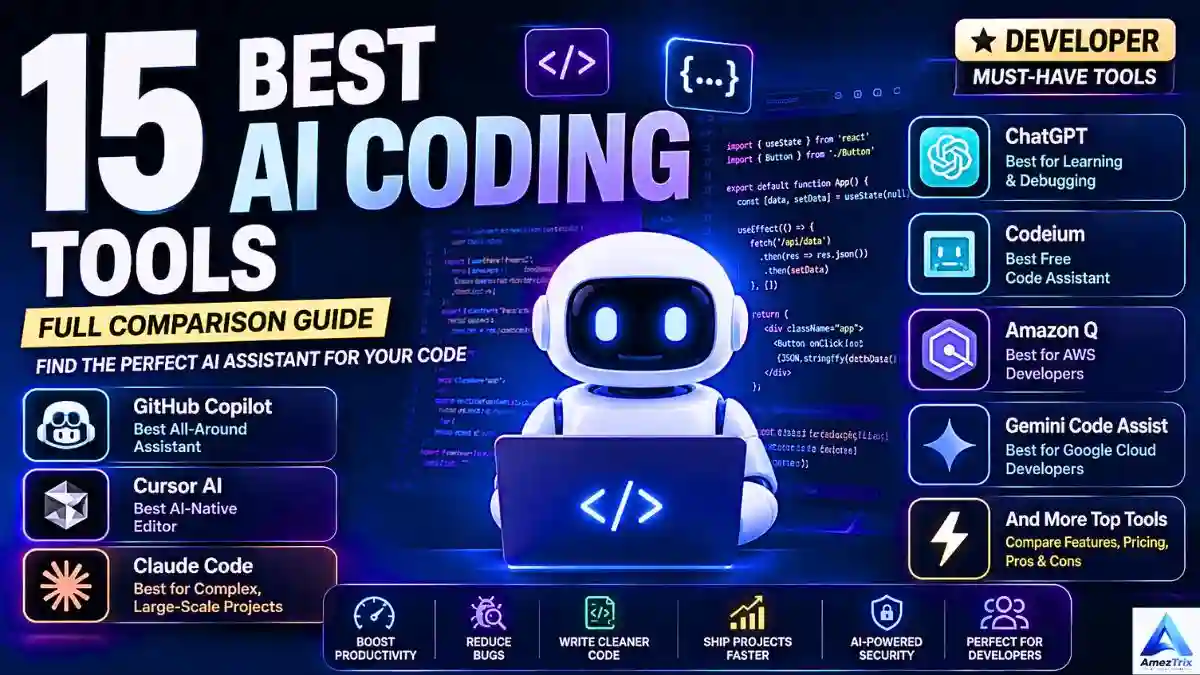
Not long ago, writing every line by hand was just how the job worked. Now AI assistants sit inside the editor, catch bugs before they ship and turn a plain-English request into working code. Whether you are a beginner, a freelancer, a founder racing to ship an MVP or a senior engineer, there is a tool that fits. A good one can write boilerplate, explain unfamiliar code, generate tests, draft documentation, translate code between languages and flag security problems early.
This guide covers what these tools are, how they work, how to choose, and the 15 best options with honest strengths and trade-offs.
What Are AI-Assisted Coding Tools
An AI coding tool is software built on large language models (LLMs) that helps you write, understand, debug and maintain code. Instead of searching documentation or old forum threads, you describe what you want in plain language and the tool drafts the code.
Say you need a login form. You type, “Build a responsive login page with dark mode and email validation,” and seconds later you have a working starting point. Most assistants handle Python, JavaScript, TypeScript, Java, C++, C#, PHP, Go, Rust, Swift, Kotlin, Ruby, SQL, HTML, CSS, Bash, React, Vue, Angular and Node.js.
How AI Coding Assistants Work
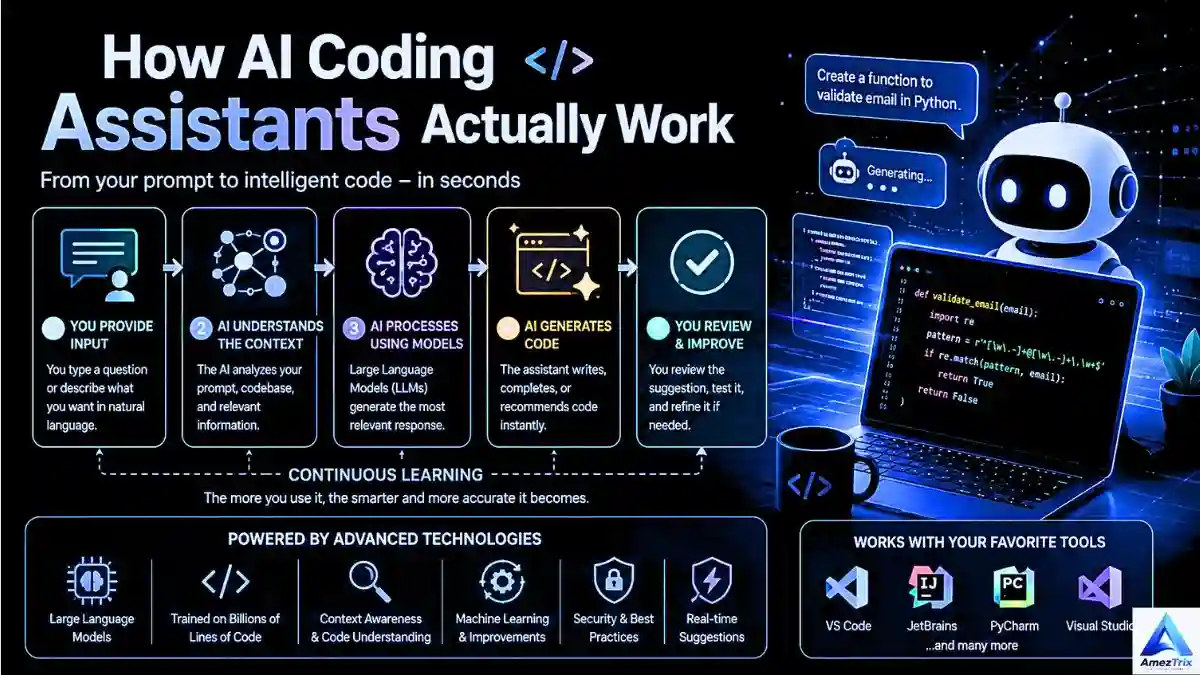
1. A language model trained on code
The model has learned syntax, architecture patterns, framework conventions and common algorithms from huge amounts of code and technical writing.
2. Plain-language prompts
You do not need pseudocode. “Build a REST API using Express.js” is enough to get a working scaffold.
3. Project context
Better tools read your whole repository, including functions, imports, naming and folder structure, so suggestions match your codebase instead of sounding generic.
4. Learning your style
Many assistants adapt to your habits and preferred libraries, and some enterprise tools can be tuned to company standards.
5. Live suggestions in your editor
Most tools plug into VS Code, IntelliJ IDEA, PyCharm, WebStorm, Visual Studio, Android Studio and Neovim. If you build with Google’s stack, our guide to Google AI Studio Build is a good next read.
Why Developers Are Switching to AI Coding Tools
- Speed: CRUD logic, auth flows, database models and form validation can drop from hours to minutes.
- Cleaner code: a good assistant nudges you toward clearer names and simpler logic.
- Faster debugging: it spots logic errors, bottlenecks and security holes, and often explains the cause.
- Learning on demand: beginners can ask “why is this failing?” and get an answer based on their own code.
How to Choose an AI Coding Tool
Before you pay for anything, run each shortlisted tool through these questions:
- Language and editor support: does it work where you actually code?
- Context awareness: does it see one file or the whole project?
- Privacy: where does your code go? This matters most for client or proprietary work.
- Price: individual paid plans have typically landed around $10 to $20 a month, with team and premium tiers costing more.
- Reliability: does it give you clean code or code you will spend an hour fixing?
- Team features: shared settings, admin controls and review tools.
Note: plans and limits change often, so confirm current pricing on each tool’s official page before you subscribe.
Quick Comparison Table: Best AI Coding Tools
| Tool | Best For | Free Plan | Where It Runs |
|---|---|---|---|
| GitHub Copilot | Everyday coding | Limited | Most major IDEs |
| Cursor | AI-first editing | Yes | Its own editor |
| Claude Code | Large projects | Limited | Terminal and IDE |
| ChatGPT | Learning and debugging | Yes | Web and app |
| Gemini Code Assist | Google Cloud | Yes | Major IDEs |
| Amazon Q Developer | AWS | Yes | Major IDEs |
| Replit AI | Browser coding | Yes | Browser |
| Windsurf | AI workflows, free start | Yes | Own editor and plugins |
| Tabnine | Privacy | Check site | Major IDEs |
| Sourcegraph Cody | Code search | Check site | Major IDEs |
| Bolt.new | Prompt-based apps | Limited | Browser |
| Lovable | Frontend | Limited | Browser |
| Cline | Open-source agent | Free tool, model costs | VS Code |
| Continue | Open source | Yes | VS Code, JetBrains |
| Qodo | Testing and review | Limited | Major IDEs |
The 15 Best AI Coding Tools in 2026
1. GitHub Copilot: Best All-Around Assistant

GitHub Copilot is still the default choice for most developers. It suggests anything from a single line to a full function, and it works in nearly every popular editor, which makes it hard to go wrong.
Pros: fast, reliable suggestions, beginner-friendly, huge community.
Cons: the best features sit behind paid plans, and you still need to review what it writes.
Plans: Free (limited), Individual, Business, Enterprise.
2. Cursor: Best AI-Native Editor
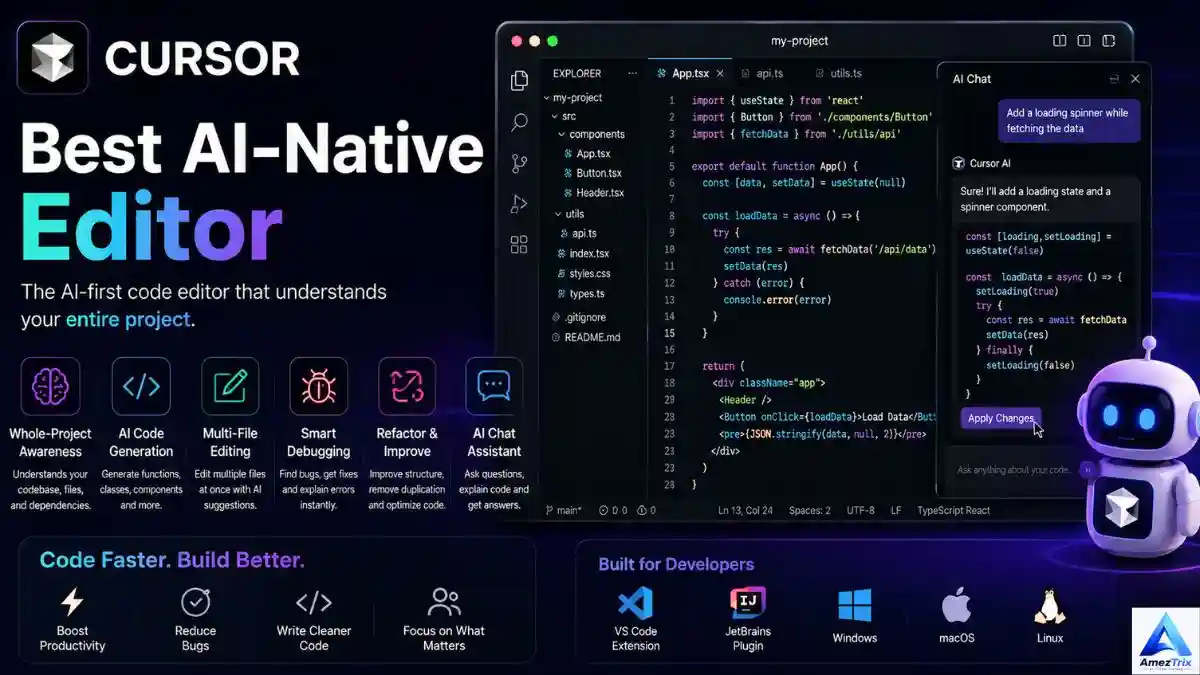
Cursor is built on VS Code, but it feels more like a pair programmer than a plugin. It understands your repository and can change several files in one go, which is a big deal on larger projects.
Pros: deep repo understanding, strong multi-file edits, fast responses.
Cons: full power needs a paid plan, and it uses more system resources.
Plans: Free, Pro, Business.
3. Claude Code: Best for Large, Complex Codebases
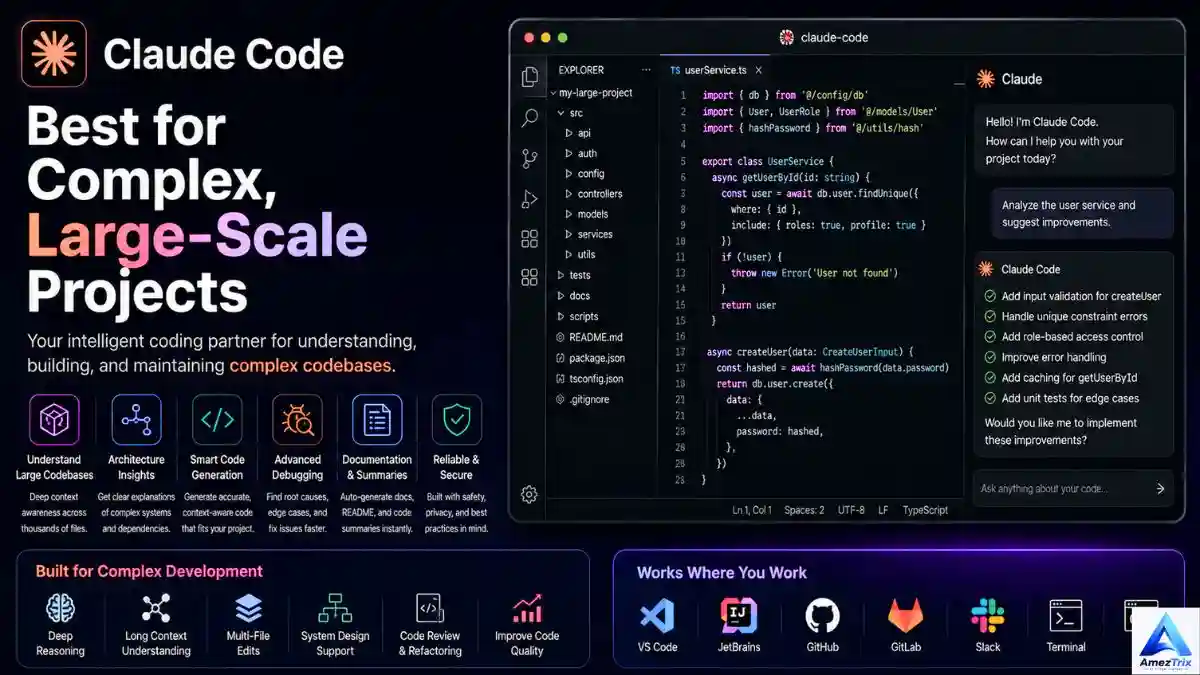
Claude Code shines when the problem is understanding, not typing. It is good at explaining architecture, reviewing pull requests and reasoning through implementation choices in big repositories.
Pros: strong reasoning, clear explanations, good documentation output.
Cons: needs an internet connection, and usage limits apply on lower tiers.
Plans: included with Claude’s paid plans and available through the API, with team and enterprise options.
4. ChatGPT: Best for Learning and Problem-Solving
ChatGPT is more than a chat window. Developers use it to generate code, explain algorithms, debug, write SQL and scaffold small apps. Unsure how it stacks up against Google’s assistant? See our ChatGPT vs Gemini comparison.
Pros: clear explanations, broad language support, great for beginners.
Cons: output quality depends on your prompt, so always test the code.
Plans: Free, Plus, Pro, Team.
5. Gemini Code Assist: Best for Google Cloud
Gemini Code Assist is tuned for Google Cloud, with cloud-aware suggestions, architecture guidance and debugging help.
Pros: strong cloud integration, enterprise-ready.
Cons: most useful inside the Google ecosystem.
Plans: Free tier, Standard, Enterprise.
6. Amazon Q Developer: Best for AWS
Amazon Q Developer helps with infrastructure-as-code, troubleshooting AWS services and optimizing cloud-native apps.
Pros: deep AWS knowledge, real DevOps time savings.
Cons: far less useful if you are not on AWS.
Plans: Free tier, Professional, Enterprise.
7. Replit AI: Best Browser-Based IDE
Replit lets you build, test and deploy from a browser with nothing to install. It is perfect for quick experiments, classrooms and early prototypes.
Pros: zero setup, beginner-friendly, quick deployment.
Cons: limited offline use.
Plans: Free, Core, Teams.
8. Windsurf (Including Codeium): Best Free Starting Point
Windsurf combines chat, code generation, agent-style automation and full-project context in one workspace. It comes from the team behind Codeium, so the generous free completion people loved there carries on.
Pros: smooth interface, strong automation, useful free tier.
Cons: deeper features need a paid plan.
Plans: Free, Pro, Teams.
9. Tabnine: Best for Privacy-Conscious Teams
Tabnine focuses on secure code completion and offers private and on-premises deployment for teams with strict compliance rules.
Pros: privacy-first design, enterprise-grade security.
Cons: less conversational than chat-first tools.
Plans: check the official page, as tiers change often.
10. Sourcegraph Cody: Best for Code Search in Big Codebases
Cody pairs AI with serious code search. It is built for questions like “where do we validate JWT tokens across hundreds of services?”, which are painful to answer with grep alone.
Pros: excellent for legacy systems and large organizations.
Cons: aimed at big teams, not solo developers.
Plans: enterprise-focused, so confirm availability with Sourcegraph.
11. Bolt.new: Best for Prompt-to-App Building
Bolt.new generates full web apps from a prompt, right in the browser. It is a quick way to test an idea before you invest real time.
Great for: founders and early-stage startup teams.
12. Lovable: Best for Frontend Builds
Lovable builds React front ends fast, with UI generation and backend integration built in.
Great for: frontend developers and product designers.
13. Cline: Best Open-Source Coding Agent
Cline is an open-source agent inside VS Code. It can read files, edit code and run terminal commands with your approval, and you choose the AI model. Model usage costs depend on the provider you connect.
Great for: developers who want agent power with full control.
14. Continue: Best Open-Source Assistant
Continue is an open-source extension that works with different AI models, including local ones, so you control both cost and data.
Great for: privacy-minded and budget-conscious developers.
15. Qodo (Formerly CodiumAI): Best for Testing and Code Review
Qodo focuses on automated test generation, code review and static analysis, which helps catch quality problems before they reach production.
Great for: QA engineers and quality-focused teams.
Best AI Coding Tool by Use Case
| Use Case | Recommended Tool |
|---|---|
| Best overall | GitHub Copilot |
| Best AI IDE | Cursor |
| Best for beginners | ChatGPT |
| Best free tool | Windsurf |
| Best for large codebases | Claude Code |
| Best for code search | Sourcegraph Cody |
| Best for AWS | Amazon Q Developer |
| Best for Google Cloud | Gemini Code Assist |
| Best for startups and MVPs | Bolt.new |
| Best frontend builder | Lovable |
| Best for privacy | Tabnine |
| Best browser IDE | Replit AI |
| Best for testing and code review | Qodo |
| Best open-source picks | Continue or Cline |
Still comparing assistants? Our Gemini vs ChatGPT vs Claude guide breaks down the big three. If you are a student, start with the best AI tools for students.
Best AI Coding Assistants by Language and Stack
HTML and CSS: GitHub Copilot, Cursor, ChatGPT
JavaScript and Vue.js: Cursor, GitHub Copilot, Windsurf
React: Cursor, Lovable, ChatGPT
Angular: GitHub Copilot, Claude Code
Node.js: GitHub Copilot, Amazon Q Developer
Python (automation, Django, Flask, ML): GitHub Copilot, ChatGPT, Cursor, Claude Code, Continue
Java (Spring Boot, microservices): GitHub Copilot, Cursor, Claude Code, Gemini Code Assist
C++: GitHub Copilot, Cursor, ChatGPT, Claude Code
Android (Kotlin, Jetpack Compose): GitHub Copilot, Gemini Code Assist, Cursor
iOS (Swift, SwiftUI) and Flutter: GitHub Copilot, Cursor, ChatGPT
Best Free AI Coding Tools
| Tool | Free Version | Best For |
|---|---|---|
| ChatGPT | Yes | Learning and debugging |
| Windsurf | Yes | Code completion and AI workflows |
| Continue | Yes | Open-source flexibility |
| Cline | Free tool, model costs apply | Open-source agent |
| Gemini Code Assist | Yes | Cloud development |
| Replit AI | Limited | Browser coding |
| Bolt.new | Limited | Rapid prototyping |
Best AI Code Review Tools
Code review is where AI quietly saves the most time. For chat-style review of a pull request, Claude Code and GitHub Copilot are strong choices. For automated tests and static analysis, look at Qodo. For tracing a pattern across a very large codebase, Sourcegraph Cody is the better fit. Whatever you use, treat the AI as a first reviewer, not the final one.
Common Mistakes When Using AI Coding Tools
- Pasting code blindly: if you cannot explain it, do not ship it.
- Skipping security checks: AI-generated code can contain vulnerabilities.
- Skipping tests: run unit and integration tests no matter who wrote the code.
- Writing vague prompts: the fuzzier the request, the weaker the result.
- Trusting old package advice: suggestions can lag behind current versions, so verify.
How to Get Better Results From Any AI Coding Tool
Be specific. Instead of “build an API,” try “Build a secure REST API using Node.js, Express, JWT authentication, MongoDB and input validation.”
Give context. Mention your language, framework, folder structure and style rules.
Work in small steps. Ask for one feature at a time, then review it.
Treat the first answer as a draft. Refine it with follow-up prompts.
Will AI Replace Developers?
No. AI is very good at automating repetitive work, writing boilerplate and tests, explaining unfamiliar code and speeding up debugging. People still make the calls on architecture, business logic, security trade-offs, product direction and the tricky bugs that need real judgment. The developers who do best will be the ones who know when to lean on AI and when to take the wheel.
Frequently Asked Questions
What are AI coding tools?
They are AI-powered applications that help developers write, complete, debug, explain, refactor and test code using plain-language prompts.
What is the best AI coding tool in 2026?
GitHub Copilot is the best all-rounder. Cursor is best for an AI-native editor, Claude Code for large codebases, ChatGPT for learning and Windsurf for a free start.
Are there free AI coding tools?
Yes. ChatGPT, Windsurf, Gemini Code Assist, Continue and a limited Copilot plan all have free options. Cline is free, but you pay for the model you connect.
Which AI coding tool is best for beginners?
ChatGPT, Replit AI, Windsurf and GitHub Copilot all explain code as they write it, which helps new developers learn.
Can AI build a complete application?
It can build landing pages, APIs, dashboards, auth systems and full-stack prototypes. Always review, test and secure the result before production.
Is AI-generated code secure?
Not by default. Review authentication logic, validate inputs, guard against SQL injection and XSS, and scan dependencies.
Which tool is best for enterprise teams?
Claude Code, GitHub Copilot Enterprise, Tabnine, Sourcegraph Cody, Amazon Q Developer and Gemini Code Assist are common picks for security, scale and collaboration.
Do AI coding tools work offline?
Most need an internet connection. Tabnine and Continue offer local or self-hosted setups for stricter environments.
Where AI Coding Tools Are Headed
The biggest shift is toward autonomous AI agents that plan, code, test and deploy with less hand-holding. If you are curious how agents differ from chat tools, read AI agents vs AI chatbots. Expect deeper project understanding, stronger AI code review, smarter DevOps automation and assistants that adapt to your team’s standards.
Final Take
AI coding tools have earned their place in the modern developer’s toolkit. They remove repetitive work and speed up delivery, but they work best as a collaborator, not a replacement for engineering judgment. If you are starting out, try ChatGPT or Windsurf’s free tier. If you build professionally, GitHub Copilot, Cursor or Claude Code will likely serve you better. Enterprise teams should shortlist tools built around security and collaboration.
Pick one tool, give it a real project for a week, and keep what actually saves you time.
Key Takeaways
- GitHub Copilot is the safest all-round pick, Cursor the best AI editor and Claude Code the best for large codebases.
- Windsurf, Continue and ChatGPT are strong free or low-cost starting points.
- Always review, test and secure AI-generated code before shipping.
- Specific prompts with context give far better results.
- Architecture and judgment calls are still a human job.
About the Author
Rajendra Parmar is the Founder and Editor of AmezTrix, where he covers Artificial Intelligence, Technology, WordPress, Web Hosting, Digital Marketing, Gadgets and Software. His mission is to simplify complex technology through practical tutorials, honest reviews and well-researched guides that help readers make smarter digital decisions.

Rajendra Parmar
Founder & Editor • AmezTrix
Rajendra Parmar is the Founder and Editor of AmezTrix, a platform covering Artificial Intelligence, Technology, WordPress, Web Hosting, Digital Marketing, Gadgets, Software Reviews, and emerging innovations. His mission is to simplify complex technology through practical tutorials, honest reviews, and well-researched guides that help readers make smarter digital decisions.