How to Build an AI Agent in 2026: The Only Guide You’ll Actually Need (No-Code, ChatGPT, Python, Claude, Gemini & Copilot)
Remember when “using AI” just meant typing a question into a box and waiting? Those days are over. Right now, somewhere, an AI agent is rebooking someone’s flight because a storm rolled in, catching a bug before it ever reaches production, chasing down a customer’s stuck refund without a human touching a single ticket, or quietly restocking a content calendar while its owner sleeps. That’s the real shift — from answering to doing — and it’s exactly what people mean when they say “AI agent.”
If you landed here searching for how to build AI agents — maybe without touching code, maybe with ChatGPT, maybe in Python, maybe with Claude or Copilot, or maybe you just want to know if you can do this for free — you’re in the right place. This one guide answers every version of that question, in plain language, with an actual working code sample at the end.
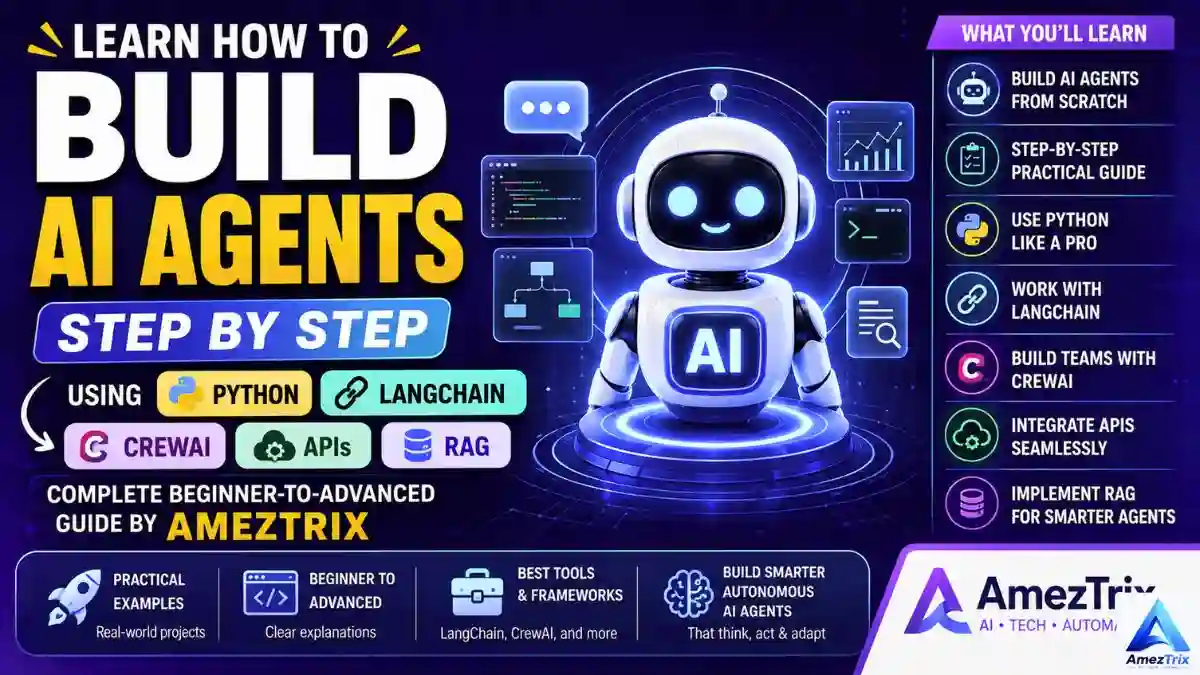
Here’s the reassuring part: you don’t need a machine-learning degree to pull this off. Building your first AI-powered agent in 2026 has more in common with assembling flat-pack furniture than defending a PhD thesis — once you know which piece connects to which, the rest is just repetition. This guide covers what an agent really is, what’s happening under the hood, which build path actually fits you, and a no-nonsense route to shipping one.
Not sure which model to build on yet? Worth deciding which model will power your agent before you write a line of anything — we get into that trade-off further down.
Quick Jump: What’s Inside This Guide
- What an AI agent really is, and why it’s not just a fancier chatbot
- The 6 types of agents, and the parts every one of them is built from
- How to build an AI agent with zero code
- How to build one with ChatGPT (Custom GPTs and the developer API)
- How to build one with Claude (Projects, tool use, MCP, Claude Code)
- How to build one with Google Gemini (Gems and Vertex AI Agent Builder)
- How to build one with Microsoft Copilot (Copilot Studio)
- How to build one in Python, with a copy-paste code example
- How to build one completely free, platform by platform
- A full 12-step roadmap, framework comparison, security checklist, mistakes to dodge, and where this is all heading
So, What Actually Is an AI Agent?
Cut through the buzzwords and an AI agent is just this: software that’s handed a goal, figures out a sequence of steps to get there, and then goes and does them — largely without someone hovering over every move.
A genuine agent goes further than replying. It:
- Reads between the lines of what you actually need, not just your literal wording
- Pulls in context from documents, APIs, databases, or the live web
- Weighs several possible paths and picks one
- Calls real tools to take real, checkable action
- Carries context forward from earlier interactions
- Gets noticeably better the more it’s used
A chatbot is a sharp intern — brilliant, but only speaks when spoken to. An agent behaves more like a junior employee: tell it “sort out my travel for next week” and it checks the weather, cross-references your calendar, books a sensible flight, and pings you the second anything changes. That gap between talking and doing is the whole reason this category exists.
Why “Agent” Became the Word Everyone’s Using
For a long stretch, AI progress was judged by how convincingly a model could hold a conversation. That race is basically won. The real contest now is autonomy — systems that quietly swallow hours of manual work instead of just answering trivia.
Businesses are moving fast here, and the logic isn’t complicated:
- Cheaper than hiring for repetitive, rules-based work
- Runs 24/7 — no shift rota, no sick days
- Handles thousands of requests at once without breaking a sweat
- Grounds its decisions in live data instead of a fixed rulebook
You’ll already find agents quietly running support desks, sales pipelines, dev tooling, financial reporting, legal first-pass review, and marketing ops. This isn’t a forecast — it’s already replacing a growing slice of routine, repeatable work. (Weighing agents against ready-made tools for your business? Our guide to the best AI agents for businesses is worth reading first.)
AI Agent vs. Chatbot: The Difference in One Table
| Capability | Chatbot | AI Agent |
|---|---|---|
| Holds context in a session | Barely | Extensive, often long-term |
| Remembers past sessions | Rarely | Yes |
| Plans multi-step tasks | No | Yes |
| Calls external tools/APIs | Rarely | Routinely |
| Pulls live, real-time data | Limited | Yes |
| Decides independently | No — rule-based | Yes — reasoning-based |
| Runs full workflows | No | Yes |
| Improves with use | Barely | Yes |
The one-line version: a chatbot replies inside a conversation window. An agent steps outside that window, gets a real task done, and comes back with results — not just words.
The 6 Types of AI Agents (Explained Without the Jargon)
Simple reflex agents — react instantly to one fixed trigger (“temperature crosses 30°C, switch on the AC”). Cheap and fast, but no memory and no ability to handle anything outside that one rule.
Model-based reflex agents — keep an internal picture of their surroundings. A robot vacuum that remembers which rooms it’s already cleaned fits here; it’s tracking state, not just reacting blindly.
Goal-based agents — weigh several routes to a defined objective, the way GPS software compares three possible paths before picking the fastest one that dodges traffic.
Utility-based agents — rank outcomes by value, not just by whether they’re achievable. A robo-advisor balancing risk against expected return before suggesting a portfolio is a good example.
Learning agents — keep improving from feedback. Recommendation engines, fraud detection, and most AI coding assistants sit here — and honestly, it’s the bucket most “AI agents” in 2026 fall into.
Multi-agent systems — split the work across several specialists instead of overloading one generalist. One researches, one drafts, one edits, one optimizes for search, one publishes — each doing one job well.
What’s Actually Inside an AI Agent
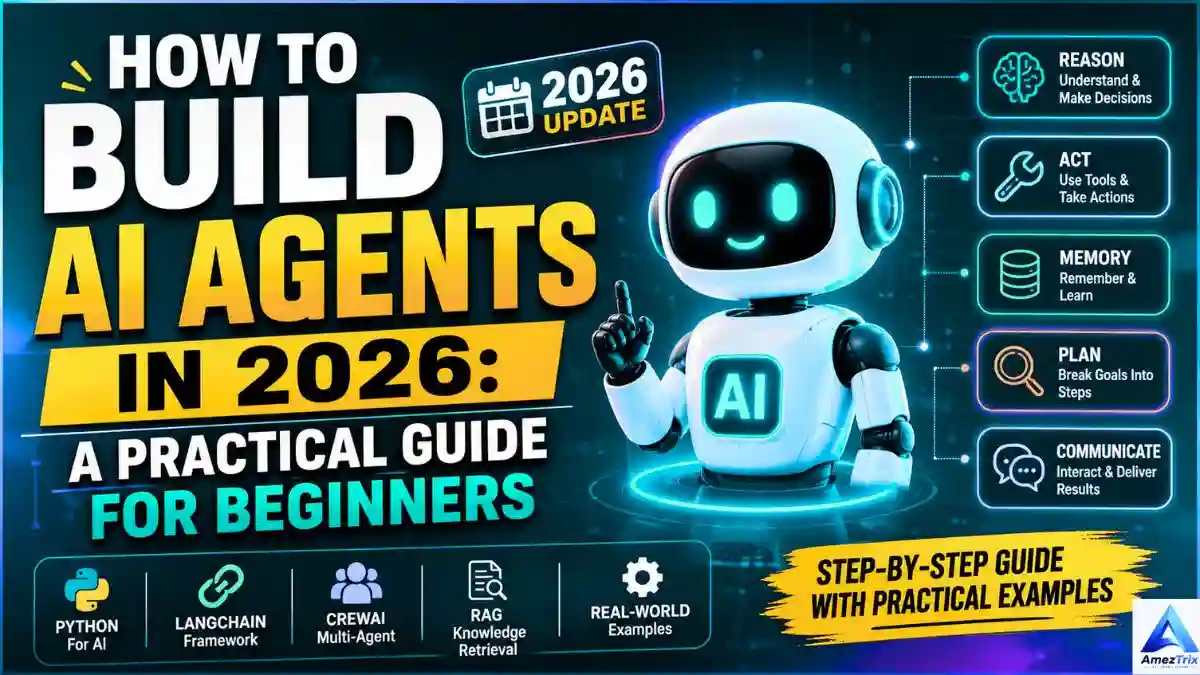
Whatever the use case, nearly every capable agent is built from the same handful of parts:
- The language model — the reasoning engine deciding what to do. GPT, Gemini, Claude, Llama, and Mistral are the usual suspects.
- Memory — short-term memory holds the current chat; long-term memory carries across sessions so you’re not repeating yourself.
- The planning engine — turns a vague goal (“run a product launch”) into concrete stages: research the audience, scan competitors, draft messaging, write copy, build assets.
- Tool integrations — the bridge to the outside world: search, email, calendars, CRMs, databases, code execution.
- The decision engine — picks between valid competing paths, weighing goals against constraints.
- The action executor — pulls the actual trigger: sends the email, edits the sheet, calls the API, runs the script.
How an AI Agent Works, Step by Step
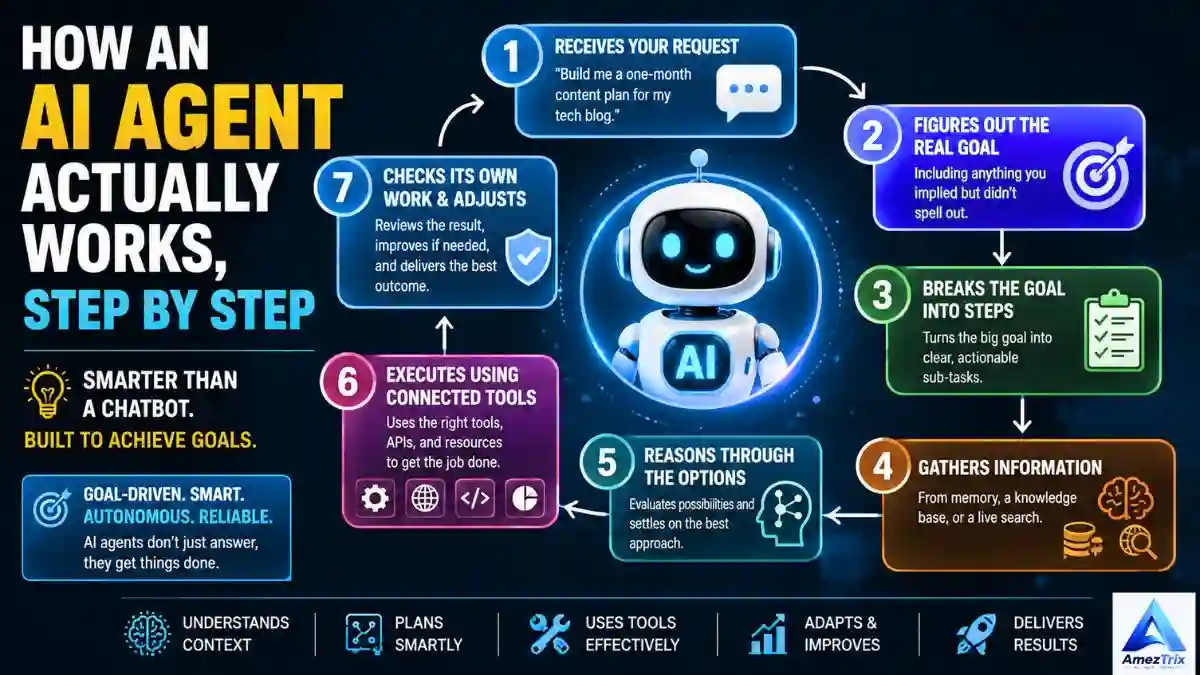
- Takes in the request (“Build a one-month content calendar for my SaaS blog.”)
- Figures out the real goal, including what you implied but didn’t spell out.
- Breaks it into an ordered sequence of steps.
- Gathers what it needs from memory, a knowledge base, or a live search.
- Reasons through the options and picks an approach.
- Executes using whatever tools are wired in.
- Checks its own output and corrects course if it fell short.
Perceive, plan, act, review — that loop runs on its own, and it’s exactly what separates a real agent from a static script.
The Architecture, in Plain Layers
- Input layer — your prompt, or whatever triggering event kicked things off
- Reasoning layer — the LLM reading intent
- Memory layer — short- and long-term context storage
- Planning layer — turns the goal into an ordered task list
- Tool layer — every API and service the agent can reach
- Execution layer — where action actually happens
- Feedback layer — judges the outcome and loops it into future decisions
It’s built to be modular on purpose — swap the model out and the rest of the stack doesn’t need rebuilding.
One Agent, or a Team of Them? Here’s How to Decide
A single agent is simpler, cheaper, and quicker to launch — the right call for FAQ bots, personal assistants, and most small-business support tools.
A multi-agent system puts several specialists to work under a coordinator — a manager agent hands tasks off to a researcher, a writer, a coder, and a reviewer in sequence. It costs more to build and run, but scales further and tends to make fewer mistakes, since each agent only owns one narrow job.
Rule of thumb: ship one agent first. Only split into a team once that single agent is visibly juggling too much.
How to Build an AI Agent Without Writing a Single Line of Code
Not everyone wants to open a code editor, and honestly, you don’t have to. A large share of the agents already running inside real businesses were assembled visually — dragging blocks around and connecting triggers to actions, no engineering degree required.
The Best No-Code Platforms Right Now
- n8n — open-source, node-based, with a genuinely free self-hosted option. Strong when you need one LLM talking to a dozen different business tools at once.
- Zapier Agents — takes an ordinary Zap and gives it the ability to reason over incoming data before deciding what to trigger.
- Make (formerly Integromat) — a visual canvas for stitching together AI steps, branching logic, and hundreds of app connectors.
- Voiceflow — built specifically for conversational agents (support bots, voice assistants), with a proper drag-and-drop flow builder.
- Botpress — a visual builder with knowledge bases baked in, well suited to customer-facing support agents.
- Relevance AI — purpose-built for multi-agent “AI workforce” setups, all assembled without code.
- Microsoft Copilot Studio and Google’s Gemini Gems / AI Studio — both covered in detail below, and both fully usable with zero code.
Your First No-Code Agent, Step by Step
- Pick one narrow job. “Answer common support questions from our FAQ doc” beats “handle all of customer service” every time.
- Pick a platform based on where the work happens — chat-facing support leans toward Voiceflow or Botpress; internal automation leans toward n8n, Zapier, or Make.
- Feed it a knowledge source. Upload your FAQ, product docs, or a spreadsheet so it answers from your real information instead of guessing.
- Set the trigger. A form submission, an incoming message, a scheduled time — whatever kicks the agent into motion.
- Drop in the AI reasoning step. Most platforms let you add a GPT, Claude, or Gemini node and describe, in plain language, how it should behave.
- Add the action step(s). Send an email, update a row, post to Slack, open a ticket — whatever “doing something” means for this job.
- Test it with messy, real examples — not just the happy path — before letting real users near it.
No-code is genuinely production-ready for a huge range of jobs: support triage, lead qualification, syncing meeting notes into a CRM, repurposing content. It’s usually the fastest way to prove an idea works before you sink time into a custom build.
How to Build an AI Agent With ChatGPT
OpenAI hands you two genuinely different routes, depending on how much control you want.
Route 1: Custom GPTs — No Code Required
- Open the GPT builder inside ChatGPT and describe, in plain English, what the agent should do and how it should sound.
- Upload reference material — pricing sheets, policies, product manuals — so it answers from your actual content.
- Switch on Actions to hook up external APIs — this is what lets it check live data or trigger a real task instead of just talking about it.
- Test it privately, tighten the instructions wherever it slips, then publish it to your team or the public GPT store.
Route 2: The Assistants / Responses API — For Developers
- Grab an API key from the OpenAI platform and store it as an environment variable, never in your code.
- Define your tools (functions) — the calendar check, the database lookup, the email send — as JSON schemas the model can call.
- Attach a file search/vector store for retrieval so it can pull from your own documents — that’s RAG, covered further down.
- Wire up persistent threads so it remembers a given user across sessions instead of starting from scratch every time.
- Add moderation and rate-limiting before anything real touches real users.
A ChatGPT-based agent is a solid pick when your team already lives in the OpenAI ecosystem and you want the shortest possible path from idea to working assistant.
How to Build an AI Agent With Claude
Claude, from Anthropic, tends to shine when an agent needs to reason over long documents, work carefully with code, or operate other software without being reckless about it.
- Claude Projects — the no-code entry point. Spin up a Project, add your knowledge base (contracts, docs, brand guidelines), and set custom instructions that every conversation inside it follows.
- The Claude API with tool use — developers can define tools Claude calls mid-conversation: check a database, hit an internal API, run a calculation, before it answers.
- MCP (Model Context Protocol) — an open standard for wiring Claude up to external data and tools (file systems, project trackers, internal apps) consistently. This is quickly becoming the backbone of serious Claude-based agents.
- Claude Code — for agents that write, review, and ship code on their own, delegated straight from the terminal or an IDE.
- Long context — Claude’s large context window suits agents that need to reason across an entire codebase or a long policy document in one go.
Reach for Claude when accuracy on long, detailed material and careful tool use matter more to you than raw speed.
How to Build an AI Agent With Gemini
Google gives you both a no-code and a developer path here too.
- Gems — Gemini’s answer to Custom GPTs. Describe the agent’s role and personality in plain language, attach files, save it for reuse — no code needed.
- Google AI Studio — a lightweight, browser-based space for prototyping prompts and function calls before committing to a full build.
- Vertex AI Agent Builder — Google Cloud’s production option, with grounding on Google Search or your own data, native Workspace integration, and proper enterprise access controls.
- Function calling — define the actions Gemini can take (send a calendar invite, query BigQuery, update a Sheet) and let it decide when to use them.
Gemini is a natural fit if your workflows already run through Google Workspace, BigQuery, or Google Cloud, and if multimodal input — images, audio, video — matters for what the agent needs to handle.
How to Build an AI Agent With Copilot
Microsoft’s Copilot ecosystem is built for organizations already living inside Microsoft 365.
- Copilot Studio — a mostly no-code, visual builder for agents that plug straight into Teams, Outlook, SharePoint, and Dynamics 365.
- Topics and triggers — define the conversation flows and the events (an email lands, a form gets submitted) that set the agent in motion.
- Connectors — hundreds of prebuilt ones, or a custom one, so the agent reads and writes to your actual business systems.
- Autonomous agents — Copilot Studio also supports agents that run on a schedule or trigger with no human starting the conversation, useful for background jobs like report generation or inbox triage.
Copilot is the practical pick for teams whose day-to-day already runs on Microsoft tools, and who want the agent to feel native rather than bolted on.
How to Build an AI Agent With Python
Python is still the default here, mostly because every major framework — LangChain, CrewAI, AutoGen, LlamaIndex — is Python-first, with the deepest documentation and the biggest community behind it.
What You Actually Need to Know First
- Python basics — functions, classes, a bit of async
- Comfort with REST APIs
- Basic prompt engineering
- Familiarity with at least one agent framework
- Enough database know-how to store memory (SQLite or PostgreSQL is plenty to start with)
- Git, for basic version-control sanity
- Nice to have: Docker, for painless deployment later
A Minimal, Actually-Working Example: Your First Agent in LangChain
Here’s a bare-bones but functional starting point — one agent, one tool, built in LangChain. Drop in your own API key and you’ll have something running in under two minutes.
from langchain.agents import initialize_agent, Tool, AgentType
from langchain_openai import ChatOpenAI

# 1. Define a simple tool the agent can call
def get_word_length(word: str) -> int:
    return len(word)

tools = [
    Tool(
        name="WordLength",
        func=get_word_length,
        description="Returns the number of characters in a word."
    )
]

# 2. Connect your model (store the key as an env variable, never hard-code it)
llm = ChatOpenAI(model="gpt-4o", temperature=0)

# 3. Initialize the agent with the tool
agent = initialize_agent(
    tools=tools,
    llm=llm,
    agent=AgentType.ZERO_SHOT_REACT_DESCRIPTION,
    verbose=True
)

# 4. Run it
response = agent.run("How many characters are in the word 'agent'?")
print(response)
From here, swap WordLength for something real — a calendar API, a database lookup, a live search tool — and layer in a memory object so it recalls earlier turns. That’s the entire leap from “toy demo” to “usable agent”: more tools, real memory, a little planning logic on top.
How to Build Your Own AI Agent for Free
You genuinely don’t need to spend money to get a working agent live. Here’s how each route breaks down at zero cost:
- No-code: n8n’s self-hosted version costs nothing; Zapier, Make, Voiceflow, and Botpress all have usable free tiers for low-volume agents.
- ChatGPT: Custom GPTs are free to build and use for lighter workloads; the API gives new accounts a metered free-credit window.
- Claude: Claude Projects are available on claude.ai’s free tier, and Claude Code offers a limited free allowance to get started.
- Gemini: Gems are free with any standard Google account, and Google AI Studio has a generous free tier for API prototyping.
- Python frameworks: LangChain, CrewAI, AutoGen, and LlamaIndex are all open-source, no cost attached — your only real expense is model API calls, which you can keep small by starting on a cheaper model.
- Storage and memory: SQLite is free and plenty for a first agent’s memory; free tiers exist for vector databases like Pinecone and Chroma Cloud too.
Practical tip: prototype for free on a smaller or open-weight model, confirm the whole workflow actually holds together end-to-end, and only upgrade to a paid, higher-capability model once you know precisely what you need it to do.
The Full Roadmap: How to Build AI Agents, Step by Step
Step 1 — Nail down what it’s actually for. A vague goal produces a vague agent. Get specific: answering questions, or taking action? Does it need to remember users across sessions? Does it need live internet access, or work off a fixed set of documents?
Step 2 — Decide: no-code or code. If the job is mostly “read this, then do that” across apps you already use, a no-code platform gets you live faster. If you need custom logic, tight control, or an unusual integration, code earns its extra setup time.
Step 3 — Pick your language (if coding). Python for almost everything AI-related; JavaScript/TypeScript if it’s living inside a web app.
Step 4 — Choose your model. GPT is a safe general-purpose pick, Gemini leans into long context and multimodal input, Claude is strong on long documents and code, Llama suits self-hosted setups, and Mistral is worth a look when speed and low cost matter more than benchmark bragging rights.
Step 5 — Pick a framework (comparison table below).
Step 6 — Set up your environment: a code editor (VS Code is the common default), Python 3.11+, a virtual environment, and Git. Install whatever your framework needs — openai, langchain, crewai, fastapi, and chromadb cover most beginner setups.
Step 7 — Connect your model. Get an API key, store it as an environment variable, and get a basic request/response loop working before adding anything else.
Step 8 — Add memory. Short-term memory can live in a simple session variable; long-term memory needs real storage — SQLite for something small, or a vector database like ChromaDB, Pinecone, or Weaviate if you’re storing embeddings for retrieval.
Step 9 — Add retrieval (RAG). If the agent needs to answer from your own documents rather than what the model absorbed during training, retrieval-augmented generation closes that gap: search your knowledge base, pull the relevant chunks, hand them to the model alongside the question. This alone kills off a large share of hallucinated answers.
Step 10 — Wire up tool calling. This is what lets it check a calendar, hit a weather API, or actually send an email — instead of just describing what it would do.
Step 11 — Connect the external services you genuinely need — maps, payments, CRM, email, cloud storage — with proper authentication and rate limiting from day one, not bolted on afterward.
Step 12 — Add planning, then actually test it. Beyond a single-step task, have the model output an explicit plan before executing, so a flawed plan gets caught before it becomes a flawed action. Then throw normal requests, ambiguous phrasing, malformed input, and simulated API failures at it. Track accuracy, response time, cost per request, and how often it calls the wrong tool.
LangChain vs. CrewAI vs. AutoGen: Which One Should You Actually Use?
| Framework | Best For | Learning Curve | Multi-Agent Support | RAG Support | Open Source |
|---|---|---|---|---|---|
| LangChain | General-purpose agents | Medium | Yes | Excellent | Yes |
| CrewAI | Collaborative agent teams | Easy | Excellent | Good | Yes |
| AutoGen | Autonomous multi-agent coding/research | Medium | Excellent | Moderate | Yes |
| LlamaIndex | Document and knowledge retrieval | Easy | Limited | Excellent | Yes |
| OpenAI Agents SDK | Production agents on OpenAI models | Easy | Good | Yes | No |
Go with LangChain if you want flexibility, plan to connect several different APIs, and need serious memory handling.
Go with CrewAI if you’re building a team of agents that hand work off to each other — especially strong for content and marketing pipelines.
Go with AutoGen for something like a coding assistant, where multiple agents genuinely need to talk to each other directly.
Go with LlamaIndex if the core job is searching PDFs or an internal knowledge base rather than taking action out in the world.
Real-World Use Cases, by Industry
- Healthcare — patient scheduling, triage support, medical literature summarization
- Finance — fraud flagging, portfolio analysis, customer service
- Education — personalized tutoring, automated grading, study assistants
- Retail — product recommendations, inventory forecasting
- Manufacturing — predictive maintenance, quality checks
- Logistics — route planning, shipment tracking
- Cybersecurity — anomaly detection, automated first response
- Media — content drafting, video scripting
Security Checklist: Don’t Skip This Part
- Never hard-code API keys. Use environment variables or a secrets manager.
- Sanitize every input. Prompt injection and SQL injection become real risks the moment your agent has tool access.
- Authenticate properly — OAuth, JWT, and role-based permissions aren’t optional for anything touching real user data.
- Encrypt sensitive data, especially conversation logs and financial or personal records.
- Monitor continuously. Log tool calls, failed requests, and anomalies so problems get caught before they compound.
Mistakes Almost Every First-Time Builder Makes
- Picking a model on hype, not fit — cost, context window, and tool-calling support matter more than benchmark bragging rights.
- Skipping memory entirely, which makes every chat feel like talking to someone with zero short-term recall.
- Skipping RAG, then being surprised the agent invents outdated or fabricated facts.
- Handing an agent unrestricted tool access — always scope permissions so it can’t delete files or fire off emails it shouldn’t.
- Writing a weak system prompt. A vague prompt produces inconsistent behavior; be explicit about constraints and tone.
- Ignoring cost until the invoice lands. Cache repeat responses, use a smaller model for simple sub-tasks, batch requests where you can.
- Jumping straight to code when a no-code platform would have shipped the same result in a fraction of the time.
Where to Actually Deploy It
- Cloud platforms (AWS, Azure, Google Cloud, Render, Railway) for scalable, managed hosting
- Docker to keep your environment consistent between your machine and production
- Kubernetes once you’re running several agent services and need auto-scaling or high availability
For a first project, a plain cloud deploy behind Docker is usually enough — save Kubernetes for when your traffic actually justifies it.
Where AI Agents Are Headed Next
- Multi-agent teams become the default, not the exception, for anything beyond a single-step task
- Proactive agents that flag problems before you even ask, not just react to prompts
- Multimodal input (voice, screenshots, video) turning into standard, not a novelty
- Deep personalization, where an agent understands your work habits well enough to anticipate what you need
- Connected enterprise ecosystems, with agents plugged straight into CRM, ERP, and HR systems company-wide
- No-code and code converging, as visual builders start offering an “eject to code” option for teams that outgrow the canvas
Frequently Asked Questions
What is an AI agent, in simple terms?
Software that understands a goal, plans the steps to reach it, and carries them out using Google AI tools or any other connected system — largely without step-by-step supervision.
How is an AI agent different from a chatbot?
A chatbot replies to messages. An agent plans, remembers, uses external tools, and completes multi-step tasks on its own.
Can I build an AI agent without coding?
Yes. Platforms like n8n, Zapier, Make, Voiceflow, Botpress, Copilot Studio, and Gemini Gems all let you assemble a working agent visually, with no programming required.
How do I build an AI agent with ChatGPT?
Use a Custom GPT for a no-code build with document upload and Actions, or the Assistants/Responses API if you need custom tools, persistent memory, and full developer control.
How do I build an AI agent with Claude?
Start with a Claude Project for a no-code setup built around your own knowledge base, or use the Claude API with tool use and MCP for a fully custom, developer-built agent.
How to Build AI Agents with Copilot?
Copilot Studio is the entry point — a visual builder for agents that plug directly into Teams, Outlook, and SharePoint, with optional custom connectors for your own systems.
What’s the best language for building an AI agent?
Python, by a wide margin — though JavaScript/TypeScript works well for browser-based agents.
Which framework should a beginner start with?
LangChain or the OpenAI Agents SDK for general use; CrewAI if you’re building a team of collaborating agents from day one.
Do I need a machine-learning background to build one?
No. Modern frameworks and no-code platforms handle the underlying complexity — you’re mostly writing logic, instructions, or wiring up APIs.
Can I create an AI agent for free?
Yes. Free tiers exist across the board — n8n self-hosted, Custom GPTs, Claude Projects, Gemini Gems, and every major Python framework are free to start with. Your only likely cost is metered API usage once you scale past prototyping.
Does an AI agent need internet access?
Not always. Some run entirely on local models and local data; others need connectivity to pull live information or reach cloud APIs.
What is RAG, and do I need it?
Retrieval-augmented generation pulls relevant documents into the model’s context before it answers. You need it whenever the agent should respond from your own data rather than a guess.
Are AI agents safe to run in production?
Yes, provided authentication, input validation, encryption, and monitoring are all handled properly — none of which are optional.
Will AI agents replace human jobs?
They’re best understood as automating the repetitive slice of a job, freeing people for the parts that actually need judgment — not a wholesale replacement for most roles.
What’s the hardest part of building an AI agent?
Usually not the model itself — it’s memory management, tool integration, and keeping costs under control as usage scales.
Final Verdict
AI agents mark a genuine turning point in how software gets built. Combine reasoning, memory, planning, and tool access in one system and you get something that can actually solve problems — not just describe them the way older chatbots did. Whether you’re building a support assistant, a coding sidekick, a research tool, a marketing engine, or a full enterprise workflow, the outcome usually comes down to four choices: no-code or code, the model and framework you build on, the architecture you pick, and how carefully you deploy it.
As the space keeps moving, the people who understand how to build AI Agents that are capable, dependable, and secure will be the ones shipping things others actually trust and use. That’s fast turning from a niche skill into baseline expectation — much like knowing the difference between GEO and SEO is becoming table stakes for anyone publishing content today.
If you’re just starting out, don’t overbuild on day one. Pick one small, well-defined project, try a no-code platform or a single framework, layer in memory, then tool access, and grow from there one working piece at a time. The agents that hold up in the real world aren’t the ones built fastest — they’re the ones tested carefully, refined honestly, and built with good judgment at every step. For a broader look at the wider ecosystem, our roundup of AI automation tools and AI in digital marketing is a good next read.
About the Author
Rajendra Parmar is the Founder and Editor of AmezTrix, where he covers Artificial Intelligence, Technology, WordPress, Web Hosting, and Digital Marketing. His mission is to simplify complex technology through practical tutorials, honest reviews, and well-researched guides that help readers make smarter digital decisions.

Rajendra Parmar
Founder & Editor • AmezTrix
Rajendra Parmar is the Founder and Editor of AmezTrix, a platform covering Artificial Intelligence, Technology, WordPress, Web Hosting, Digital Marketing, Gadgets, Software Reviews, and emerging innovations. His mission is to simplify complex technology through practical tutorials, honest reviews, and well-researched guides that help readers make smarter digital decisions.