Compare ChatGPT vs Gemini in 2026. Explore features, pricing, writing, coding, research, pros & cons, and discover the best AI for your needs.
ChatGPT vs Gemini: Which AI Chatbot Wins for Writing, Coding, Research & Daily Use?
AI chatbots aren’t a novelty anymore — they’re part of the daily toolkit for students, developers, marketers, and small business owners alike. Need help drafting an email, debugging a script, summarizing a 40-page PDF, or just brainstorming ideas at midnight? There are Google AI Tools for that, and odds are it’s either ChatGPT vs Gemini.
Out of the crowded AI chatbot field, these two have pulled ahead as the go-to options for most people. Both ChatGPT vs Gemini can write, reason, read images, crunch through documents, and hold a genuinely useful conversation. But they were built with different philosophies.
ChatGPT leans into conversational depth, creative range, and an expanding library of custom GPTs. Gemini leans into Google’s search muscle and its tight stitching into Gmail, Docs, Sheets, Drive, and Maps.
So which one should you actually be using in 2026?
Honestly — it depends on your workflow. This guide breaks down everything worth knowing: model quality, writing and coding performance, research ability, image generation, pricing, speed, Workspace integration, and where each tool genuinely shines (or falls short).
By the end, you’ll have a clear answer for your specific use case.
ChatGPT vs Google Gemini: Quick Comparison Table

| Feature | ChatGPT | Google Gemini |
|---|---|---|
| Developer | OpenAI | |
| First Launched | 2022 | 2023 (originally Bard) |
| Flagship Model (2026) | GPT-5.5 | Gemini 2.5 series |
| Strongest At | Writing, coding, reasoning, creativity | Research, Google services, productivity |
| Search Integration | Yes | Native Google Search |
| Image Understanding | Excellent | Excellent |
| Image Generation | Yes | Yes |
| Voice Mode | Advanced | Advanced |
| Coding Support | Excellent | Very good |
| File Analysis | Yes | Yes |
| Custom Assistants | GPTs | Gems |
| Google Workspace | Basic | Deeply native |
| Microsoft 365 | Strong | Limited |
Go with ChatGPT if you want: sharper writing, stronger coding help, deeper reasoning, more natural conversation, a bigger toolset, and the ability to build custom GPTs.
Go with Gemini if you want: tighter Google integration, quicker web-based research, Gmail/Docs assistance baked in, and a smoother experience across Android.
What Is ChatGPT?
ChatGPT is OpenAI’s conversational AI, and since its 2022 debut, it’s grown from a novelty chatbot into something closer to a full productivity suite. Today it can draft articles, write ad copy, debug code, read spreadsheets, condense long reports, translate text, generate images, and even let you build your own mini AI assistant for a specific task.
What people notice first is how natural it feels to talk to. It holds context well within a chat, follows layered instructions without losing the thread, and produces output that reads like it was written by a person, not assembled by a template. Add in voice chat, web browsing, file uploads, and the GPT marketplace, and it’s easy to see why ChatGPT has become a daily driver for writers, coders, educators, and business owners.
What Is Google Gemini?
Gemini is Google’s answer to the same problem, but built with a different center of gravity: Google’s own ecosystem. Originally launched as Bard, it’s since matured into a genuinely capable multimodal assistant that reads text, images, audio, video, and documents.
Its real advantage shows up the moment you’re already living inside Gmail, Docs, Sheets, Drive, Maps, or an Android phone. Gemini can summarize your inbox, draft a reply, build a slide deck, clean up a spreadsheet, or pull fresh information straight from Google Search — all without forcing you to switch tabs or copy-paste between apps. If your work already runs on Google, Gemini removes a lot of friction.
Which AI Model Is Actually Smarter?
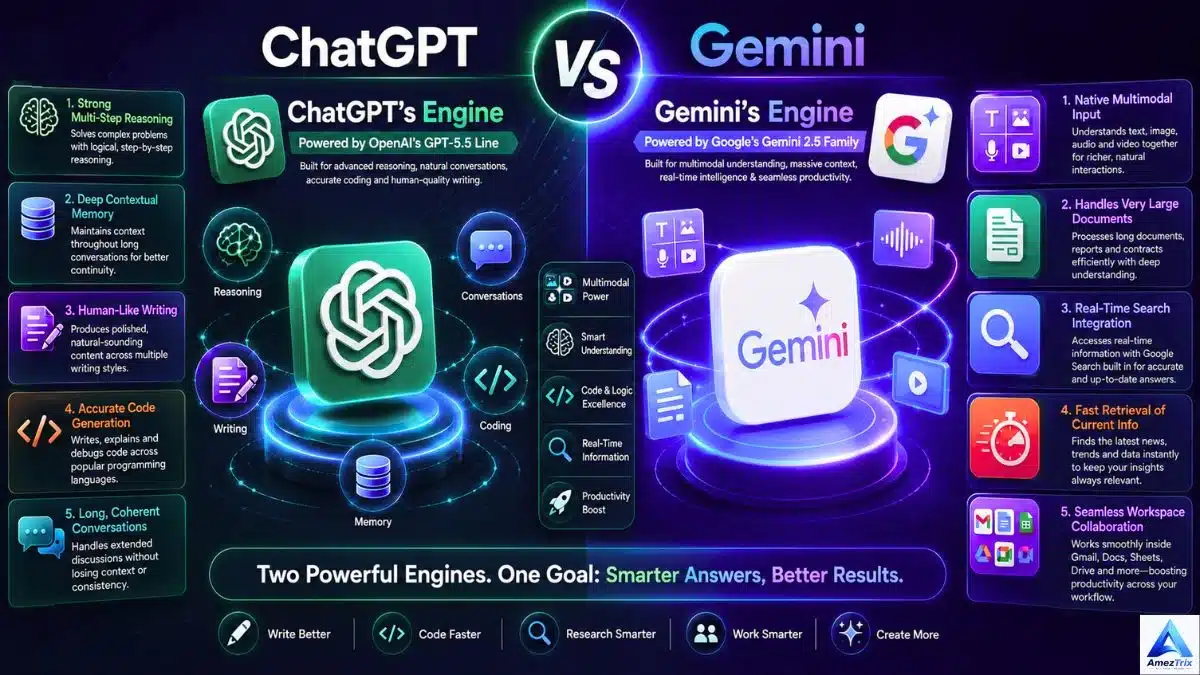
ChatGPT’s Engine
ChatGPT currently runs on OpenAI’s GPT-5.5 line, which is tuned for:
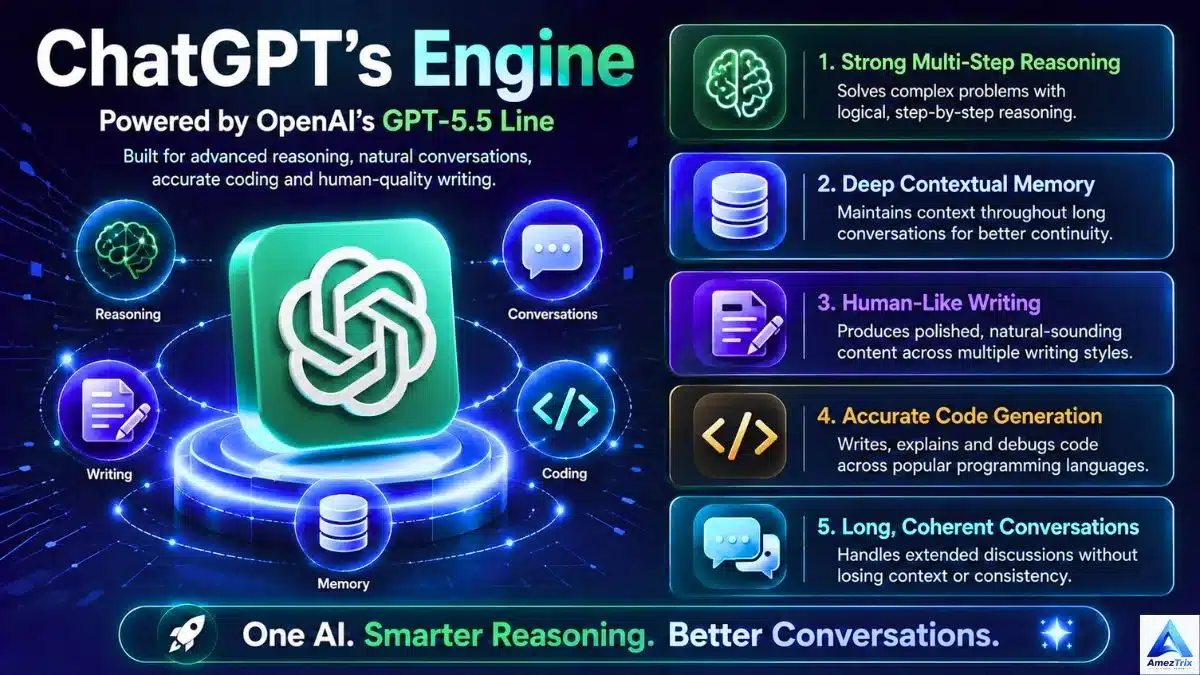
- Strong multi-step reasoning
- Deep contextual memory within a conversation
- Polished, human-sounding writing
- Reliable, accurate code generation
- Long, coherent conversations without losing the plot
OpenAI keeps iterating on accuracy and hallucination reduction, so the model tends to stay sharp even in long, complex sessions.
Gemini’s Engine
Gemini runs on Google’s Gemini 2.5 family, optimized around:

- Native multimodal input (text, image, audio, video together)
- Handling very large documents efficiently
- Real-time Search integration
- Fast retrieval of current information
- Smooth collaboration inside Workspace apps
The Verdict
Neither model is objectively “smarter” across the board — they’re built for different jobs.
ChatGPT wins at: creative writing, long-form content, technical explanations, programming, natural back-and-forth conversation, and brainstorming.
Gemini wins at: Workspace-based tasks, live web research, productivity workflows, and pulling in real-time information.
Interface and Everyday Experience
Using ChatGPT
ChatGPT’s interface stays out of your way — clean, minimal, and built around the conversation itself. You get project folders, searchable chat history, file uploads, a built-in canvas for editing longer documents, image generation, voice mode, and access to the custom GPT store. It’s approachable for a first-time user and still has enough depth for power users.
Using Gemini
Gemini follows Google’s familiar Material Design language, so if you already use Gmail or Docs, it’ll feel instantly familiar. It shows up as a side panel inside Workspace apps, syncs cleanly across devices, and integrates especially well on Android. For someone who spends most of the day inside Google’s apps, that convenience is hard to overstate.
Feature-by-Feature Gemini vs ChatGPT comparison
| Feature | ChatGPT | Gemini |
|---|---|---|
| Natural Conversation | ⭐⭐⭐⭐⭐ | ⭐⭐⭐⭐ |
| Long-Form Writing | ⭐⭐⭐⭐⭐ | ⭐⭐⭐⭐ |
| Coding Help | ⭐⭐⭐⭐⭐ | ⭐⭐⭐⭐ |
| Web Research | ⭐⭐⭐⭐ | ⭐⭐⭐⭐⭐ |
| Image Understanding | ⭐⭐⭐⭐⭐ | ⭐⭐⭐⭐⭐ |
| Image Generation | ⭐⭐⭐⭐⭐ | ⭐⭐⭐⭐ |
| Document Analysis | ⭐⭐⭐⭐⭐ | ⭐⭐⭐⭐⭐ |
| Voice Chat | ⭐⭐⭐⭐⭐ | ⭐⭐⭐⭐⭐ |
| Custom AI Assistants | ⭐⭐⭐⭐⭐ | ⭐⭐⭐⭐ |
| Google Workspace Fit | ⭐⭐⭐ | ⭐⭐⭐⭐⭐ |
| Microsoft 365 Fit | ⭐⭐⭐⭐⭐ | ⭐⭐⭐ |
| Creative Range | ⭐⭐⭐⭐⭐ | ⭐⭐⭐⭐ |
ChatGPT or Gemini for Writing
How ChatGPT Writes
ChatGPT has a reputation for a reason — its output reads as if it came from a person who understands tone, pacing, and audience, not a machine filling in a template. It’s a strong pick for:
- SEO blog posts and articles
- Product descriptions and landing pages
- Email sequences and sales copy
- YouTube scripts and LinkedIn posts
- Press releases and technical docs
- Fiction and creative storytelling
Why writers lean on it: natural phrasing, tight grammar, smooth transitions, consistent tone, and a real grasp of nuanced prompts. Most drafts need noticeably fewer edits before they’re publish-ready.
How Gemini Writes
Gemini has closed a lot of the gap in recent years, turning out content that’s clear, accurate, and well-organized — especially inside Google Docs. It’s a solid choice for:
- Business emails and internal memos
- Meeting summaries and reports
- Academic writing and study notes
- Collaborative Docs editing
That said, Gemini’s tone can lean formal or a little generic compared to ChatGPT’s conversational style, so longer pieces sometimes need extra editing to feel less stiff.
Writing Winner by Category
| Category | Winner |
|---|---|
| SEO Articles | ChatGPT |
| Blog Posts | ChatGPT |
| Storytelling | ChatGPT |
| Marketing Copy | ChatGPT |
| Academic Writing | Gemini |
| Email Drafting | Gemini |
| Business Reports | Gemini |
Bottom line: for content meant to be published and read for enjoyment or SEO value, ChatGPT edges ahead. For internal, structured business writing, Gemini holds its own.
ChatGPT vs Gemini for Coding
ChatGPT for Developers
ChatGPT remains one of the most trusted coding companions out there, supporting Python, JavaScript, TypeScript, Java, C++, PHP, Go, Rust, SQL, HTML/CSS, React, Node.js, and WordPress development.
It’s particularly good at writing clean code, explaining it line by line, catching bugs, suggesting performance fixes, building small APIs, and keeping context across a long debugging session — which matters more than people expect when you’re iterating on a tricky problem.
Gemini for Developers
Gemini has become a genuinely capable coding partner too, especially for anyone building inside Google’s stack — Android, Kotlin, Flutter, Firebase, and Google Cloud. Its Cloud documentation knowledge is a real asset for cloud-native projects.
Where it tends to fall slightly behind is multi-step, complex debugging; ChatGPT’s reasoning tends to stay more consistent across longer coding chains.
ChatGPT vs Gemini – Coding Comparison
| Task | ChatGPT | Gemini |
|---|---|---|
| Bug Fixing | ⭐⭐⭐⭐⭐ | ⭐⭐⭐⭐ |
| Code Explanation | ⭐⭐⭐⭐⭐ | ⭐⭐⭐⭐ |
| Algorithm Design | ⭐⭐⭐⭐⭐ | ⭐⭐⭐⭐ |
| SQL Queries | ⭐⭐⭐⭐⭐ | ⭐⭐⭐⭐ |
| WordPress Dev | ⭐⭐⭐⭐⭐ | ⭐⭐⭐⭐ |
| Android Development | ⭐⭐⭐⭐ | ⭐⭐⭐⭐⭐ |
| Google Cloud | ⭐⭐⭐⭐ | ⭐⭐⭐⭐⭐ |
Overall coding winner: ChatGPT — unless you’re building specifically for Android or Google Cloud, where Gemini’s home-field advantage kicks in.
ChatGPT vs Gemini for Research
ChatGPT’s Research Strengths
ChatGPT handles document-heavy research well — PDFs, Word files, spreadsheets, slide decks, academic papers. It’s especially good at breaking down complex topics, spotting trends across a report, comparing options side by side, and turning a messy pile of information into a clean outline. The conversational format also makes it easy to keep asking follow-up questions without losing context.
Gemini’s Research Strengths
Gemini’s edge comes from Google Search running underneath it. That makes it the faster option for current news, recent events, academic references, and anything time-sensitive. If you need an answer that reflects what happened this morning, Gemini usually gets there quicker.
Research Winner by Task
| Task | Winner |
|---|---|
| Document Analysis | ChatGPT |
| Academic Papers | ChatGPT |
| Current Events | Gemini |
| Google Search Tasks | Gemini |
| Long Reports | ChatGPT |
| Brainstorming | ChatGPT |
Bottom line: ChatGPT is better for digging into content you already have; Gemini is better for finding out what’s happening right now.
ChatGPT vs Gemini for Images and Multimodal Tasks
Both tools go well beyond plain text these days.
ChatGPT generates images from prompts, edits and enhances photos, builds diagrams and infographic concepts, reads screenshots, extracts text via OCR, and reasons about what’s in an image. That makes it a genuinely useful tool for marketers, designers, and educators who need quick custom visuals.
Gemini understands images just as well, reading charts, handwriting, and diagrams, and can generate images depending on the plan. It’s especially strong when paired with Android and Google Photos, since it can pull directly from your device’s camera roll.
Verdict: ChatGPT has a slight edge for creative image generation; Gemini is just as strong (if not stronger) for understanding images inside Google’s own apps.
Speed and Responsiveness
Both platforms are fast for short prompts — you won’t notice a meaningful difference there. The gap shows up in specific scenarios:
- Long-form writing: ChatGPT stays more consistent across a lengthy generation.
- Real-time information: Gemini often feels quicker, thanks to its direct line into Google Search.
Pricing Comparison (2026)
| Plan Type | ChatGPT | Gemini |
|---|---|---|
| Free Tier | Yes | Yes |
| Premium Subscription | Yes | Yes |
| Team Plan | Yes | Yes |
| Enterprise Plan | Yes | Yes |
| API Access | Yes | Yes |
ChatGPT Premium typically unlocks the latest models, faster responses, higher usage caps, deeper reasoning modes, image generation, expanded file analysis, and better voice features.
Gemini Premium typically unlocks more advanced Gemini models, higher limits, richer Workspace AI features, and (depending on the bundle) extra Google storage.
Bottom line on price: both are competitively positioned, so the decision should come down to which ecosystem fits your workflow — not who charges a dollar less.
Pros and Cons
ChatGPT
Pros
- Excellent, natural-sounding writing
- Strong, reliable coding support
- Deep reasoning on multi-step problems
- Solid image generation
- Large library of custom GPTs
- Great at digesting long documents
Cons
- Best features sit behind a paid plan
- Less native inside Google Workspace
Gemini
Pros
- Deep, native Google Workspace integration
- Excellent live web research
- Strong productivity feature set
- Smooth Android experience
Cons
- Creative writing can feel a bit flat
- Complex coding tasks often need more polish
- Fewer customization options than ChatGPT
ChatGPT or Gemini – Which One Fits Your Role?
| User Type | Better Fit |
|---|---|
| Bloggers | ChatGPT |
| SEO Professionals | ChatGPT |
| Copywriters | ChatGPT |
| Students | Tie — depends on the need |
| Teachers | ChatGPT |
| Software Developers | ChatGPT |
| Android Developers | Gemini |
| Digital Marketers | ChatGPT |
| Researchers | ChatGPT |
| Business Professionals | Gemini |
| Google Workspace Users | Gemini |
| Small Business Owners | ChatGPT |
| Content Creators | ChatGPT |
| YouTubers | ChatGPT |
| Social Media Managers | ChatGPT |
Frequently Asked Questions
Is ChatGPT better than Gemini?
For writing, coding, and complex reasoning, ChatGPT generally performs better. Gemini pulls ahead for Google Workspace integration and everyday productivity tasks.
Which AI is better for students?
It’s close to a tie between Google Gemini vs ChatGPT vs Claude. ChatGPT offers deeper explanations and tutoring-style help; Gemini’s Docs and Search integration makes research and group work easier.
Which AI is better for coding?
ChatGPT is the stronger all-around coding assistant, though Gemini holds its own for Android, Flutter, and Google Cloud projects.
Is Gemini free to use?
Yes — Gemini has a free tier with core features, plus a premium subscription for advanced models and higher limits.
Is ChatGPT free to use?
Yes — ChatGPT also offers a free tier, with paid plans unlocking more advanced models and additional tools.
Which AI writes better blog posts?
ChatGPT tends to produce more natural, engaging, SEO-ready posts that need less editing before publishing.
Which AI is better for SEO work?
ChatGPT is generally the preferred pick for long-form SEO content, keyword coverage, and content planning.
Which AI is better for business use?
Businesses focused on content and marketing tend to prefer ChatGPT; teams built around Google Workspace often find Gemini fits more naturally.
Can both tools generate images?
Yes, ChatGPT vs Gemini both support image generation, though exact capabilities can vary by plan and platform.
Should I use both ChatGPT and Gemini?
Many people do — ChatGPT for writing, coding, and brainstorming, and Gemini for Workspace tasks and fast research.
Key Takeaways
- ChatGPT is the stronger pick for content creators, developers, marketers, and SEO professionals.
- Gemini is the better fit for Google Workspace users, Android users, and business teams already in Google’s ecosystem.
- Both handle multimodal input, document analysis, coding help, and natural conversation well.
- ChatGPT leads in creativity, long-form writing, and complex reasoning.
- Gemini leads in ecosystem integration and real-time, web-assisted research.
- The right choice comes down to your daily workflow — not which tool is “smarter” overall.
Final Verdict
There’s no single “winner” here — both ChatGPT vs Gemini Ai tools are genuinely strong in 2026, just built around different priorities.
If your day revolves around writing, SEO, coding, marketing, or creative work, ChatGPT is the more capable all-rounder. It handles multi-step instructions well, produces content that needs less cleanup, and consistently reasons through complex problems.
If you live inside Gmail, Docs, Drive, Sheets, or Android, Gemini removes friction you didn’t even realize you were dealing with. Its research speed and Workspace integration are hard to beat for anyone already committed to Google’s ecosystem.
A lot of professionals now use both — ChatGPT for writing, coding, and ideation; Gemini for quick research and day-to-day Workspace tasks.
About Author
Rajendra Parmar is the Founder and Editor of AmezTrix, where he covers Artificial Intelligence, Technology, WordPress, Web Hosting, Digital Marketing, Gadgets, and Software. His mission is to simplify complex technology through practical tutorials, honest reviews, and well-researched guides that help readers make smarter digital decisions.

Rajendra Parmar
Founder & Editor • AmezTrix
Rajendra Parmar is the Founder and Editor of AmezTrix, a platform covering Artificial Intelligence, Technology, WordPress, Web Hosting, Digital Marketing, Gadgets, Software Reviews, and emerging innovations. His mission is to simplify complex technology through practical tutorials, honest reviews, and well-researched guides that help readers make smarter digital decisions.