Quick Answer: The most important new Google AI tools in 2026 span five major areas: AI assistants and agents, AI search and research, coding and app development, creative image/video generation, and workplace automation. Some are broadly available, while others depend on region, account type, subscription, or experimental access.
Top 15 New Google AI Tools
Google’s AI ecosystem has changed rapidly in 2026. What started with Gemini has expanded into AI-powered search, research, coding, video creation, design, automation, and autonomous AI agents.
Today, Google’s AI tools are no longer limited to chatbots that answer questions. Many of them can research information, generate images and videos, build applications, automate workflows, assist with coding, analyze documents, and even perform multi-step tasks under user direction.
Google’s official AI product ecosystem now includes tools such as Gemini, Gemini Notebook, Google AI Studio, Google Flow, Veo, Nano Banana, Google Antigravity, Gemini Spark, Stitch, Pomelli, and Google Workspace Studio.
In this guide, we explore 15 new and important Google AI tools and AI-powered products, what they do, who they are useful for, and how they can fit into everyday work, content creation, business, research, and development.
15 Google AI Tools at a Glance
| Google AI Tool | Main Use | Best For |
|---|---|---|
| Gemini | AI assistant | Everyday users, research and productivity |
| AI Mode | AI-powered Search | Search and complex questions |
| Gemini Notebook | AI research and learning | Students, researchers and professionals |
| Deep Research | Automated research | Research and detailed reports |
| Google AI Studio | AI app development | Developers and creators |
| Google Antigravity | Agentic development | Developers and AI agents |
| Gemini Spark | Personal AI agent | Automation and digital tasks |
| Google Flow | AI filmmaking | Video creators |
| Veo | AI video generation | Filmmakers and creators |
| Nano Banana | AI image generation | Image creation and editing |
| Stitch | AI UI design | Designers and developers |
| Pomelli | Brand content creation | Businesses and marketers |
| Google Workspace Studio | AI workflow automation | Businesses and teams |
| Gemini 3.5 Flash | Fast reasoning and agents | Developers and applications |
| Google Vids AI | AI-assisted video creation | Businesses and presentations |
The availability and capabilities of these products can change quickly, so users should check Google’s current product pages before relying on a particular feature or plan.
1. Google Gemini
Google Gemini is the central AI assistant in Google’s ecosystem.
Instead of being limited to text conversations, Gemini increasingly works across Google’s products and can handle text, images, files, research, coding, and other multimodal tasks.
Google’s 2026 announcements also show a shift from simple conversational AI toward agentic AI, where Gemini-powered systems can perform longer sequences of tasks and interact with tools.
What can you use Gemini for?
You can use Gemini for:
- Writing and rewriting
- Summarizing documents
- Brainstorming ideas
- Coding assistance
- Research
- Image generation
- Understanding uploaded files
- Planning projects
- Learning new subjects
- Generating creative content
For a website owner, Gemini can also be useful for creating article outlines, analyzing content ideas, generating FAQs and developing content workflows.
Who should use Gemini?
Gemini is useful for students, professionals, creators, developers, marketers and everyday users who want an AI assistant integrated into Google’s ecosystem.
2. Google AI Mode
Google Search is evolving beyond the traditional list of blue links.
AI Mode is Google’s AI-powered Search experience designed to handle more complex questions and conversational exploration.
Google says AI Mode is built around its Gemini models and is expanding toward a more agentic search experience. Google has also announced information agents that can monitor topics in the background and provide synthesized updates with links.
What makes AI Mode different?
Traditional Search often requires users to perform several searches.
With an AI-powered search experience, a user can ask a more complicated question and continue the conversation.
For example:
Compare satellite internet options for rural India and explain the major differences in technology, availability and typical use cases.
The goal is to let Search understand the broader context rather than forcing the user to search for every individual part of the question.
Why AI Mode matters for publishers
AI search makes clear, factual, well-structured content increasingly important.
For websites such as AmezTrix, this means articles should contain:
- Direct answers
- Clear headings
- Reliable sources
- Comparison tables
- FAQs
- Concise definitions
- Original analysis
- Well-connected topics
This is particularly relevant to AEO and GEO strategies.
3. Gemini Spark
Gemini Spark is one of Google’s clearest examples of the shift from chatbot AI to personal AI agents.
Google describes Spark as a personal AI agent that can work in the background and take actions under the user’s direction. It is powered by Gemini and Google’s Antigravity agent infrastructure.
Google announced the expansion of Gemini Spark to Google AI Pro subscribers in India in July 2026.
What can Spark do?
Depending on availability and permissions, Spark can help with:
- Digital tasks
- Connected Google apps
- File organization
- Research
- Web errands
- Background work
- Multi-step tasks
Google has also described Spark handling tasks across desktop files and apps, and later expanded its capabilities for complex web errands with user permission.
The important idea: Delegation
This is where AI starts to feel more like a digital worker.
Instead of asking:
“How do I organize my files?”
you could potentially delegate:
“Organize these files according to the categories I specified and show me what you changed.”
The user remains in control, especially for consequential actions.
4. Gemini Deep Research
Deep Research is designed for users who need more than a quick AI answer.
Google’s Gemini Deep Research can perform in-depth, real-time research. Google Search is included as a source by default, while users can also add sources such as Gmail, Drive, uploaded files and Gemini Notebook notebooks where available.
How Deep Research works
Instead of simply asking:
“Tell me about AI coding agents.”
You can ask:
“Research the latest AI coding agents, compare their major capabilities, identify official pricing information, examine developer use cases, and prepare a source-based report.”
Gemini creates a research plan and then works through the research process.
Google says reports typically take several minutes because the system analyzes multiple sources.
Who should use Deep Research?
It can be particularly useful for:
- Journalists
- Students
- Bloggers
- Researchers
- Business owners
- Analysts
- Content teams
For AmezTrix, a research workflow could use Deep Research to gather current information before writing a technology article.
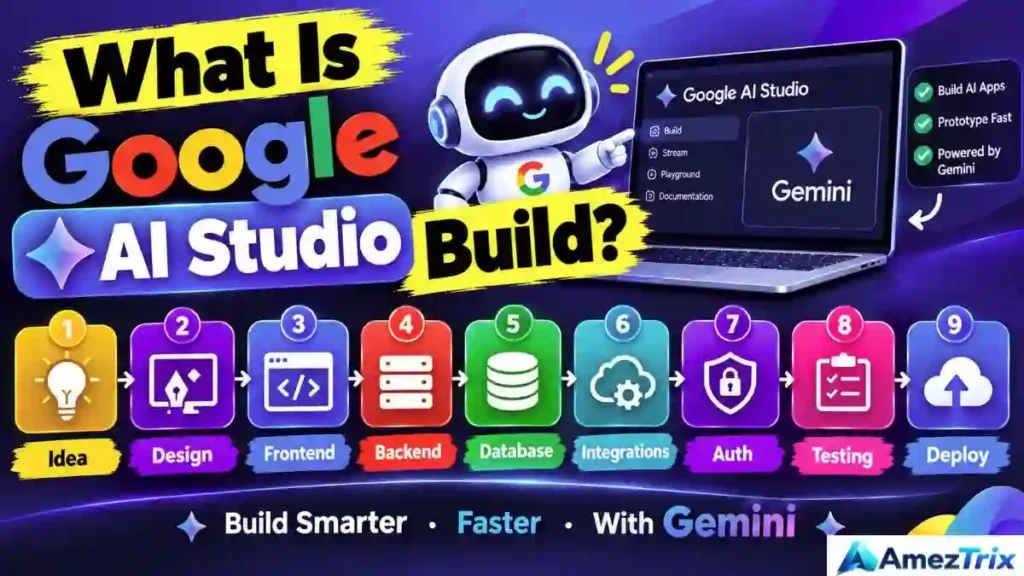
5. Google AI Studio
Google AI Studio is Google’s web-based environment for experimenting with and building applications using its AI models.
Google’s current AI Studio experience includes access to models and capabilities such as Gemini, Veo, Nano Banana, Gemini TTS and Gemini Live, along with tools for building applications and using APIs.
What can developers do with AI Studio?
Developers can:
- Experiment with Gemini
- Build AI applications
- Create prototypes
- Test prompts
- Generate code
- Work with APIs
- Build agentic applications
- Experiment with multimodal models
Google has also introduced more customization in AI Studio, including AI-assisted application building and image generation within the development workflow.
Best for
Google AI Studio is especially relevant to:
- Developers
- Startup founders
- AI researchers
- Students learning AI development
- No-code/low-code experimenters
- Product builders
6. Google Antigravity
Google Antigravity represents Google’s move toward agent-first software development.
Rather than using AI simply to autocomplete code, Antigravity is designed to let developers work with agents that can reason, plan and execute tasks.
Google introduced Antigravity 2.0, a standalone desktop application that can act as a central environment for interacting with and orchestrating multiple agents. It also includes capabilities for parallel workflows and scheduled background tasks.
Why Antigravity matters
Traditional coding workflow:
Developer → Code → Test → Debug → Repeat
Agentic workflow can become:
Developer → Goal → AI agent plans → AI agent executes → Developer reviews
This does not remove the need for human review. Instead, it changes where humans spend their time.
Google has also introduced Managed Agents through the Gemini API, allowing agents to reason, use tools and execute code in isolated environments.
7. Gemini Notebook — Formerly NotebookLM
One of the biggest naming changes in Google’s AI ecosystem is NotebookLM becoming Gemini Notebook.
Google announced in July 2026 that NotebookLM was being renamed Gemini Notebook while remaining a standalone research-focused product. Google also announced deeper integration with the Gemini ecosystem and new capabilities such as code execution for data analysis.
What is Gemini Notebook?
Gemini Notebook is designed to help users research and understand information grounded in trusted sources.
You can use it for:
- Study notes
- Research projects
- Document analysis
- Summarization
- Source-based questions
- Data analysis
- Learning
- Creating research-based outputs
Google says Gemini Notebook has been used by more than 30 million people and over 600,000 organizations, according to its July 2026 announcement.
Why is it useful?
Instead of asking an AI about a broad topic without supplying context, you can build a research environment around your own sources.
That makes it especially useful for:
- Students
- Researchers
- Writers
- Teachers
- Business professionals
- Content creators
8. Google Flow
Google Flow is Google’s AI creative studio for generating and editing visual content.
Google says Flow has expanded beyond simple video generation into a broader creative workflow with image generation, video generation, editing and asset management.
What can Flow do?
Flow can help creators:
- Generate visual scenes
- Create videos
- Generate images
- Edit assets
- Extend clips
- Remove objects
- Modify scenes
- Control camera movements
- Organize creative assets
Google has also introduced Flow Agent, which can handle multi-step creative tasks, create variations, batch edits and organize assets.
This makes Flow particularly interesting for filmmakers, marketers, YouTubers and social media creators.
9. Google Veo
Veo is Google’s advanced AI video generation technology.
The current Google DeepMind product page highlights Veo 3.1, designed for video generation with audio and greater control, consistency and creative flexibility.
What can Veo be used for?
Veo can help generate:
- Cinematic video
- Short-form videos
- Story scenes
- Marketing visuals
- Creative concepts
- Animated sequences
Veo’s development is particularly important because AI video generation is moving from short visual experiments toward more controllable creative workflows.
For content creators, this means AI-generated video can increasingly become part of a complete production pipeline rather than a standalone novelty.
10. Nano Banana
Nano Banana is Google’s family of AI image-generation and editing models used across its AI ecosystem.
Google has highlighted Nano Banana as a major image-generation capability and has integrated it into products such as Gemini and Flow.
What can Nano Banana do?
Typical use cases include:
- Image generation
- Image editing
- Creative transformations
- Product visuals
- Marketing graphics
- Concept art
- Visual storytelling
Google has also announced newer Nano Banana model updates, including Nano Banana 2 Lite, designed for faster and more cost-efficient image generation.
Why it matters for bloggers
For a website owner, AI image tools can help create:
- Article hero images
- Social media graphics
- Pinterest designs
- Product illustrations
- Infographics
- Concept images
However, AI-generated visuals should complement useful original content rather than replace substantive information.
11. Google Stitch
Google Stitch focuses on AI-assisted interface and UI design.
At Google I/O 2026, Google introduced new real-time design capabilities in Stitch, including the ability to describe designs using text or voice and collaborate with the Stitch Agent during the design process.
What makes Stitch interesting?
A designer can describe an interface in natural language instead of manually creating every element from scratch.
For example:
“Create a modern AI tools directory with a search bar, category filters, tool cards and a responsive mobile layout.”
Stitch can help turn the description into a visual design.
Google also says Stitch can work with existing codebases and design files and can export designs into Google Antigravity or publish them through supported workflows.
This creates a bridge between:
Idea → Design → Code → Production
12. Pomelli
Pomelli is a Google AI tool focused on helping businesses create brand-related content and visual assets.
Google’s 2026 announcements mention Pomelli among the tools expanding Google’s AI creative ecosystem, including new capabilities for brand content and website design.
Who can benefit from Pomelli?
It can be relevant to:
- Small businesses
- Freelancers
- Marketing teams
- Entrepreneurs
- Agencies
- Content creators
The broader value is reducing the amount of manual work required to turn a brand identity into consistent digital content.
For a small website or business, this type of AI can potentially help bridge the gap between having a logo/brand identity and producing regular marketing material.
13. Google Workspace Studio
Google Workspace Studio is Google’s platform for building and managing AI-powered workflows inside Google Workspace.
Google describes it as a no-code environment where users can describe an automation in natural language and Gemini can create the flow.
Example
Instead of manually performing:
- Open Gmail
- Find important email
- Extract information
- Put information into Sheets
- Notify your team
you can create an automated workflow that connects these steps.
Google provides examples including:
- Summarizing meetings
- Creating action items
- Drafting follow-up emails
- Organizing Gmail attachments
- Labeling important emails
- Summarizing news
Workspace Studio is generally available with Google Workspace Business and Enterprise plans, according to Google’s current product page.
Why businesses should care
This is where AI becomes workflow automation rather than simply content generation.
14. Gemini 3.5 Flash
Gemini 3.5 Flash is one of Google’s important new AI models for fast reasoning and agentic workloads.
Google introduced it at I/O 2026 as part of its latest model family and made it available through platforms including the Gemini API and Google AI Studio.
Google positions Gemini 3.5 Flash for tasks that require speed, reasoning and action, including coding and longer-horizon agentic workflows.
Why Flash matters
AI systems often face a trade-off between:
- Intelligence
- Speed
- Cost
Flash models are designed around efficient, fast responses while still providing strong capabilities.
This makes them particularly relevant for applications where an AI agent may need to perform many model calls.
Developers can access Gemini models through Google AI Studio and the Gemini API.
15. Google Vids AI
Google Vids is Google’s AI-assisted video creation platform for workplace and presentation content.
Google has continued adding AI capabilities to Vids, including newer video generation and personalization capabilities announced in 2026.
What can you use Google Vids for?
It can be useful for:
- Business presentations
- Training videos
- Internal communications
- Marketing videos
- Explainer videos
- Workplace storytelling
For businesses that already use Google Workspace, an integrated video creation workflow can reduce the need to move between multiple applications.
Google AI Tools by Use Case
Different Google AI tools are designed for different jobs.
| Use Case | Relevant Google AI Tools |
|---|---|
| General AI assistant | Gemini |
| AI Search | AI Mode |
| Research | Gemini Notebook, Deep Research |
| AI app development | Google AI Studio |
| Agentic coding | Antigravity |
| Personal automation | Gemini Spark |
| AI filmmaking | Flow, Veo |
| Image generation | Nano Banana |
| UI design | Stitch |
| Brand content | Pomelli |
| Business automation | Workspace Studio |
| AI video presentations | Google Vids |
| Fast AI development | Gemini 3.5 Flash |
This is important because there is no single Google AI tool that is designed for every task.
Google AI Tools for Students
Students can use Google’s AI ecosystem for several different parts of the learning process.
Research
Gemini Notebook can help organize and understand source material.
Research reports
Deep Research can help investigate broader topics and produce structured reports.
Everyday questions
Gemini can help explain difficult concepts, brainstorm ideas and summarize information.
Visual projects
Nano Banana and Google’s creative tools can help create visual material.
The best educational workflow is not simply to ask AI for the final answer. Students can use AI to understand concepts, compare sources, generate questions and check their own reasoning.
Google AI Tools for Content Creators
For bloggers, YouTubers and digital marketers, Google’s ecosystem provides tools for different stages of content production.
Research
Use:
- Gemini
- Deep Research
- Gemini Notebook
Writing and planning
Use:
- Gemini
- Gemini Notebook
Images
Use:
- Nano Banana
Video
Use:
- Veo
- Google Flow
- Google Vids
Automation
Use:
- Workspace Studio
- Gemini Spark
This creates a potential workflow:
Research → Plan → Write → Design → Video → Publish → Automate
Google AI Tools for Developers
Developers have an increasingly large set of Google AI tools.
The main ecosystem includes:
- Google AI Studio
- Gemini API
- Gemini 3.5 Flash
- Google Antigravity
- Managed Agents
- Stitch
Google’s Managed Agents allow developers to create agents that can reason, use tools and execute code inside isolated environments.
Google is therefore moving beyond the traditional “AI writes code” model toward systems that can participate in broader software-development workflows.
Google AI Tools vs Traditional AI Tools
The major change in Google’s ecosystem is not simply that AI models are becoming better at generating text.
The bigger change is the movement from generation to action.
Traditional AI workflow
Prompt → Response
Agentic AI workflow
Goal → Plan → Tools → Actions → Results → Human review
Google’s 2026 announcements repeatedly emphasize this transition, including Antigravity, Gemini Spark, Search information agents and Flow Agent.
That is why terms such as AI agents, agentic AI, AI automation and AI workflows are becoming increasingly important.
Are Google AI Tools Free?
There is no single answer because Google’s AI ecosystem contains many different products, models and access levels.
Some tools or capabilities are available at no cost, while others have:
- Usage limits
- Subscription requirements
- API pricing
- Workspace requirements
- Regional restrictions
- Experimental access
- Higher limits for Google AI Pro or Ultra subscribers
For example, Google’s Deep Research documentation describes different limits and higher allowances for Google AI Pro and Ultra users.
Similarly, Workspace Studio is tied to supported Google Workspace plans.
Therefore, users should check the official Google product page before assuming that a particular feature is completely free.
What Are the Benefits of Google’s New AI Tools?
Google’s current AI strategy offers several major categories of functionality.
1. Productivity
AI can help users summarize, write, organize and automate routine work.
2. Research
Gemini Notebook and Deep Research can help users work with large amounts of information.
3. Creativity
Flow, Veo and Nano Banana expand AI-generated visual content.
4. Development
AI Studio, Gemini API and Antigravity help developers build AI-powered applications.
5. Automation
Gemini Spark and Workspace Studio move AI into multi-step workflows.
6. Search
AI Mode is changing how people interact with Google Search.
The common theme is integration.
Instead of having isolated AI products, Google is connecting AI capabilities across Search, Workspace, development tools, creative tools and consumer products.
What Are the Limitations?
Despite rapid progress, Google AI tools still have limitations.
Availability can change
Some products are experimental or rolling out gradually.
Features differ by region
A feature available in the United States may not necessarily be available in India at the same time.
Subscription differences
Some advanced capabilities require paid Google AI or Workspace plans.
AI can make mistakes
Even sophisticated models can generate incorrect information.
Human review remains important
For business, financial, legal, medical or other high-impact decisions, AI output should be independently verified.
Agentic systems need permission and oversight
When an AI agent can take actions rather than simply answer questions, users should understand what accounts, files and tools it can access.
This is especially important when an agent can perform external actions.
How Google AI Is Moving From Chatbots to AI Agents
One of the most important developments in Google’s 2026 AI strategy is the shift from answering to doing.
A chatbot waits for a prompt and produces an answer.
An agent can potentially:
- Understand a goal
- Create a plan
- Use tools
- Perform multiple steps
- Check results
- Ask for permission when necessary
- Return a completed result
Google describes Gemini Spark as an example of this direction, while Antigravity provides an agent-focused development environment and Workspace Studio brings agentic automation into business workflows.
This is also why the concept of delegation is becoming important.
Instead of telling an AI:
“Write an email.”
you might eventually delegate:
“Review these messages, identify which ones require a response, draft replies according to my instructions, and show me the drafts before sending.”
The second instruction describes a goal and workflow rather than a single generation task.
How to Choose the Right Google AI Tool
Instead of looking for one “best” Google AI tool, choose according to the task.
For general questions
Start with Gemini.
For complex Google Search queries
Explore AI Mode.
For source-based research
Use Gemini Notebook.
For extensive research
Use Deep Research.
For building AI applications
Use Google AI Studio.
For agentic development
Explore Google Antigravity.
For personal automation
Look at Gemini Spark, where available.
For AI video
Explore Google Flow and Veo.
For AI images
Use Nano Banana.
For interface design
Try Stitch.
For business workflows
Consider Google Workspace Studio.
Frequently Asked Questions
What are the new Google AI tools in 2026?
Google’s 2026 AI ecosystem includes Gemini, AI Mode, Gemini Notebook, Deep Research, Google AI Studio, Google Antigravity, Gemini Spark, Google Flow, Veo, Nano Banana, Stitch, Pomelli, Workspace Studio, Gemini 3.5 Flash and AI-powered Google Vids.
The exact availability and feature set can change as Google continues rolling out updates.
What is the newest Google AI tool?
Google does not have just one “newest” AI tool. The company continues to introduce and update multiple AI products and features.
In 2026, major developments include Gemini Spark, Antigravity updates, Flow Agent, Stitch Agent, Gemini 3.5 Flash, Gemini Notebook updates and new AI Search capabilities.
Is Google Gemini free?
Gemini has free access options, but some advanced capabilities and higher usage limits can depend on the user’s Google AI plan, region and feature availability.
What happened to NotebookLM?
Google renamed NotebookLM to Gemini Notebook in July 2026. Google says it remains a standalone research product while becoming more integrated with the broader Gemini ecosystem.
What is Google Antigravity?
Google Antigravity is an agent-first development platform designed to help developers build and manage AI agents and applications. Google introduced Antigravity 2.0 as a standalone desktop experience with support for orchestrating multiple agents.
What is Gemini Spark?
Gemini Spark is Google’s personal AI agent designed to perform tasks under a user’s direction and work in the background. Google expanded Spark to Google AI Pro subscribers in India in 2026.
Which Google AI tool is best for research?
Different research tasks call for different tools. Gemini Notebook is designed around source-grounded research and learning, while Deep Research is designed for broader, in-depth research across sources.
Which Google AI tool is best for AI video?
Google Flow and Veo are particularly relevant for AI video creation. Flow provides a broader creative workflow, while Veo is Google’s underlying video-generation technology.
Can Google AI tools create websites?
Several Google AI products can assist with website and application creation. Google AI Studio supports AI application development, while Stitch focuses on interface design and can connect into development workflows.
Can Google AI agents perform tasks automatically?
Some Google AI products are specifically designed for agentic workflows. Gemini Spark, Antigravity, Workspace Studio and Search information agents are examples of Google’s move toward AI systems that can perform multi-step tasks under user direction.
Final Verdict
Google’s AI strategy in 2026 is much bigger than Gemini alone.
The company is building an interconnected ecosystem covering AI assistants, AI Search, research, coding, application development, image generation, video generation, design and workflow automation.
For everyday users, Gemini and AI Mode provide conversational assistance and AI-powered Search.
For researchers, Gemini Notebook and Deep Research provide tools for working with information.
For developers, Google AI Studio, Gemini 3.5 Flash and Antigravity create a path from an idea to an AI-powered application.
For creators, Nano Banana, Veo and Flow provide image and video capabilities.
For businesses, Workspace Studio and Gemini Spark point toward a future in which AI can participate in multi-step digital workflows.
The most important shift is therefore not simply “Google has more AI tools.”
It is that Google’s AI ecosystem is increasingly moving from:
Ask → Answer
to:
Ask → Research → Plan → Create → Act → Review
That transition is likely to shape how people search, work, create content and build software as Google’s AI products continue to evolve.
Note: Google AI products, names, features, pricing and availability can change frequently. Always verify the current availability and terms on Google’s official product pages before making purchasing or workflow decisions.
About Author
Rajendra Parmar is the Founder and Editor of AmezTrix, where he covers Artificial Intelligence, Technology, WordPress, Web Hosting, Digital Marketing, Gadgets, and Software. His mission is to simplify complex technology through practical tutorials, honest reviews, and well-researched guides that help readers make smarter digital decisions.

Rajendra Parmar
Founder & Editor • AmezTrix
Rajendra Parmar is the Founder and Editor of AmezTrix, a platform covering Artificial Intelligence, Technology, WordPress, Web Hosting, Digital Marketing, Gadgets, Software Reviews, and emerging innovations. His mission is to simplify complex technology through practical tutorials, honest reviews, and well-researched guides that help readers make smarter digital decisions.