Siri Google Gemini Explained: Features, Devices, Privacy & How to Use It
Siri Google Gemini Explained: Does Gemini power Siri? Yes, in part. See what changed, supported iPhones, privacy & how to use Gemini on iPhone
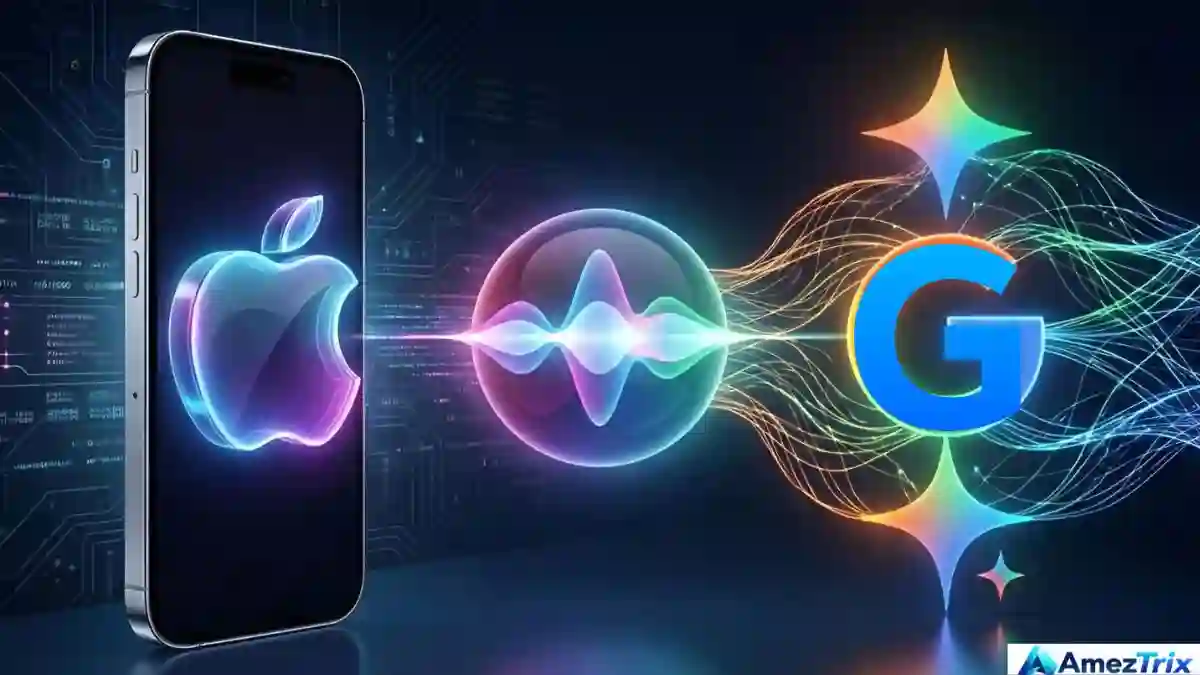
Siri is still Apple’s assistant. Gemini now helps power the models behind it.
Apple built Siri. Google built Gemini. For years, nobody expected those two names to share a sentence, let alone a product.
Then, on January 12, 2026, the two companies announced a multi-year deal. Google’s Gemini models and cloud technology would help power the next generation of Apple Foundation Models, including a more personal Siri. Apple showed the new Siri AI at WWDC26 in June, and the rollout began on September 14, 2026.
So does Gemini run Siri now? Partly, yes. But not in the way most headlines suggest, and the difference matters if you own an iPhone, build apps, run a business or just want to know which assistant to trust.
In this guide, I’ll walk you through what changed, what stayed the same, how the two products compare, which devices qualify, what it means for privacy and how to get real value from both assistants today.
Quick Answer: Does Google Gemini Power Siri?
Yes, in part. Google’s Gemini technology contributes to the Apple Foundation Models that sit behind the new Siri AI. Siri itself is still an Apple product, controlled by Apple, running inside Apple’s software and following Apple’s privacy rules. The Gemini app is a separate Google product.
Key takeaways
- Apple and Google announced the partnership on January 12, 2026.
- Siri AI began rolling out on September 14, 2026, starting as an English beta.
- Gemini is a technology partner here, not a replacement for Siri.
- The new Siri needs eligible hardware, current software and a supported language.
- You can use the standalone Gemini app on iPhone right now.
What Does “Siri Google Gemini” Actually Mean?
The phrase gets used loosely, so let’s pin it down. Siri Google Gemini describes the collaboration in which Google’s AI models help power Apple’s next-generation AI features, including the redesigned Siri.
Here’s an analogy I find useful. Imagine Apple builds the car: the body, dashboard, steering and safety systems. Google supplies part of the engine. You still sit in an Apple car, press Apple’s buttons and follow Apple’s rules. You just get a stronger engine underneath.
Three terms are worth keeping straight, because people mix them up constantly:
- Siri: Apple’s voice assistant. It takes your request and connects it to apps and system features.
- Apple Intelligence: Apple’s broader AI system across iPhone, iPad and Mac.
- Gemini: Google’s family of AI models, and also the name of Google’s chat app.
That last one causes most of the confusion. “Gemini” can mean the model or the app. In this deal, it means the model.
Siri AI vs the Gemini App at a Glance
| Feature | Siri AI (Apple) | Gemini app (Google) |
|---|---|---|
| Made by | Apple | |
| Main job | Getting things done on Apple devices | Chatting with a general-purpose AI |
| Technology | Apple Foundation Models, built with Gemini technology | Google’s Gemini models |
| Where it works | Supported on iPhone, iPad, Mac and other Apple devices | Android, iPhone, iPad and the web |
| Personal context | Messages, emails, photos and apps you allow | What you connect to your Google account |
| Voice | Siri interface | Voice chat and Gemini Live where available |
| Privacy framework | Apple Intelligence and Private Cloud Compute | Google’s Gemini Apps policies |
Features vary by device, software version, language and region.
Siri Google Gemini Timeline: How We Got Here
| Date | What happened |
|---|---|
| January 12, 2026 | Apple and Google announce a multi-year collaboration. Gemini models and Google Cloud technology will help power the next Apple Foundation Models. |
| June 8, 2026 | At WWDC26, Apple previews a more conversational Siri with personal context, screen awareness and actions across apps. |
| September 14, 2026 | Siri AI begins rolling out, first as an English-language beta on supported devices. |
Notice what’s missing from that list: a big “Siri is now Gemini” moment. Apple kept its own branding front and centre. That’s very Apple, and honestly, it makes sense. Most people care about whether their phone helps them, not whose model sits underneath.
The takeaway is simple. The partnership has moved from announcement to actual product. But rollouts are rarely tidy. Expect features to reach different devices, languages and countries at different times.
How Does Gemini Work With Siri?
Apple hasn’t published a full technical blueprint, so I won’t pretend to know every detail. What Apple has said is that Siri AI relies on Apple Foundation Models, on-device processing and Private Cloud Compute. Gemini-based technology feeds into those models.
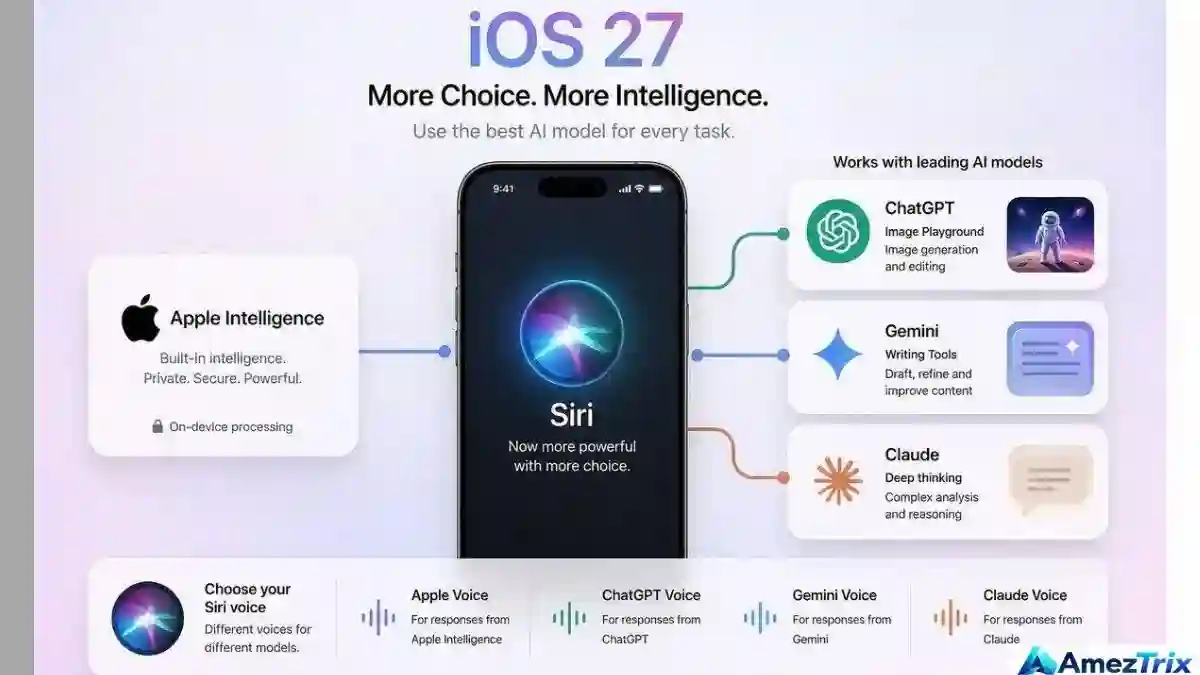
In plain language, a request probably travels like this:
- You ask Siri something by voice, by text or while looking at something on screen.
- Siri works out what you want and what information it needs.
- An Apple model handles the request, either on your device or in Apple’s private cloud.
- Siri replies, or completes a supported action inside an app.
Why Apple Didn’t Just Install the Gemini App
You might wonder why Apple would partner with Google yet avoid simply bundling the Gemini app. The answer comes down to control. Siri has to work with your calendar, messages, photos, settings and third-party apps. Apple wants that experience to follow its design, its permission system and its privacy rules.
Using Gemini technology inside Apple’s own models lets Apple keep that control. A chatbot app bolted onto iOS can’t do the same job.
Three Examples That Show the Difference
1. Using what’s on your screen. A relative texts you asking what to bring to a family dinner. Instead of copying the message into a chatbot, you ask Siri for ideas right there. It can see the message, suggest a dish and help you note the ingredients in Notes.
2. Finding something buried in your own data. A friend once sent you the name of a restaurant, and now you can’t remember where. Siri AI is built to search across messages, emails and photos you’ve allowed it to access. That beats scrolling through five apps.
3. Handling a messy question. Say you ask, “Explain how solar panels work, then give me questions to ask an installer.” A strong model can split that into parts and answer each one. Quality still depends on the model, so double-check anything that matters.
One caution here. Not every action works in every app. Third-party developers need to support Siri through Apple’s App Intents framework, so some apps will be ready sooner than others.
What Can the New Siri Do? Main Features Explained
1. More Natural Conversation
Old Siri liked short commands. “Set a timer.” “Call Mom.” Anything longer and it often gave up and offered a web search. Apple describes the new version as more conversational, able to handle follow-ups such as “make that shorter” or “now give me an example” without starting over.
2. Personal Context
This is the feature I’d watch most closely. A search engine knows the public web. Siri can, with your permission, work with your messages, emails and photos. That’s a different kind of useful, because the best answer is often already sitting on your phone.
3. On-Screen Awareness
Looking at a flight itinerary? Ask for a summary. Reading a tricky email? Ask for help with a reply. You skip the copy-and-paste step, which sounds small until you do it twenty times a week.
4. Actions Across Apps
Answers are nice, but finished tasks are better. Through App Intents and App Entities, developers can expose parts of their apps to Siri and Apple Intelligence. You ask in plain language, and the assistant does the tapping for you.
5. Visual Intelligence
Apple announced expanded Visual Intelligence alongside Siri AI. Point your camera at something, or ask about an image, and get help identifying or understanding it. Exact features depend on your device and software.
6. Privacy-Focused Processing
Apple says Apple Intelligence uses on-device processing and Private Cloud Compute, and that personal data handled through Private Cloud Compute isn’t stored or made accessible to Apple or others. That’s a strong claim and a genuine selling point. Still, some tasks need the cloud, so review your settings instead of assuming everything stays on the phone.
Siri vs Google Gemini: Which One Should You Use?
I don’t think there’s a single winner. They solve different problems, and treating them as rivals for every task misses the point.
Reach for Siri when you want something done on your Apple device: finding a message, working with a supported app, handling a quick job by voice. Reach for the Gemini app when you want a proper back-and-forth with an AI, longer brainstorming, voice chat with Gemini Live where available, or help tied to Google services.
| Task | Better fit | Why |
|---|---|---|
| Controlling iPhone features | Siri | Built into the system |
| Searching your messages and photos | Siri | Designed around Apple personal context |
| Long brainstorming or study sessions | Gemini app | Dedicated chat experience |
| Working with Google apps and accounts | Gemini app | Google service integration |
| Quick questions on the go | Either | Depends on your habit |
| Questions about an image | Either | Both offer image features, with different limits |
I’m not claiming one is smarter. Nobody has published a fair, head-to-head test of these two on identical tasks, so any score you see online is a guess. If you care, run your own test. Give both the same five prompts and note which one needs less cleanup.
Which Is Better for Students?
Students will probably end up using both. Siri suits reminders, quick lookups and device tasks. Gemini suits explaining hard topics, generating practice questions and talking through essay outlines. Whichever you use, check facts and follow your school’s rules on AI.
Which Is Better for Business Owners?
For a small business, the real question isn’t which brand wins. It’s which one fits your daily tools and keeps customer information safe. Siri may save time on calendar-style tasks and supported apps. Gemini may help with drafting, brainstorming and summarising. Don’t paste private client data into any assistant until you’ve read how it handles that data.
Which Is Better for Creators and Bloggers?
If you write or publish online, a standalone chat assistant is usually more comfortable for drafting and research. Siri is handy for quick notes, reminders and finding things on your phone. Neither replaces your own judgment. Treat both as helpers, then edit everything yourself.
How to Use Google Gemini on an iPhone
You don’t have to wait for Siri to get smarter. Google has a separate Gemini app for iPhone and iPad, and it works today on compatible devices.
- Install it. Search for Google Gemini in the App Store and confirm the publisher is Google.
- Sign in if you want to. Some features work without an account. Saved activity and extras need a Google account, and work or school accounts can have extra limits.
- Ask something. Type, tap the microphone, or try Gemini Live if you have it.
- Follow up. Ask for a simpler version, add context or correct it. Verify anything important.
Google’s official walkthrough is here: Gemini app setup for iPhone and iPad.
Can You Say “Hey Siri” to Open Gemini?
Not as a built-in swap. Installing Gemini doesn’t make it your default assistant. Siri still owns the system-level controls, while Gemini lives in its own app with its own voice features.
Tips for Getting Better Answers From Either Assistant
- Say what you want and why. “Summarise this for a busy manager” beats “summarise this.”
- Give an example of the tone or format you like.
- Ask for sources on factual claims, then open them.
- Break large jobs into steps instead of one giant request.
- Correct mistakes out loud. Both assistants handle follow-ups better than most people expect.
Which Devices Support the New Siri AI?
Not every iPhone qualifies. Apple’s September 2026 announcement lists iPhone 16 models and later, plus the iPhone 15 Pro and iPhone 15 Pro Max, along with certain iPads, Macs, Apple Watch models and Vision Pro. Software version, language and region matter too.
| Device | Gemini app | New Siri AI |
|---|---|---|
| Newer iPhone (16 or later, 15 Pro models) | Works where supported | Needs eligible hardware and software |
| Older iPhone | Depends on app compatibility | Likely not supported |
| iPad | Supported models | Apple Intelligence-compatible iPads |
| Mac | Via supported access | Apple Intelligence-compatible Macs |
| Android phone | Yes | No, it’s an Apple feature |
This is a general guide, not a full compatibility list. Check Apple’s page before you buy a device for a specific feature.
Is Siri Google Gemini Available in India?
Two separate questions are hiding in there. Can you use the Gemini app? And does your iPhone have the new Siri AI? Google has an official guide for the first. For the second, Apple says Siri AI started as an English beta, with more languages planned, and that features vary by region.
If you’re in India, run this quick check:
- Confirm your iPhone model and iOS version.
- Open Settings and look for Apple Intelligence and Siri options.
- Check your language setting.
- Update iOS if your device is eligible.
- Still nothing? Look at Apple’s availability page before assuming something is broken.
Hindi and other Indian languages deserve special attention. Don’t assume support until Apple lists it. If your daily routine depends on voice commands in a regional language, test the feature before you plan around it.
Siri Google Gemini and Privacy: What You Should Know
Privacy is where the two products really differ. Siri sits inside Apple’s privacy setup. The Gemini app follows Google’s rules. The underlying technology overlaps in part, but the promises you agree to are different.
| Question | Apple Intelligence and Siri | Gemini app |
|---|---|---|
| Whose policies apply? | Apple’s | Google’s Gemini Apps policies |
| On-device processing | Used for supported operations | Depends on the feature |
| Cloud processing | Private Cloud Compute for supported requests | Depends on the service and feature |
| Personal data access | Apple features and permissions | Account, app permissions and connected services |
| Where you manage it | Apple Intelligence and app permission settings | Gemini activity and account controls |
A few habits are worth keeping with any AI assistant:
- Check which apps can use your microphone, camera, photos and contacts.
- Keep passwords, bank details and private customer records out of prompts.
- Look at your activity history settings now and then.
- Double-check answers that affect money, health or legal decisions. AI can sound sure and still be wrong.
Official references: Apple Intelligence and Gemini Apps privacy help.
Myths vs Facts About Siri and Gemini
| Common belief | What’s actually true |
|---|---|
| “Siri is now the Gemini app.” | No. Siri is Apple’s assistant. Gemini technology helps power Apple’s models, and the Gemini app remains separate. |
| “Every iPhone gets the new Siri.” | No. It needs eligible hardware, current software and a supported language. |
| “Installing Gemini replaces Siri.” | No. Gemini doesn’t take over Siri’s system-level controls. |
| “Everything is processed on my phone.” | Not always. Some requests use Private Cloud Compute. |
| “The new Siri works with every app.” | Only apps that support the required Apple frameworks. |
| “AI answers are always right.” | No. Verify anything that matters. |
Benefits and Limitations
What looks promising: more natural conversation, better use of your own data and real actions across apps. You can also still open the Gemini app whenever you want Google’s assistant directly.
What to keep in mind: you need compatible hardware and software, language support is uneven and many third-party apps won’t be ready on day one. Some tasks need an internet connection too, and AI answers can be wrong or out of date.
My honest take? The technology is impressive, but daily use decides everything. Voice assistants have promised a lot before. I’d watch how reliably Siri handles ordinary, boring tasks, because that’s where people decide whether to trust it.
What This Means for App Developers and Businesses
For developers, Apple’s App Intents and App Entities give a way to expose app content and actions to Siri and Apple Intelligence. If your app can be reached through plain-language requests, users may find your features without opening a single menu.
For businesses, the shift is about discoverability and convenience. People will increasingly ask an assistant instead of tapping through screens or typing a search. Make your app actions clear, keep your information accurate and test how assistants describe your product.
If you’re building automations or agents around this kind of technology, our guide to AI agent automation covers the practical side. You can also browse more explainers in our AI tools and technology section.
What This Means for SEO and AI Search
If you publish online, the rise of assistants changes how people find answers. A user may ask an assistant to compare phones or explain a technology instead of typing a short keyword. Traditional search hasn’t disappeared, but content now has to work in several discovery experiences at once.
| What helps | Why it matters |
|---|---|
| Direct answer near the top | Easy for readers, search engines and AI tools to extract |
| Question-style headings | Match how people actually ask |
| Links to official sources | Builds trust on claims that change |
| Clear dates and updates | Shows the information is current |
| Your own opinion and examples | Adds value that summaries can’t copy |
| Honest limits and caveats | Readers and AI tools prefer cautious, accurate sources |
No structure or keyword guarantees a first-page ranking, and nobody can promise inclusion in AI-generated answers. What you can control is quality: be accurate, be clear and say something useful that others don’t.
What Comes Next?
Nobody outside Apple and Google knows the full roadmap, so treat this section as my opinion, not a forecast.
I expect three things. First, wider language support, since the English-only start is the biggest barrier for many users. Second, more apps adding Siri actions as developers catch up. Third, closer scrutiny of privacy claims from regulators, researchers and everyday users.
The bigger story isn’t Apple and Google. It’s AI moving out of standalone chatbots and into the operating system itself. Today you open one app to search, another to write, another to organise. Assistants like Siri AI try to join those steps. The trade-off is trust: how much of your life are you comfortable letting an assistant see?
Frequently Asked Questions About Siri Google Gemini
Does Google Gemini power Siri?
In part. Apple and Google announced a multi-year deal in January 2026 under which Gemini models and cloud technology help power the next generation of Apple Foundation Models, including a more personal Siri. Siri itself remains Apple’s product.
Is Siri the same as Google Gemini?
No. Siri is Apple’s assistant. The Gemini app is Google’s. They share some underlying technology but have separate interfaces, features and policies.
When did the new Siri AI launch?
Apple previewed it at WWDC26 in June 2026 and began rolling it out on September 14, 2026, starting with an English beta on supported devices.
Can I use Google Gemini on my iPhone?
Yes. Google offers a Gemini app for compatible iPhones and iPads, with text and voice options. Features depend on your device, account and location.
Can I replace Siri with Gemini?
Not fully. You can use the Gemini app on its own, but it doesn’t take over Siri’s system-level controls.
Is Siri better than Gemini?
It depends on the task. Siri is stronger for Apple-device actions and personal context. Gemini is stronger when you want a dedicated AI chat or Google service integration.
Which iPhones support the new Siri AI?
According to Apple’s September 2026 announcement, iPhone 16 models and later, plus iPhone 15 Pro and 15 Pro Max. Software, language and region also matter.
Is the new Siri available in India?
It depends on your iPhone, iOS version and language. The Gemini app has its own eligibility rules, and Siri AI follows Apple’s language and regional rollout. Check Apple’s official page before counting on a feature.
Is Siri with Gemini private?
Apple says Apple Intelligence uses on-device processing and Private Cloud Compute to protect personal data. That doesn’t mean everything happens on your phone, and the separate Gemini app follows Google’s policies, not Apple’s.
Do I need a paid subscription?
Don’t assume so. The partnership itself doesn’t require a Gemini subscription, but Apple Intelligence, the Gemini app and advanced features can each have different eligibility and pricing. Check the terms for the exact feature you want.
Can Siri answer questions about images?
Apple has announced expanded Visual Intelligence and a more context-aware Siri. Gemini also supports image-based questions in its app. Exact capabilities depend on the product, device and software.
Will Gemini replace Siri completely?
Nothing Apple has said points that way. Apple describes the deal as a way to build its own next-generation models while keeping control of Siri.
Final Verdict: Is Siri Google Gemini a Big Deal?
Yes, and for a simple reason. The partnership pairs Google’s model technology with Apple’s hardware, software and privacy approach. If it works as promised, Siri finally becomes the assistant people wanted a decade ago.
My advice is straightforward. Use Siri for Apple-device tasks and anything that involves your own data. Open Gemini when you want a proper AI conversation. Check your device and language support first, and verify answers that matter. You don’t need to pick a side.
Official Sources and Further Reading
- Apple’s Siri AI announcement
- Apple and Google joint statement
- Gemini app on iPhone and iPad
- Apple Intelligence for developers
About the author: Rajendra Parmar is the Founder and Editor of AmezTrix, where he writes about AI, technology, WordPress, web hosting, digital marketing, gadgets and software. His goal is to turn complex tech into practical tutorials, honest reviews and well-researched guides.

Rajendra Parmar
Founder & Editor • AmezTrix
Rajendra Parmar is the Founder and Editor of AmezTrix, a platform covering Artificial Intelligence, Technology, WordPress, Web Hosting, Digital Marketing, Gadgets, Software Reviews, and emerging innovations. His mission is to simplify complex technology through practical tutorials, honest reviews, and well-researched guides that help readers make smarter digital decisions.