OpenAI Dots AI Agent: Features, Pricing & How It Works (2026 Guide)
By Rajendra Parmar · Published September 30, 2026 · Updated September 30, 2026 · 10 min read
Most AI tools sit and wait. You type, they answer, and then they go quiet until you type again. OpenAI just announced something that tries to break that habit.
Quick Answer: What Is OpenAI Dots AI Agent?
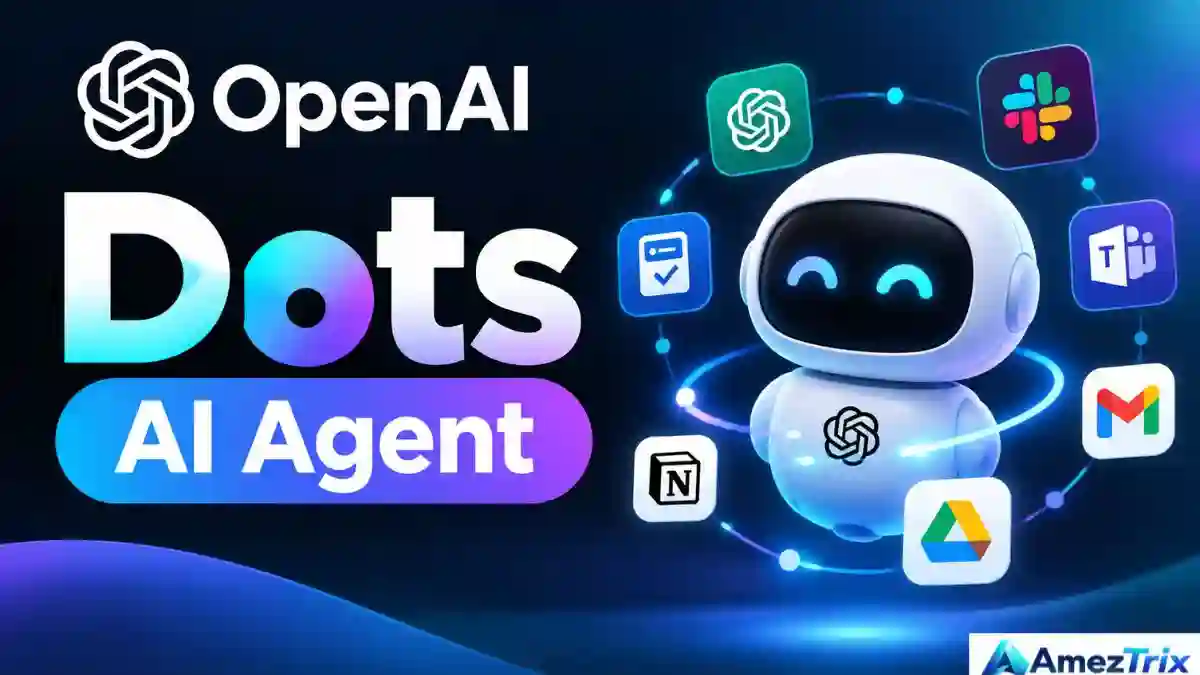
OpenAI Dots is an always-on AI agent announced at DevDay on September 29, 2026. It runs on GPT-6 Astra, gets its own cloud computer and browser, connects to 4,000+ apps and keeps working on your goals in the background. You reach it through ChatGPT, Slack, Microsoft Teams or voice. The first Dot is included with eligible Pro and Business Premium plans at launch.
If you searched for “Open AI dots” or “OpenAI dot agent”, you are in the right place. Same product, different spelling. This guide covers how it works, what it costs, who gets it first and where it can go wrong.
What Is the OpenAI Dots AI Agent?
A Dot is an AI agent built to work toward your goals over time. Think of it less as a chatbot and more as a helper you hand a goal to. It keeps going in the background, uses your apps, and comes back when it needs a decision from you.
The shift is easy to state. Before: ask a question, get an answer. Now: give an agent a goal, let it work, then review what it did.
That puts Dots in the broader category of agentic AI. These systems plan, use tools, take several steps, and continue without a fresh prompt each time.
OpenAI Dots at a Glance
| Feature | Details |
|---|---|
| Product type | Always-on AI agent |
| Announced | September 29, 2026 (OpenAI DevDay) |
| Model | GPT-6 Astra |
| Environment | Own cloud computer and browser |
| Connected apps | 4,000+ (per OpenAI) |
| Where you talk to it | ChatGPT, Slack, Microsoft Teams, voice |
| Controls | Permissions, custom rules, approvals, activity monitoring |
| Launch access | Eligible Pro and Business Premium plans; Enterprise beta via admin |
| First Dot | Included with eligible plans at launch |
OpenAI Dots vs ChatGPT: What’s the Difference?
Regular ChatGPT is a conversation. You ask, it replies, you decide what happens next. You drive every step.
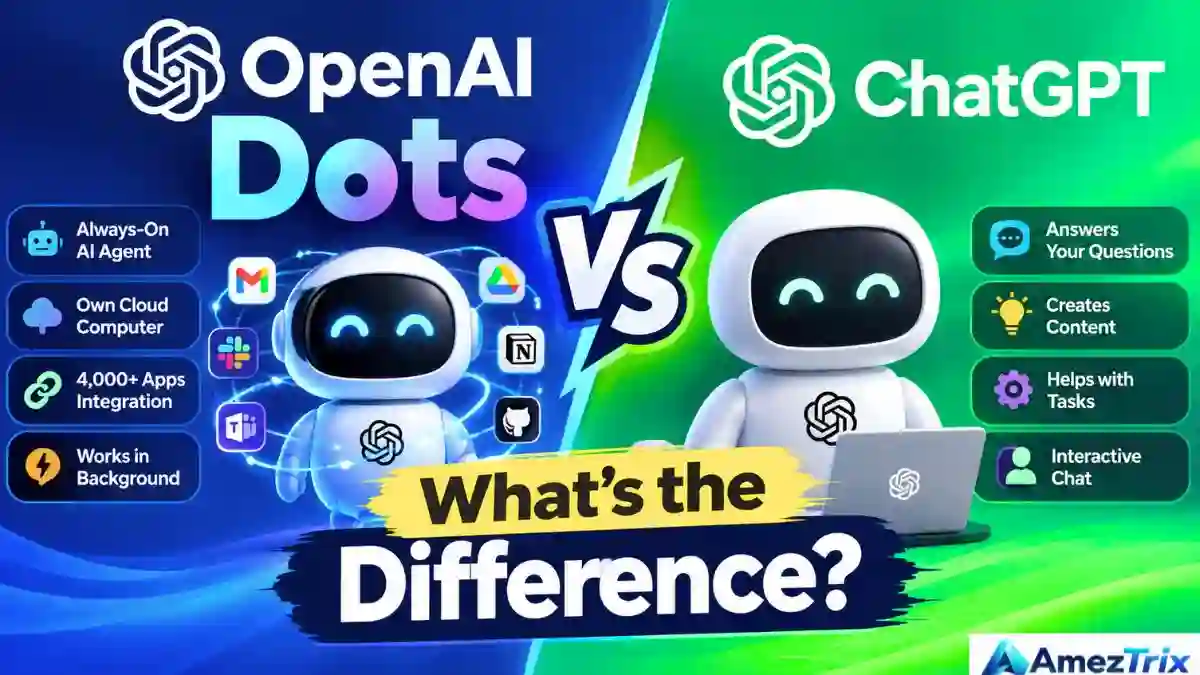
Dots are built around delegation. Say you run a website and tell a Dot: “Watch customer feedback, spot the issues that keep coming up, draft fixes, and show me what matters every morning.” A chatbot can help you analyze feedback whenever you paste it in. A Dot holds the bigger goal in its head and keeps chipping away at it.
| Area | Traditional chatbot | OpenAI Dots |
|---|---|---|
| Starts work | When you prompt it | Keeps working toward a goal |
| Built around | A conversation | A task or project |
| Output | Answers | Multi-step work |
| Your role | Direct each step | Hand over a bigger objective |
| Tools | Mostly text | Computer and connected apps |
Does that mean you can walk away and forget about it? No. OpenAI added permissions, action reviews, approval rules and monitoring so you stay in charge.
How Does OpenAI Dots AI Agent Work?
The flow is easier to picture than to explain. Here is roughly what happens.
- You set a goal. It can be bigger than a normal prompt, like “research AI search news and send me a weekly briefing.”
- The Dot figures out the job. It looks at your instructions, the apps you connected and feedback you gave before.
- It works on its own computer. Every Dot gets a cloud computer and browser. An agent that can operate software can do far more than write text.
- It reaches into your apps. Documents, chat tools, project trackers, research tools. What it can do depends on the permissions you grant.
- It keeps going while you are away. OpenAI calls this one piece of proactive research, which uses read-only tools to find useful information without being asked.
- It checks back. Progress updates, questions, finished work. For anything with real consequences, approval controls pull you back in.
So the loop is: goal, plan, research, act, review, approve. Not just prompt and answer.
Key Features of OpenAI Dots
Always-on, not always-asking
Persistence is the headline feature. A Dot does not stop after one reply. Project monitoring, news tracking, document prep and recurring routines are where this fits best.
Powered by GPT-6 Astra
The reasoning comes from GPT-6 Astra. But the model alone is not the story. What makes Dots interesting is the package: a strong model, a computer to work on, connected apps and a permission system wrapped around all of it.
A dedicated cloud computer
You can open the Dot’s computer and watch what it is doing. It stays separate from your personal machine unless you choose to connect local resources. It is easier to trust something you can look over.
4,000+ app connections
OpenAI says Dots can plug into more than 4,000 apps. For business users, this may be the biggest deal, because an agent is only as useful as the tools it can touch. Think communication platforms, project software, docs, marketing tools and developer tools. What it can do in each one comes down to permissions.
Slack, Microsoft Teams and voice
You can reach a Dot from ChatGPT, Slack or Teams, and it carries context between them. Voice works too, so you can talk through a project or ask for a status update without typing a long brief.
It learns how you like things done
If you keep rewriting the tone of its reports or restructuring its summaries, a Dot picks up on that. The aim is not just remembering facts. It is learning how you want the work done.
Rules, permissions and activity logs
You can allow some actions, require approval for others and block the rest. You can also follow its activity and redirect it. OpenAI itself recommends reviewing anything consequential, since agents still make mistakes.
What Can You Actually Do With OpenAI Dots?
OpenAI’s launch examples cover a few areas. Here is how to read them.
Software work. A Dot could watch customer feedback, notice recurring bugs, work on fixes, test them and prepare pull requests for a developer to check. The human still makes the final call.
Content work. Feed it a new interview transcript. It finds the strong moments, drafts show notes and sketches social posts. For a site like AmezTrix, it could take over the dull parts of a workflow: research, outline, first-pass assets. Then a person reviews everything. Facts, originality and search intent still need human eyes.
Ongoing research. Instead of asking “what happened in AI Tools today?” once, you give a standing brief and let the Dot report changes. Useful for AI news, competitor tracking, market and product research, or academic reading.
Sales and business development. Organizing research, spotting gaps in requirements, preparing proposals, keeping documentation tidy. Anything that commits your company externally should get human sign-off first.
Project management. Track updates, flag changes, summarize progress, point out blockers and ask for decisions when needed.
| Who | Possible Dot job |
|---|---|
| Blogger | Research topics, prepare content assets |
| SEO professional | Watch search and competitor changes |
| Developer | Review feedback, prepare fixes |
| Marketing team | Monitor campaigns, draft updates |
| Sales team | Track requirements, update proposals |
| Freelancer | Organize client projects and follow-ups |
| Customer support | Group recurring issues |
| IT team | Investigate repeat technical problems |
These are possible workflows. Nobody is promising a Dot will nail every one of them.
OpenAI Dots for Business
OpenAI Dots AI Agent also previewed specialist dots for companies. Each would have its own identity, credentials and access to specific business systems. Picture a customer support Dot, an IT Dot, a procurement Dot and a finance workflow Dot. A small digital team, each member with one clear job.
For now, OpenAI is starting with focused enterprise pilots. It has also talked about teams of Dots working together down the road.
OpenAI Dots Pricing and Availability
| Question | Answer |
|---|---|
| Who gets it first? | Eligible Pro and Business Premium users in eligible markets |
| Enterprise? | Beta, once a workspace administrator enables it |
| Cost of the first Dot | Included with eligible plans at no extra charge |
| Chatting with a Dot | Does not count toward normal ChatGPT usage limits |
| Codex / ChatGPT Work tasks | Count toward the relevant plan allowances |
| Wider rollout | Planned by OpenAI, no fixed schedule stated |
So “included” does not mean “unlimited.” Because the rollout is phased, check your own ChatGPT account and OpenAI’s current documentation before assuming you have access.
How to Get Started With OpenAI Dots
Setup begins on desktop, either the app or desktop web.
- Open ChatGPT on desktop and follow the onboarding to create your first Dot.
- Give it a name and tell it what kind of work it will handle.
- Connect only the apps it truly needs. Extra permissions mean extra risk.
- Write your rules: what it may do, what needs approval, what it must never touch.
- Start small. Research, organizing and drafting are safer than anything irreversible.
- Watch its activity early and correct it fast. Those corrections teach it your preferences.
Is OpenAI Dots Safe? Safety and Privacy
Agents raise a different kind of security question than chatbots, because they can act inside real apps. OpenAI says Dots come with extra safeguards, access controls and action-review checks. Proactive research uses read-only tools. Anything that could change an account or share information faces additional checks and approval rules.
On personal accounts, you can control in settings whether your conversations are used to improve models. OpenAI says content from Business, Enterprise and Edu workspaces is not used for that by default.
The sensible mindset: treat a Dot like a capable new hire on day one, not like a script that never slips. Smart, fast, but still worth double-checking.
Limitations of OpenAI Dots AI Agent
- Mistakes happen. A Dot can misread an instruction or pick a poor approach.
- Permissions cap what it can do. No access, no action.
- Long solo runs need check-ins. The longer it works alone, the more you should peek at progress.
- Usage limits still apply for Codex and ChatGPT Work tasks.
- Access is uneven while the rollout continues.
- Sensitive actions need a human, especially passwords, financial consequences and outside commitments.
Why OpenAI Dots Matter for the Future of AI
This is bigger than one more ChatGPT feature. The path so far runs from chatbots to assistants to agents, and next, teams of agents. Chatbots answer. Assistants help. Agents carry out multi-step goals. Teams of agents could split a complex project into specialist roles.
Dots and the specialist-dot preview point at that last stage. If it works, the way we use software changes. Instead of hopping between ten apps and copying information by hand, you state the outcome you want and an agent coordinates the tools. Software does not disappear. How we operate it shifts from clicking to delegating.
Want to go deeper on the topic? Read our guides on how to build AI agents, the OpenAI Dots AI Agent Builder, and GEO ranking factors in 2026.
A Practical Workflow for Content Teams
Here is how a site owner could use a Dot for research without giving up editorial control:
- Watch AI industry news.
- Flag the announcements that matter.
- Collect details from sources you approved.
- Write a short research brief.
- Suggest article angles and an outline.
- Draft a few social post ideas.
- Send the whole package to a human.
The owner decides what gets published. That matters for SEO too. Search engines and readers reward original insight, real experience and accuracy, and no agent can supply those on your behalf. If you want your own pages to show up in AI answers, see how to rank in ChatGPT and what LLMO in SEO means.
Frequently Asked Questions About OpenAI Dots
What is the OpenAI Dots AI agent?
An always-on AI agent that works toward ongoing goals. It runs on GPT-6 Astra and uses its own cloud computer, browser and connected apps. OpenAI Dots AI Agent was announced at DevDay on September 29, 2026.
Is OpenAI Dots the same as ChatGPT?
No. Dots connect to ChatGPT, but they are built for persistent, delegated work instead of one-off replies.
What model powers OpenAI Dots?
According to OpenAI, Dots are powered by GPT-6 Astra.
Can OpenAI Dots work in the background?
Yes. Background work is central to Dots, including proactive research that uses read-only tools while you are away.
Which apps does OpenAI Dots work with?
OpenAI says more than 4,000 apps, subject to permissions and availability. You can also reach a Dot through Slack and Microsoft Teams as well as ChatGPT.
Can a Dot access my personal computer?
Not by default. A Dot’s cloud computer is separate from yours unless you choose to connect something and grant permission.
Is OpenAI Dots free?
The first Dot is included at no extra charge for eligible Pro and Business Premium users at launch. Work a Dot starts through Codex or ChatGPT Work still counts toward plan allowances.
Who can use OpenAI Dots right now?
Eligible Pro and Business Premium users in supported markets can use Dots at launch. Enterprise users can join a beta when their workspace administrator enables it.
Are OpenAI Dots safe to use?
OpenAI built in access controls, activity monitoring and approval rules. It also says Dots can make mistakes, so a person should review any important work.
Will OpenAI Dots replace employees?
Dots are meant to take over parts of digital work, not entire jobs. Results depend on the task, the tools, the data and the level of human oversight.
What is the difference between an AI assistant and an AI agent?
An assistant responds when asked. An agent pursues a goal across several steps, uses tools and can keep working without a new prompt each time.
Final Verdict
The interesting part of the OpenAI Dots AI agent is not that it answers questions. Plenty of tools do that. It is that OpenAI Dots AI Agent wants Dots to own ongoing digital work.
The recipe is short. Give it a goal. Set boundaries. Connect the right tools. Let it work. Review the big decisions.
Individuals may get less repetitive busywork. Developers could hand off some testing and bug fixing. Marketers and creators might get steady research running in the background. Businesses could eventually assign whole responsibilities to specialist Dots.
Still, one rule sits above the rest: a human stays in the loop. How well Dots work will depend as much on how clearly you define goals, permissions and review steps as on the model itself.
Key Takeaways
- OpenAI Dots are always-on AI agents, announced at DevDay on September 29, 2026.
- They run on GPT-6 Astra, and each gets its own cloud computer and browser.
- OpenAI says they connect to 4,000+ apps and work through ChatGPT, Slack, Teams and voice.
- They work in the background and learn your preferences from feedback.
- Permissions, custom rules and approvals keep you in control.
- Rollout starts with eligible Pro and Business Premium users; Enterprise gets a beta through admins.
- The first Dot is included, but Codex and ChatGPT Work usage still counts toward allowances.
- Review anything consequential yourself.
AmezTrix Insight: The real change behind OpenAI Dots is a move from prompting AI to delegating work to it. That is a big habit shift, and it is worth watching closely.
About the Author
Rajendra Parmar is the Founder and Editor of AmezTrix, where he covers Artificial Intelligence, Technology, WordPress, Web Hosting, Digital Marketing, Gadgets and Software. His mission is to simplify complex technology through practical tutorials, honest reviews and well-researched guides that help readers make smarter digital decisions.