Quick answer: The best AI video generators in 2026 are Google Flow (Veo), Runway and Kling AI for cinematic footage; HeyGen and Synthesia for AI avatars and business videos; and InVideo AI, Pika, and Canva for fast, social-first content. Below, you’ll find an honest comparison of all ten, with strengths, trade-offs and who each one suits best. Explore more AI tools for creators on AmezTrix.
Best AI Video Generators in 2026: 10 Tools Worth Your Time (and a Few Worth Skipping)
A few years ago, a decent video meant a camera crew, a rented studio and a budget that always seemed to stretch further than planned. Today you type a sentence, wait a couple of minutes and get a finished clip. No lights, no actors, no editor chasing you about deadlines.
That’s the promise of modern AI video tools, and most of them deliver on it, at least in part. I spent time with these platforms, read their documentation and compared what each one actually does against what its landing page claims. What follows is a straight rundown of the ten that matter in 2026, whether you’re a YouTuber, a small business owner, a teacher building course material or someone who wants scroll-stopping content for Instagram.
If you’ve been searching for the best AI video generator 2026 has to offer, the short version is this: pick Runway or Kling for cinematic quality, HeyGen or Synthesia for a presenter without a camera, and Google’s Flow if you want realistic video with audio that actually matches. Already inside Adobe’s ecosystem? Firefly slots in naturally.
Key takeaways
- No single tool wins at everything. Match the tool to the job.
- Cinematic work: Google Flow/Veo, Runway, Kling AI.
- Talking-head and training videos: HeyGen, Synthesia.
- Speed and simplicity: InVideo AI, Canva, Pika.
- Always check commercial rights, watermarks and credit limits before paying.
Table of Contents
- Top 10 AI video generators at a glance
- What is an AI video generator?
- How AI video generators work
- The 10 tools reviewed
- Full feature comparison
- Free, Android, long-form and “unrestricted” options
- How to choose the right tool
- Making your first AI video
- Prompts that actually work
- Where AI video still falls short
- FAQs
- Final verdict
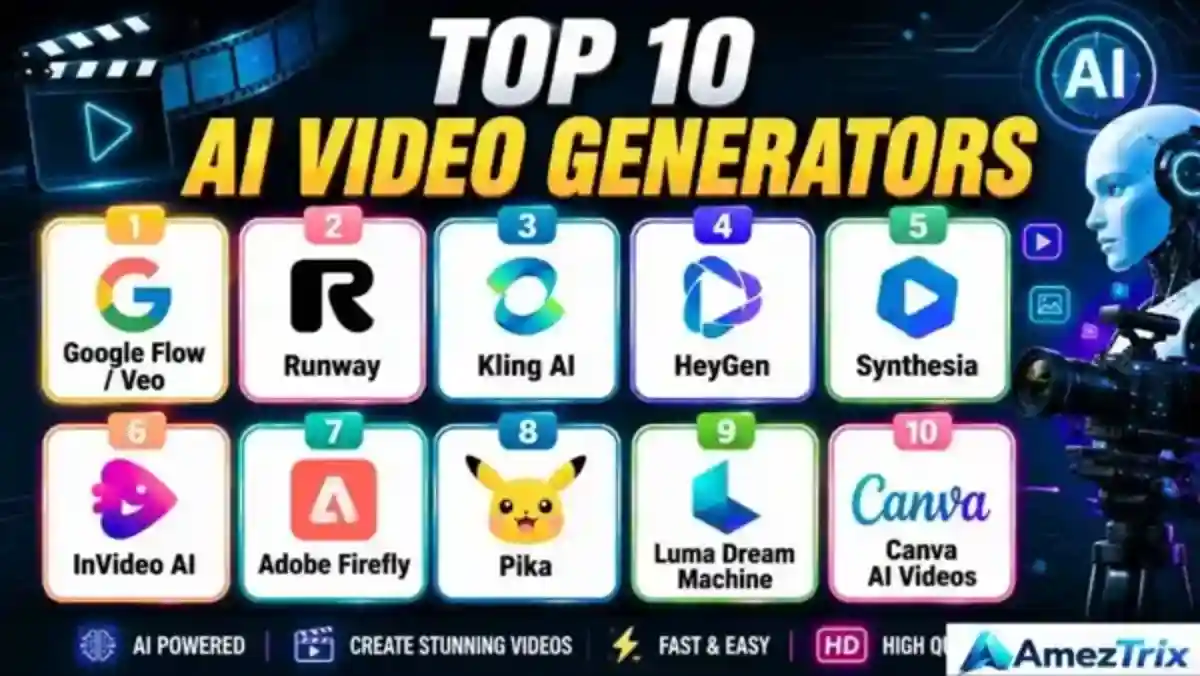
Top 10 AI Video Generators: Quick Glance
Here’s the snapshot if you’re short on time. Detailed reviews follow below.
| Rank | Tool | Best For | Standout Strength |
|---|---|---|---|
| 1 | Google Flow / Veo | Cinematic storytelling | Realistic visuals with matching audio |
| 2 | Runway | Professional creators | Deep editing and creative control |
| 3 | Kling AI | Believable motion | Multi-shot, lifelike movement |
| 4 | HeyGen | AI avatars | Presenters, marketing, translation |
| 5 | Synthesia | Corporate training | Polished AI presenters |
| 6 | InVideo AI | YouTubers and publishers | Script-to-video automation |
| 7 | Adobe Firefly | Creative professionals | Generative video inside Adobe’s suite |
| 8 | Pika | Social media clips | Fun effects, quick turnaround |
| 9 | Luma Dream Machine | Concept testing | Text and image-to-video experiments |
| 10 | Canva AI Video | Beginners | Simple, template-driven workflow |
Prefer a shorter shortlist? Our top 5 AI video generator picks would be Google Flow, Runway, Kling AI, HeyGen and InVideo AI. And if you want the top 10 AI video generator lineup, you’re looking at it right here.
What Is an AI Video Generator?
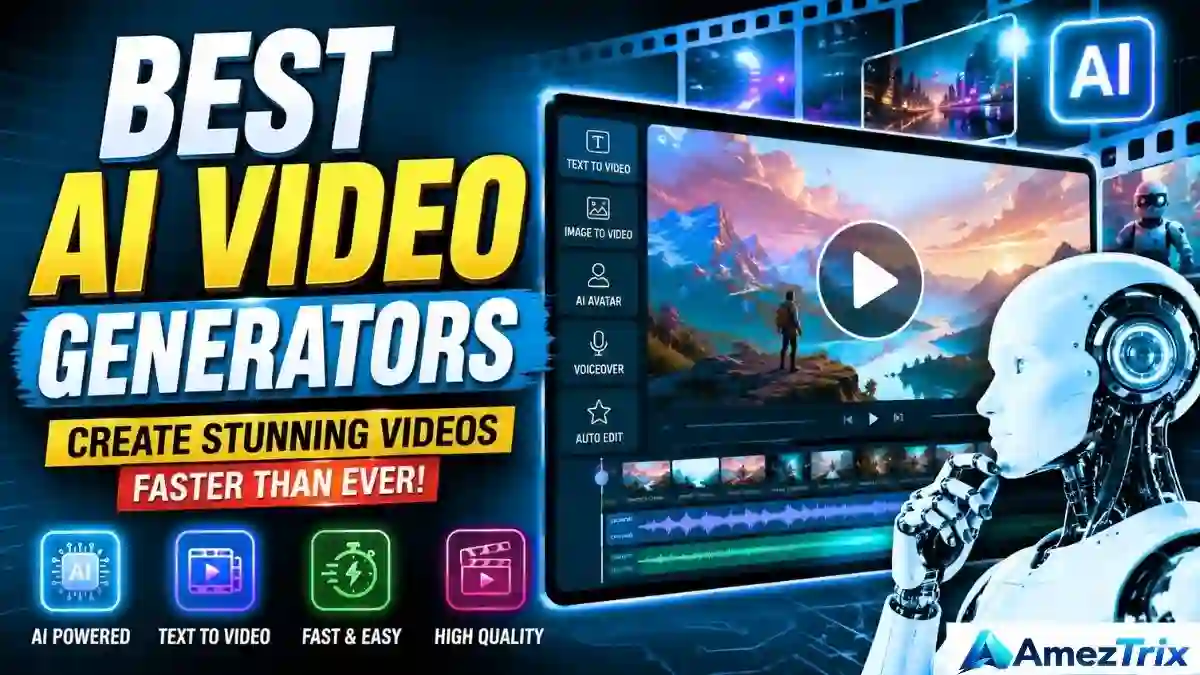
It’s software that builds video from a text prompt, a still image, a written script or footage you already own. You describe the scene, and the AI fills in everything else: characters, setting, camera movement, lighting.
Try a prompt like this:
A futuristic electric car gliding through a neon-lit city at night, cinematic camera movement, realistic lighting.
Drop that into most current tools and, within a minute or two, you’ll have a short clip that roughly matches the brief. It won’t always be flawless, but it’s often surprisingly close.
Beyond basic prompt-to-video, most platforms now bundle in extras:
- Image-to-video animation
- AI avatars and voiceovers
- Automatic subtitles and translation
- Background swaps and object removal
- Clip extension and upscaling
- Script writing assistance
What has really changed over the past year isn’t just sharpness. It’s the unglamorous stuff: motion that stays consistent, physics that stop looking broken, and audio that finally syncs with what’s on screen.
How AI Video Generators Actually Work
The process is simpler than it sounds.
- You give it input. A prompt, an image, a script or an existing clip.
- The model interprets it. It works out who’s in the scene, where it’s set, how the camera should move and what the lighting should feel like.
- It generates the footage frame by frame, trying to keep everything consistent so your hero doesn’t sprout a third arm halfway through. (It still happens occasionally.)
- You refine. Regenerate weak scenes, adjust the prompt, extend the clip, add music.
- You export and publish to YouTube, Instagram, a client’s inbox or wherever it needs to go.
The 10 Best AI Video Generators, Reviewed
1. Google Flow / Veo: Cinematic Video Done Right
Google’s Veo-powered system may be the biggest leap forward in generative video right now. Motion looks intentional rather than randomly AI-generated, and audio is built in instead of bolted on afterward. Flow is designed around full scenes, not isolated ten-second clips, which makes it far better for actual storytelling. If you like keeping up with Google’s AI releases, our roundup of new Google AI tools covers the wider ecosystem.
Good for: filmmakers, YouTubers and anyone building a narrative rather than a single clip.
The catch: advanced features can hit usage limits quickly, and results are only as good as your prompt.
2. Runway: The Professional’s Choice
Runway is closer to a full production environment than a simple generator. Start with a prompt, an image or footage you’ve already shot, then refine, extend and upscale without leaving the platform. It’s built for agencies, editors and studios that need more than “type a sentence, get a clip.”
Strong points: deep creative control and professional-grade output.
Downside: a real learning curve. Don’t expect to master it in an afternoon.
3. Kling AI: When Motion Needs to Look Real
Kling has made its name on movement that actually looks like movement. Walking, driving and action scenes- the things that trip up many rival models- tend to hold together. Adobe has even added Kling to Firefly’s model lineup, highlighting its multi-shot ability and dialogue sync.
Where it shines: product demos, action sequences and anything with people or vehicles in motion.
Where it stumbles: complex prompts often need a few attempts, and credits can disappear faster than expected.
4. HeyGen: Avatars That Work for Business
HeyGen skips the cinematic ambitions and focuses on something practical: presenter-led video. Write a script and it produces a digital presenter delivering it. No camera, no filming yourself at 11 pm because it was the only free slot. It supports a very wide range of languages, which matters when you market or train across regions. If you’re curious how this fits into modern search visibility, see our explainer on SEO vs GEO vs AEO, since video is increasingly part of the answer engines surface.
Best for: businesses, sales teams and course creators who need lots of video quickly.
5. Synthesia: The Corporate Training Go-To
If you’ve sat through a compliance video lately, there’s a fair chance it came from something like Synthesia. That’s not a criticism. It’s genuinely good at that job.
Used most for: onboarding, compliance training, internal comms and online courses.
Strengths: a clean script-to-video workflow and solid multilingual support.
Weakness: don’t expect cinematic magic. That isn’t what it’s built for.
6. InVideo AI: For When You Need Speed
InVideo leans hard into automation. Type “make a five-minute video on the benefits of electric vehicles” and it structures scenes, writes narration, pulls visuals and adds captions largely by itself. It’s a natural fit if you’re working through our list of AI tools for YouTube.
Good for: creators who publish often and can’t hand-build every video.
Trade-off: less precision than the specialist tools above. You swap control for speed.
7. Adobe Firefly: Built for the Adobe Crowd
Firefly’s edge isn’t one flashy feature. It’s context. Generative video plugs straight into Adobe’s ecosystem, and you can choose between different underlying models depending on the job.
Makes sense for: designers, editors and agencies already living in Adobe’s apps.
Less exciting if: you rarely open Premiere or Photoshop. The value drops without that context.
8. Pika: Playful, Fast and Social-First
Pika doesn’t take itself too seriously, and that’s the appeal. It’s great for animating a still photo or throwing together an eye-catching clip for Reels or TikTok.
Use it for: short-form content, experimental ads, memes and quick concept tests.
Don’t expect: a full editing suite. It’s a creative sandbox, not a production pipeline.
9. Luma Dream Machine: Good for Testing Ideas
Luma sits in an interesting spot: early-stage visualization. Before committing real budget to a scene, filmmakers can rough it out here and see whether the idea actually works visually.
Solid for: concept development and image-to-video experiments.
Heads up: results can be inconsistent, and complicated stories often need several regenerations.
10. Canva AI Video: The Easiest On-Ramp
If you already design in Canva, its AI video features feel like a natural extension. You get AI-generated clips alongside templates, brand kits and social formats in one place.
Perfect for: beginners, marketers and anyone who wants results without learning dedicated video software.
Not ideal for: complex cinematic work. Canva isn’t trying to be that.
Best AI Video Generators: Full Feature Comparison
| Tool | Text-to-Video | AI Avatars | Editing | Cinematic Quality | Best For |
|---|---|---|---|---|---|
| Google Flow / Veo | Yes | Limited | Yes | Excellent | Filmmaking |
| Runway | Yes | Limited | Excellent | Excellent | Professional creators |
| Kling AI | Yes | Limited | Yes | Excellent | Realistic motion |
| HeyGen | Yes | Excellent | Yes | Moderate | Business videos |
| Synthesia | Yes | Excellent | Yes | Moderate | Training |
| InVideo AI | Yes | Yes | Excellent | Moderate | YouTube |
| Adobe Firefly | Yes | Limited | Excellent | Excellent | Creative professionals |
| Pika | Yes | Limited | Good | Good | Social media |
| Luma | Yes | Limited | Good | Excellent | Creative experiments |
| Canva | Yes | Limited | Excellent | Moderate | Beginners |
Ratings are based on hands-on testing and published feature lists. Features and limits change often, so confirm details on each tool’s official site before subscribing.
Free, Android, Long-Form and “Unrestricted” AI Video Generators
These are the questions readers ask most, so let’s answer them directly.
Is there a good free AI video generator?
Most platforms offer a free tier, but with strings attached: watermarks, limited credits, lower resolution or no commercial use. If you’re hunting for the best free AI video generator option, Canva, Pika and InVideo AI are sensible starting points for testing. Free plans work well for experiments, not so well for regular production. Pricing shifts frequently, so check current terms first.
Which is the best AI video generator app for Android?
If you want the best AI video generator app for Android, start with Canva and InVideo, which are built for phone-first editing. Availability and features vary by platform and region, so check the Google Play listing for the latest version before you commit.
What is the best AI long video generator?
Most models still excel at short clips. For the best AI long video generator experience, InVideo AI (which stitches scenes together automatically), Google Flow (scene-based building) and Synthesia (script-driven presenters) handle longer formats more gracefully than clip-only tools.
What about an “unrestricted” AI video generator?
People searching for the best unrestricted AI video generator are usually after fewer watermarks, higher export limits or more creative freedom. The reputable platforms above all apply safety rules and licensing terms, and that’s a good thing: it protects you legally when you publish commercially. Be wary of unknown “no-limits” sites. They often come with unclear rights, privacy risks or poor quality.
What do real users say?
Community threads are useful for spotting bugs, pricing complaints and honest workflow tips. Searching best AI video generators reddit can surface firsthand experiences, though treat them as opinions rather than verified reviews.
AI Video vs. Traditional Video
| Factor | Traditional Video | AI Video |
|---|---|---|
| Camera | Usually required | Often skipped |
| Actors | Often required | Optional |
| Studio | Often required | Not required |
| Editing | Manual | AI-assisted |
| Voiceover | Human recording | AI or human |
| Production time | High | Much lower |
| Cost | Can be steep | Usually cheaper |
| Creative control | Very high | Improving fast |
None of this means AI has replaced real filmmaking. Strong direction, a clear story and a human checking the output still matter enormously.
How to Choose the Right AI Video Generator
Depends on what you’re making, honestly.
- Cinematic footage: Google Flow, Runway or Kling AI.
- YouTube on a schedule: InVideo AI, Runway or Canva, depending on how hands-on you want to be.
- A presenter without hiring one: HeyGen or Synthesia.
- Total beginner: Canva or InVideo AI.
- Agency needing every option: Runway or Firefly.
Before paying for anything, run through this checklist:
- Video quality. Does motion look natural or slightly off?
- Clip length. Some tools are built for five-second bursts, others for longer sequences.
- Audio. Is it built in, or will you add sound separately?
- Avatar realism. Crucial for training and business content.
- Editing tools. Built-in editing saves you juggling five apps.
- Commercial rights. Read the licensing terms. Seriously.
- Credits and pricing. Watch for watermarks, resolution caps and export limits.
- Learning curve. Beginners want simplicity; pros want depth.
Making Your First AI Video: Step by Step
- Pick your tool. Cinematic: Runway, Kling or Veo. Avatar-led: HeyGen or Synthesia.
- Write a proper prompt. Skip “a car driving.” Try: A futuristic electric SUV driving through a modern Indian city at sunset, cinematic tracking shot, realistic reflections, dramatic lighting, natural motion.
- Generate a few versions. The first attempt is rarely the best. Make three or four and pick the strongest.
- Edit it properly. Add music, captions, your logo and a call to action.
- Match the format to the platform. YouTube wants 16:9. Shorts, Reels and TikTok want 9:16. LinkedIn works with 1:1 or 16:9.
Writing Prompts That Actually Work
A simple formula works well: Subject + Action + Location + Camera + Lighting + Style + Motion.
“A professional electric vehicle driving on a futuristic highway at night, glowing city skyline behind it, cinematic tracking camera, realistic reflections, soft atmospheric lighting, smooth motion, photorealistic commercial style.”
The more specific you are, the more control you get. Vague prompts produce vague, generic clips. Think about camera angle, lighting, mood, weather and even lens style if you know the terminology.
Why Use AI Video at All?
- Speed. Projects that took days can wrap in an afternoon.
- Cost. No studio, no crew, no equipment rental.
- Scale. Need ten ad variations? Generate them instead of reshooting.
- Language reach. AI avatars make localization far less painful.
- Low barrier to entry. No editing background needed for a usable result.
Marketers are already folding these tools into campaigns. For a wider view, browse our guide to the best digital marketing tools and our breakdown of AI in digital marketing. If your video content needs to rank, a good AI SEO tool helps with titles, descriptions and keywords too.
Where AI Video Still Falls Short
It’s worth being upfront here.
- Characters can drift between scenes: a shirt changes color, a face looks subtly different.
- Hands and complex object interactions can still look off.
- Most models are best at short clips, not long continuous scenes.
- A weak prompt will always give a weak result, however good the model.
- Licensing is often overlooked. Check your rights before publishing commercially.
Does AI video work for YouTube?
Yes, but it isn’t magic. A well-made AI video still needs a strong idea, good narration, a decent thumbnail and a reason for people to keep watching. Treat AI as your production assistant for B-roll, transitions and background footage while you stay in charge of the story. That balance separates channels that grow from ones that stall.
How are businesses using it?
Product demos, ad creative, employee training, sales decks turned into video and recruitment content. Avatars are especially handy when the same message must go out in five languages without five reshoots. Planning to host your own video pages? Our guide to web hosting for small business can help you pick a fast, reliable setup.
Where is this heading?
Expect longer, more coherent videos, better character consistency, closer-to-real-time generation, more believable physics and tighter audio sync. Some labs are even testing interactive video that shifts with viewer input. Researchers keep noting that no single model wins at everything, so the future likely belongs to knowing which specialist tool to reach for.
Best AI Video Generators: Frequently Asked Questions
What’s the best AI video generator overall?
It depends on your goal. Runway and Kling suit cinematic work; HeyGen and Synthesia suit avatars and business content.
Is there a genuinely good free AI video generator?
Several offer free tiers, but with limits on credits, resolution and exports. They’re fine for testing, not for regular production.
Can AI generate video from text alone?
Yes. Text-to-video is the core feature of nearly every platform listed here.
Can I use AI to make YouTube videos?
Yes, for scripts, visuals and editing, but the original idea and quality control should come from you.
Does AI video look realistic?
Often more than people expect, though small glitches like a flickering object or odd hand movement still appear.
Do these tools generate sound too?
Some do natively. Others focus purely on visuals, so you’ll add audio separately.
What’s the best option for business?
HeyGen or Synthesia, especially for presentations and training content.
Which is best for filmmakers?
Runway, Google Flow/Veo or Kling. All three lean cinematic.
Can I sell or monetize AI-generated video?
It depends on the platform’s licensing and your plan. Always check the terms before publishing commercially.
Final Verdict: Which AI Video Generator Should You Choose?
There’s no single best AI video generator, and anyone claiming otherwise is selling something. It comes down to what you’re making.
Filmmakers will probably land on Runway or Veo. Training managers get more from Synthesia. Social creators lean toward Pika or Canva. Whatever you choose, test the free tier first, compare real output rather than marketing screenshots, and understand the credit system before you’re three videos deep and out of generations.
AI video isn’t replacing traditional production, at least not yet. But the line keeps blurring. Creators who combine AI speed with genuine storytelling instinct will come out ahead.
About the Author
Rajendra Parmar is the Founder and Editor of AmezTrix, where he covers artificial intelligence, technology, WordPress, web hosting, digital marketing, gadgets and software. His mission is to simplify complex technology through practical tutorials, honest reviews and well-researched guides that help readers make smarter digital decisions.

Rajendra Parmar
Founder & Editor • AmezTrix
Rajendra Parmar is the Founder and Editor of AmezTrix, a platform covering Artificial Intelligence, Technology, WordPress, Web Hosting, Digital Marketing, Gadgets, Software Reviews, and emerging innovations. His mission is to simplify complex technology through practical tutorials, honest reviews, and well-researched guides that help readers make smarter digital decisions.