Hostinger vs SiteGround compared on price, renewal costs, speed, backups and support. See which host fits your site in 2026.
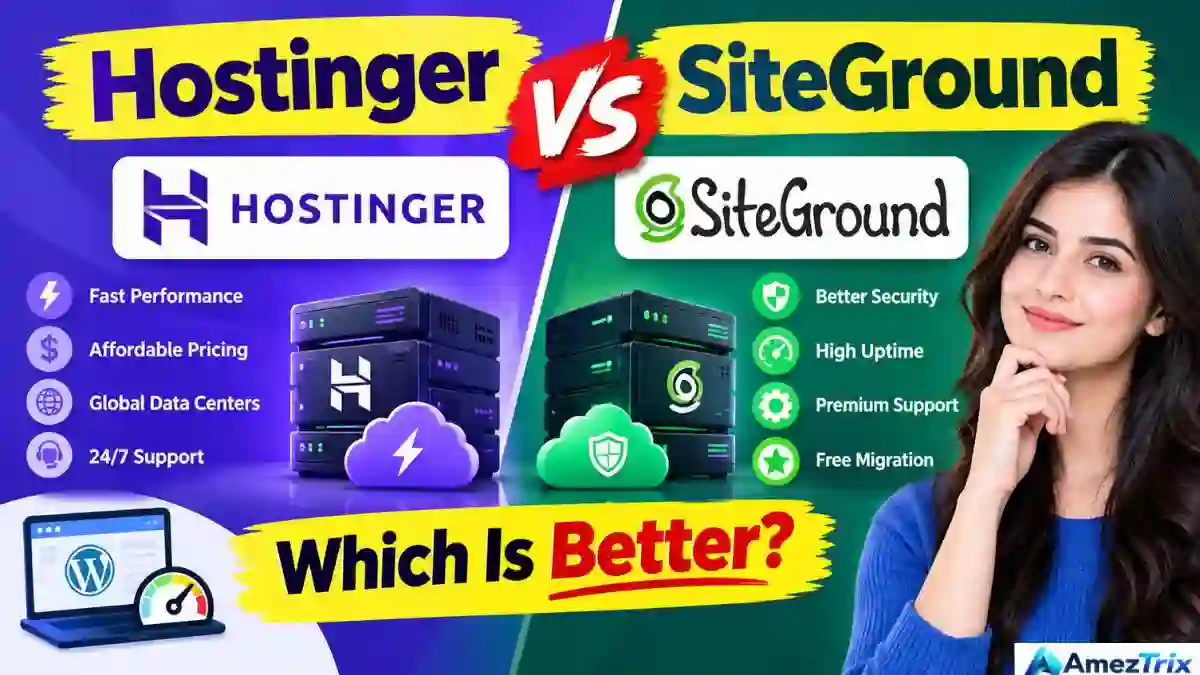
Hostinger vs SiteGround 2026: Which Is Better?
Quick answer: Hostinger is the better pick for most people in 2026. It costs less, especially after renewal, and it is easy for beginners. SiteGround is better for agencies, client sites and growing stores that need daily backups, staging and strong support, and can afford a higher bill.
TL;DR (key points)
- Choose Hostinger if you are a beginner, blogger, student or small business watching the budget.
- Choose SiteGround if you run client sites, a busy WooCommerce store or anything where support and backups matter more than price.
- Biggest gap: renewal price. SiteGround’s entry plan jumps from about $2.99 to $17.99 a month after the first year.
- Biggest SiteGround win: daily backups on every plan, plus staging and Git.
- Uptime and speed: both are fast and reliable. Neither will embarrass you.
Picking a web host is a bit like picking a landlord. You only find out if you chose well when something breaks at 2 AM. In 2026, two names show up in almost every shortlist: Hostinger and SiteGround.
Both are good. That is what makes Hostinger vs SiteGround a hard call. You are not choosing between good and bad. You are choosing between two different ideas of hosting: low price with modern tech, or higher price with more hand-holding.
This guide covers pricing (including the renewal trap), speed, security, backups, support and WordPress features. It also tells you which one fits your situation, and where each host disappoints.
What Is Web Hosting? (Explained Simply)
Your website is a set of files: text, images, code. Those files need a computer that is always on and always connected to the internet, so anyone can open your site at any hour.
That computer is called a server, and a hosting company rents you space on it. Think of it like renting a shop in a mall. The mall owner handles the electricity, security and the front door. You just decorate your shop.
Hostinger and SiteGround are two different malls. One has cheaper rent. The other has better security guards and a faster response team when something goes wrong.
Why People Search “Hostinger vs SiteGround”
Most people who type this are already close to buying. They have narrowed the list to two hosts and want a tie-breaker. That is mostly commercial intent: they are comparing before they pay.
The questions behind the search are usually these:
- Is SiteGround worth paying more for?
- Will Hostinger’s low price turn into a high price next year?
- Which one is faster for WordPress?
- Which one is safer for a store or a client site?
- What happens if I want to leave later?
Many comparison pages answer the first one and skip the rest, especially renewal costs and migration. This article covers both.
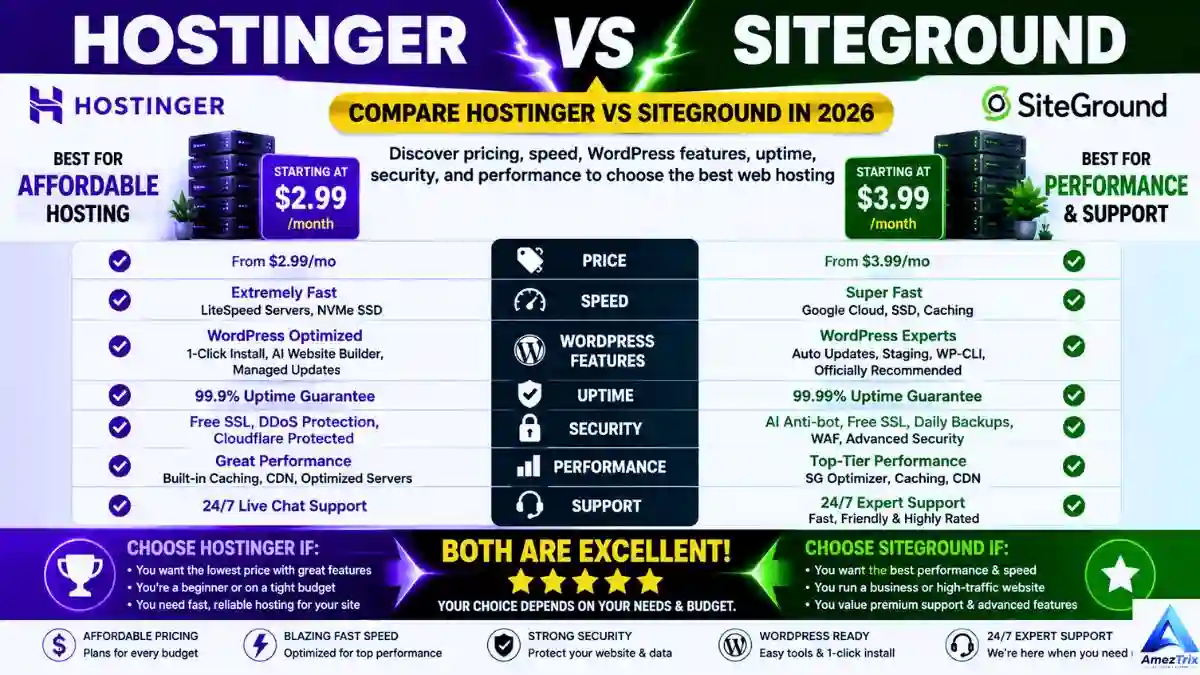
Hostinger vs SiteGround: Quick Comparison Table
| Feature | Hostinger | SiteGround |
|---|---|---|
| Intro price (shared, approx.) | $2.49–$2.99/mo on long terms | $2.99–$3.99/mo, first year |
| Renewal price (entry plans, approx.) | Around $10–$12/mo | $17.99/mo (StartUp) |
| Server technology | LiteSpeed, NVMe SSD | Google Cloud Platform |
| Control panel | hPanel | Site Tools |
| Free domain | Yes, on select annual plans | No |
| Free SSL and CDN | Yes | Yes |
| Backups | Weekly on entry plans, daily on higher tiers | Daily on every plan |
| Staging and Git | Limited, higher tiers | Built in (higher tiers) |
| AI website builder | Yes | Limited |
| Phone support | No | Varies by plan and region |
| Best for | Beginners, bloggers, small businesses | Agencies, WooCommerce, business sites |
Prices and plan limits change often with promotions. Confirm on each provider’s checkout page before you buy.
Hostinger Review: Cheap, Fast and Beginner-Friendly
Hostinger is built on one idea: good hosting should not cost much. The stack backs it up. You get LiteSpeed web servers, NVMe SSD storage, HTTP/3, a built-in CDN, object caching and malware scanning on plans that cost less than a coffee a month.
Its dashboard, hPanel, is clean and guided. Installing WordPress, connecting a domain and creating an email address take a few clicks. If you have never used a hosting panel, this is the friendlier one.
What Hostinger does well:
- Very low entry pricing, with a free domain on many annual plans
- LiteSpeed plus NVMe makes WordPress feel quick
- hPanel is simple, even on day one
- AI website builder and other AI tools are included
Where it falls short:
- No phone support, only live chat and tickets
- Cheapest plans are tight on resources once traffic grows
- Entry plans only get weekly backups
- The lowest price usually needs a long prepaid term (up to 48 months)
SiteGround Review: Pricier, Polished and Support-First
SiteGround earned its reputation slowly, through steady performance and support that actually solves problems. It runs on Google Cloud Platform, which helps when traffic spikes without warning.
Instead of cPanel it uses Site Tools, its own dashboard. It is a little more technical than hPanel, but it gives you proper staging environments, Git integration and PHP version control.
What SiteGround does well:
- Daily backups on every plan
- Support teams are consistently praised for fixing real problems
- Google Cloud infrastructure handles surges well
- Staging and Git suit agencies and developers
- Its own SG Optimizer plugin and anti-bot protection work out of the box
Where it falls short:
- Renewal prices are steep
- No free domain
- The entry plan covers one website and modest storage
- Monthly visit limits on lower plans
Pricing: Where Hostinger and SiteGround Really Differ
On the sticker, the two look close. Intro prices land within a dollar or so of each other. The real difference shows up in year two.
| What you pay | Hostinger (entry shared) | SiteGround StartUp |
|---|---|---|
| Intro rate | About $2.49–$2.99/mo | About $2.99/mo (first 12 months) |
| Renewal rate | Around $10–$12/mo, varies by plan | $17.99/mo |
| Best price needs | Up to 48-month prepay | 12-month intro, then renewal |
| Example, 4 years | Depends on plan and term | About $683 (12 mo at $2.99 + 36 mo at $17.99) |
The SiteGround four-year figure is simple arithmetic from its published intro and renewal rates. Independent testers have also reported the GrowBig plan renewing at roughly $29.99 a month.
Real example: say you start a blog on the entry plan of each host and keep it for four years. SiteGround’s bill ends up several times higher over that period, even though both looked cheap on day one. Hostinger’s catch is the long prepay: to get its lowest rate, you pay for years upfront.
Practical tip: before you buy, look at the renewal price at checkout, not the headline price. Take a screenshot. Then set a calendar reminder 30 days before renewal so you can compare, negotiate or move.
Speed and Performance
Speed matters for readers and for search rankings. Slow pages lose visitors fast.
Hostinger pairs LiteSpeed with LiteSpeed Cache, which works especially well with WordPress. Add NVMe storage and HTTP/3, and you get low Time to First Byte (TTFB) even on budget plans. Some independent tests report TTFB near 180 ms from US servers, and others found Hostinger loading roughly 0.3 seconds faster than SiteGround.
SiteGround takes a different route. It uses Google Cloud, its SuperCacher and an optimized PHP setup. It may not always win a raw speed test, but it stays steady when traffic triples.
Bottom line: for a typical blog or small business site, Hostinger is fast enough and often a little quicker per dollar. For sites that expect traffic spikes, SiteGround is the safer long-term choice.
Note: speed results vary by test location, plan and site setup. Treat any single number as a rough guide, not a promise. You can run your own check with a free website speed checker.
Ease of Use: hPanel vs Site Tools
If you are new to websites, hPanel feels like a breath of fresh air. It strips out the clutter of old-style control panels. You can install WordPress, point a domain and set up email without reading a manual.
Site Tools is not hard, but it is built with more technical users in mind. Staging, Git, PHP switching and detailed caching controls are great if you need them and extra noise if you do not.
Winner for beginners: Hostinger. Winner for developers: SiteGround.
WordPress Hosting: Head to Head
WordPress powers a huge share of the web, so this round matters for most readers.
Hostinger gives you one-click installs, LiteSpeed Cache, automatic updates, WP-CLI and an AI website builder. It is a smooth on-ramp for a first WordPress site.
SiteGround goes further into managed territory. Its SG Optimizer plugin, dynamic caching, automatic updates and staging let you test changes before pushing them live. That matters once a site has real traffic or real revenue.
For a personal blog, either works. For a store or a client site, SiteGround’s tools save time and reduce risk.
Security: Hostinger vs SiteGround
Neither host is weak here. They just stress different things.
Hostinger includes free SSL, DDoS protection, a malware scanner, Cloudflare integration and two-factor authentication. That is solid for personal and small business sites.
SiteGround adds an AI-based anti-bot system, server monitoring and daily backups on all plans, plus proactive patching of server-level issues. For sites that handle customer data or payments, that extra layer is a real benefit.
Reality check: most hacked WordPress sites are hacked through weak passwords and outdated plugins, not the host. Keep plugins updated and use two-factor login whichever host you pick.
Backups, Uptime and Support
Backups: this is a clear SiteGround win. It makes daily backups on every plan. Hostinger’s entry plans have weekly backups, with daily backups on higher tiers. If you edit your site often, or sell things, weekly can mean losing days of orders or posts.
Uptime: effectively a tie. Both advertise around 99.9% and generally deliver it. Independent monitoring tests have shown both hovering at or near that mark.
Support: both offer 24/7 live chat. SiteGround is more often praised for solving technical, server-level problems rather than pointing you to an FAQ. Hostinger’s chat is quick and handles the everyday beginner questions well, but it has no phone line.
Step-by-Step: How to Choose Between Them
- Write down your site type. Blog, business site, store, or client work? This single answer settles most cases.
- Set your real budget. Use the renewal price, not the intro price, and multiply by 36 months.
- Decide how much backup protection you need. Daily backups matter for stores and busy sites.
- Be honest about your skill level. If you want simple, pick hPanel. If you want staging and Git, pick Site Tools.
- Check the money-back window. Both offer refund periods on new plans. Read the terms for domains and add-ons.
- Test before committing long term. Start on a shorter term if you are unsure, then upgrade once you are happy.
Who Should Choose Which?
| If you are a… | Go with | Why |
|---|---|---|
| First-time website owner | Hostinger | Low cost, simple setup, AI tools help you start |
| Blogger | Hostinger | Strong WordPress speed without a high bill |
| Small business with a brochure site | Hostinger | Good balance of price and features |
| Student or freelancer on your own site | Hostinger | Budget-friendly and easy to manage alone |
| WooCommerce store owner | SiteGround | Daily backups, staging and better scaling |
| Web agency or freelancer with client sites | SiteGround | Staging, Git, white-label and team tools |
| High-traffic publisher | SiteGround | Google Cloud handles spikes smoothly |
Checklist Before You Buy Any Hosting Plan
- ☐ I know the renewal price, not only the intro price
- ☐ I know how many websites the plan allows
- ☐ I checked storage and monthly visit limits
- ☐ I know how often backups run and how to restore them
- ☐ Free SSL is included
- ☐ I know whether the domain is free, and what it costs to renew
- ☐ I read the refund policy
- ☐ I know how to export my site if I leave
Common Mistakes to Avoid
- Buying on the intro price alone. Year two is where budgets get hurt.
- Forgetting renewal on the domain. A “free” domain is usually free for the first year only.
- Prepaying four years too early. A great rate is not great if you outgrow the plan in six months.
- Relying on weekly backups for a busy site. Add your own backup plugin if you stay on a plan with weekly backups.
- Ignoring plan limits. Visit caps and resource limits matter when traffic grows.
- Skipping a migration check. Ask how easy it is to move away before you commit.
Red Flags to Watch For
- A checkout page that hides the renewal price
- “Unlimited” claims with no fair-use policy
- No clear refund window
- Extra fees for basics like SSL or migration
- Support that only answers through a bot
- Pressure to prepay for a very long term before you have tested anything
The Downsides (Honest Version)
Hostinger’s weak spots: the best deal needs a long commitment, renewal is still a jump from the intro rate, and entry plans can feel limited as your site grows. Some users also report slower escalation when a problem is complex. There is no phone support.
SiteGround’s weak spots: it is the pricier option, and the renewal increase is the part people complain about most. The entry plan covers a single site, there is no free domain, and lower plans carry visit limits.
The honest summary: neither host is perfect. Hostinger asks you to give up some hand-holding to save money. SiteGround asks you to pay more for that hand-holding.
Other Hosts Worth a Look
If neither fits, check these too: hosting with a free domain for tight budgets, the cheapest web hosting plans for the lowest bills, web hosting for beginners for easy setups, and our top 10 hosting providers for a wider comparison. Cloudways is worth a look for scalable cloud hosting, and A2 Hosting for speed-focused plans. If you are curious about AI-ready servers, see our guide to the best AI hosting.
Frequently Asked Questions
Is Hostinger better than SiteGround?
For most beginners and small budgets, yes. Hostinger usually gives better value and costs much less after renewal. SiteGround wins for businesses that want daily backups, staging and strong support, and are willing to pay more for them.
Which is faster, Hostinger or SiteGround?
Both are fast. Hostinger often posts slightly quicker load times in independent tests thanks to LiteSpeed and NVMe storage. SiteGround stays consistent under heavy traffic because of Google Cloud. For a normal blog, you will not notice a big difference.
Is SiteGround worth the extra cost?
It can be. If your site earns money, you need daily backups, or you manage client sites, the extra cost buys real time savings. For a personal blog or hobby site, the premium is harder to justify.
Does Hostinger give a free domain?
On most annual and longer plans, yes, for the first year. SiteGround does not include a free domain, so you register one separately. Always check the domain renewal price too.
Which is better for WooCommerce?
SiteGround generally suits larger stores better, thanks to daily backups, staging and scalable infrastructure. Hostinger works well for smaller shops that are just starting out, and you can move up later.
Which host is better for beginners?
Hostinger, in most cases. Its hPanel dashboard is simple, setup is guided, and the low price makes mistakes less costly. SiteGround is still beginner-friendly, just a little more technical.
Do both hosts offer a money-back guarantee?
Both offer refund windows on new hosting plans. The details differ and often exclude domains and some add-ons, so read the current terms on each provider’s site before you pay.
Can I switch from one host to the other later?
Yes. WordPress sites can be moved with a migration plugin or by asking support for help. Do a full backup first and test the new site before you change your domain’s DNS records.
Final Verdict: Hostinger vs SiteGround
For most people in 2026, Hostinger wins. It gives beginners, bloggers and small businesses a modern, fast hosting stack at a price that stays reasonable after the first term. That is hard to beat.
SiteGround still has a strong case. If your business depends on uptime, you run a growing store, or you manage sites for clients, the higher price buys you daily backups, staging tools and support that treats your problem as its own.
There is no universal winner. There is only the one that matches how you use your website. If you are still unsure, start with the simplest and cheapest plan that covers your needs, and upgrade only when your site gives you a reason to.
About the Author
Rajendra Parmar is the Founder and Editor of AmezTrix, where he covers Artificial Intelligence, Technology, WordPress, Web Hosting, Digital Marketing, Gadgets and Software. His goal is to simplify complex technology through practical tutorials, honest reviews and well-researched guides.

Rajendra Parmar
Founder & Editor • AmezTrix
Rajendra Parmar is the Founder and Editor of AmezTrix, a platform covering Artificial Intelligence, Technology, WordPress, Web Hosting, Digital Marketing, Gadgets, Software Reviews, and emerging innovations. His mission is to simplify complex technology through practical tutorials, honest reviews, and well-researched guides that help readers make smarter digital decisions.