We tested Hostinger vs Bluehost on speed, pricing, security & support in 2026 — here’s the host that delivers more for less. Full breakdown inside.
Hostinger vs Bluehost 2026: Which Web Host Actually Deserves Your Money?
Choosing a web host is a bit like choosing a roommate you’ve never met—you won’t notice how good (or bad) the decision was until months later, when your site is either loading in a blink or crawling like it’s stuck in traffic. If you’ve narrowed your search down to Hostinger vs Bluehost, you’re already comparing two of the most talked-about names in the hosting world. Both are affordable enough for beginners, both offer one-click WordPress installation, and both include a free SSL certificate to help secure your website.
However, when comparing Hostinger vs Bluehost, the differences become much more noticeable beneath the marketing promises. These two hosting providers use different server technologies, control panels, support systems, and pricing structures. This guide breaks down exactly where each one excels, where it falls short, and which one actually makes sense depending on the kind of website you’re planning to launch.
The Short Comparision – Hostinger vs Bluehost
| What You’re Comparing | Hostinger | Bluehost |
|---|---|---|
| Starting price | Lower | Higher |
| Free domain | Yes, on qualifying plans | Yes, for year one |
| Free SSL | Yes | Yes |
| Storage type | SSD/NVMe depending on plan | SSD |
| WordPress install | One click | One click |
| Site builder | Included | Included |
| Email accounts | Included on most plans | Included on qualifying plans |
| Speed tech | Excellent (LiteSpeed) | Good |
| Beginner-friendly | Yes | Yes |
| Support channels | 24/7 live chat | 24/7 chat + phone |
| Refund window | 30 days | 30 days |
Bottom line: If your priority is speed and price, Hostinger is usually the smarter buy. If you’d rather have someone on the phone when things go sideways and you like the familiar cPanel setup, Bluehost still holds its own.
Why This ”Hostinger vs Bluehost” Comparison Actually Matters
New site owners often shop for hosting the way they’d shop for socks — cheapest wins. That’s a mistake. Hosting quietly shapes almost everything about how your site performs:
- How fast your pages load (and whether visitors stick around)
- Whether your site stays up during a traffic spike
- How well you rank in search results
- How safe your data and your visitors’ data actually are
- How much of a headache it is to manage day-to-day
Cutting corners on hosting can undo months of SEO and content work. That’s why it’s worth spending ten minutes comparing these two properly before you hand over your card details.
Meet Hostinger
Hostinger built its name by doing the opposite of what legacy hosts do — instead of bolting more features onto old cPanel infrastructure, it built its own dashboard, hPanel, from scratch. The result is a lighter, faster, less cluttered control panel that doesn’t make beginners feel like they need a computer science degree.
Millions of sites now run on Hostinger, from personal blogs to full online stores. What ties them together is a hosting stack genuinely optimized for speed.
What you get with Hostinger:
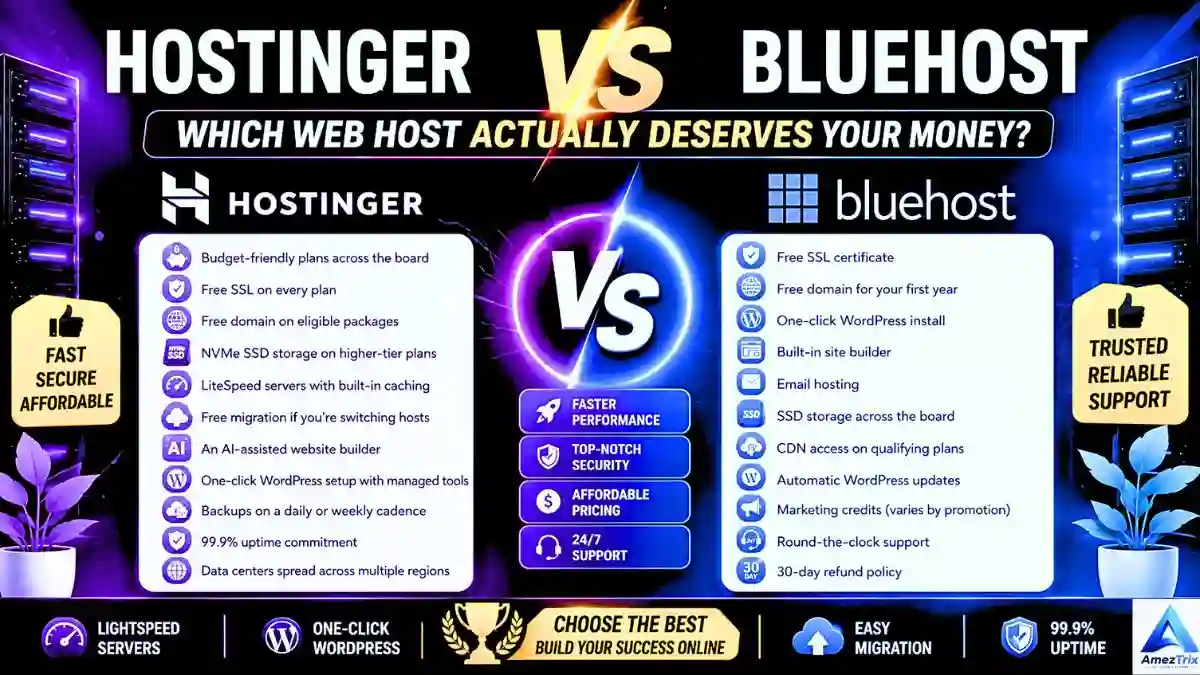
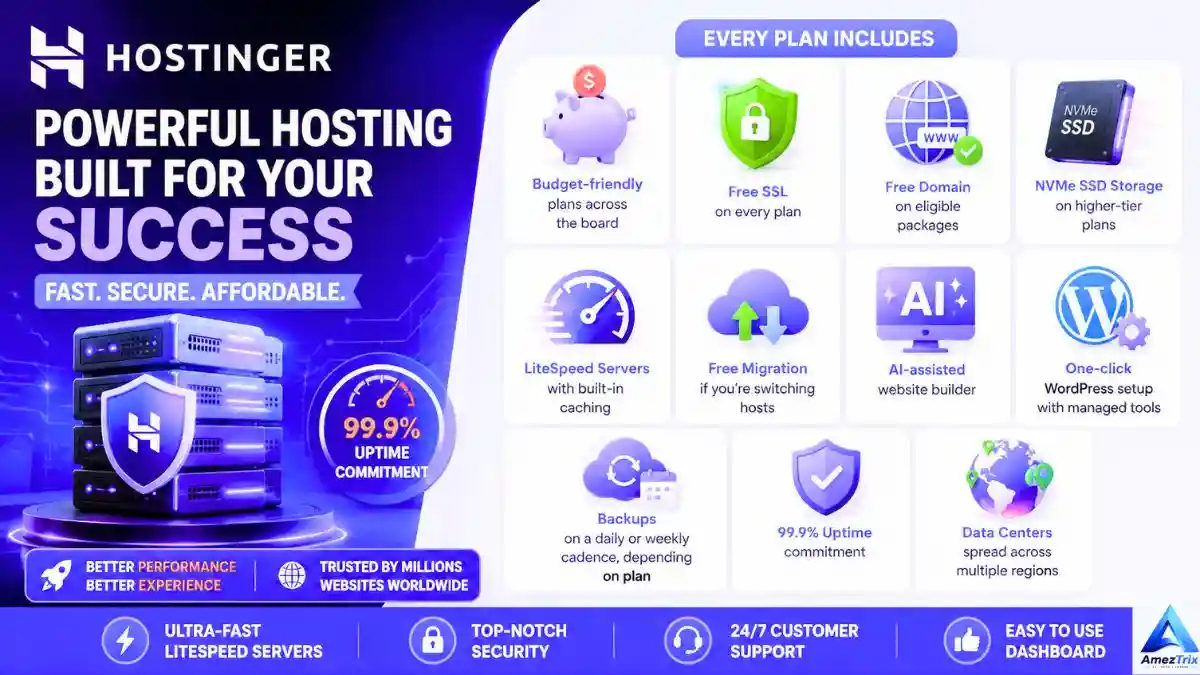
- Budget-friendly plans across the board
- Free SSL on every plan
- Free domain on eligible packages
- NVMe SSD storage on higher-tier plans
- LiteSpeed servers with built-in caching
- Free migration if you’re switching hosts
- An AI-assisted website builder
- One-click WordPress setup with managed tools
- Backups on a daily or weekly cadence, depending on plan
- 99.9% uptime commitment
- Data centers spread across multiple regions
Meet Bluehost

Bluehost has been around long enough to become a default recommendation in countless “how to start a blog” tutorials — and for good reason. It’s one of the officially recommended hosts by WordPress.org, which gives it instant credibility with anyone building a WordPress site.
Beyond shared hosting, Bluehost’s lineup stretches into WordPress-specific hosting, VPS, dedicated servers, WooCommerce hosting, and cloud plans — so there’s room to grow without switching providers entirely.
What you get with Bluehost:
- Free SSL certificate
- Free domain for your first year
- One-click WordPress install
- Built-in site builder
- Email hosting
- SSD storage across the board
- CDN access on qualifying plans
- Automatic WordPress updates
- Marketing credits (varies by promotion)
- Round-the-clock support
- 30-day refund policy
Pricing: Where Your Money Actually Goes
Everyone loves a low sticker price, but the real test is what happens at renewal — and what you’re actually getting for that price in the meantime.
Hostinger’s approach leans heavily into value. Most plans bundle in a free SSL, a website builder, managed WordPress tools, LiteSpeed optimization, and AI features without pushing you toward pricier tiers. It’s a strong fit for bloggers, students, freelancers, and small businesses who want a lot of hosting for not much money.
Bluehost’s approach trades some of that aggressive pricing for brand trust and support depth. Promotional pricing is competitive, but plans generally cost more than Hostinger’s entry tiers — and like most hosts, the renewal price jumps once the introductory period ends. It’s a solid pick for small businesses, agencies, and anyone who wants phone support in their back pocket.
Verdict: Hostinger — more hosting for less money, especially at the entry level.
Ease of Use: hPanel vs cPanel
Hostinger’s hPanel ditches the traditional cPanel layout for something built in-house. Domains, email, databases, file management, SSL, backups, and WordPress installs all live in one clean dashboard. It’s fast, uncluttered, and doesn’t overwhelm someone setting up their first site.
Bluehost keeps things familiar by pairing a customized front-end with actual cPanel access underneath. If you’ve used cPanel before on another host, the learning curve is basically zero. Guided onboarding also helps first-timers get a WordPress site running quickly.
Verdict: Hostinger, for a more modern experience — though Bluehost wins with anyone who already knows cPanel inside and out.
Performance: The Category That Really Counts
This is where the two Hostinger vs Bluehost diverge the most.
Hostinger’s performance stack:
- LiteSpeed Web Server (noticeably faster than Apache under load)
- NVMe SSD storage on supported plans
- LiteSpeed Cache plugin built for WordPress
- HTTP/2 and HTTP/3 support
- GZIP compression, object caching, and built-in caching
- Cloudflare integration
- Multiple data center regions
Bluehost’s performance stack:
- SSD storage
- Built-in caching
- CDN integration
- Optimized PHP handling
- Resource protection to prevent noisy-neighbor slowdowns
- Multiple data centers
| Performance Factor | Hostinger | Bluehost |
|---|---|---|
| LiteSpeed server | Yes | No |
| NVMe storage | Yes (select plans) | Limited |
| Built-in caching | Yes | Yes |
| CDN | Yes | Yes |
| HTTP/3 | Yes | Partial |
| WordPress optimization | Excellent | Very good |
| Handles traffic spikes | Better | Good |
Verdict: Hostinger — LiteSpeed plus NVMe is a genuine edge, especially for WordPress sites that don’t want to lean on ten plugins just to feel fast.
Speed: What Visitors Actually Feel
Page speed isn’t a vanity metric — it directly affects bounce rate, conversions, mobile experience, and your Core Web Vitals scores in Google Search Console.
Hostinger tends to post a fast Time to First Byte, thanks to LiteSpeed Cache and server-level optimization that works with minimal setup.
Bluehost delivers respectable speeds too, particularly once you add a CDN and a caching plugin — but out of the box, it typically needs more tuning to match LiteSpeed-level performance.
| Speed Metric | Hostinger | Bluehost |
|---|---|---|
| LiteSpeed cache | Yes | No |
| TTFB | Excellent | Good |
| Out-of-the-box optimization | Excellent | Good |
| WordPress speed | Excellent | Very good |
| Core Web Vitals | Excellent | Good |
Verdict: Hostinger.
Uptime: Both Hold Their Ground
Both Hostinger vs Bluehost providers back a 99.9% uptime commitment, backed by continuous monitoring and redundant infrastructure. In practice, most users on either platform report solid, dependable uptime for standard shared hosting.
Verdict: Tie.
WordPress Hosting Face-Off
| Feature | Hostinger | Bluehost |
|---|---|---|
| One-click install | Yes | Yes |
| Managed updates | Yes | Yes |
| LiteSpeed Cache | Yes | No |
| Staging environment | Select plans | Select plans |
| AI tools | Yes | Limited |
| WooCommerce support | Yes | Yes |
Hostinger’s tight integration between its servers and the LiteSpeed Cache plugin cuts down on the number of third-party plugins you need just to keep a site fast. Bluehost, meanwhile, leans on its long WordPress.org relationship and a genuinely smooth onboarding flow for beginners.
Verdict: Hostinger, by a small margin — mostly on raw speed.
Security Comparison
Hostinger includes:
- Free SSL
- DDoS protection
- Malware monitoring
- Web application firewall
- Two-factor authentication
- Secure access manager
- Backups (frequency depends on plan)
Bluehost includes:
- Free SSL
- Secure login protections
- Spam filtering
- SiteLock as an optional add-on
- Two-factor authentication
- CDN-level protection
- Backup options
| Security Feature | Hostinger | Bluehost |
|---|---|---|
| Free SSL | Yes | Yes |
| DDoS protection | Yes | Yes |
| Firewall | Yes | Yes |
| Malware scanning | Yes | Optional/plan-dependent |
| 2FA | Yes | Yes |
Verdict: Hostinger — more security tools come bundled in rather than sold separately.
Scalability: Room to Grow
Both Hostinger vs Bluehost hosts let you move up as your traffic grows. Hostinger offers a smooth path from shared hosting into cloud and VPS tiers. Bluehost goes even further, with VPS, dedicated servers, cloud hosting, and WooCommerce-specific plans for online stores.
Verdict: Tie — pick based on which upgrade path fits your future plans.
Customer Support: Chat vs Phone
Hostinger offers 24/7 live chat, a deep knowledge base, an AI assistant for quick answers, and email support. Its self-service documentation is genuinely thorough.
Bluehost matches the live chat and knowledge base, but adds something Hostinger doesn’t: 24/7 phone support. For non-technical users who’d rather talk to a human than read a help article, that’s a meaningful difference.
| Support Channel | Hostinger | Bluehost |
|---|---|---|
| Live chat | Yes | Yes |
| Phone support | No | Yes |
| Knowledge base | Yes | Yes |
| AI assistant | Yes | Limited |
Verdict: Tie — Hostinger for self-service speed, Bluehost for voice support.
Feature-by-Feature Breakdown
| Feature | Hostinger | Bluehost |
|---|---|---|
| Free SSL | Yes | Yes |
| Free domain | Eligible plans | First year |
| Free email | Select plans | Select plans |
| Website builder | AI-powered | Standard |
| One-click WordPress | Yes | Yes |
| SSD storage | Yes | Yes |
| NVMe storage | Supported plans | No |
| LiteSpeed server | Yes | No |
| Free migration | Yes | Limited |
| AI tools | Yes | Limited |
| SSH access | Yes | Yes |
Verdict: Hostinger, thanks to newer infrastructure and more included extras.
Switching Hosts: Migration Made Easy (or Not)
Hostinger offers free migration on eligible plans, with its own team handling the heavy lifting — minimal downtime, no coding knowledge required. Bluehost supports migration too, but the level of hand-holding depends on your plan and often leans on plugin-based tools rather than a fully managed service.
Verdict: Hostinger.
Backups, Control Panels, Domains, and Email — The Quick Rundown
- Backups: Both offer daily/weekly options depending on plan tier — check the fine print before you commit. Tie.
- Control panel: hPanel feels lighter and more modern; cPanel feels familiar to hosting veterans. Hostinger, for beginners.
- Domain management: Both Hostinger vs Bluehost cover registration, DNS, forwarding, and renewals without meaningful differences. Tie.
- Email hosting: Both Hostinger vs Bluehost include business email, webmail, spam filtering, and IMAP/POP3 support. Tie.
For Developers
| Developer Tool | Hostinger | Bluehost |
|---|---|---|
| SSH access | Yes | Yes |
| Git integration | Select plans | Select plans |
| PHP version control | Yes | Yes |
| Cron jobs | Yes | Yes |
| WP-CLI | Yes | No |
| Remote MySQL | Yes | No |
Verdict: Hostinger, particularly on higher-tier plans.
Hostinger: Pros and Cons
Pros
- Genuinely affordable, even after factoring in renewals
- LiteSpeed servers make a real difference in speed
- NVMe storage on eligible plans
- Free SSL and free migration included
- AI website builder is a nice bonus for non-designers
- hPanel is clean and beginner-friendly
Cons
- No phone support option
- Some advanced tools are locked to higher-tier plans
- Renewal pricing climbs after the first term
Bluehost: Pros and Cons
Pros
- Established reputation and official WordPress.org recommendation
- Beginner-friendly dashboard with guided setup
- Free domain for the first year
- 24/7 phone support
- Reliable uptime track record
- Solid WordPress onboarding
Cons
- Pricier than Hostinger overall
- Standard shared hosting doesn’t match LiteSpeed speeds
- Some security and backup features require paid add-ons
Which One Fits Your Situation?
Go with Hostinger if you:
- Want the most hosting for your money
- Care about page speed and Core Web Vitals
- Are building your first WordPress site
- Like a modern, no-clutter dashboard
- Want free migration handled for you
- Run a blog, portfolio, small store, or agency site
Go with Bluehost if you:
- Prefer the traditional cPanel workflow
- Want the option to call support instead of chatting
- Are already inside the Bluehost ecosystem
- Like guided, hand-held WordPress onboarding
- Are running a small business site and value brand familiarity
Category-by-Category Scoreboard – Hostinger vs Bluehost
| Category | Winner |
|---|---|
| Pricing | Hostinger |
| Performance | Hostinger |
| Speed | Hostinger |
| Ease of use | Hostinger |
| Security | Hostinger |
| WordPress hosting | Hostinger |
| Features | Hostinger |
| Migration | Hostinger |
| Developer tools | Hostinger |
| Uptime | Tie |
| Email hosting | Tie |
| Customer support | Tie |
Frequently Asked Questions
Is Hostinger better than Bluehost?
For most users, yes — Hostinger typically wins on speed, pricing, and included features. Bluehost remains a strong pick if phone support and a traditional hosting setup matter more to you.
Is Hostinger cheaper than Bluehost?
Generally, yes. Hostinger’s entry-level pricing tends to undercut Bluehost while still including a comparable (or better) feature set.
Which host loads pages faster?
Hostinger, in most cases — its LiteSpeed servers, built-in caching, and NVMe storage on eligible plans give it a real speed advantage over standard shared hosting.
Which is better for WordPress?
Both Hostinger vs Bluehost handle WordPress well, but Hostinger’s LiteSpeed Cache integration gives it a slight performance edge for WordPress-specific sites.
Does Hostinger include free SSL?
Yes, on eligible plans.
Does Bluehost give you a free domain?
Yes — most Bluehost plans include a free domain for the first year.
Which host is easier for beginners?
Hostinger’s hPanel is often considered more intuitive, though Bluehost’s guided onboarding is also beginner-friendly.
Can I migrate my site for free?
With Hostinger, yes, on eligible plans — their team handles it. Bluehost supports migration too, but the process and assistance level vary by plan.
Which is better for WooCommerce stores?
Both support WooCommerce well, but Hostinger’s faster infrastructure can translate into quicker checkout pages.
Who has better customer support?
It depends what you value — Hostinger for fast live chat and self-service resources, Bluehost for round-the-clock phone support.
Is Bluehost good for a small business site?
Yes, especially if you want a straightforward setup and the reassurance of phone support.
Which host has better uptime?
Both Hostinger vs Bluehost commit to 99.9% uptime, and real-world performance is comparable for most standard websites.
Does Hostinger offer email hosting?
Yes, included on many plans, though specifics vary by package.
Which host is better for SEO?
Since page speed and Core Web Vitals factor into rankings, Hostinger’s performance-first infrastructure gives it a slight SEO advantage.
Hostinger or Bluehost in 2026 — which should you pick?
If affordability and speed top your list, Hostinger is the stronger overall pick. If you’d rather have phone support and a familiar hosting environment, Bluehost is still a safe bet.
Final Verdict
Stack up pricing, speed, security, WordPress support, and long-term value, and Hostinger comes out ahead for most people — bloggers, freelancers, small business owners, and first-time site builders especially. Its LiteSpeed infrastructure, NVMe storage on eligible plans, AI tools, and approachable hPanel dashboard add up to more performance per dollar than Bluehost typically offers.
That said, Bluehost isn’t a bad choice — it’s a dependable, well-established host that still makes sense if you value phone support, a familiar cPanel setup, and guided onboarding over squeezing out every last bit of speed.
About Author
Rajendra Parmar is the Founder and Editor of AmezTrix, where he covers Artificial Intelligence, Technology, WordPress, Web Hosting, Digital Marketing, Gadgets, and Software. His mission is to simplify complex technology through practical tutorials, honest reviews, and well-researched guides that help readers make smarter digital decisions.