Windows 12 vs Windows 11 compared: what’s confirmed, what’s rumor, real requirements, AI features & whether to upgrade or wait. Updated 2026.
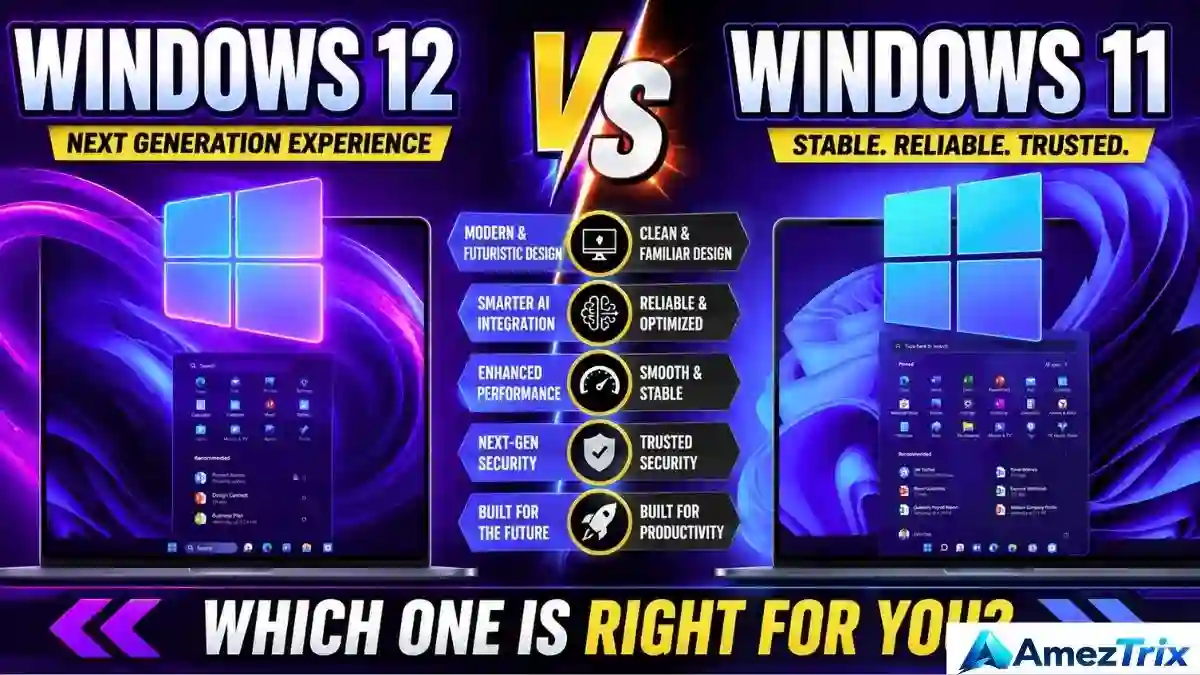
Windows 12 vs Windows 11: Should You Wait or Upgrade?
Quick Answer: Windows 11 wins, and it isn’t close. It’s the only one of the two that exists. Microsoft hasn’t announced Windows 12, a launch date or any system requirements, so every Windows 12 “feature” you’ve seen is speculation. If you need a PC now, buy and use Windows 11.
If you searched Windows 12 vs Windows 11 this week, you’ve probably noticed something odd. Dozens of articles compare the two like they’re sitting side by side on a shelf. They aren’t. One is a product with a support calendar. The other is a name that keeps popping up in leaks.
This guide sorts fact from noise, shows what’s worth doing with your PC today, and flags what’s still unknown. Everything was checked in October 2026, and shaky claims are labeled as shaky.
Key Takeaways (TL;DR)
- Windows 12 is not official. Microsoft has shared no name, date, price or spec sheet.
- Windows 11 is still being built. Version 26H2 began rolling out in late September 2026.
- Support is long. Windows 11 26H2 Home and Pro is supported until October 2028, per Microsoft’s release information.
- Don’t buy a PC for Windows 12. The AI features people are waiting for already run on Windows 11 Copilot+ PCs.
- Windows 10 user? Move to Windows 11 if your PC qualifies.
Imagine two houses. Windows 11 is built, inspected and ready for you to move in. Windows 12 is a sketch somebody posted online with the caption “coming soon.”
Nobody has seen the blueprints, and the builder, Microsoft, hasn’t confirmed it’s building anything. That’s why a head-to-head comparison is really a comparison between a real product and a guess.
Why People Search “Windows 12 vs Windows 11”
Most searchers want one of four things:
- A buying decision. They’re shopping for a laptop and don’t want it to feel outdated in six months.
- An upgrade decision. They’re on Windows 10 or an older Windows 11 version and aren’t sure what to do.
- A hardware check. They’ve heard AI-chip rumors and wonder if their PC will be left behind.
- Plain curiosity. They want to know what’s coming next.
So the intent is informational with money attached. People want a straight answer before they spend anything.
Windows 12 vs Windows 11: Side-by-Side Comparison
| Feature | Windows 11 | Windows 12 |
|---|---|---|
| Officially available | Yes | No |
| Release date | October 2021 | None announced |
| Latest update | Version 26H2 (rolling out since late September 2026) | Not applicable |
| AI features | Copilot, Click to Do, Recall (on supported hardware) | Rumored only |
| Minimum RAM | 4 GB | Not announced |
| Minimum storage | 64 GB | Not announced |
| TPM 2.0 | Required | Unconfirmed |
| Legitimate download | Yes, from Microsoft | None exists |
| Verdict today | The real, working choice | A name attached to rumors |
Winner: Windows 11. It’s less about flash and more about being the only one that actually boots.
What’s Confirmed and What’s Rumor
Here’s a quick filter for the headlines you’ll run into.
| Claim | Status |
|---|---|
| Microsoft is building a product called Windows 12 | Not confirmed |
| Windows 12 launches in 2026 | No evidence. Nothing has been announced, and the year is almost over |
| Windows 12 needs a 40 TOPS NPU | Rumor. Microsoft has never said this about Windows 12 |
| Windows 12 will be a subscription | Rumor, unconfirmed |
| Codename “Hudson Valley” | A real codename, but reportedly linked to Windows 11 version 24H2 |
| Windows 11 keeps getting updates | Confirmed |
So where did the 2026 launch story come from? A handful of widely shared reports in 2025 and early 2026 described a modular, AI-first Windows 12 arriving this year. Microsoft never backed them up, and several tech outlets have since walked the story back. Some editors now say plainly that nobody outside Microsoft knows what the next version will even be called.
A few reporters who follow Microsoft closely expect nothing before 2027. Treat that as an informed guess, not a promise.

Should I upgrade to Windows 11: Very Much Alive
Windows 11 arrived in October 2021 with a centered taskbar, a new Start menu, Snap Layouts and tougher security rules. It hasn’t stood still since.
- Version 26H1 appeared early in 2026, but it’s built for new devices with next-generation chips. It isn’t a standard upgrade for existing PCs.
- Version 26H2 is the main update for everyone else. It started rolling out in late September 2026 as a tiny enablement package, so the download is small and one restart finishes it.
- Version 24H2 Home and Pro stopped receiving updates on October 13, 2026.
- Version 25H2 Home and Pro is supported until October 12, 2027.
The pattern is clear. Microsoft’s energy is going into improving Windows 11, not into launching a new number.
Design and Features: What Might Change, What Hasn’t
Windows 11 already delivered the big visual change from Windows 10: rounded corners, a centered Start menu, Widgets and a cleaner Settings app. It feels settled now.
What would a Windows 12 add? Rumors point to deeper AI personalization and a modular design that updates in smaller pieces. Maybe. But no screenshot, build or official post backs it up. Until there’s something to click, that’s a direction, not a feature list.
AI Features: Real Ones vs. Rumored Ones
This is where the debate gets interesting, because Windows 11 already has a working AI story. For a plain-language primer on how these tools differ, see our guide to AI agents vs AI chatbots.
- Copilot: Microsoft’s AI assistant, built into Windows 11.
- Click to Do: reads text and images on screen and suggests actions on supported Copilot+ PCs.
- Recall: saves searchable snapshots of your activity on Copilot+ PCs. It’s opt-in, and you can manage or turn it off.
- Local NPU processing: some AI tasks run on your device’s neural chip rather than in the cloud.
| AI capability | Windows 11 | Windows 12 |
|---|---|---|
| Copilot | Available | Probably continues (unconfirmed) |
| Click to Do | Available on supported hardware | Unknown |
| Recall | Available on supported hardware | Unknown |
| Local NPU features | Available on Copilot+ PCs | Rumored bigger focus |
Here’s the detail that clears up most of the confusion. The “40 TOPS NPU” figure that gets pinned on Windows 12 is Microsoft’s real minimum for Copilot+ PCs, which run Windows 11 today. Rumor sites took a Windows 11 hardware spec and attached it to a Windows that doesn’t exist.
Curious about the wider tool landscape? Browse our roundup of the best AI tools.

Performance and Gaming: You Can’t Benchmark a Rumor
No Windows 12 build exists to test, so any headline claiming “Windows 12 is 20% faster” is made up.
On Windows 11, speed depends on your hardware: the processor, RAM, whether you have an SSD, the graphics card and how many apps run in the background. The OS version matters much less than people think.
For gaming, Windows 11 offers mature drivers, DirectX 12 support and Xbox integration. A brand-new system would need time to catch up. Performance and gaming winner: Windows 11.
Practical tip: If your PC feels slow, replacing an old hard drive with an SSD usually helps more than any OS change. Moving from 8 GB to 16 GB of RAM also makes a noticeable difference if you keep many tabs open.
System Requirements: One Side Is Documented
Windows 11’s minimums are public:
| Requirement | Windows 11 minimum |
|---|---|
| Processor | 1 GHz or faster, 2 or more cores, 64-bit |
| RAM | 4 GB |
| Storage | 64 GB |
| Firmware | UEFI with Secure Boot |
| Security chip | TPM 2.0 |
| Graphics | DirectX 12 compatible with a WDDM 2.0 driver |
Version 26H2 uses the same system requirements as 24H2 and 25H2. If your PC runs those, it should handle 26H2. Confirm the details on Microsoft’s official Windows 11 specifications page.
Windows 12 has no confirmed requirements. Any number you see, whether 16 GB of RAM or a particular NPU score, is speculation.
Security: Already Strong
Windows 11 requires TPM 2.0 and Secure Boot, and it ships with Windows Hello, Microsoft Defender and virtualization-based security. That’s a real step up from Windows 10.
A future Windows would probably build on that foundation. But “probably” isn’t “confirmed,” so there’s nothing to compare yet.
Still on Windows 10?
Windows 10 officially reached end of support on October 14, 2025. Microsoft has run an Extended Security Updates program, and reports say the free option for home users now runs to October 2027. Check Microsoft’s own page for the terms in your region.
Either way, the advice doesn’t change. If your PC meets the requirements, upgrade to Windows 11 for free through Windows Update. Waiting for Windows 12 just keeps you on an older system longer.
Step-by-Step: What to Do With Your PC Today
Step 1: Check your Windows version
Press the Windows key, type “winver” and hit Enter. You’ll see a version such as 25H2 or 26H2.
Step 2: See if your PC qualifies for Windows 11
Open Settings, then Windows Update. On Windows 10, it will tell you whether your PC is eligible. Microsoft’s PC Health Check app does the same job.
Step 3: Install the latest Windows 11 update
Go to Settings, then Windows Update, and select “Check for updates.” The 26H2 rollout is phased, so it may take a few weeks to show up. Version 25H2 is a safe stopgap.
Step 4: Back up your files
Copy important files to an external drive or cloud storage before any major update. It takes ten minutes and can save you a very bad afternoon.
Step 5: Decide whether you really need new hardware
Buy a new PC only if your current one can’t run Windows 11 or can’t keep up with your work. If you want on-device AI features, look for a Copilot+ PC, which works with Windows 11 right now.
Recommended Picks: Upgrade or Wait?
| Your situation | Best move |
|---|---|
| You need a PC this month | Buy it. Windows 11 is the only real option. |
| Windows 10 on a compatible PC | Upgrade to Windows 11 now. |
| Windows 11 24H2 | Update to 25H2 or 26H2 immediately. Support has ended. |
| Windows 11 25H2 or 26H2 | Stay put. You’re covered. |
| You want AI features | Look at Copilot+ PCs. They work today. |
| Your PC is old and slow | Try an SSD or more RAM before replacing everything. |
Your Quick Checklist
- I know my current Windows version.
- I’ve checked whether my PC supports Windows 11.
- My important files are backed up.
- I’m not buying hardware just for a rumored “Windows 12.”
- I only download Windows from Microsoft.
- I check Microsoft’s release notes, not just headlines.
Common Mistakes With Windows 12 vs Windows 11
- Delaying a PC purchase for Windows 12. You could wait a year or more and gain nothing.
- Trusting benchmark claims. There’s no Windows 12 build to measure.
- Mistaking 26H2 for Windows 12. The “26” means the year 2026. It’s a small update to Windows 11.
- Ignoring your Windows 11 version. Staying on 24H2 means no more security patches.
- Believing every leak. Most repeat the same unverified claims under a fresh headline.
Red Flags to Avoid
- “Download Windows 12 ISO” sites. These are relabeled Windows 11 files at best and malware at worst.
- Posts listing exact specs and prices. Microsoft hasn’t published any.
- “Windows 12 Ready” laptop stickers. If you can’t find the claim on Microsoft’s site, it’s marketing.
- “Windows 12 activation key” sellers. That’s a scam.
The Honest Downsides of Windows 11
To be fair, Windows 11 isn’t perfect, and some of the frustration is justified.
- Strict requirements. Many older but working PCs can’t officially run it because of TPM 2.0 and CPU rules.
- Promotional nudges. Some users dislike the Microsoft account prompts and suggested content.
- Privacy worries. Recall is opt-in, but plenty of people would rather skip it entirely.
- Short support windows per version. You need to keep updating, which can feel like a chore.
- Something better may come. If Microsoft does launch a new generation, it could fix some of this. We simply don’t know yet.
None of that changes today’s answer. It just means you should stay informed instead of assuming the next version will be an automatic upgrade.
Frequently Asked Questions
Is Windows 12 officially confirmed by Microsoft?
No. Microsoft hasn’t announced a product called Windows 12, a release date, pricing or system requirements. Everything circulating online comes from leaks, predictions or guesses. Windows 11 remains the current, fully supported version, with updates continuing through 2026 and beyond.
When is the Windows 12 release date?
There isn’t one. Microsoft has not announced any date. Some reporters expect nothing before 2027, but that’s an estimate, not a promise. It’s also possible the next major version won’t be called Windows 12 at all. Treat any specific date you see as unverified.
Is Windows 12 better than Windows 11?
You can’t say yet. Windows 12 doesn’t exist as a public product, so there’s nothing to test or compare. Windows 11 is real, supported and improving. Until Microsoft shows an actual build, Windows 11 is the better choice simply because you can use it.
Will I need a new PC for Windows 12 requirements?
Unknown. Rumors mention strict NPU requirements, but Microsoft hasn’t confirmed any minimum spec. Don’t replace a working PC based on rumors. If your device runs Windows 11 well, it’s reasonable to wait for official details before spending money.
Is Windows 11 26H2 the same as Windows 12?
No. Version 26H2 is Windows 11’s regular update for the second half of 2026. It’s a small enablement package that extends support and adds modest changes. The number 26 refers to the year, not a new Windows generation.
How long will Windows 11 be supported?
Each version has its own end date. Windows 11 25H2 Home and Pro is supported until October 12, 2027. Version 26H2 Home and Pro runs until October 2028, according to Microsoft’s release information. Check Microsoft’s lifecycle page for your edition’s exact date.
Where can I download the Windows 12 ISO?
You can’t, at least not legitimately. Microsoft hasn’t released a Windows 12 ISO or an Insider channel for it. Sites offering one are usually mislabeling Windows 11 files or distributing unsafe software. Only download Windows from Microsoft’s official website.
Should I upgrade from Windows 10 to Windows 11 now?
If your PC meets the requirements, yes. Windows 10 support officially ended in October 2025, so you’re relying on a limited security program at best. The Windows 11 upgrade is free through Windows Update for eligible devices, and waiting for Windows 12 offers no benefit.
Final Verdict: Windows 11 vs Windows 12
Windows 11 is real, supported and still improving. Windows 12 is a name attached to leaks, guesses and a few reports that didn’t hold up.
So this isn’t truly OS versus OS. It’s an OS versus a rumor, and rumors don’t ship security updates.
If you’re buying or upgrading today, pick a solid Windows 11 machine with an SSD, enough RAM and, if AI matters to you, a Copilot+ PC. Then glance at Microsoft’s release notes now and then, because that’s where real news will land first. For more explainers like this, browse our latest technology news or read our Windows 12 complete guide.
Last updated: October 19, 2026. Microsoft’s lifecycle dates can change, so confirm them on the official Windows 11 release information page.
About Author
Rajendra Parmar is the Founder and Editor of AmezTrix, where he covers Artificial Intelligence, Technology, WordPress, Web Hosting, Digital Marketing, Gadgets, and Software. His mission is to simplify complex technology through practical tutorials, honest reviews, and well-researched guides that help readers make smarter digital decisions.

Rajendra Parmar
Founder & Editor • AmezTrix
Rajendra Parmar is the Founder and Editor of AmezTrix, a platform covering Artificial Intelligence, Technology, WordPress, Web Hosting, Digital Marketing, Gadgets, Software Reviews, and emerging innovations. His mission is to simplify complex technology through practical tutorials, honest reviews, and well-researched guides that help readers make smarter digital decisions.