Discover the top 10 free backlink checker tools for SEO. Compare features, accuracy, free limits, competitor analysis & easy backlink research tips.
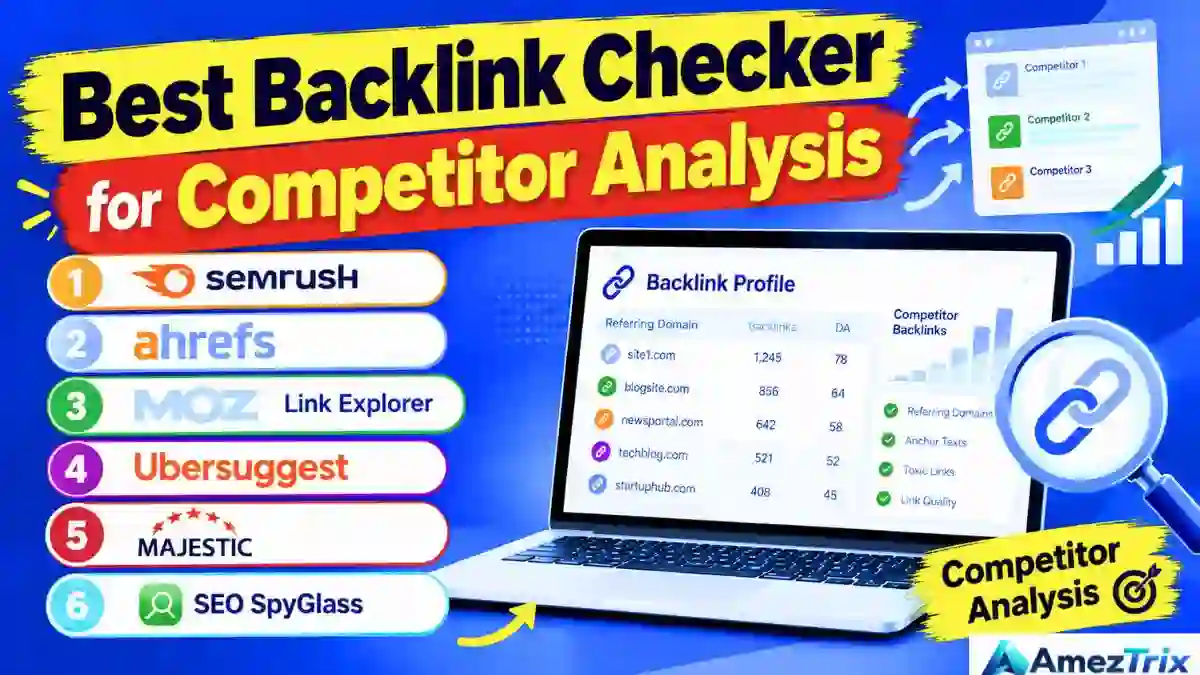
10 Best Free Backlink Checker Tools in 2026 (Hands-On Review for SEO)
Backlinks haven’t gone anywhere. They’re still one of the clearest signals search engines use to figure out how trustworthy and relevant a page is. A reliable free backlink checker gives you a window into that world — showing which sites point to you, how much authority your pages carry, and where the gaps in your link profile actually sit.
But not every link is worth celebrating. Some backlinks genuinely move the needle on rankings and referral traffic. Others sit there doing nothing, or actively work against you because they’re spammy, dead, or completely unrelated to your niche. That’s why backlink analysis isn’t optional anymore — it’s a core habit for bloggers, agencies, and anyone serious about organic growth.
A solid free backlink checker answers a handful of practical questions: who’s linking to you, which of your pages are pulling the most attention, what anchor text people are using, and where your next realistic link opportunity might be hiding.
The encouraging part is that you don’t need a premium SEO subscription to get moving. Plenty of platforms offer free backlink checker access, even if it’s a scaled-down version of their full toolkit. Just know upfront — “free” almost never means “unlimited.” Expect search caps, hidden metrics, and export limits unless you’re paying for a plan.
This guide breaks down ten free backlink checker tools worth knowing in 2026 — what each one does well, where it falls short, and how to stack them together for a genuinely useful view of your backlink profile.
Heads up: Free-tier limits on backlink checker platforms shift constantly. A feature that’s free this month might sit behind a paywall next quarter, so verify current terms before building a whole strategy around one tool.
Best Free Backlink Checker by Use Case
| Your Goal | Best Tool | Why It Works |
|---|---|---|
| Audit backlinks on your own domain | Google Search Console | Straight-from-Google data, zero crawler guesswork |
| Get a quick backlink snapshot | Ahrefs Free Backlink Checker | Reputable database with a clean, fast preview |
| Dig into competitor link profiles | Semrush | Industry-leading backlink-gap analysis |
| Gauge domain authority | Moz Link Explorer | Simple DA and Spam Score reporting for beginners |
| Pull historical backlink trends | Majestic | Trust Flow and Citation Flow metrics |
| Learn SEO fundamentals | Ubersuggest | Bundles keywords, traffic, and links in one dashboard |
| Run desktop-based link audits | SEO SpyGlass | Built for structured, in-depth auditing |
| Visually scan competitor links | LinkMiner | Fast visual layout for prospecting |
| Combine rankings and backlinks | SE Ranking | One dashboard for the complete SEO picture |
| Get an instant, no-login check | Backlink Watch (and similar tools) | Zero setup, immediate basic results |
No single free backlink checker holds a flawless, complete record of every link on the internet — that’s simply not how the web is structured. If precision matters for your project, cross-reference at least two sources and always validate findings against Google Search Console.
What Exactly Is a Backlink Checker?
In short: a backlink checker reveals which external websites link to yours, along with supporting details like anchor text, follow/nofollow status, and unique referring domains.
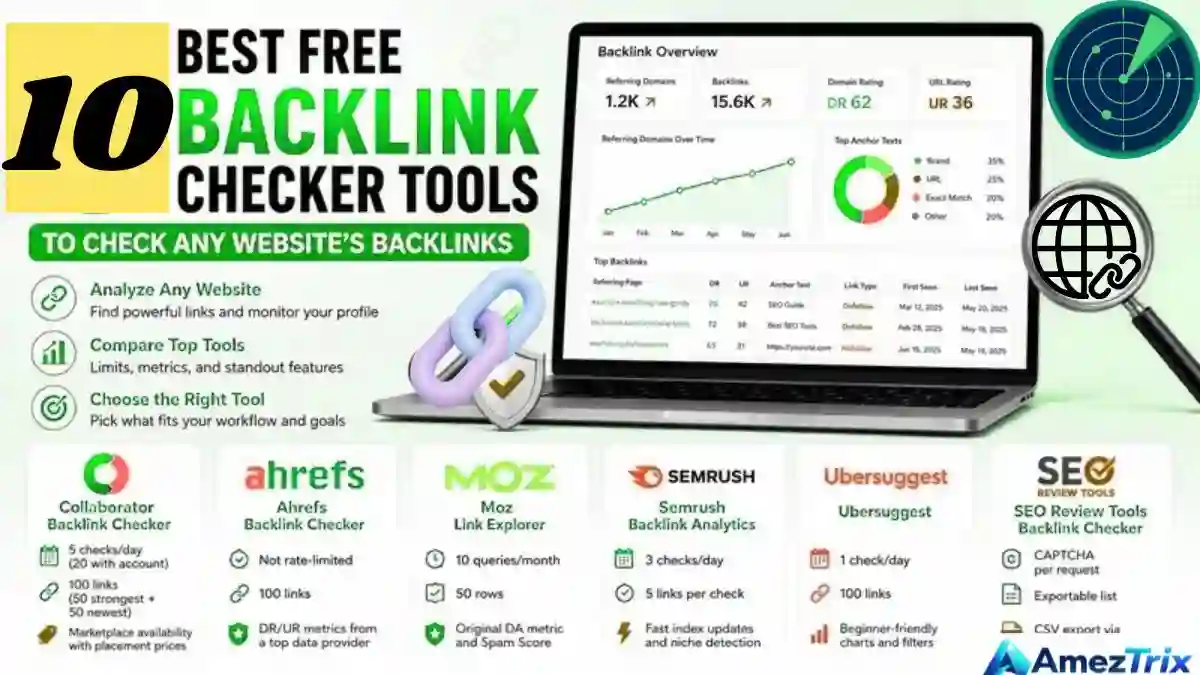
Picture a technology blog publishing a piece about AI tools and linking out to your website — that link is now a backlink. Depending on which tool you use, you’ll typically be able to see:
- Which website is linking to you
- Which page on your site received the link
- The exact source page the link originated from
- The anchor text attached to the link
- Whether the link is follow or nofollow
- An estimated authority or trust score
- Your total count of unique referring domains
- Where on the page the link is physically placed
- Newly gained or recently lost backlinks
- Gap opportunities where rivals get linked and you don’t
Every free backlink checker operates its own crawler and maintains a separate database, so it’s completely normal to see wildly different numbers for the same domain across tools. One platform might report 850 backlinks; another says 1,400; Google Search Console shows a third figure entirely. None of them are technically “wrong” — they’re simply crawling different slices of the web, refreshing on different schedules, and applying their own filtering rules.
AI Backlink Checker: The Next Evolution in Link Analysis
AI-powered backlink checkers are reshaping how link data gets interpreted. Instead of just crawling and dumping raw numbers, these tools apply machine learning to evaluate link quality, topical relevance, and risk on their own. Rather than manually scanning anchor text patterns or authority scores by hand, an AI backlink checker can flag toxic-looking patterns, forecast which links are likely to actually influence rankings, and recommend outreach targets based on genuine topical fit — not just surface-level domain metrics.
A newer wave of tools is even starting to track how backlinks affect visibility inside AI-generated answers (AEO/GEO), stepping beyond classic search engine results altogether. This category is still young, so results vary widely — it’s worth testing two or three platforms before leaning on any single one.
| Feature | Traditional Backlink Checker | AI Backlink Checker |
|---|---|---|
| Link quality assessment | Manual review | Automated via machine learning |
| Risk detection | Score-based estimates only | Pattern recognition + predictive risk |
| Outreach recommendations | Not available | Topical-relevance based |
| AI search visibility (AEO/GEO) | Not covered | Emerging capability |
Quick tip: Don’t rely on a single AI backlink checker as your only source of truth — cross-check its findings against an established tool like Ahrefs or Semrush until this category matures further.
Backlinks vs. Referring Domains — A Distinction Worth Getting Right
- Backlinks refer to every individual link pointing at your site.
- Referring domains count the number of unique websites doing the linking.
Say five separate articles on one blog all link to your homepage — that’s five backlinks coming from a single referring domain. A hundred different, genuinely relevant sites each linking to you once is typically worth far more than one domain linking to you a thousand times. Diversity beats sheer volume almost every time.
Why Backlink Analysis Genuinely Matters
You discover who’s already talking about you
You’ll uncover blogs, publications, and communities referencing your brand or content — often from sources you never expected.
You identify which pages naturally attract links
Certain formats pull links on their own: original research, deep tutorials, statistics roundups, free tools, thorough comparisons, and infographics. When a page earns links organically, study its structure and try to replicate that success elsewhere on your site.
You catch broken or lost links before they cost you
Links break for all kinds of reasons — a source article gets deleted, a page returns a 404, URLs get restructured, or a domain simply expires. Recovering a lost backlink is usually far easier than earning a brand-new one from scratch.
You see what’s actually working for your competitors
If a competitor is picking up mentions from AI-focused newsletters or software directories, those same sources could become outreach targets for you too — just confirm each one is genuinely relevant before you reach out.
You spot risky patterns early
A sudden flood of irrelevant links, repeated exact-match anchor text, or a pile of sitewide footer placements can be warning signs. But a link that looks suspicious isn’t automatically harmful — investigate before disavowing anything. Plenty of perfectly healthy links get removed unnecessarily just because a tool flagged them.
What to Look for in a Free Backlink Checker
| Feature | Why It Matters |
|---|---|
| Database freshness | A huge but outdated index is less useful than a smaller, current one |
| Referring-domain reporting | Unique linking sites matter more than raw link totals |
| Link-level detail | Source URL, anchor text, first/last-seen date, follow status |
| Competitor comparison | Gap analysis and side-by-side domain checks |
| Export capability | CSV exports save real time, though free plans usually cap row counts |
| Authority metrics | DR, DA, Authority Score, Trust Flow — useful signals, but proprietary, not official Google metrics |
| Free-plan restrictions | Account requirements, daily search caps, and how much data shows before hitting a paywall |
10 Best Free Backlink Checker Tools for SEO
1. Google Search Console
Best for: Auditing backlinks pointed at your own verified property.
This is where every backlink journey should begin. It’s Google’s native webmaster tool, connected directly to any site you’ve verified. The Links report surfaces top linking sites, top-linked pages, and common anchor text, covering both internal and external links.
Pros: Free, official, no subscription required, and excellent for spotting which pages naturally attract attention.
Cons: Requires property verification. The external links report is a sample, not a complete list. Not designed for competitor research.
Best question to ask: “Who’s actually linking to me, and which pages are benefiting the most?”
2. Ahrefs Free Backlink Checker
Best for: Quick lookups and light competitor scouting.
Ahrefs maintains one of the most respected backlink databases in the industry. Its free checker offers a limited but useful preview — referring domains, anchor text, target URLs, and top backlinks.
Pros: Strong reputation, clean interface, ideal for a fast gut-check on any domain.
Cons: The free tier only reveals a slice of the full dataset; deeper filters and bulk exports require a paid plan.
Best question to ask: “Does this domain have any meaningful referring domains at all?”
3. Semrush Backlink Checker
Best for: Competitor research and backlink-gap analysis.
Semrush’s Backlink Analytics genuinely shines when comparing your profile against rivals — referring domains, anchor text, Authority Score, and gained/lost links, all accessible even on a limited free account.
Pros: Its Backlink Gap tool reveals sites linking to competitors but not to you — a genuinely valuable input for outreach planning.
Cons: Free searches run out quickly; full reporting requires a paid subscription.
Best question to ask: “Which sites link to my competitors but haven’t discovered me yet?”
4. Moz Link Explorer
Best for: Domain Authority scoring and beginner-friendly research.
Moz essentially popularized the “Domain Authority” concept that’s now standard SEO vocabulary. Link Explorer shows linking domains, anchor text, Spam Score, and Domain/Page Authority scores.
Pros: Clean, approachable interface — great for building a shortlist of outreach targets.
Cons: Free row limits are reached quickly; DA is a prediction, not a guarantee.
Best question to ask: “Is this site’s authority strong enough to justify an outreach email?”
5. Ubersuggest Backlink Checker
Best for: Beginners and smaller websites.
Neil Patel’s toolkit bundles keyword research, traffic estimates, and backlink data into one dashboard — convenient if you’d rather not juggle five separate platforms.
Pros: Approachable design that blends multiple research types without overwhelming jargon.
Cons: Tight daily search limits; historical data sits behind a paywall.
Best question to ask: “What’s a simple, beginner-friendly first look at my backlink profile?”
6. Majestic
Best for: Trust-based link evaluation and historical tracking.
Majestic built its reputation on Trust Flow and Citation Flow — metrics designed to measure how trustworthy and topically relevant a linking site really is.
Pros: Genuinely useful for judging whether a potential backlink source is legitimate or just noise.
Cons: Free access is restricted; deeper reports require registration or payment.
Best question to ask: “Is this domain actually relevant to my industry?”
7. SEO SpyGlass
Best for: Detailed audits, particularly for desktop-software users.
Part of the Link-Assistant suite, SEO SpyGlass caters to people who want to dig deep — backlink discovery, penalty-risk flags, anchor text breakdowns, and competitor comparisons all in one place.
Pros: Excellent for organizing large backlink datasets and running structured audits.
Cons: Free functionality is limited; its “risk scores” aren’t official Google penalties.
Best question to ask: “What does a complete backlink audit actually look like for this domain?”
8. LinkMiner
Best for: Quick, visual link inspection during competitor research.
Part of the Mangools suite, LinkMiner focuses on visual link scanning — handy for spotting competitor backlinks worth targeting for outreach.
Pros: Convenient for prospecting; the visual layout speeds up scanning considerably.
Cons: Free access is limited; full data requires a paid plan.
Best question to ask: “Which of these links deserve a spot on my outreach list?”
9. SE Ranking Backlink Checker
Best for: Combining backlink monitoring with broader SEO tracking.
SE Ranking folds backlink features into its wider SEO platform — referring domains, anchor text, new and lost links, and competitor comparisons, alongside rank tracking.
Pros: Rankings, backlinks, and competitor data all in one dashboard.
Cons: Free access tends to be trial-based; full reports need a subscription.
Best question to ask: “Can I manage my entire SEO workflow from a single dashboard?”
10. Backlink Watch and Other No-Frills Free Checkers
Best for: Fast, bare-bones backlink discovery.
These lightweight tools display source URLs, target URLs, anchor text, and basic link counts. Nothing elaborate, but sometimes that’s all the situation calls for.
Pros: Simple, quick, and requires minimal setup.
Cons: Thin coverage, dated reports, and some push hard toward paid upgrades.
Best question to ask: “What’s a rough first impression before I confirm with a more robust tool?”
Is There a Truly Free Backlink Checker With No Signup Required?
In short: Some digital marketing SEO tools allow limited lookups without registration, but most cap your results or eventually ask for a free account once you want deeper data.
Before trusting a no-signup tool, ask yourself:
- Does it accept a full domain, or just individual URLs?
- Are the actual source pages shown, or just summarized?
- Is referring-domain data separated from total link count?
- Does the data actually look current?
- Are the results duplicated or padded?
- Does it push payment after just a few free searches?
- Does it explain its crawl coverage anywhere?
Sometimes a free registered account genuinely outperforms a “no signup needed” tool — it’s worth weighing both before committing to either.
Best Backlink Checker for Competitor Analysis
If competitor research is your primary goal, these tend to perform best:
- Semrush
- Ahrefs
- Moz Link Explorer
- Ubersuggest
- Majestic
- SEO SpyGlass
What you’re really chasing here: competitor referring domains, top-performing pages, recurring content formats, anchor text patterns, and — most valuably — backlink gaps.
How this plays out in practice:
Say three competing blogs all cover Google AI tools. Compare their backlink profiles and look for domains linking to two or more of them but not to you. Those are your realistic outreach targets — provided their content genuinely fits your niche and their audience overlaps with yours. Skip mass-blasting every domain you find; focus on the ones that make sense, and explain clearly why your content would actually help their readers.
Google Search Console vs. Third-Party Backlink Tools
| Feature | Google Search Console | Third-Party Tools |
|---|---|---|
| Cost | Free | Free + paid tiers |
| Verification required | Yes | Usually not |
| Own-site analysis | Strong | Strong, but varies by tool |
| Competitor research | Weak | Generally much stronger |
| Full backlink visibility | Incomplete | Depends on crawl database |
| Authority metrics | None | Often included |
| Historical tracking | Limited | Usually better |
| Backlink-gap tools | Not built for it | Common feature |
| Export options | Limited | Often gated behind paid plans |
| Data source | Google’s own crawl | Independent third-party crawlers |
Which one is more accurate?
Neither offers a perfect record of the entire web. Search Console reflects data tied to your verified property, while third-party crawlers may surface links Google doesn’t show you. Realistically, using both is the smart move: Search Console for your own site, Ahrefs or Semrush for competitor digging, and Moz or Majestic for quality signals.
Free vs. Paid Backlink Tools — Knowing When to Upgrade
Free tools work perfectly well while you’re learning, managing a small site, or doing occasional spot-checks. Paid tools start earning their cost once backlink analysis becomes a regular part of your workflow.
Free is probably enough if:
- You manage a single small site
- A basic overview is all you need
- You’re still learning the fundamentals of SEO
- Large exports aren’t a priority
- You check backlinks occasionally rather than daily
You likely need paid tools if:
- You’re running an agency managing multiple client sites
- Historical tracking and automated alerts matter to you
- You need large-scale CSV exports
- Backlink-gap analysis is a routine part of your process
- API access is important to your workflow
Start with free tools, and upgrade only once the limits genuinely start slowing down real work. There’s no reason to pay for features you’ll never actually use.
How to Check Backlinks for Free — A Step-by-Step Walkthrough
Step 1 — Open Google Search Console.
Verify your property, navigate to the Links report, and note the top linking sites, top-linked pages, and most common anchor text.
Step 2 — Run your domain through a third-party checker.
Ahrefs, Semrush, Moz, or Ubersuggest all work well here. Enter your bare domain and skip unnecessary URL parameters.
Step 3 — Compare your findings across tools.
Don’t expect matching numbers between platforms — instead, watch for overlapping patterns. Are the same domains showing up repeatedly? Anything surprising in the mix?
Step 4 — Judge quality, not just quantity.
A genuinely good backlink is relevant, sits on an active website, and actually helps the reader. A high authority score alone doesn’t guarantee value — plenty of “high DA” links do absolutely nothing for real traffic.
Step 5 — Organize everything in a spreadsheet.
Track source website, source URL, target URL, anchor text, follow status, relevance, and your next action. Don’t label a link as harmful just because its status looks unclear — dig a little deeper first.
Finding New Backlink Opportunities Through Competitor Research
- Locate pages with many referring domains. Original data, downloadable templates, and comparison tables naturally earn links. Build something better — not a copy.
- Use backlink-gap tools. If Site A links to two competitors but not you, that’s a genuine opportunity — assuming your content is actually a fit.
- Study anchor text patterns. A healthy link profile blends brand names, naked URLs, article titles, and generic phrases like “read more.” Too many exact-match anchors look unnatural to search engines.
- Note which formats attract links. For tech and AI niches specifically: tool comparisons, original research, tutorials, and curated resource roundups perform well.
- Prioritize relevance over raw numbers. A single link from a respected industry publication often outweighs dozens of random directory listings.
Can You Trust a Free Domain Authority Checker’s Scores?
Every tool runs its own proprietary scoring system — Domain Authority (Moz), Domain Rating (Ahrefs), Authority Score (Semrush), and Trust Flow/Citation Flow (Majestic). None of these are official Google metrics, regardless of how confidently a platform presents its numbers.
Scores vary between tools because each relies on different crawl data, weighting models, and spam filters. A domain scoring high on one platform might look mediocre on another. Treat these scores as one input among many — weigh topical relevance, genuine audience engagement, editorial quality, and whether a site feels trustworthy to a real human reader. Never chase or pay for a link purely because a tool assigned it a high score.
Common Backlink Analysis Mistakes to Avoid
| Mistake | Why It Hurts You |
|---|---|
| Chasing raw backlink count | More links don’t automatically translate to better rankings |
| Treating every low score as toxic | Third-party risk scores are estimates, not verdicts — investigate first |
| Ignoring referring domains | Ten links from one site is weaker than ten links from ten different sites |
| Overusing exact-match anchors | Looks unnatural, and search engines notice the pattern |
| Buying bulk backlinks | Carries far more risk than potential reward |
| Neglecting internal linking | Backlinks matter, but internal site structure still deserves attention |
| Trusting outdated data | Always confirm a source page is still live before acting on it |
Building a Backlink Strategy That Actually Lasts
- Create content people genuinely want to reference — original research, in-depth tutorials, free tools, comparison guides, and downloadable checklists.
- Promote it thoughtfully — relevant communities, industry newsletters, honest outreach, and real digital PR. Skip the mass-blast emails entirely.
- Keep older content updated. Refresh statistics, fix broken links, and add current, real-world examples.
- Build genuine relationships instead of transactional link requests.
- Review your links regularly. Monthly or quarterly checks are usually enough for a small site; larger sites need closer, more frequent monitoring.
Frequently Asked Questions
What’s the best free backlink checker overall?
Google Search Console is the top choice for your own site. For competitor research, Ahrefs, Semrush, Moz, and Ubersuggest all deliver value within their free limits.
Can I check backlinks without signing up at all?
Some tools allow limited lookups without registration, though most eventually cap results or require an account for deeper access.
Is Google Search Console technically a backlink checker?
Yes — it includes an external links report for verified sites — but it’s not designed for competitor analysis or a comprehensive public database.
Are free backlink tools actually accurate?
They’re useful, but limited by crawl coverage and update frequency. Cross-check with more than one tool whenever precision genuinely matters.
How many backlinks do I actually need to rank?
There’s no fixed number. It depends heavily on your industry, your competitors, and your content quality. Relevant referring domains matter far more than raw count.
Are nofollow links worth anything at all?
Yes. They can still generate referral traffic and boost brand visibility — don’t dismiss them outright.
Do backlinks still matter for SEO in 2026?
They do, but they’re one piece of a larger puzzle. Content quality, search intent, and user experience carry just as much weight.
Should I disavow every low-quality backlink I find?
Not automatically. Investigate first — third-party tools can’t confirm an actual Google penalty is in play.
Which tool is best specifically for competitor analysis?
Semrush and Ahrefs lead the pack here, with Moz, Majestic, and SEO SpyGlass adding useful additional angles.
Final Verdict
There’s no single “best” free backlink checker — the right answer depends entirely on what question you’re trying to answer.
Monitoring your own site? Start with Google Search Console. Need a quick external snapshot? Try Ahrefs’ free checker. Doing serious competitor research? Semrush and Ahrefs are your strongest options. Want beginner-friendly authority metrics? Moz fits the bill. Looking for broader coverage? Ubersuggest or SE Ranking cover a lot of ground at once.
Whichever tool you choose, avoid judging it — or your own backlink profile — purely on raw numbers. Referring-domain diversity, topical relevance, link placement, and data freshness matter far more than a big total sitting in a dashboard.
Realistically, the smartest setup combines Google Search Console for your own site, one solid third-party platform for competitor research, and a plain spreadsheet to keep everything organized. That combination gets you a genuinely effective backlink strategy — without spending money on expensive software you don’t need yet.
About the Author
Rajendra Parmar is the Founder and Editor of AmezTrix, where he covers Artificial Intelligence, Technology, WordPress, Web Hosting, Digital Marketing, Gadgets, and Software. His mission is to simplify complex technology through practical tutorials, honest reviews, and well-researched guides that help readers make smarter digital decisions.