Short answer: OpenAI Agent Builder was a drag-and-drop canvas for wiring together AI agents, tools and logic. OpenAI announced it in October 2025, then confirmed it is being retired, with a shutdown date of November 30, 2026. ChatKit, the chat interface that often sat on top of it, stays alive.
If you are building something new, skip the canvas and use the OpenAI Agents SDK, Workspace Agents in ChatGPT, or an independent tool such as n8n.
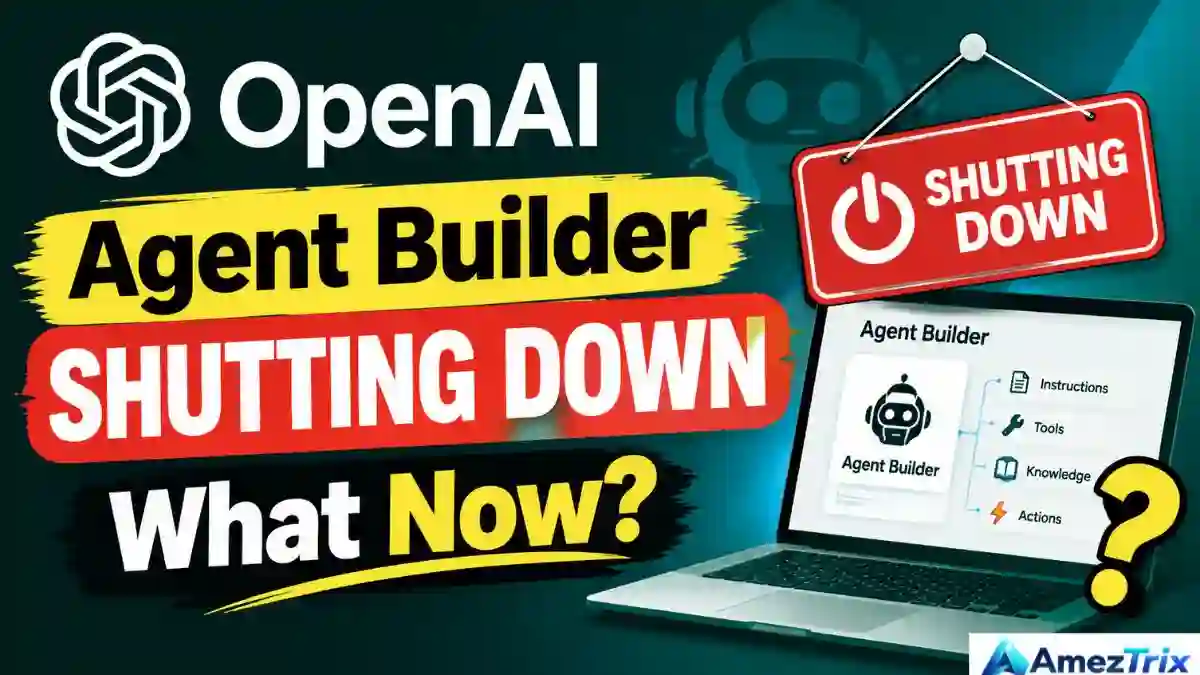
If you landed here after typing “openai agent builder deprecation” into Google, you are not alone. Plenty of teams built real workflows on this thing, and the calendar is now working against them. This guide covers what Agent Builder actually did, how login and pricing worked, whether it was ever open-source, and how to move your work somewhere safer before the lights go out.
The 60-Second Summary
| What people ask | Straight answer |
|---|---|
| What is it? | A visual builder for multi-step AI agent workflows |
| Who runs it? | OpenAI, part of the AgentKit bundle |
| Still usable today? | Yes, but only until November 30, 2026 |
| Cost? | No separate canvas fee at launch; API usage is billed as normal |
| Open-source? | No (the Agents SDK is) |
| Best move for developers | Rebuild in the Agents SDK with Python or TypeScript |
| Best move for non-coders | Workspace Agents in ChatGPT, or n8n |
| ChatKit? | Survives, but needs your own backend |
What’s Inside This Guide
- What OpenAI Agent Builder actually is
- Where it sits inside AgentKit
- The building blocks worth understanding
- How a workflow came together
- Login and access
- Pricing: is it free?
- Open-source, GitHub and documentation
- Doing the same thing in Python
- The shutdown timeline
- A practical migration plan
- Alternatives compared
- Use cases and demos
- Habits that keep agents reliable
- FAQs
- Verdict
What OpenAI Agent Builder Actually Is
Picture a whiteboard where each sticky note is a step, and the arrows between them really execute. That is Agent Builder. You drop in an agent, give it instructions, attach a few tools, add a branch or two, and press preview. When it behaves, you publish it.
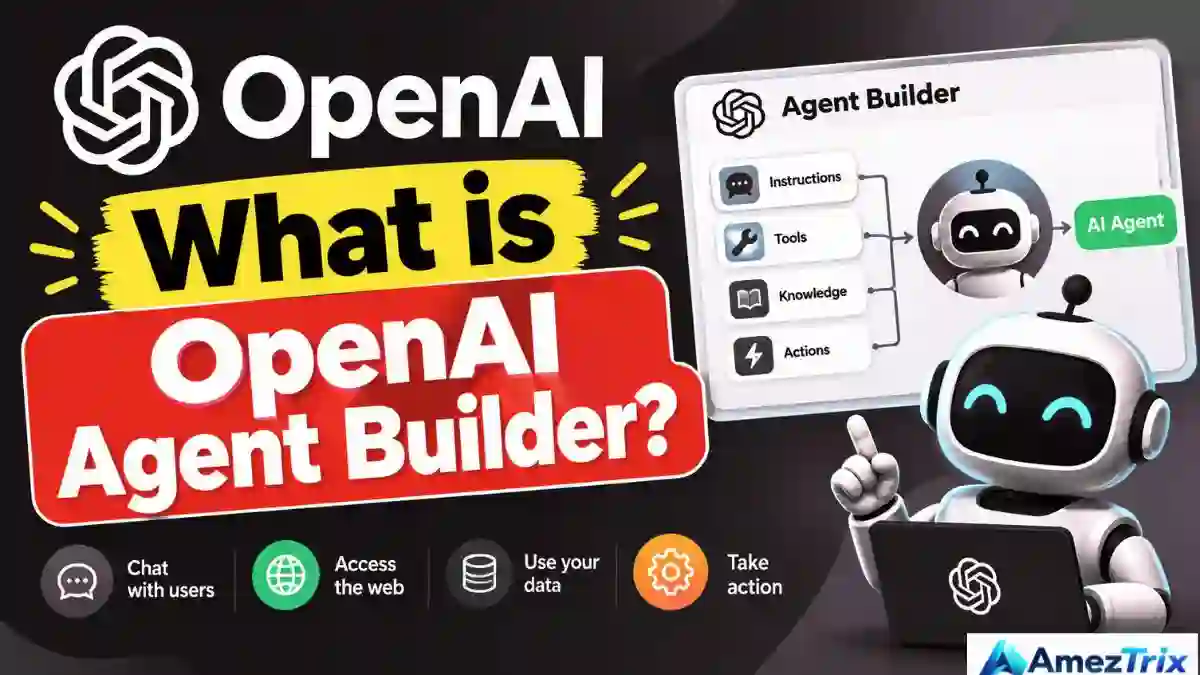
OpenAI describes a workflow as agents, tools and control-flow logic combined, covering every step your task or chat needs, with real code you can deploy later. The point was to shrink the distance between “I have an idea for an agent” and “I have something running.”
A simple example makes it concrete. A shopper writes, “I was charged twice.” The workflow reads the message, decides it is a billing issue, hands it to a billing agent, runs the reply through a safety check, and returns an answer. Nothing exotic. Just a sensible chain, made visible.
Who used it
- Developers who wanted a quick prototype before committing to code
- Product and operations people who wanted to test agent ideas without waiting on engineering
- Larger companies that liked having versioning and guardrails in one screen
If agents are new to you, our beginner guide on how to build AI agents explains the fundamentals before you go deeper here.
Where It Sits Inside AgentKit
People often treat “Agent Builder” and “AgentKit” as synonyms. They are not. AgentKit is the whole toolbox OpenAI unveiled at DevDay on October 6, 2025. Agent Builder was one tool inside it, a visual canvas built on the Responses API with preview runs, inline eval settings, guardrails and versioning.
| Piece | Job | After Nov 30, 2026 |
|---|---|---|
| Agent Builder | Visual workflow canvas | Gone |
| ChatKit | Embeddable chat window | Stays (bring your own backend) |
| Evals | Testing and grading | Gone (read-only from Oct 31, 2026) |
| Connector Registry | Managing app and data connections | Check OpenAI’s current docs |
| Agents SDK | Code-first agent framework | Stays |
The distinction saves you from panic. “OpenAI killed AgentKit” is not accurate. Two products are being retired; the code-first foundation continues.
The Building Blocks Worth Understanding
Even if you never open the canvas again, these ideas travel. Every serious agent framework uses some version of them, so learning them here is not wasted effort.
The canvas
A workspace where each node stands for one step: an agent, a Google AI tools call, a condition, a loop or a human sign-off.
Agent nodes
Each agent gets instructions, a model, tools and an output format. Chain a few together and you have a multi-agent setup.
Tools and connectors
Web search, file search, code execution, custom functions and Model Context Protocol (MCP) servers. MCP deserves special mention: tools built on it are portable, so they survive a platform change like this one.
Logic nodes
If/else branches, loops and approval steps. They let you decide the path instead of hoping the model guesses right.
Guardrails
Checks for jailbreak attempts, leaked personal data and shaky answers.
Preview and versions
Test chats inside the editor, then publish a numbered version so live traffic never sees your half-finished edits.
Code export
Workflows could be exported as code. That single feature is why migration to the Agents SDK is less painful than it sounds.
How a Workflow Came Together
OpenAI’s own summary is short: design the workflow, publish it as a versioned object, deploy it. In practice, most people followed something like this.
- Pick a template or start blank. Customer service was the most popular starting point.
- Define the input. Usually a chat message, sometimes a set of variables.
- Add a triage agent. Its only job is to work out what the person wants, much like the person who sorts tickets on a support desk.
- Add specialists. Refunds, accounts, product questions. Keep each prompt tight.
- Attach tools. File search for your help docs, web search for fresh facts, MCP servers for your CRM or calendar.
- Put guardrails on both ends. Screen what comes in and what goes out.
- Preview with ugly inputs. Typos, angry customers and prompt-injection attempts included.
- Publish a version. So you can roll back when something breaks.
- Deploy. Connect ChatKit or export the code and host it yourself.
Login and Access
A lot of people search for the “OpenAI Agent Builder login” because there is no dedicated website. You simply sign in to the OpenAI developer platform with the account tied to your API organization, then find Agent Builder in the dashboard.
- Sign in to the OpenAI developer platform.
- Switch to the API organization you want to use.
- Make sure billing or credits are active.
- Open Agent Builder and choose a template or blank canvas.
When it will not let you in
| Symptom | Usual cause | Fix |
|---|---|---|
| You cannot find the menu | Wrong account or organization | Switch to the API organization |
| Feature missing | Billing or verification incomplete | Finish billing and verification |
| Runs fail | No credits | Add a payment method |
| Doc links break | Docs moved domains | Use developers.openai.com |
One common mix-up: a ChatGPT Plus or Pro subscription does not include API access. The API is billed separately.
Pricing: Is OpenAI Agent Builder Free?
Sort of, and the “sort of” matters. OpenAI did not attach a separate price to the canvas at launch. What you paid for was everything the workflow consumed: model tokens, tool calls such as web search, and file storage for search. There is no permanent free plan, though new accounts sometimes get promotional credit.
| Cost item | Billed by | Note |
|---|---|---|
| Designing in the canvas | No separate fee at launch | Confirm on OpenAI’s pricing page |
| Model usage | OpenAI API | Per input and output token |
| Web and file search | OpenAI API | Per call or storage |
| ChatKit backend | You | Self-hosted after the shutdown |
| Open-source alternatives | Free software | You still pay for models and hosting |
Prices shift, so check the official page before you budget. And honestly, with a shutdown date on the calendar, I would not pour new money into the canvas.
Open-Source, GitHub and Documentation
Let’s clear this up. Agent Builder is not open-source. It was a hosted product. You could not self-host it or read its code.
The Agents SDK is open-source. It lives on GitHub in Python and TypeScript versions, which is where anyone searching “OpenAI Agent Builder GitHub” should really be looking.
| Resource | Open-source? | Where |
|---|---|---|
| Agent Builder canvas | No | OpenAI developer platform |
| Agents SDK (Python) | Yes | GitHub: openai-agents-python |
| Agents SDK (TypeScript) | Yes | GitHub: openai-agents-js |
| ChatKit | Partly, with starter apps | OpenAI docs |
| Community workshops | Mostly | GitHub |
For documentation, head to developers.openai.com. Older bookmarks pointing at platform.openai.com may be stale. It is also worth noting how the community reacted: a popular AgentKit workshop repository was refreshed in September 2026 specifically to reframe its Agent Builder lessons around the shutdown.
Doing the Same Thing in Python
“OpenAI Agent Builder Python” is a common search, and the answer is that the concepts map almost one-to-one onto the Agents SDK. Here is a small triage example.
from agents import Agent, Runner

refund_agent = Agent(
    name="Refund Specialist",
    instructions="Handle refund questions. Be concise and polite.",
)

account_agent = Agent(
    name="Account Specialist",
    instructions="Help with login, billing and profile issues.",
)

triage_agent = Agent(
    name="Triage",
    instructions="Decide which specialist should handle the request.",
    handoffs=[refund_agent, account_agent],
)

result = Runner.run_sync(triage_agent, "I was charged twice, please help.")
print(result.final_output)
Treat that as a sketch and confirm syntax in the current SDK docs, because the library moves fast.
Why code is the safer long-term bet
- Your logic sits in Git, not on someone else’s canvas
- You can write proper tests
- You can swap models or vendors without starting over
- You own hosting, logs and privacy
Canvas idea vs. code idea
| In Agent Builder | In the Agents SDK |
|---|---|
| Agent node | Agent object |
| Arrow between agents | Handoff |
| Tool node | Function tool, hosted tool or MCP server |
| Guardrail node | Input and output guardrails |
| If/else node | Plain Python condition |
| Preview run | Local test run |
| Published version | Git tag or release |
The Shutdown Timeline
This is the part that matters most if you have anything live. On June 3, 2026, OpenAI posted deprecation notices for the visual Agent Builder and the Evals platform. Both are scheduled to leave the platform on November 30, 2026.
| Date | What happens |
|---|---|
| October 6, 2025 | AgentKit and Agent Builder announced at DevDay |
| June 3, 2026 | Deprecation notice published |
| October 31, 2026 | Evals turns read-only |
| November 30, 2026 | Agent Builder and Evals removed |
Because Evals goes read-only a month earlier, export your datasets first.
Why is it happening? OpenAI has not called this a failure. Its guidance simply points developers to the Agents SDK for anything that should live as code, and to Workspace Agents in ChatGPT for tasks better handled in plain language. My reading is that the company would rather invest in code-first tools and ChatGPT-native agents than maintain a separate visual builder. That is interpretation, not an official statement.
The bigger lesson: a hosted builder is a surface the vendor controls. Keep your prompts, tool definitions and business rules in files you own, and prefer MCP-based integrations so they move with you. The same thinking applies to search visibility. If you want the fundamentals of getting found, see our guide on how to rank a website on Google’s first page.
A Practical Migration Plan
If you have live workflows, do not leave this for November. Work through it in order.
- List everything. Every workflow, its owner, its traffic and its connected tools.
- Export what you can. Save workflow code, prompts, variables and test chats to your own repository.
- Rescue Evals data. Do it before October 31, 2026.
- Pick a destination. Use the table below.
- Rebuild and compare. Run identical test conversations and check answers, speed and cost.
- Replace the ChatKit backend. The chat window survives, but the OpenAI-hosted engine behind it will not.
- Switch gradually. Send a small slice of traffic first.
- Set up fresh evaluation. OpenAI’s guidance mentions Promptfoo; trace grading in the Agents SDK is another route.
| If you are… | Move to |
|---|---|
| A developer team with production agents | Agents SDK (Python or TypeScript) |
| A business team with simple assistants | Workspace Agents in ChatGPT |
| Someone who still wants a visual canvas | n8n, Flowise or Langflow |
| Building complex, stateful flows | LangGraph |
| Building role-based agent crews | CrewAI |
Alternatives Compared
| Tool | Type | Best for | Open-source | Learning curve |
|---|---|---|---|---|
| OpenAI Agents SDK | Code framework | OpenAI-first production agents | Yes | Medium |
| Workspace Agents | Natural language | Non-technical teams | No | Low |
| n8n | Visual automation | Connecting apps with AI | Source-available | Low to medium |
| LangGraph | Code framework | Stateful, complex flows | Yes | High |
| CrewAI | Code framework | Role-based teams of agents | Yes | Medium |
| Flowise / Langflow | Visual builder | Visual prototyping | Yes | Low |
| Claude Agent SDK | Code framework | Claude-based agents | Yes | Medium |
A quick way to decide
- Want the least change? Agents SDK.
- No developers? Workspace Agents or n8n.
- Want to switch models freely? LangGraph or CrewAI.
- Miss the canvas? Flowise, Langflow or n8n, all self-hostable.
Not sure which automation platform suits your budget? Our roundup of the best AI automation tools compares more options side by side.
Use Cases and Demos
Anyone searching for an “OpenAI Agent Builder demo” wants to see something real. These are the patterns people actually built, and every one of them can be rebuilt elsewhere.
Customer support triage
A classifier routes each message to refund, account or product agents. Published tutorials often began with the customer service template and its ready-made structure.
Lead research and enrichment
Give it a company name; it searches the web, pulls contact data through a connector, scores the lead and writes to a CRM.
Contract comparison
Two documents go in, a structured list of differences comes out, and a person approves before anything is sent.
Internal knowledge assistant
File search across policies and manuals, with guardrails so confidential material stays put.
Meeting prep briefs
The agent gathers news and public signals about a prospect and returns a one-page summary.
Demo tip: a short screen recording showing the workflow, the input and the final output beats a page of explanation every time.
Habits That Keep Agents Reliable
These hold no matter which tool you choose.
- Give each agent one job. Narrow beats clever.
- Ask for structured output. JSON schemas keep later steps from guessing.
- Guard early. Screen inputs for injection and outputs for sensitive data.
- Keep humans in the loop for risky actions. Refunds, emails and deletions need approval.
- Prefer MCP for tools. Portable integrations outlive platforms.
- Version everything. Prompts and schemas belong in Git.
- Test with messy input. Typos, mixed languages, hostile users.
- Log traces. You cannot fix what you cannot see.
- Watch cost and speed. Small models for sorting, bigger ones only where needed.
- Assume the vendor will change something. This shutdown is your reminder.
Understanding how AI systems choose which sources to trust also helps you write content that gets cited. See our explainer on LLMO in SEO for the details.
Frequently Asked Questions
What is OpenAI Agent Builder?
It is a visual, drag-and-drop canvas on the OpenAI developer platform for designing, testing and publishing AI agent workflows. It launched in October 2025 as part of AgentKit.
Is OpenAI Agent Builder shutting down?
Yes. OpenAI’s documentation says it is being deprecated and is scheduled to shut down on November 30, 2026.
Is OpenAI Agent Builder free?
The canvas had no separate fee at launch, but every model call and tool call is billed at normal API rates. There is no guaranteed free tier, so check OpenAI’s pricing page.
Is OpenAI Agent Builder open-source?
No. It is a hosted, proprietary product. The OpenAI Agents SDK is the open-source option.
Where can I find OpenAI Agent Builder on GitHub?
The canvas is not on GitHub. Search for openai-agents-python and openai-agents-js, plus community workshop repositories.
How do I log in to OpenAI Agent Builder?
Sign in to the OpenAI developer platform with your API account, confirm billing is active and open Agent Builder from the dashboard. There is no separate login site.
Can I build OpenAI agents with Python?
Yes. The Agents SDK supports Python and is OpenAI’s recommended route for workflows that should continue as code.
Is there an OpenAI Agent Builder demo?
OpenAI’s launch material and many community tutorials include demos, from support triage to lead research. Use them as design references, not as a foundation for new production work.
What replaces OpenAI Agent Builder?
OpenAI points developers to the Agents SDK and non-coders to Workspace Agents in ChatGPT. Popular third-party options include n8n, LangGraph, CrewAI and Flowise.
Does ChatKit keep working?
Yes, ChatKit remains available, but you need a backend you control.
What happens to my workflows after November 30, 2026?
They stop working on the OpenAI platform. Export code and prompts and migrate beforehand.
Is AgentKit discontinued entirely?
No. Only Agent Builder and Evals are being retired. The Agents SDK and ChatKit continue.
Can I build an AI agent without coding?
Yes. Workspace Agents in ChatGPT, n8n, Flowise and Langflow all support low-code or no-code building.
Which is better for a beginner, the Agents SDK or a visual tool?
Visual tools get you started faster. The Agents SDK wins on testing, portability and long-term maintenance.
Is Agent Builder available in India?
Availability followed OpenAI’s API availability by country, so check your dashboard. The November 30, 2026 shutdown applies everywhere.
Verdict
Agent Builder was a genuinely good teaching tool. It made agents, handoffs and guardrails easy to see, and plenty of people learned the whole idea of agentic workflows from it. But a confirmed end date means it cannot be the foundation for anything new.
- Already using it? Export everything and migrate well before the deadline.
- Starting fresh? Build with the Agents SDK, or pick a visual tool you can self-host.
- Not a developer? Try Workspace Agents in ChatGPT or n8n.
- Everyone: keep your prompts, tools and logic in files you own.
The skills you picked up here, such as triage, handoffs, guardrails and evaluation, are not going anywhere. Only the canvas is.