Launching a website has never been easier — but finding the best web hosting for beginners is still the part that trips most new site owners up. Every comparison page makes the same promises: blazing speed, near-perfect uptime, unbeatable pricing. The real challenge is figuring out which provider actually delivers on those claims once you’ve handed over your card details.
Best Web Hosting for Beginners, Bloggers & Small Businesses (2026 Guide)
Whether you’re publishing your first blog post, launching a small business site, building a portfolio, or opening an online store, your host quietly shapes almost everything about how that site performs — load times, uptime, security, and how credible your business looks to a first-time visitor.
Good hosting keeps pages fast, your site online, your data safe, and gives you room to grow. Bad hosting does the opposite: sluggish pages, random downtime, security scares, and visitors who bounce before your homepage even finishes loading.
This guide breaks down the hosting types that matter, the features worth paying attention to, and a side-by-side comparison of trusted providers — so you can choose with confidence instead of guessing. If you’re comparing options as a student on a tighter budget, our Best Web Hosting for Students guide is a useful companion read.
Why Your Hosting Choice Actually Matters
Most people think of hosting as simply “where the website files live.” That’s technically true, but it barely scratches the surface of what modern hosting influences:
- Page load speed
- Search rankings
- Overall user experience
- Site and data security
- Backup reliability
- Professional email hosting
- Brand credibility
- Conversion rates and revenue
Google weighs page speed and user experience heavily in how it ranks pages, so a slow host means higher bounce rates and fewer conversions before visitors ever read your content. Faster sites keep readers around longer, generate more enquiries for local businesses, and convert better for online stores — every extra second of load time chips away at sales. That’s the real argument for treating hosting as an investment, not a line-item expense.
What Web Hosting Actually Is
In plain terms, web hosting is a service that stores your website’s files on a server connected to the internet, ready to load the moment someone visits your domain. A simple way to picture it:
- Domain name — your website’s street address (yoursite.com)
- Hosting — the land your site is built on
- Website — the house your visitors actually walk into
No hosting, no website anyone else can reach. Most plans today also bundle in free SSL certificates, daily backups, malware scanning, free migration, email accounts, CDN access, automatic updates, one-click WordPress installs, speed tools, and support — extras that take much of the guesswork out of running a site for beginners.
How Web Hosting Works, Step by Step
- A visitor types in your domain name.
- DNS translates that domain into a server IP address.
- Their browser connects to your hosting server.
- The server processes the request.
- Your website files are sent over.
- The page renders on their screen.
On a well-optimised host, this entire sequence takes under two seconds.
The Main Types of Hosting for Beginners
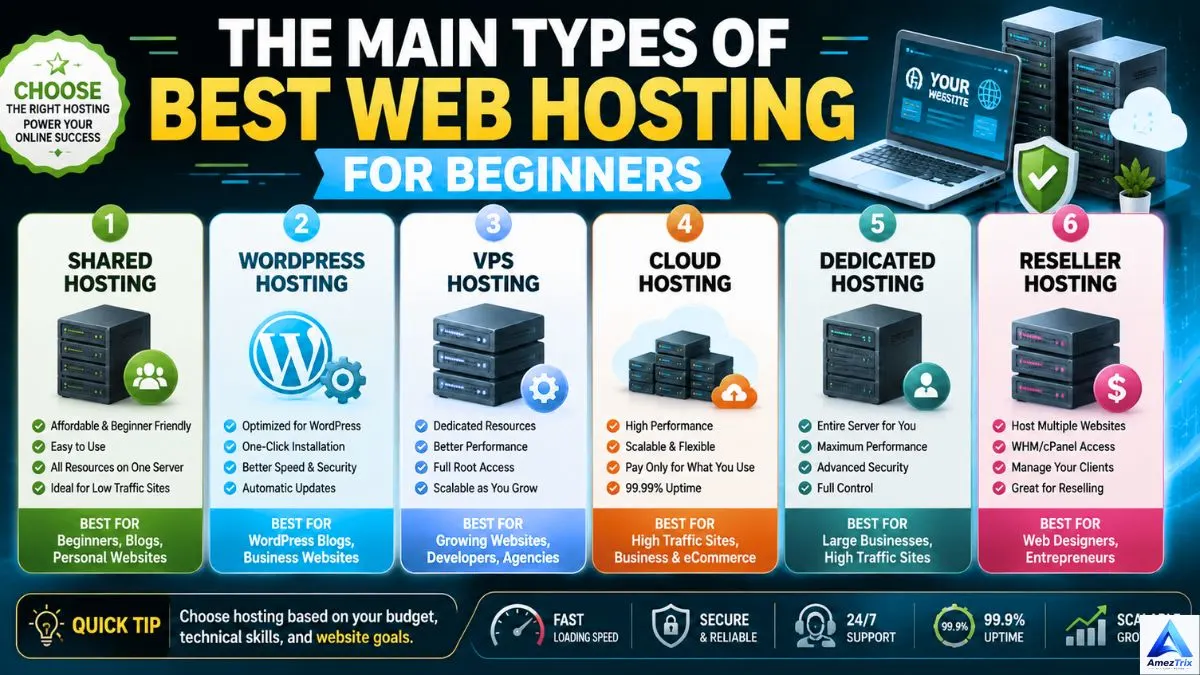
Choosing the right type of hosting matters just as much as choosing the right company.
1. Shared Hosting
The entry-level option: several websites split one server’s resources, keeping costs low without sacrificing much performance for a new site.
Good for: first-timers, personal sites, bloggers, students, portfolios, small informational sites.
Pros: cheap, simple dashboards, free SSL included, one-click WordPress setup, zero technical skill required.
Cons: shared resources can dip during traffic spikes; limited customisation.
2. VPS Hosting
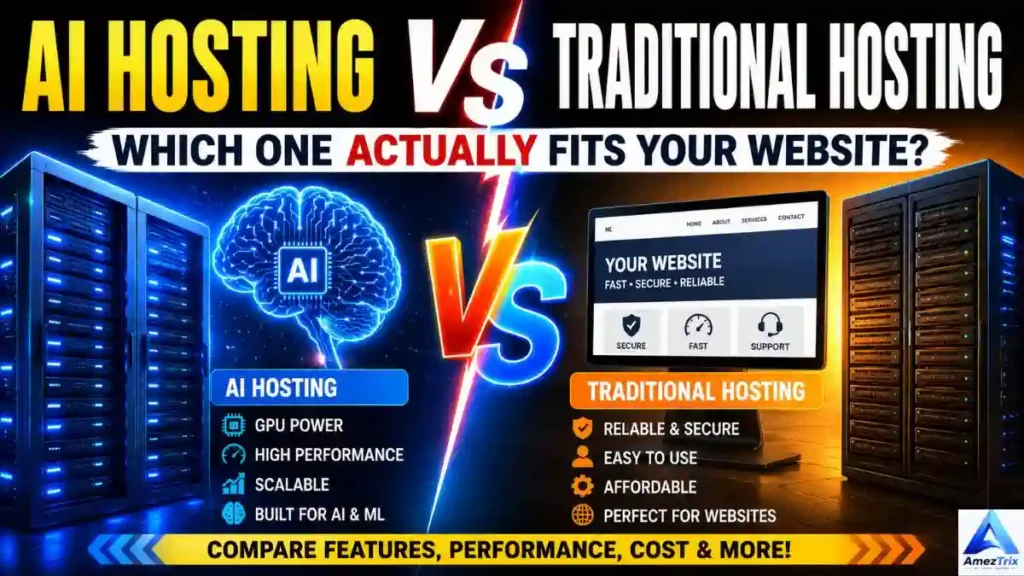
A Virtual Private Server splits one physical machine into several virtual ones, each with its own dedicated slice of resources.
Good for: growing blogs, business sites, developers, mid-sized stores.
Pros: stronger performance, dedicated resources, tighter security, more control.
Cons: costs more; needs a bit of technical know-how.
3. Cloud Hosting
Instead of one server, cloud hosting spreads your site across a network of connected machines — if one has an issue, another quietly picks up the slack.
Good for: high-traffic sites, SaaS products, growing stores.
Pros: strong uptime, flexible scaling, fast, dependable performance.
Cons: pricier; setup can be more involved on some platforms.
4. Managed WordPress Hosting
Built specifically for WordPress — the provider handles updates, security, caching, and backups for you.
Good for: bloggers, businesses, agencies, content creators.
Pros: peak WordPress performance, automatic updates, daily backups, WordPress-savvy support.
Cons: costs more than shared hosting; limited use outside WordPress.
5. Dedicated Hosting
An entire physical server, exclusively yours.
Good for: large enterprises, high-traffic sites, big eCommerce operations.
Pros: top-tier performance, full server control, maximum security.
Cons: expensive; needs advanced server management skills.
Features Worth Checking Before You Buy
Speed and Performance
Speed touches SEO, user experience, bounce rate, and sales. Look for NVMe SSD storage, LiteSpeed Web Server, HTTP/3 support, built-in caching, CDN integration, and servers located near your audience.
Uptime Guarantee
Aim for 99.9% uptime or better. Repeated outages cost you visitors, trust, and search visibility.
Free SSL Certificate
SSL encrypts data between your site and visitors, enables HTTPS, supports SEO, and reassures visitors your site is safe.
Daily Backups
Automatic backups are your safety net against accidental data loss, hacking, or a botched update — a good host makes restoring one painless.
Customer Support
Especially valuable for beginners: 24/7 live chat, email support, a ticketing system, a solid knowledge base, and WordPress-specific expertise.
An Easy Control Panel
A clean dashboard — cPanel, DirectAdmin, or a custom one — makes installing WordPress, managing domains, and setting up email far less painful.
What Bloggers Need From Their Hosting
Blogging today builds personal brands, generates income, and drives customer acquisition across nearly every niche — tech, travel, finance, food, wellness. Unlike a static business site, blogs update constantly and can see sudden traffic surges the moment a post starts ranking or goes viral. Your host needs to keep up.
A solid blogging host should offer fast page loads, strong uptime, simple WordPress installation, automatic updates, daily backups, solid security, built-in caching, free SSL, and responsive support.
Speed Is Everything
Visitors abandon slow pages within seconds. Faster hosting means better session times, stronger Core Web Vitals, higher rankings, and more affiliate or ad revenue.
WordPress-Specific Optimisation
Look for LiteSpeed or NGINX servers, object caching, image optimisation, automatic updates, and solid plugin compatibility — this cuts down significantly on manual tinkering.
Reliable Backups
Imagine publishing hundreds of posts, then losing it all to a bad plugin update or malware attack. Daily backups mean you can restore everything with barely any disruption.
Security That Doesn’t Slack
Blogs get targeted often. Look for free SSL, malware scanning, a Web Application Firewall, DDoS protection, and login security.
Room to Scale
Plenty of blogs start with a handful of daily readers and explode after one viral post or a strong SEO run. A scalable host lets you upgrade without a painful migration.
Best Hosting by Blogger Type
| Blogger Type | Best Option |
|---|---|
| Just starting out | Shared Hosting |
| Established / professional | Managed WordPress Hosting |
| High-traffic | Cloud Hosting |
Hosting for Small Business Websites
Every business needs a credible online presence — a local service, a consultancy, a restaurant, an agency, or a retail shop. For most customers, your website is their first impression of you. Good hosting builds trust, generates leads, supports SEO, and keeps you online consistently — even a short outage can mean missed enquiries and lost revenue.
What Small Businesses Should Prioritise
Professional email hosting — an address like info@yourbusiness.com looks far more credible than free webmail, and most plans bundle this in.
High reliability — 99.9%+ uptime, redundant infrastructure, active monitoring, and automatic failover where offered.
Security — SSL, daily backups, malware protection, firewalls, and automatic updates protect both your business and your customers’ data.
Room to grow — a host that handles more traffic, sites, storage, and bandwidth as your business expands, so you’re not forced into a stressful migration later.
Shared vs VPS vs Cloud Hosting: Quick Comparison
| Feature | Shared Hosting | VPS Hosting | Cloud Hosting |
|---|---|---|---|
| Cost | Lowest | Medium | Medium–High |
| Performance | Good | Very Good | Excellent |
| Scalability | Limited | Good | Outstanding |
| Security | Good | Better | Excellent |
| Speed | Good | Fast | Very Fast |
| Resources | Shared | Dedicated virtual | Distributed |
| Best For | Beginners | Growing sites | High-traffic businesses |
What Actually Makes a Host “Fast”?
Every provider claims lightning speed. Here’s what genuinely drives it:
NVMe SSD storage — far quicker file access and database performance than traditional hard drives.
LiteSpeed Web Server — efficient page generation, lower resource usage, strong built-in caching.
CDN (Content Delivery Network) — stores copies of your site across global servers so visitors load from whichever is closest, cutting latency and boosting uptime.
Built-in caching — browser, object, server, and page caching all speed up delivery.
HTTP/3 support — faster, more secure connections, especially on mobile networks.
Data centre location — pick servers near your main audience; lean on a CDN for a global one.
What “Affordable” Should Actually Include
Cheap doesn’t have to mean low-quality. Reputable providers still pack real value into entry-level plans: free SSL, free migration, one-click WordPress install, SSD or NVMe storage, automatic backups, 24/7 support, email accounts, and security tools. The lowest sticker price isn’t automatically the best deal — check renewal pricing, performance, and support quality before committing.
[Read more about Best AI Agents for Businesses — Top 10 AI Tools.]
Signs You’ve Found a Quality Host
- Transparent pricing, no hidden charges
- Genuinely positive independent reviews
- Regular infrastructure upgrades
- Clear uptime commitments
- Fast, helpful support
- Plans that scale with you
- Solid security practices
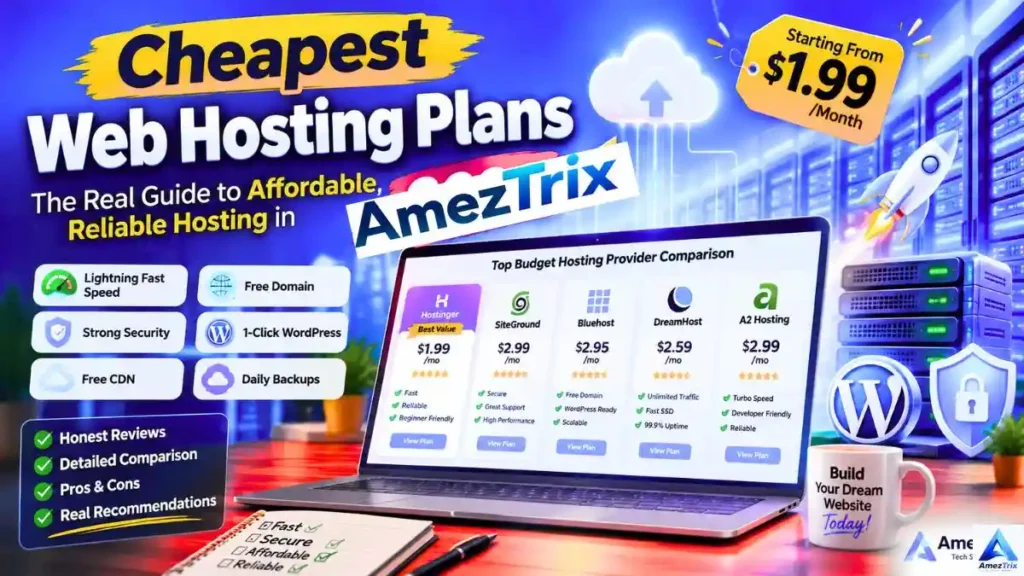
Top 5 Best Web Hosting Providers for Beginners
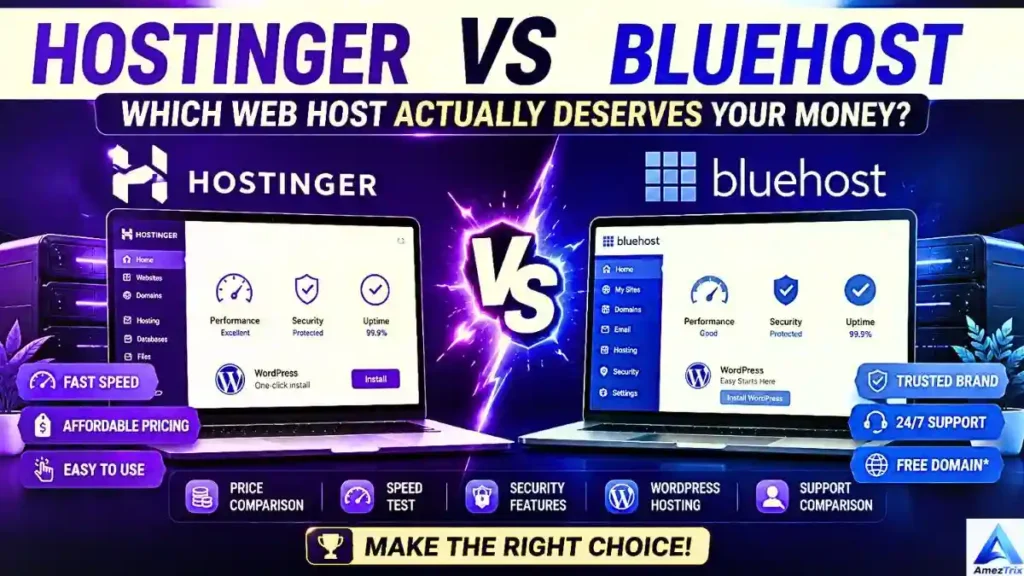
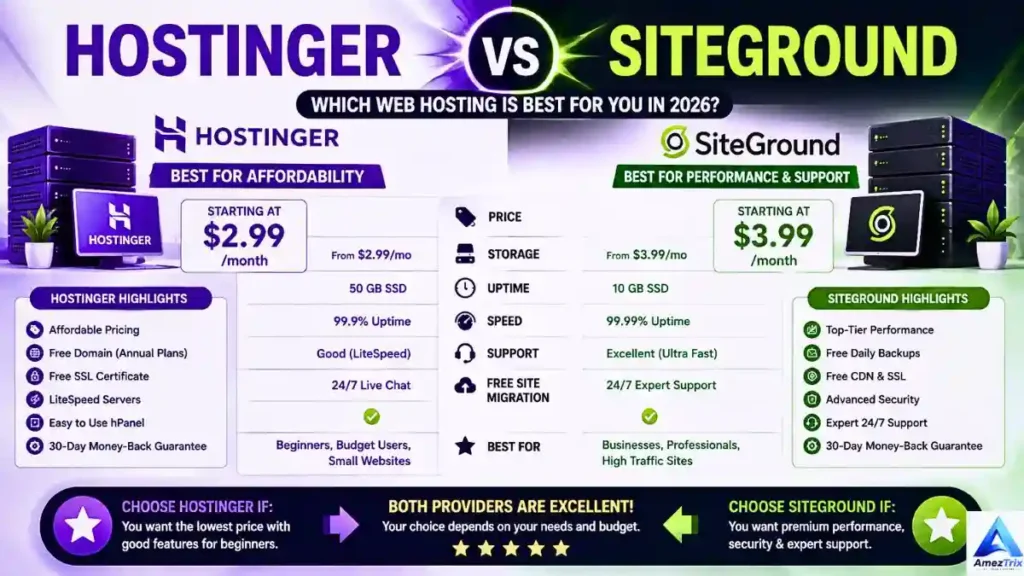
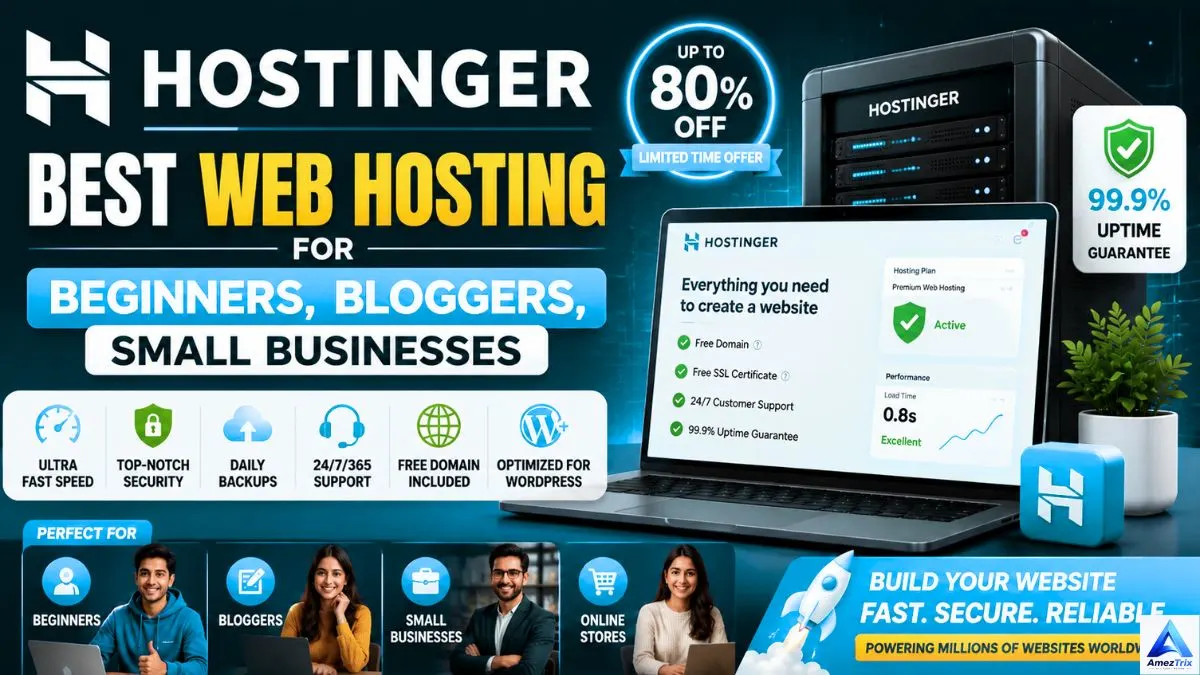
1. Hostinger — Best Overall for Beginners, Bloggers & Small Businesses
Hostinger has built a strong reputation for solid performance without a steep price tag, running LiteSpeed servers, NVMe SSD storage, and data centres across multiple regions.
Highlights: LiteSpeed Web Server, NVMe SSD, free SSL, free migration, managed WordPress optimisation, AI website builder, 99.9% uptime guarantee, 24/7 support.
Pros: fast, affordable, beginner-friendly dashboard, strong WordPress performance.
Cons: renewal pricing jumps from the intro offer; daily backups limited to select plans.
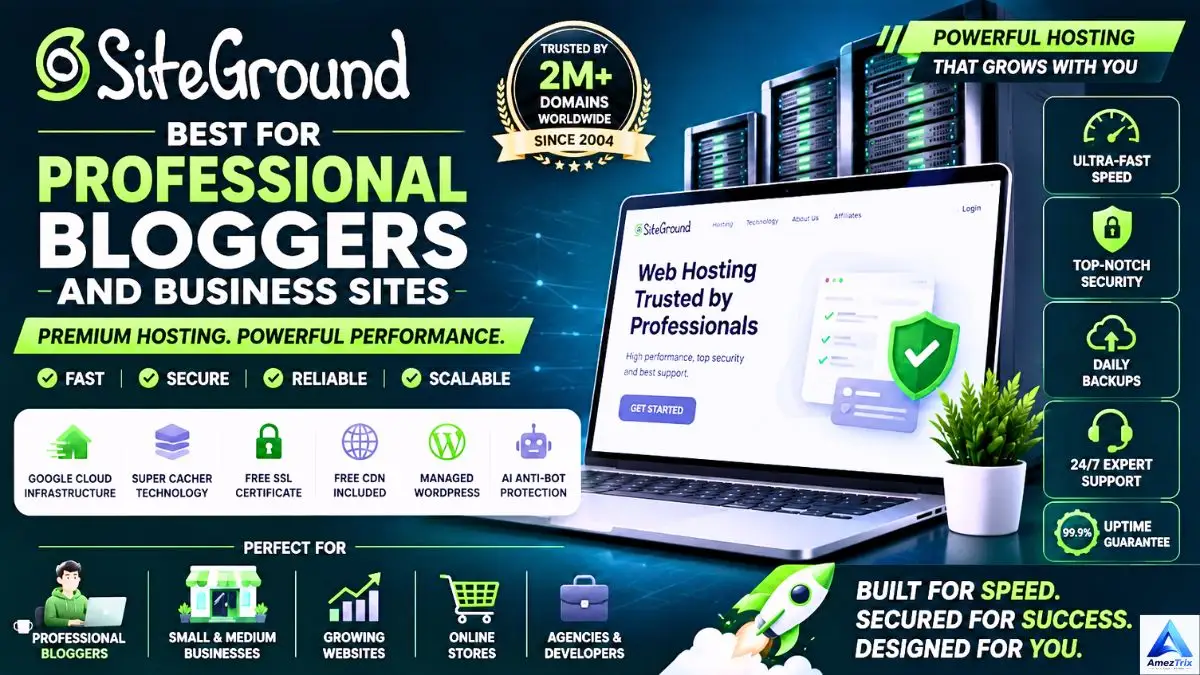
2. SiteGround — Best for Professional Bloggers & Business Sites
SiteGround leans heavily on performance and support quality, running on Google Cloud infrastructure with a custom caching system.
Highlights: Google Cloud infrastructure, SuperCacher tech, free CDN, daily backups, managed WordPress, AI-powered anti-bot protection.
Pros: excellent support, high reliability, strong security, fast worldwide performance.
Cons: premium pricing; limited storage on entry plans.
3. Cloudways — Best for Agencies, Developers & Growing Businesses
Cloudways offers managed cloud hosting on top of major cloud providers — DigitalOcean, Google Cloud, AWS, Vultr, or Linode, your pick.
Pros: excellent speed, flexible scaling, pay-as-you-go pricing, fully managed.
Cons: slight learning curve; no free domain included.
4. Bluehost — Best for WordPress Beginners
Bluehost remains a favourite among first-time site owners thanks to its easy WordPress setup and approachable interface.
Highlights: one-click WordPress install, free domain (select plans), free SSL, 24/7 support, SSD storage.
Pros: simple to use, solid WordPress integration, beginner-friendly.
Cons: performance can dip under heavy traffic; renewal costs rise noticeably.
5. A2 Hosting — Best for Speed Enthusiasts
A2 Hosting built its reputation on Turbo Servers, aimed squarely at cutting load times for performance-focused sites.
Highlights: Turbo Servers, NVMe storage, free migration, LiteSpeed options, optimised WordPress hosting.
Pros: excellent page speed, reliable uptime, developer-friendly.
Cons: Turbo plans cost extra.
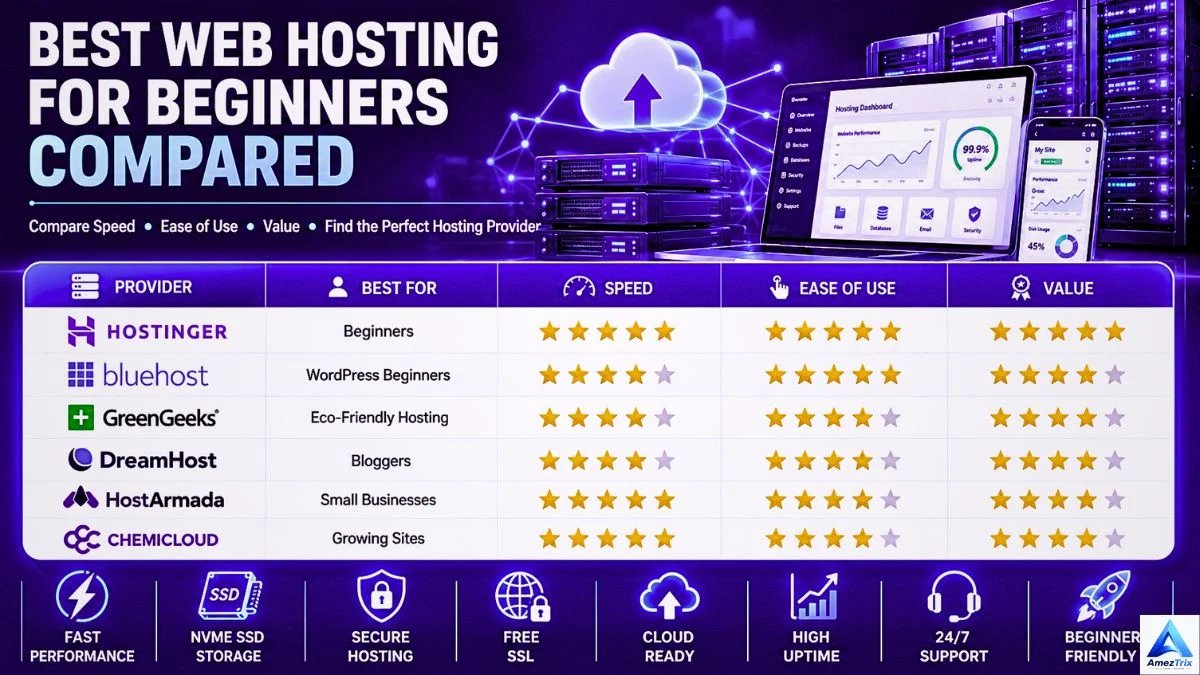
Provider Comparison at a Glance
| Provider | Best For | Speed | Ease of Use | Value |
|---|---|---|---|---|
| Hostinger | Beginners | ★★★★★ | ★★★★★ | ★★★★★ |
| Bluehost | WordPress beginners | ★★★★ | ★★★★★ | ★★★★ |
| GreenGeeks | Eco-friendly hosting | ★★★★ | ★★★★ | ★★★★ |
| DreamHost | Bloggers | ★★★★ | ★★★★ | ★★★★ |
| HostArmada | Small businesses | ★★★★★ | ★★★★ | ★★★★ |
| ChemiCloud | Growing sites | ★★★★★ | ★★★★ | ★★★★ |
How to Actually Choose the Right Plan
Too many first-time buyers pick based on price alone. Here’s a better approach.
1. Know your website type. Personal blog, business site, portfolio, online store, news site, membership site — each has different needs.
[Read more: ChatGPT vs Google Gemini vs Claude — compared before choosing an AI assistant for your website.]
2. Estimate your traffic.
- Up to 10,000 visitors/month → Shared Hosting
- 10,000–100,000/month → VPS or Managed WordPress
- 100,000+/month → Cloud Hosting
3. Plan for storage.
- Simple blog: 5–15 GB
- Business site: 15–30 GB
- WooCommerce store: 30–100 GB
- Large media site: 100 GB+
Go with SSD or NVMe wherever it’s offered.
4. Don’t skip security. Free SSL, daily backups, malware scanning, firewall protection, DDoS mitigation, and two-factor authentication where available.
5. Check the support quality. 24/7 live chat, email support, ticketing, a real knowledge base, and WordPress specialists can save you hours of frustration.
Shared Hosting vs Managed WordPress Hosting
| Feature | Shared Hosting | Managed WordPress |
|---|---|---|
| Price | Lower | Higher |
| Performance | Good | Excellent |
| Automatic Updates | Limited | Yes |
| WordPress Optimisation | Basic | Advanced |
| Security | Good | Excellent |
| Daily Backups | Plan-dependent | Usually included |
| Ease of Use | Easy | Very easy |
How Hosting Quietly Boosts (or Hurts) Your SEO
- Fast server response time lowers Time to First Byte (TTFB), helping Core Web Vitals.
- A global CDN serves content from servers closer to each visitor, cutting latency worldwide.
- HTTP/3 support improves connection efficiency, especially on mobile.
- Automatic SSL supports HTTPS, a recognised ranking signal that also builds visitor trust.
- High uptime keeps search engines crawling and indexing your site without interruption.
- Server-side caching speeds up delivery, which matters a lot for WordPress sites specifically.
Hosting Mistakes People Regret Later
Choosing purely on price. The cheapest plan often skips backups, security, or dependable support.
Ignoring renewal pricing. Intro rates almost always jump after the first term — check the standard renewal cost before you sign up.
Buying “unlimited” without reading the fine print. Most “unlimited” plans run under fair-use policies. Buy what you’ll actually need.
Skipping reviews. Independent, real-world reviews tell you far more than a provider’s own marketing page.
Overlooking scalability. Pick a host you can grow into, not one you’ll outgrow in six months.
Recommended Hosting by Website Type
| Website Type | Recommended Hosting |
|---|---|
| Personal blog | Shared Hosting |
| Professional blog | Managed WordPress |
| Portfolio site | Shared Hosting |
| Local business | Shared or Managed WordPress |
| WooCommerce store | Cloud Hosting |
| SaaS platform | Cloud Hosting |
| Agency site | VPS or Cloud |
| News portal | Cloud Hosting |
| Membership site | VPS |
| Enterprise site | Dedicated or Cloud |
Quick Tips for Better Website Performance
- Go with NVMe SSD hosting.
- Turn on server-side caching.
- Use a CDN for international visitors.
- Compress images with WebP or AVIF.
- Trim unnecessary plugins.
- Keep WordPress, themes, and plugins updated.
- Choose a lightweight theme.
- Check Core Web Vitals regularly.
- Enable GZIP or Brotli compression, if supported.
- Run backups and security scans on a routine schedule.
None of these replace good hosting — they build on top of it.
Frequently Asked Questions
What’s the best web hosting for beginners?
Hostinger is a strong all-round pick — affordable, easy dashboard, NVMe SSD storage, LiteSpeed servers, free SSL, and one-click WordPress. Bluehost is another solid choice if you want an especially simple WordPress setup.
Which hosting works best for bloggers?
Look for speed, uptime, security, and WordPress optimisation. Hostinger, SiteGround, DreamHost, Bluehost, and ChemiCloud all fit the bill. For high-traffic blogs, consider Managed WordPress or Cloud Hosting.
What’s the best hosting for small businesses?
Prioritise 99.9% uptime, business email, daily backups, strong security, fast loading, and easy scaling. Managed WordPress or Cloud Hosting tends to pay off best long-term.
Is shared hosting good enough for a first website?
Yes — for personal sites, new blogs, portfolios, small business sites, and early-stage projects. You can always move up to VPS or Cloud Hosting as traffic grows.
Does hosting really affect SEO?
Yes — through speed, Core Web Vitals, uptime, security, and overall user experience, all of which feed into search rankings.
How much storage do I actually need?
| Website Type | Recommended Storage |
|---|---|
| Personal blog | 10–20 GB |
| Business site | 20–30 GB |
| WooCommerce store | 30–100 GB |
| News site | 50–150 GB |
| Large media site | 100 GB+ |
NVMe SSD storage is worth prioritising wherever it’s available.
What’s the difference between a domain and web hosting?
A domain is your website’s address (yoursite.com). Hosting is the server space where your files, images, and databases actually live. You need both for a site to go live.
Can I switch hosting providers later?
Yes — most reputable hosts offer free or low-cost migration, so you can move your site over with minimal downtime.
Final Verdict
The right host comes down to your goals, budget, and expected traffic.
Choose Shared Hosting if you’re launching your first site, working with a tight budget, expecting modest traffic, and want something simple to manage.
Choose Managed WordPress Hosting if your site runs on WordPress and you want automatic updates, strong security, and optimised performance without the technical legwork.
Choose Cloud Hosting if your site is growing fast, expects heavy traffic, and needs maximum uptime, scalability, and reliability for a business-critical site or online store.
Getting hosting right from the start saves you time, headaches, and a painful migration down the line.
Quick Recommendations by Website Type
| Website Type | Recommended Hosting |
|---|---|
| Beginner website | Hostinger |
| Blogger | SiteGround / Hostinger |
| Small business | Hostinger / Cloudways |
| WordPress website | Managed WordPress Hosting |
| WooCommerce store | Cloud Hosting |
| Agency website | VPS or Cloud Hosting |
| Large business | Dedicated or Cloud Hosting |
| High-traffic website | Cloud Hosting |
Conclusion
Choosing the best web hosting for beginners is one of the more consequential decisions you’ll make while building a website. Whether you’re launching your first blog, running a growing WordPress site, or establishing your small business online, a provider that delivers on speed, security, uptime, and support makes a real difference.
Don’t just chase the lowest price — weigh long-term value, scalability, and actual performance instead. NVMe SSD storage, LiteSpeed servers, free SSL, automated backups, CDN integration, and genuinely helpful support add up to a website that works for you, not against you.
As your traffic grows, your hosting should grow right alongside it. Starting with a dependable provider now means fewer headaches — and fewer migrations — later. Ready to get started? Compare the providers above, pick the plan that fits where you are today, and build a site that’s fast, secure, and built to last.
About the Author
Rajendra Parmar is the founder of AmezTrix and a passionate AI & technology writer. He shares expert guides, honest reviews, and practical tutorials on AI tools, WordPress, web hosting, SEO, digital marketing, gadgets, and emerging technologies. His mission is to help readers make smarter tech decisions with accurate, up-to-date, and easy-to-understand content.
Discover the best web hosting for beginners, bloggers, and small businesses. Compare fast, secure, affordable hosting with expert reviews.
Best Web Hosting for Beginners, Bloggers & Small Businesses (2026 Affordable & Fast Hosting Guide)
Starting a website today is simpler than it’s ever been but picking the right and Best Web Hosting for Students and Beginners? That part still trips people up. Scroll through any hosting comparison page and you’ll see the same promises repeated over and over: blazing speeds, near-perfect uptime, unbeatable prices. The problem is figuring out which provider actually backs up those claims.
Whether you’re publishing your first blog post, setting up a small business site, building a portfolio, or opening an online store, your hosting company quietly shapes almost everything about how that site performs. It affects load times, security, and whether your business looks credible to a first-time visitor.
Best Web Hosting for Beginners keeps your pages fast, your site online, your data protected, and gives you room to grow. Bad hosting does the opposite slow pages, random outages, security scares, and visitors who leave before your homepage finishes loading.
This guide walks through everything you need to know before choosing a host: the different hosting types, the features that actually matter, and a side-by-side look at some of the most trusted providers on the market right now so you can pick with confidence instead of guessing.
Why Your Web Hosting Choice Actually Matters
A lot of people assume hosting is just “where the website files live.” That’s not wrong, exactly, but it’s only a tiny slice of what modern hosting does.
Best Web Hosting for Beginners for Your host has a direct hand in:
- Page load speed
- Search rankings
- Overall user experience
- Site security
- Backup reliability
- Email hosting
- How credible your brand looks
- Conversion rates
- Revenue
Google factors page speed and user experience into how it ranks pages. A slow site loses visitors before they even see your content and that shows up as higher bounce rates and fewer conversions.
Bloggers with faster sites keep more readers around. Businesses with faster sites get more calls and enquiries. Online stores with faster sites simply sell more every extra second of load time chips away at conversions.
That’s really the whole case for treating hosting as an investment rather than a line-item expense.
What Web Hosting Actually Is
In plain terms, Best Web Hosting for Beginners is a service that keeps your website’s files on a server connected to the internet, ready to be pulled up whenever someone visits your domain.
A simple way to picture it:
- Domain name — your website’s street address (yoursite.com)
- Hosting — the plot of land your site is built on
- Website — the actual house your visitors walk into
No hosting, no website — at least not one anyone else can reach.
Beyond just storage, most hosting plans today throw in a bundle of extras:
- Free SSL certificates
- Daily backups
- Malware scanning
- Free migration
- Email accounts
- CDN access
- Automatic updates
- One-click WordPress installs
- Speed optimisation tools
- Customer support
For Best Web Hosting for Beginners especially, these extras take a lot of the guesswork out of running a site.
How Web Hosting Works, Step by Step
Here’s what happens behind the scenes every time someone visits your site:
- They type in your domain name.
- DNS converts that domain into an IP address.
- Their browser connects to your hosting server.
- The server processes the request.
- Your website files get sent over.
- The page loads on their screen.
On a properly optimised host, this whole sequence takes under two seconds.
The Main Types of Best Web Hosting for Beginners
Picking the right type of hosting matters just as much as picking the right company.
1. Shared Hosting
The entry-level option — several websites split the resources of one server, which keeps costs low without sacrificing too much performance for a new site.
Good for: first-timers, personal sites, bloggers, students, portfolios, small informational sites
Pros: cheap, simple dashboards, beginner-friendly, free SSL included, one-click WordPress setup, zero technical skill needed
Cons: resources are shared, performance can dip during traffic spikes, limited customisation
2. VPS Hosting
A VPS (Virtual Private Server) splits one physical machine into several virtual ones, each with its own dedicated slice of resources.
Good for: growing blogs, business sites, developers, mid-sized stores
Pros: stronger performance, dedicated resources, tighter security, more control, room to scale
Cons: costs more, needs a bit of technical know-how
3. Cloud Hosting
Instead of one server, cloud hosting spreads your site across a network of connected servers. If one has an issue, another quietly picks up the slack.
Good for: high-traffic sites, businesses, SaaS products, growing stores
Pros: strong uptime, flexible scaling, fast page loads, dependable performance
Cons: pricier, setup can be more involved on some platforms
4. Managed WordPress Hosting
Built specifically for WordPress — the provider handles the updates, security, caching, and backups for you.
Good for: bloggers, businesses, agencies, content creators
Pros: peak WordPress performance, automatic updates, tighter security, daily backups, WordPress-savvy support
Cons: costs more than shared hosting, not much use if you’re not on WordPress
5. Dedicated Hosting
An entire physical server, exclusively yours.
Good for: large enterprises, high-traffic sites, government bodies, big eCommerce operations
Pros: top-tier performance, full server control, maximum security, complete customisation
Cons: expensive, needs advanced server management skills
Features Worth Checking Before You Buy
Speed and Performance
Speed touches SEO, user experience, bounce rate, sales, and even ad revenue. Look for Best Web Hosting for Beginners:
- NVMe SSD storage
- LiteSpeed Web Server
- HTTP/3 support
- Built-in caching
- CDN integration
- Servers located near your audience
Uptime Guarantee
Aim for 99.9% uptime or better. Repeated outages cost you visitors, trust, and search visibility.
Free SSL Certificate
SSL encrypts the data moving between your site and your visitors, enables HTTPS, supports SEO, and reassures visitors that your site is safe.
Daily Backups
Automatic backups are your safety net against accidental data loss, hacking, or a botched update and a good host makes restoring one painless.
Customer Support
Especially valuable for beginners. Look for 24/7 live chat, email support, a ticketing system, a solid knowledge base, and WordPress-specific expertise.
An Easy Control Panel
A clean dashboard — cPanel, DirectAdmin, or a custom one — makes installing WordPress, managing domains, and setting up email far less painful.
What Bloggers Actually Need From Best Web Hosting for Beginners
Blogging today is nothing like the personal-diary era. Blogs now build personal brands, generate income, drive customer acquisition, and establish authority in nearly every niche imaginable — tech, travel, finance, food, wellness, you name it.
Unlike a static business site, blogs get updated constantly and can see sudden traffic surges the moment a post starts ranking or goes viral on social media. That means your host needs to keep up.
A solid blogging host should offer:
- Fast page loads
- Strong uptime
- Simple WordPress installation
- Automatic updates
- Daily backups
- Solid security
- One-click staging, if available
- Built-in caching
- Free SSL
- Responsive support
Since WordPress still powers a huge share of the web, hosting optimised specifically for it can noticeably improve your day-to-day blogging experience.
Speed Is Everything
Visitors abandon slow pages fast — usually within a few seconds. Faster hosting means better session times, stronger Core Web Vitals, higher rankings, and more affiliate or ad revenue.
WordPress-Specific Optimisation
Look for LiteSpeed or NGINX servers, object caching, image optimisation, automatic updates, and solid plugin compatibility — this cuts down significantly on manual tinkering.
Backups You Can Rely On
Picture publishing hundreds of posts, then losing it all to a bad plugin update or malware attack. Daily backups mean you can restore everything with barely any disruption.
Security That Doesn’t Slack
Blogs get targeted often. Look for free SSL, malware scanning, a Web Application Firewall, DDoS protection, and login security.
Room to Scale
Plenty of blogs start with a handful of daily readers and explode after one viral post or a strong SEO run. A scalable host lets you upgrade without a painful migration.
Best Web Hosting for Beginners Type
| Blogger Type | Best Option |
|---|---|
| Just starting out | Shared Hosting |
| Established/professional | Managed WordPress Hosting |
| High-traffic | Cloud Hosting |
Hosting for Small Business Websites
Every business needs a credible online presence — whether you run a local service, a consultancy, a restaurant, an agency, or a retail shop. For most customers, your website is their very first impression of you.
Good hosting helps you build trust, generate leads, boost sales, support SEO, and stay online consistently. Even a short outage can mean missed enquiries and lost revenue.
What Small Businesses Should Prioritise
Professional email hosting — an address like info@yourbusiness.com looks far more credible than a free webmail account, and most hosting plans bundle this in.
High reliability — aim for 99.9%+ uptime, redundant infrastructure, active monitoring, and automatic failover where it’s offered.
Security — SSL, daily backups, malware protection, firewalls, and automatic updates protect both your business and your customers’ data.
Room to grow — your host should handle more traffic, more sites, more storage, and more bandwidth as your business expands, so you’re not forced into a stressful migration later.
Shared Hosting vs VPS Hosting vs Cloud Hosting: A Quick Comparison
| Feature | Shared Hosting | VPS Hosting | Cloud Hosting |
|---|---|---|---|
| Cost | Lowest | Medium | Medium–High |
| Performance | Good | Very Good | Excellent |
| Scalability | Limited | Good | Outstanding |
| Security | Good | Better | Excellent |
| Speed | Good | Fast | Very Fast |
| Resources | Shared | Dedicated virtual | Distributed |
| Best For | Beginners | Growing sites | High-traffic businesses |
What Actually Makes a Host “Fast”?
Every provider claims lightning speed. Here’s what genuinely drives it:
NVMe SSD storage — much faster than traditional hard drives, meaning quicker file access and better database performance.
LiteSpeed Web Server — known for efficient page generation, lower resource usage, and strong built-in caching.
CDN (Content Delivery Network) — stores copies of your site across servers worldwide so visitors load content from whichever server sits closest to them, cutting latency and boosting uptime.
Built-in caching — browser, object, server, and page caching all reduce the load on your server and speed up delivery.
HTTP/3 support — faster, more secure connections, especially valuable on mobile networks.
Data centre location — pick servers near your main audience. US audience, US servers. UK audience, UK servers. Global audience, lean on a CDN.
What “Affordable” Should Actually Include
Cheap doesn’t have to mean low-quality. Reputable providers still pack real value into entry-level plans, including:
- Free SSL certificate
- Free migration
- One-click WordPress install
- SSD or NVMe storage
- Automatic backups
- 24/7 support
- Email accounts
- Security tools
The lowest sticker price isn’t automatically the best deal — check renewal pricing, performance, and support quality before committing.
[Read more about Best AI Agents for Businesses | Top 10 AI Tools.]
Signs You’ve Found a Quality Host
- Transparent pricing, no hidden charges
- Genuinely positive reviews
- Regular infrastructure upgrades
- Clear uptime commitments
- Fast, helpful support
- Plans that scale with you
- Solid security practices
- Real performance-boosting technology
Top 5 Best Web Hosting Providers
1. Hostinger — Best Web Hosting for Beginners, Bloggers, Small Businesses
Hostinger has built a strong reputation for delivering solid performance without a steep price tag. Its setup includes LiteSpeed servers, NVMe SSD storage, and data centres spread across multiple regions.
Highlights: LiteSpeed Web Server, NVMe SSD storage, free SSL, free migration, managed WordPress optimisation, backups (plan-dependent), AI website builder, 99.9% uptime guarantee, 24/7 support
Pros: fast, affordable, beginner-friendly dashboard, strong WordPress performance
Cons: renewal pricing jumps up from the intro offer; daily backups limited to select plans
2. SiteGround — Best for Professional Bloggers and Business Sites
SiteGround leans heavily on performance and support quality, running on Google Cloud infrastructure with a custom caching system.
Highlights: Google Cloud infrastructure, SuperCacher tech, free CDN, daily backups, managed WordPress, AI Tool or anti-bot protection
Pros: excellent support, high reliability, strong security, fast worldwide performance
Cons: premium pricing; limited storage on entry plans
3. Cloudways — Best for Agencies, Developers, Growing Businesses

Cloudways offers managed cloud hosting on top of major cloud providers — DigitalOcean, Google Cloud, AWS, Vultr, or Linode, your pick.
Pros: excellent speed, flexible scaling, pay-as-you-go pricing, fully managed Cons: slight learning curve; no free domain included
4. Bluehost — Best for WordPress Beginners
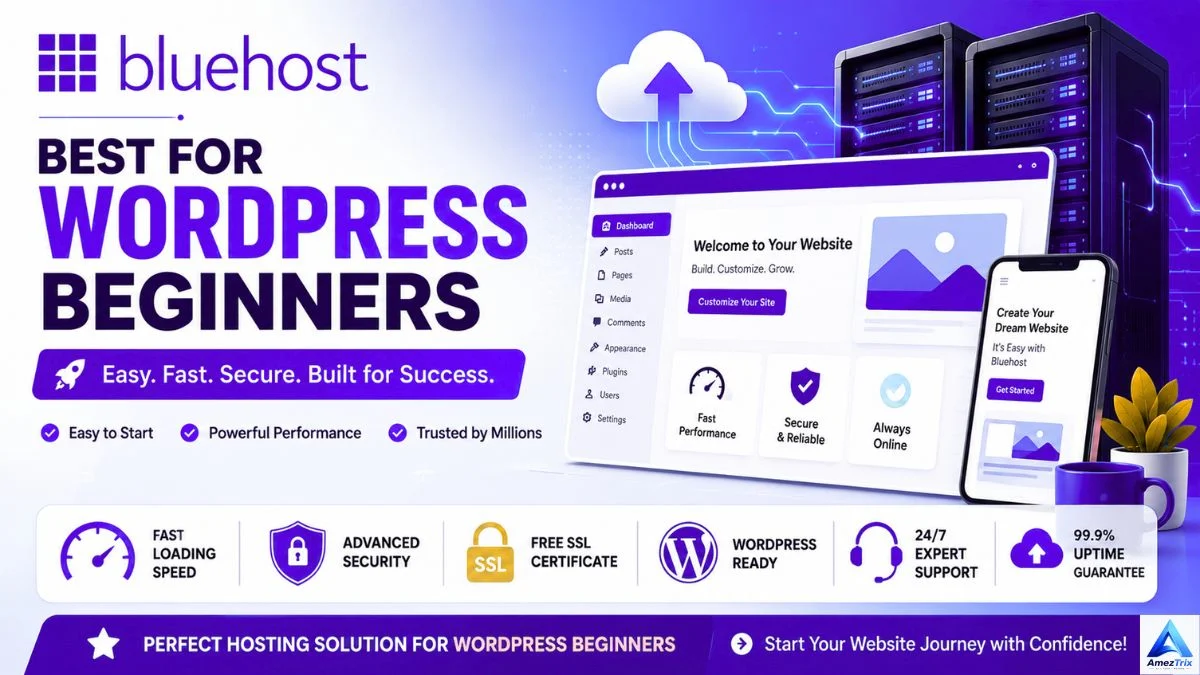
Bluehost remains a favourite among first-time site owners thanks to its easy WordPress setup and approachable interface.
Highlights: one-click WordPress install, free domain (select plans), free SSL, 24/7 support, SSD storage
Pros: simple to use, solid WordPress integration, beginner-friendly Cons: performance can dip under heavy traffic; renewal costs rise noticeably
5. A2 Hosting — Best for Speed Enthusiasts
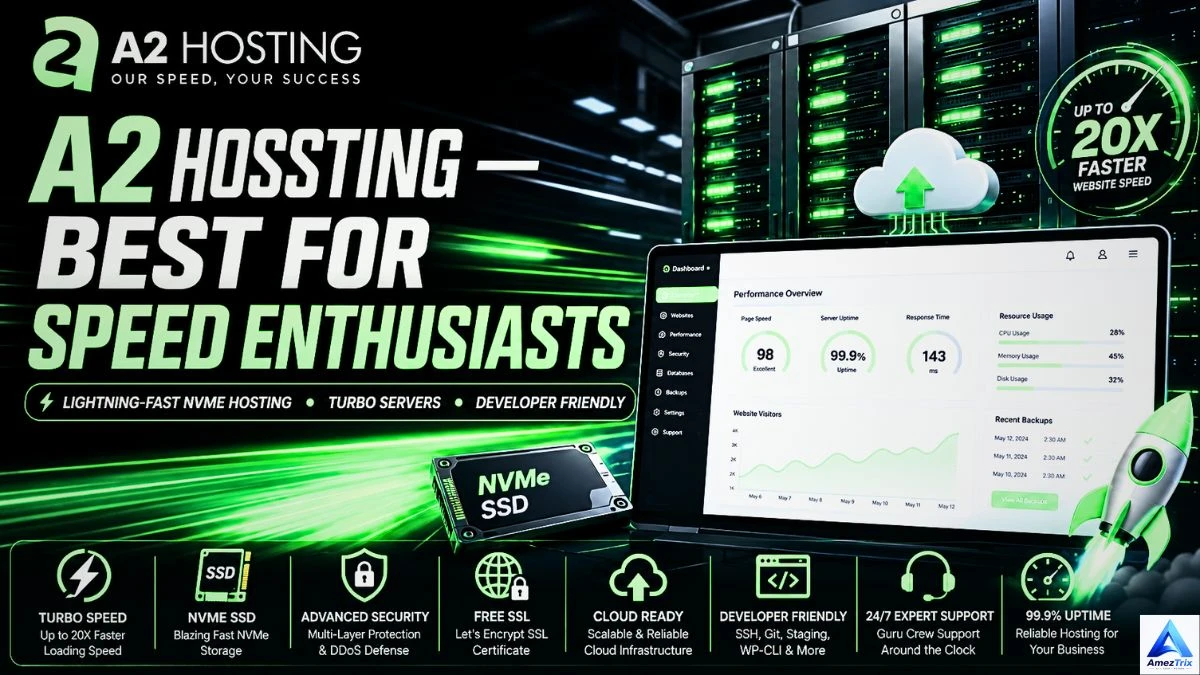
A2 Hosting built its reputation on Turbo Servers, aimed squarely at cutting load times for performance-focused sites.
Highlights: Turbo Servers, NVMe storage, free migration, LiteSpeed options, optimised WordPress hosting
Pros: excellent page speed, reliable uptime, developer-friendly Cons: Turbo plans cost extra
Providers Affordable and Best Web Hosting for Beginners Compared
| Provider | Best For | Speed | Ease of Use | Value |
|---|---|---|---|---|
| Hostinger | Beginners | ★★★★★ | ★★★★★ | ★★★★★ |
| Bluehost | WordPress beginners | ★★★★ | ★★★★★ | ★★★★ |
| GreenGeeks | Eco-friendly hosting | ★★★★ | ★★★★ | ★★★★ |
| DreamHost | Bloggers | ★★★★ | ★★★★ | ★★★★ |
| HostArmada | Small businesses | ★★★★★ | ★★★★ | ★★★★ |
| ChemiCloud | Growing sites | ★★★★★ | ★★★★ | ★★★★ |
How to Actually Choose the Right Plan
Too many first-time buyers pick based on price alone. Here’s a better approach.
1. Know your website type. Personal blog, business site, portfolio, online store, news site, membership site — each has different needs.
[Read more about Compare ChatGPT, Google Gemini, and Claude before choosing an AI assistant for your website.]
2. Estimate your traffic.
- Up to 10,000 visitors/month → Shared Hosting
- 10,000–100,000/month → VPS or Managed WordPress
- 100,000+/month → Cloud Hosting
3. Plan for storage.
- Simple blog: 5–15 GB
- Business site: 15–30 GB
- WooCommerce store: 30–100 GB
- Large media site: 100 GB+
Go with SSD or NVMe wherever it’s offered.
4. Don’t skip security. Free SSL, daily backups, malware scanning, firewall protection, DDoS mitigation, and two-factor authentication where available.
5. Check the support quality. 24/7 live chat, email support, ticketing, a real knowledge base, and WordPress specialists can save you hours of frustration.
Shared Hosting vs Managed WordPress Hosting
| Feature | Shared Hosting | Managed WordPress |
|---|---|---|
| Price | Lower | Higher |
| Performance | Good | Excellent |
| Automatic Updates | Limited | Yes |
| WordPress Optimisation | Basic | Advanced |
| Security | Good | Excellent |
| Daily Backups | Plan-dependent | Usually included |
| Ease of Use | Easy | Very easy |
Features of Best Web Hosting for Beginners – That Quietly Boost SEO
Your host affects more than just uptime — it plays into your technical SEO too.
- Fast server response time lowers Time to First Byte (TTFB), which helps Core Web Vitals.
- A global CDN serves content from servers closer to each visitor, cutting latency worldwide.
- HTTP/3 support improves connection efficiency, especially on mobile.
- Automatic SSL supports HTTPS, a recognised ranking signal that also builds visitor trust.
- High uptime keeps search engines crawling and indexing your site without interruption.
- Server-side caching speeds up delivery, which matters a lot for WordPress sites specifically.
Hosting Mistakes People Regret Later
Choosing purely on price. The cheapest plan often skips backups, security, or dependable support.
Ignoring renewal pricing. Intro rates almost always jump after the first term — check the standard renewal cost before you sign up.
Buying “unlimited” without checking the fine print. Most “unlimited” plans run under fair-use policies. Buy what you’ll actually need.
Skipping reviews. Independent, real-world reviews tell you far more than a provider’s own marketing page.
Overlooking scalability. Pick a host you can grow into, not one you’ll outgrow in six months.
Recommended Hosting by Website Type
| Website Type | Recommended Hosting |
|---|---|
| Personal blog | Shared Hosting |
| Professional blog | Managed WordPress |
| Portfolio site | Shared Hosting |
| Local business | Shared or Managed WordPress |
| WooCommerce store | Cloud Hosting |
| SaaS platform | Cloud Hosting |
| Agency site | VPS or Cloud |
| News portal | Cloud Hosting |
| Membership site | VPS |
| Enterprise site | Dedicated or Cloud |
Quick Tips for Better Website Performance
- Go with NVMe SSD hosting.
- Turn on server-side caching.
- Use a CDN for international visitors.
- Compress images with WebP or AVIF.
- Trim unnecessary plugins.
- Keep WordPress, themes, and plugins updated.
- Choose a lightweight theme.
- Check Core Web Vitals regularly.
- Enable GZIP or Brotli compression, if supported.
- Run backups and security scans on a routine schedule.
None of these replace good hosting — they build on top of it.
Frequently Asked Questions
What’s the best web hosting for beginners?
Hostinger is a strong and Best Web Hosting for Beginners — affordable, easy dashboard, NVMe SSD storage, LiteSpeed servers, free SSL, and one-click WordPress. Bluehost is another solid choice if you want an especially simple WordPress setup.
Which hosting works best for bloggers?
Look for speed, uptime, security, and WordPress optimisation. Hostinger, SiteGround, DreamHost, Bluehost, and ChemiCloud all fit the bill. For high-traffic blogs, consider stepping up to Managed WordPress or Cloud Hosting.
What’s the best hosting for small businesses?
Prioritise 99.9% uptime, business email, daily backups, strong security, fast loading, and easy scaling. Managed WordPress or Cloud Hosting tends to pay off best long-term.
Is shared hosting good enough?
Yes, for personal sites, new blogs, portfolios, small business sites, and early-stage projects. You can always move up to VPS or Cloud Hosting as traffic grows.
Does hosting really affect SEO?
Yes — through speed, Core Web Vitals, uptime, security, and overall user experience, all of which feed into search rankings.
How much storage do I actually need?
| Website Type | Recommended Storage |
|---|---|
| Personal blog | 10–20 GB |
| Business site | 20–30 GB |
| WooCommerce store | 30–100 GB |
| News site | 50–150 GB |
| Large media site | 100 GB+ |
NVMe SSD storage is worth prioritising wherever it’s available.
What’s the difference between a domain and web hosting?
A domain is your website’s address (yoursite.com). Hosting is the server space where your files, images, and databases actually live. You need both for a site to go live.
Can I switch hosting providers later?
Yes — most reputable hosts offer free or low-cost migration, so you can move your site over with minimal downtime.
Final Verdict
The right host really comes down to your goals, your budget, and how much traffic you expect.
Choose Shared Hosting if you’re launching your first site, working with a tight budget, expecting modest traffic, and want something simple to manage.
Choose Managed WordPress Hosting if your site runs on WordPress and you want automatic updates, strong security, and optimised performance without the technical legwork.
Choose Cloud Hosting if your site is growing fast, you expect heavy traffic, and you need maximum uptime, scalability, and reliability for a business-critical site or online store.
Getting hosting right from the start saves you time, headaches, and a painful migration down the line.
Quick Recommendations by Website Type
| Website Type | Recommended Hosting |
|---|---|
| Beginner website | Hostinger |
| Blogger | SiteGround / Hostinger |
| Small business | Hostinger / Cloudways |
| WordPress website | Managed WordPress Hosting |
| WooCommerce store | Cloud Hosting |
| Agency website | VPS or Cloud Hosting |
| Large business | Dedicated or Cloud Hosting |
| High-traffic website | Cloud Hosting |
Conclusion
Choosing the right and Best Web Hosting for Beginners is one of the more consequential decisions you’ll make while building a website. Whether you’re launching your first blog, running a growing WordPress site, or establishing your small business online, a provider that delivers on speed, security, uptime, and support makes a real difference.
Don’t just chase the lowest price — weigh long-term value, scalability, and actual performance instead. Features like NVMe SSD storage, LiteSpeed servers, free SSL, automated backups, CDN integration, and genuinely helpful support add up to a website that works for you, not against you.
As your traffic grows, your hosting should grow right alongside it. Starting with a dependable provider now means fewer headaches — and fewer migrations — later.
Ready to get started? Compare the providers above, pick the plan that fits where you are today, and build a site that’s fast, secure, and built to last.
About the Author
Rajendra Parmar is the founder of AmezTrix and a passionate AI & technology writer. He shares expert guides, honest reviews, and practical tutorials on AI tools, WordPress, web hosting, SEO, digital marketing, gadgets, and emerging technologies. His mission is to help readers make smarter tech decisions with accurate, up-to-date, and easy-to-understand content.