Google Gemini vs ChatGPT vs Claude: Compare features, coding, writing, pricing & performance to find the best AI assistant for your needs.
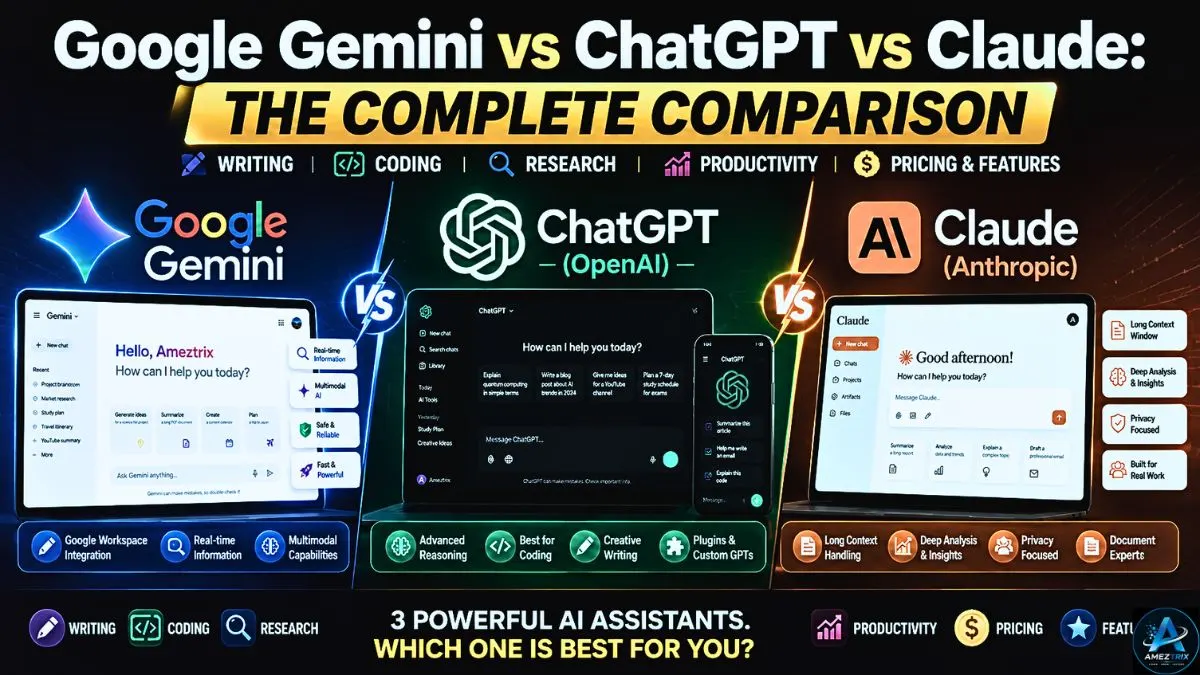
Google Gemini vs ChatGPT vs Claude: The Complete Comparison
AI chatbots have quietly rewired how we work, learn, write, and build things. Students lean on them to prep assignments, content creators use them to draft articles faster, developers turn to them for untangling gnarly code, and business teams automate the tedious parts of their day. What used to feel experimental just a couple of years ago is now, for a lot of people, simply part of the job.
Three names dominate this space right now:
- ChatGPT by OpenAI
- Google Gemini by Google
- Claude by Anthropic
All three are genuinely impressive, but they don’t play the same game. Reasoning style, writing quality, coding chops, integrations, pricing, memory, multimodal support, overall feel — each one leans differently, and those differences matter more than most comparison charts let on.
[Rad more about Top 10 Best Web Hosting Providers in 2026 | Detailed Review]
So which one should you actually use?
Honestly, it depends on what you need it for.
Chasing the best writing partner? Need a coding sidekick that doesn’t miss a beat? Want deep research capability? Living inside Google Workspace all day? Handling sensitive business documents that need careful handling?
This guide breaks down where each of these three actually shines — and where they fall short — so you can make a decision based on your workflow, not marketing copy.
By the time you finish reading, you’ll know exactly which one deserves a spot in your daily toolkit.
What Exactly Are AI Language Models?
Before diving into comparisons, it’s worth understanding what’s actually happening under the hood.
Large Language Models, or LLMs, are trained on enormous amounts of text — books, articles, research papers, websites, code, and public data of every kind. They’re not memorizing facts the way a database would; they’re learning patterns in how language works.
[Read more about Top 25 Best AI Tools for Students (Free & Paid)]
Unlike a search engine pulling up existing pages, these models generate responses on the fly, based on the patterns and context they’ve learned.
Today’s AI models can typically:
- Write articles
- Answer questions
- Summarize documents
- Translate between languages
- Generate code
- Break down complex topics
- Work through math problems
- Analyze PDFs
- Generate images (depending on the platform)
- Read uploaded files
- Help brainstorm ideas
- Support research work
All three ChatGPT vs Gemini vs Claude Ai tools we’re comparing can do most of this. Where they diverge is how well they do it, and in what context.
Meet the Three AI Giants – Google Gemini vs ChatGPT vs Claude
1. ChatGPT (OpenAI)
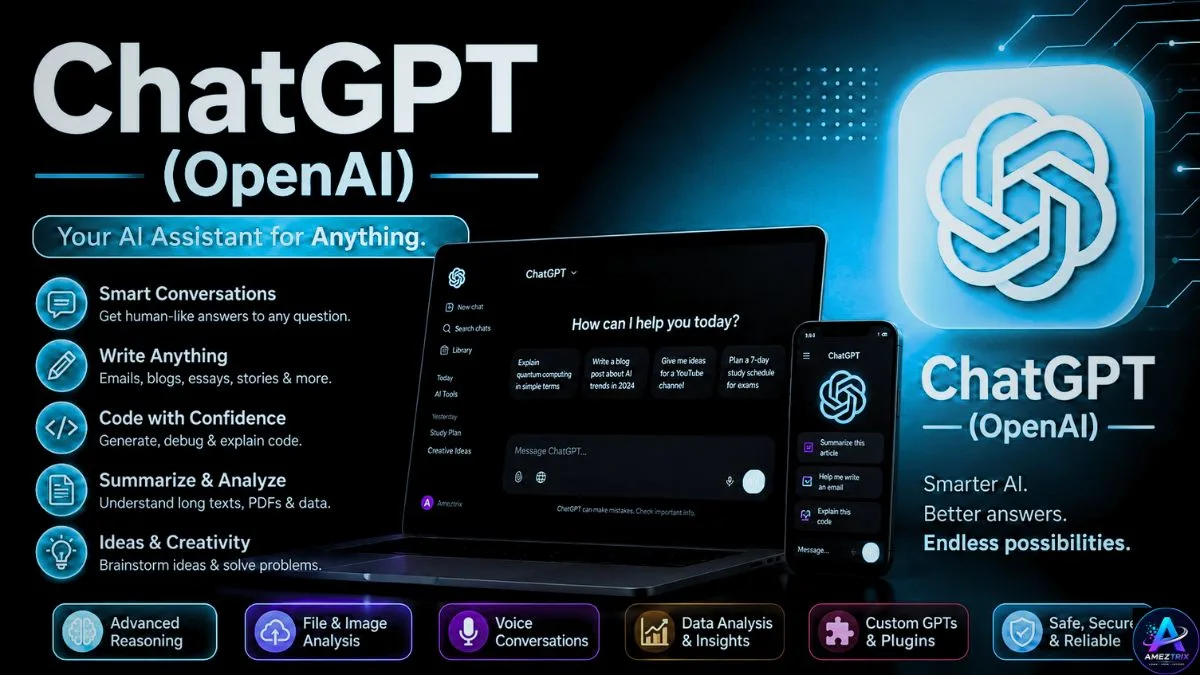
ChatGPT needs little introduction at this point — it’s one of the most widely used AI assistants on the planet, and for good reason. Since launch, it’s become the default AI tool for millions of people across nearly every profession.
It’s particularly well known for:
- Natural, flowing conversation
- Creative writing
- Programming help
- Data analysis
- Summarizing documents
- Image generation (on eligible plans)
- Strong reasoning
- Voice conversations
Students, businesses, marketers, developers, teachers, researchers — ChatGPT’s user base spans nearly all of them.
Best For: content creation, blogging, programming, learning, productivity, brainstorming, business workflows
2. Google Gemini
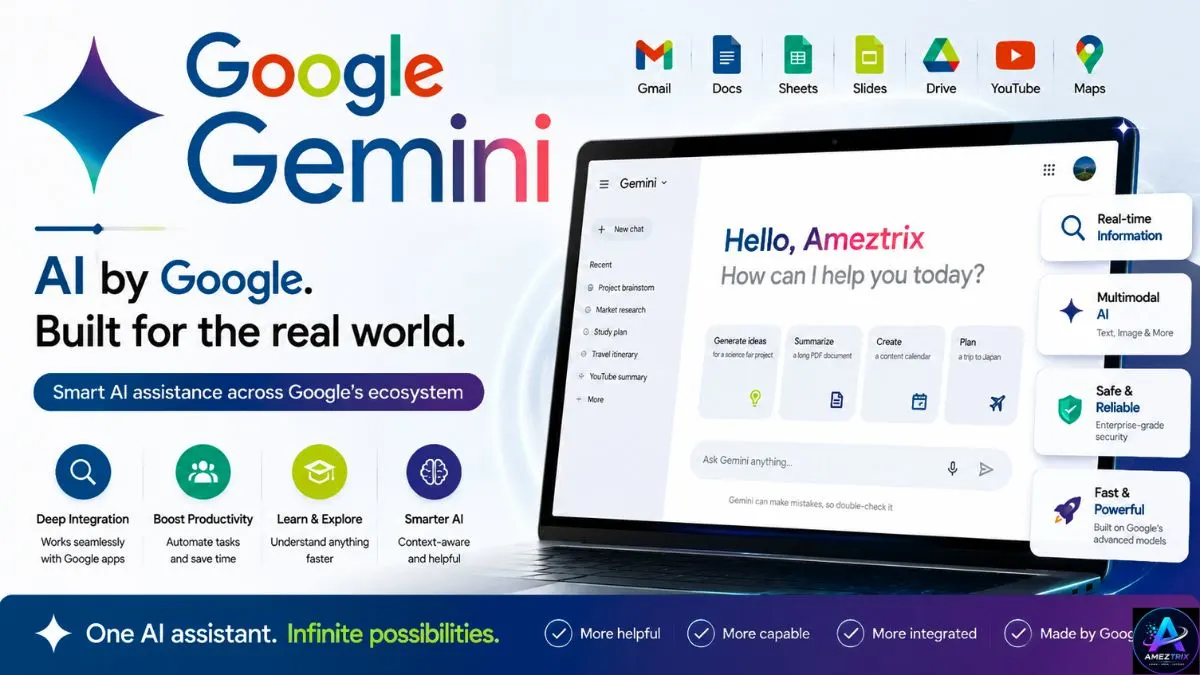
Gemini is Google’s answer to the AI assistant race, and its biggest advantage is baked right into its DNA: deep integration with the Google ecosystem.
Rather than functioning as a standalone chatbot, Gemini plugs directly into:
- Gmail
- Google Docs
- Google Sheets
- Google Slides
- Google Drive
- Google Maps
- YouTube
- Google Search
If you already live inside Google Workspace, this integration alone can make Gemini worth using. It also tends to be strong at pulling in current information through its connection to Google’s own services.
Best For: Google Workspace users, students, researchers, everyday productivity
3. Claude (Anthropic)
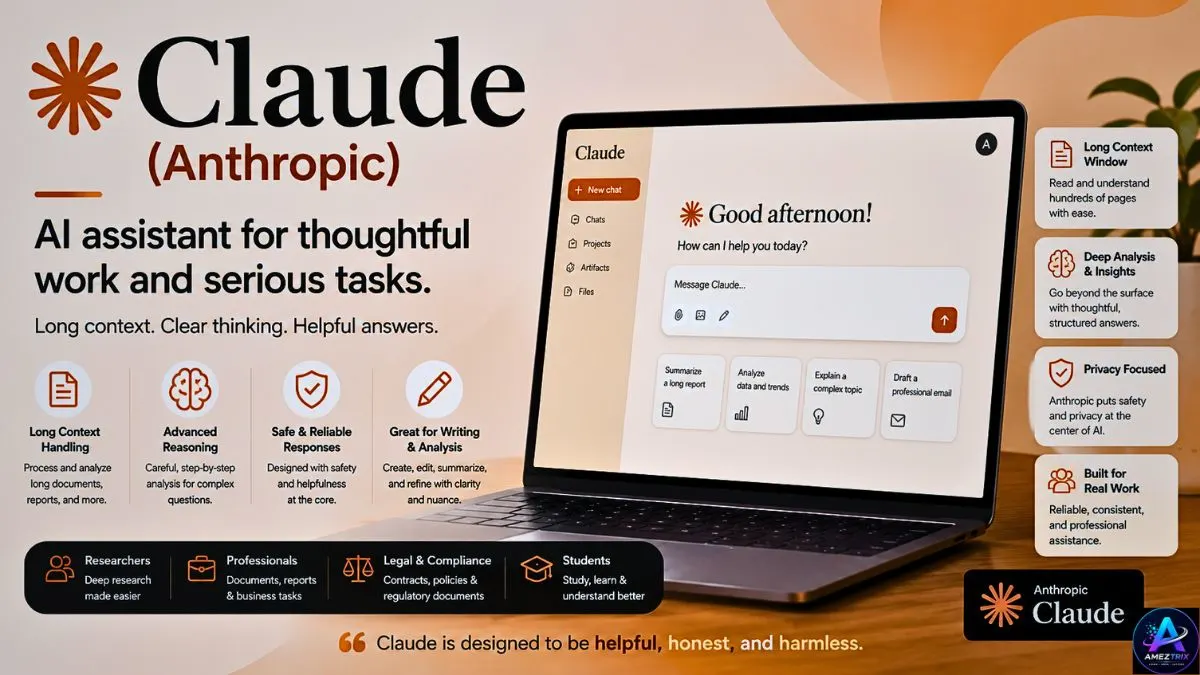
Claude, built by Anthropic, puts a heavy emphasis on safety, reliability, and handling long stretches of context without losing the thread.
It’s become a favorite among people who regularly work through dense material — lengthy reports, legal contracts, books, research papers. Claude’s responses tend to come across as structured, thoughtful, and carefully reasoned rather than rushed.
Best For: long-form writing, research, business documents, legal analysis, reading PDFs, academic work
ChatGPT vs Gemini vs Claude Feature Overview
At a glance, these tools [Google Gemini vs ChatGPT vs Claude] might look interchangeable. Look closer, and their priorities diverge quite a bit.
| Feature | ChatGPT | Google Gemini | Claude |
|---|---|---|---|
| Conversational AI | ⭐⭐⭐⭐⭐ | ⭐⭐⭐⭐☆ | ⭐⭐⭐⭐⭐ |
| Writing | ⭐⭐⭐⭐⭐ | ⭐⭐⭐⭐☆ | ⭐⭐⭐⭐⭐ |
| Coding | ⭐⭐⭐⭐⭐ | ⭐⭐⭐⭐☆ | ⭐⭐⭐⭐⭐ |
| Research | ⭐⭐⭐⭐☆ | ⭐⭐⭐⭐⭐ | ⭐⭐⭐⭐⭐ |
| Creativity | ⭐⭐⭐⭐⭐ | ⭐⭐⭐⭐☆ | ⭐⭐⭐⭐☆ |
| Long Context | ⭐⭐⭐⭐☆ | ⭐⭐⭐⭐☆ | ⭐⭐⭐⭐⭐ |
| Google Integration | ⭐⭐☆☆☆ | ⭐⭐⭐⭐⭐ | ⭐☆☆☆☆ |
| Business Documents | ⭐⭐⭐⭐☆ | ⭐⭐⭐⭐☆ | ⭐⭐⭐⭐⭐ |
| Ease of Use | ⭐⭐⭐⭐⭐ | ⭐⭐⭐⭐⭐ | ⭐⭐⭐⭐☆ |
| Multimodal Support | ⭐⭐⭐⭐⭐ | ⭐⭐⭐⭐⭐ | ⭐⭐⭐⭐☆ |
Google Gemini vs ChatGPT vs Claude – Detailed Feature Comparison
1. User Interface
A tool is only as good as how comfortable it feels to actually use.
ChatGPT ChatGPT’s interface is about as polished as it gets right now. You can upload files, generate images, organize conversations into projects, use memory features, switch between models, and even talk to it using voice mode. It feels equally at home for a total beginner and a power user.
Winner: ChatGPT
Google Gemini Gemini follows Google’s Material Design language, so if you’ve spent any time in Gmail or Docs, it’ll feel instantly familiar. Its real edge, though, is how naturally it slots into the rest of Google Workspace.
Winner: Gemini, for anyone already in the Google ecosystem
Claude Claude keeps things deliberately simple. Fewer distractions, a cleaner workspace — which turns out to be genuinely useful when you’re reading long responses or working through a dense document.
Winner: Claude, for research-heavy work
2. Writing Quality
For writers, bloggers, students, and marketers, this is often the category that matters most.
ChatGPT ChatGPT turns out content that reads naturally — SEO articles, emails, marketing copy, social captions, scripts, product descriptions, full blog posts. It’s also flexible with tone, sliding easily between professional and conversational depending on what you ask for.
Strengths: highly creative, strong grammar, natural flow, solid storytelling, easy tone shifts
Gemini Gemini tends toward clear, factual, concise writing — it particularly shines when drafting directly inside Google Docs or summarizing information pulled from Google’s own services. Compared to ChatGPT, its style is more direct and less expressive.
Strengths: fact-focused, concise, productivity-minded, strong for reports
Claude Claude has built a reputation for thoughtful, coherent, and genuinely well-organized long-form writing. It does particularly well with essays, research papers, technical explanations, professional documentation, and long-form blog content. The tone tends to feel measured and carefully structured.
Strengths: excellent readability, logical structure, consistent tone, thorough explanations
Writing Winner by Use Case
- Creative writing → ChatGPT
- Professional reports → Claude
- Google Docs productivity → Gemini
3. Accuracy and Reasoning
Generating text is one thing — reasoning through a problem is another.
ChatGPT ChatGPT shows solid reasoning across coding, math, planning, and multi-step problems. Give it clear instructions and it tends to walk through its logic in a way that’s easy to follow.
Google Gemini Gemini benefits directly from Google’s infrastructure, making it especially effective for pulling information and handling tasks tied to Google’s services. It also handles multimodal input well — mixing text, images, and documents in a single request.
Claude Claude’s strength here is patience with long context — it’s built to carefully work through extended documents, compare information across sources, and produce structured, nuanced answers rather than surface-level summaries.
Reasoning Verdict
- Best all-around versatility → ChatGPT
- Best for Google-centric workflows → Gemini
- Best for deep document analysis → Claude
Choosing between these three isn’t really about crowning one universal winner — it’s about matching the tool to how you actually work. ChatGPT leans into creativity, coding, and everyday productivity. Gemini makes the most sense if Gmail, Docs, and Drive are already central to your day. Claude earns its keep in long-form writing, careful document analysis, and research that requires patience.
Real-World Performance: Coding, Research, Productivity & More
Now let’s move past the theory and look at how these three actually hold up in day-to-day use — for developers, writers, students, researchers, marketers, and business owners alike.
Coding Performance
Programming is one of the most common reasons people turn to AI in the first place — generating snippets, debugging, or untangling an unfamiliar codebase.
ChatGPT Widely considered one of the strongest coding assistants out there, supporting dozens of languages including Python, JavaScript, TypeScript, Java, C++, C#, PHP, Go, Rust, SQL, HTML, CSS, Swift, and Kotlin.
Strengths: explains code line by line, fixes bugs quickly, builds full applications, helps with APIs, writes SQL queries, handles regex, generates documentation, suggests performance tweaks
It’s also solid at converting code between languages and reasoning about broader software architecture.
Best For: full-stack developers, WordPress developers, automation, API work, software engineering, learning to code
Google Gemini Gemini has come a long way for development work, particularly around Android development, Google Cloud, Firebase, Flutter, Java, and Kotlin. If you’re already building inside Google’s ecosystem, that integration pays off.
Strengths: Google Cloud support, Android Studio workflows, Firebase projects, Google APIs
Claude Claude punches above its weight with coding, especially when you’re reviewing a large codebase — it holds context well across lengthy source files, which developers tend to appreciate.
Strengths: code explanation, architecture review, refactoring, security suggestions, documentation
Coding Winner 🥇 ChatGPT — 🥈 Claude — 🥉 Google Gemini
Research Capabilities
Good research needs accuracy, structure, and organization — not just information.
ChatGPT Handles summaries, concept explanations, report drafts, brainstorming, and literature reviews well, organizing information logically and breaking down tough concepts in plain language.
Google Gemini Gemini’s edge here comes straight from its Google integration — strong for current events, search-backed answers, academic lookups, news summaries, and fact retrieval. Students often lean on it for gathering fresh information before starting an assignment.
Claude This is where Claude tends to stand out — working through PDFs, white papers, books, research papers, technical documentation, and legal files without losing track of context. That consistency across long inputs makes it a favorite among researchers and professionals working with dense material.
Research Winner
- Latest information → Google Gemini
- Long research papers → Claude
- Balanced research workflow → ChatGPT
Productivity Features
Modern and best AI tools go beyond answering questions — they help organize your work, summarize meetings, build plans, and cut down on repetitive tasks.
ChatGPT Strong for project planning, brainstorming, email drafting, marketing campaigns, business strategy, study planning, and resume writing.
Google Gemini The tightest integration here belongs to Gemini — Gmail, Docs, Sheets, Slides, Calendar, Drive, all connected. If Workspace is already your daily driver, this is a genuine time-saver.
Claude Claude’s productivity strength shows up in document-heavy work — contract reviews, long reports, business proposals, documentation, and policy analysis.
Creativity Comparison
If creative output is what you’re after, the gap between these tools becomes more obvious.
ChatGPT Excels at storytelling, blogging, YouTube scripts, SEO articles, marketing copy, ad campaigns, creative brainstorming, and product descriptions.
Gemini Leans toward informative, clear content — generally favoring factual accuracy over stylistic flair.
Claude Produces polished, professional, well-structured writing — a strong fit for essays, reports, and formal communication.
Creativity Winner 🥇 ChatGPT — 🥈 Claude — 🥉 Gemini
Speed Comparison
Response time adds up when you’re using AI throughout your day.
ChatGPT — fast, smooth, stable, with a responsive interface Gemini — generally quick, especially when tied into Google services Claude — occasionally a touch slower on complex prompts, largely because it tends to generate more thorough responses
Memory Features
ChatGPT offers memory features that can carry preferences forward, personalizing future conversations — genuinely useful for ongoing projects.
Google Gemini provides some continuity within a session and benefits from your connected Google account, though how much personalization you get depends on your settings.
Claude focuses primarily on maintaining context within the current conversation rather than long-term personalization across sessions.
Memory Winner: 🥇 ChatGPT
Multimodal Capabilities
AI tools have moved well past plain text — today they handle images, PDFs, audio, documents, and screenshots too.
ChatGPT supports image understanding, file uploads, chart and data analysis, image generation (on eligible plans), and voice conversations.
Gemini brings excellent multimodal support tied tightly into Google products — images, documents, Gmail, Drive, and Photos all included.
Claude is strong at document understanding and image analysis, particularly when it comes to pulling specific information out of lengthy files.
Google Gemini vs ChatGPT vs Claude Pricing Comparison
Pricing details shift often, but the general shape stays consistent across all three.
| Platform | Free Plan | Paid Plan | Best Value |
|---|---|---|---|
| ChatGPT | Yes | Available | Excellent all-round feature set |
| Google Gemini | Yes | Available | Best for the Google ecosystem |
| Claude | Yes | Available | Best for document-heavy workflows |
Note: pricing and plan details change fairly often — worth checking each provider’s site directly before deciding. The right “value” pick really depends on how you plan to use it, not just the sticker price.
Pros and Cons of Google Gemini vs ChatGPT vs Claude
ChatGPT
Pros: excellent writing quality, outstanding coding support, image generation, strong reasoning, voice interaction, useful memory features, easy-to-use interface
Cons: some advanced features sit behind a paid plan; responses still need verification for high-stakes decisions
Google Gemini
Pros: deep Google Workspace integration, genuinely helpful for research, strong multimodal support, great for students, dependable productivity features
Cons: creative writing can feel less expressive than ChatGPT’s; the best experience assumes you’re already in Google’s ecosystem
Claude
Pros: excellent long-form writing, handles lengthy documents well, strong for research, professional writing quality, solid analytical ability
Cons: fewer ecosystem integrations than its rivals; less geared toward creative multimedia work
Which AI Is Best for Different Users?
Best for Students → Google Gemini Tight integration with Docs, Drive, and Gmail makes research and assignments noticeably smoother.
Best for Bloggers → ChatGPT Strong at engaging blog posts, SEO-friendly articles, outlines, and marketing copy.
Best for Developers → ChatGPT Coding ability, debugging support, and broad language coverage make it a dependable programming partner.
Best for Researchers → Claude Its ability to work through long research papers, PDFs, and technical documents stands out.
Best for Business Professionals → Claude Anyone dealing with contracts, reports, proposals, and documentation will likely appreciate Claude’s structured, careful writing.
Best for Marketing Teams → ChatGPT Creative campaigns, ad copy, product descriptions, email sequences, and content planning all play to its strengths.
Best for Google Workspace Users → Google Gemini Naturally fits into workflows already built around Gmail, Docs, Sheets, Slides, Calendar, and Drive.
Google Gemini vs ChatGPT vs Claude – Quick Recommendation Table
| User Type | Recommended AI |
|---|---|
| Student | Google Gemini |
| Blogger | ChatGPT |
| Developer | ChatGPT |
| Researcher | Claude |
| Lawyer | Claude |
| Teacher | ChatGPT |
| YouTuber | ChatGPT |
| Small Business | ChatGPT |
| Corporate Teams | Claude |
| Google Workspace Users | Google Gemini |
Google Gemini vs ChatGPT vs Claude – Full Comparison Table
| Feature | ChatGPT | Google Gemini | Claude |
|---|---|---|---|
| Best For | All-round assistant | Google Workspace users | Long documents & research |
| Writing Quality | ⭐⭐⭐⭐⭐ | ⭐⭐⭐⭐☆ | ⭐⭐⭐⭐⭐ |
| Coding | ⭐⭐⭐⭐⭐ | ⭐⭐⭐⭐☆ | ⭐⭐⭐⭐⭐ |
| Creativity | ⭐⭐⭐⭐⭐ | ⭐⭐⭐⭐☆ | ⭐⭐⭐⭐☆ |
| Research | ⭐⭐⭐⭐☆ | ⭐⭐⭐⭐⭐ | ⭐⭐⭐⭐⭐ |
| Reasoning | ⭐⭐⭐⭐⭐ | ⭐⭐⭐⭐☆ | ⭐⭐⭐⭐⭐ |
| Image Understanding | ⭐⭐⭐⭐⭐ | ⭐⭐⭐⭐⭐ | ⭐⭐⭐⭐☆ |
| File Analysis | ⭐⭐⭐⭐⭐ | ⭐⭐⭐⭐⭐ | ⭐⭐⭐⭐⭐ |
| Google Integration | ⭐⭐☆☆☆ | ⭐⭐⭐⭐⭐ | ⭐☆☆☆☆ |
| Long Context Handling | ⭐⭐⭐⭐☆ | ⭐⭐⭐⭐☆ | ⭐⭐⭐⭐⭐ |
| Ease of Use | ⭐⭐⭐⭐⭐ | ⭐⭐⭐⭐⭐ | ⭐⭐⭐⭐☆ |
| Productivity | ⭐⭐⭐⭐⭐ | ⭐⭐⭐⭐⭐ | ⭐⭐⭐⭐☆ |
| Students | ⭐⭐⭐⭐⭐ | ⭐⭐⭐⭐⭐ | ⭐⭐⭐⭐☆ |
| Content Creators | ⭐⭐⭐⭐⭐ | ⭐⭐⭐⭐☆ | ⭐⭐⭐⭐⭐ |
| Developers | ⭐⭐⭐⭐⭐ | ⭐⭐⭐⭐☆ | ⭐⭐⭐⭐⭐ |
| Businesses | ⭐⭐⭐⭐⭐ | ⭐⭐⭐⭐☆ | ⭐⭐⭐⭐⭐ |
Which AI Assistant Should You Actually Choose?
This isn’t really about picking a single “winner” — it’s about matching the tool to what you’re trying to get done.
Go with ChatGPT if you want:
- The strongest all-round assistant
- High-quality blog writing
- SEO content creation
- Coding help
- Business automation
- Creative brainstorming
- Marketing copy
- Programming support
- Image generation (on eligible plans)
- General everyday productivity
Go with Google Gemini if you want:
- Deep Google Workspace integration
- Gmail and Docs support built in
- Drive-based productivity
- Access to Google’s search ecosystem
- Help with school or college assignments
- Research backed by Google’s own services
- An interface that already feels familiar
Go with Claude if you want:
- Long-form writing
- Research paper analysis
- PDF review
- Business documentation
- Legal document handling
- Academic writing support
- Detailed summarization
- Analysis of large, dense documents
Final Verdict
There’s no single universal winner here, because each of these Google Gemini vs ChatGPT vs Claude tools was built with different priorities in mind.
ChatGPT is the strongest all-round pick, balancing writing quality, coding support, reasoning, and everyday versatility better than either competitor.
Google Gemini is the natural choice if you’re already deep in the Google ecosystem — Gmail, Docs, Drive, Sheets, and the rest of Workspace tie together seamlessly.
Claude stands out for professionals, researchers, and anyone regularly working through lengthy documents that demand careful, structured analysis.
If you have access to more than one, combining them tends to work well in practice:
- Use ChatGPT for brainstorming, coding, and content creation
- Use Google Gemini for Workspace-based productivity and research
- Use Claude for reviewing reports, contracts, research papers, and other long-form documents
At the end of the day, the “best” AI is simply the one that fits your workflow, your budget, and what you’re actually trying to get done.
Frequently Asked Questions
1. Which AI is better — Google Gemini vs ChatGPT vs Claude?
Each brings something different to the table. ChatGPT is a strong all-round assistant, Gemini fits naturally into Google Workspace, and Claude excels at long-form writing and document analysis.
2. Is ChatGPT better than Google Gemini?
For creative writing, coding, and general productivity, ChatGPT often comes out ahead. Gemini makes more sense if you’re primarily working inside Google’s ecosystem.
3. Is Claude better than ChatGPT?
Claude tends to be stronger with long documents, structured writing, and research, while ChatGPT offers broader versatility across writing, coding, and daily tasks.
4. Which AI is best for students?
It depends on the need. Gemini integrates cleanly with Google Workspace, ChatGPT is great for explanations and learning, and Claude is handy for working through lengthy study material.
5. Which AI is best for coding?
ChatGPT is the most widely used for coding help, debugging, and learning new languages. Claude also holds up well for reviewing larger codebases.
6. Which AI produces the best content?
ChatGPT is well known for engaging blog posts and marketing copy. Claude also turns out high-quality long-form writing.
7. Which AI is best for SEO writing?
Many content creators reach for ChatGPT here, since it handles structured outlines, heading optimization, and tone adaptation well.
8. Which AI is best for research?
Claude tends to shine with long documents, while Gemini is useful for pulling in current information through Google’s services.
9. Can these tools replace Google Search?
Not entirely. They’re great for explanations and drafts, but time-sensitive or critical information should still be verified against reliable sources.
10. Are these Google Gemini vs ChatGPT vs Claude AI tools free to use?
All three generally offer a free tier, with paid plans unlocking extra features and higher usage limits.
11. Which AI remembers past conversations?
Memory and personalization vary by platform and depend on your account settings — check each provider’s current features for specifics.
12. Which AI is best for businesses?
ChatGPT is often chosen for productivity and automation, while Claude is popular for documentation and detailed analysis work.
13. Which AI feels safest for professional documents?
Claude is widely recognized for its careful, structured handling of lengthy professional material.
14. Which AI is best for content marketers?
ChatGPT is a common pick for blog writing, ad copy, email campaigns, and social content.
15. Which AI is best for YouTube creators?
ChatGPT tends to be the go-to for scripting, title ideas, descriptions, and content planning.
16. Can AI help with academic writing?
Yes — for brainstorming, outlining, summarizing, and editing. That said, students should always stay within their institution’s academic integrity guidelines.
17. Which AI is best for PDF analysis?
Claude is particularly effective at working through lengthy PDFs and pulling out the key points.
18. Which AI offers the best value?
It comes down to how you use it. Casual users often find the free tiers sufficient, while professionals tend to benefit more from paid plans with advanced features.
19. Can I use more than one AI assistant?
Definitely — a lot of professionals mix and match, leaning on each tool’s individual strengths.
20. Which AI should beginners start with?
Beginners looking for a versatile, easy starting point often gravitate toward ChatGPT, thanks to its intuitive interface and broad capabilities.
Conclusion
Google Gemini vs ChatGPT vs Claude are all genuinely capable AI assistants, but each was built around a different set of priorities.
ChatGPT is the most versatile pick for writing, coding, brainstorming, marketing, and general productivity.
Google Gemini is an excellent option if you’re already relying on Google Workspace and want everything to connect seamlessly.
Claude is the preferred tool for professionals working through long documents, in-depth research, and structured analysis.
Rather than chasing an objective “best,” it’s worth figuring out which tool actually fits how you work. Pick the right one between Google Gemini vs ChatGPT vs Claude — or use all three where each makes sense — and you’ll likely see real gains in productivity, content quality, and time saved across your personal, academic, and professional projects.
About Author
Rajendra Parmar is the Founder and Editor of AmezTrix, where he covers Artificial Intelligence, Technology, WordPress, Web Hosting, Digital Marketing, Gadgets, and Software. His mission is to simplify complex technology through practical tutorials, honest reviews, and well-researched guides that help readers make smarter digital decisions.