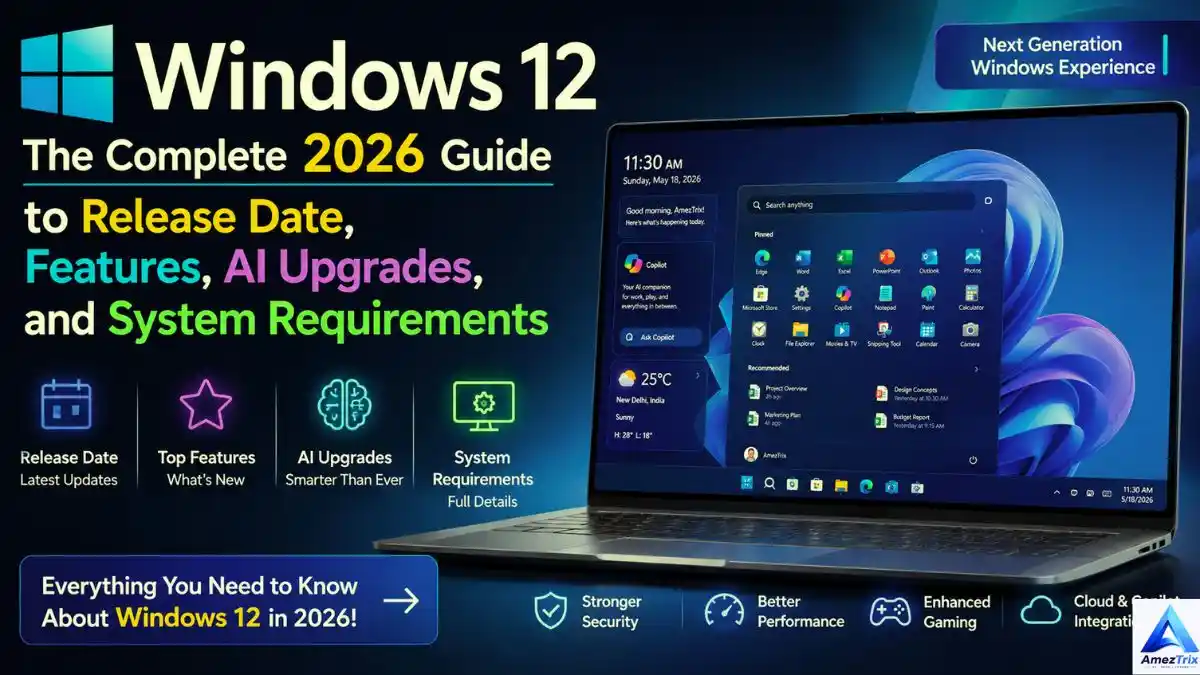
What Does “Windows 12 Complete” Actually Mean?
“Windows 12” is not a Microsoft product. It is a nickname. Tech writers, YouTubers and everyday users use it as shorthand for “whatever comes after Windows 11.”
Microsoft has taken a different route. Rather than a big launch with a new number, the company ships changes inside Windows 11 through yearly feature updates such as 24H2, 25H2 and 26H2. So the “next Windows” is arriving slowly, through the same Windows Update you already use.
Windows 12 Release Date: What We Know
There is no confirmed release date. Earlier in 2026, many sites predicted a Windows 12 reveal at Microsoft Build. That did not happen. Pavan Davuluri, who leads the Windows and Surface teams, said no new OS version was coming and that the focus was refining Windows 11 for upcoming AI hardware.
Separate reporting from Windows Central’s Zac Bowden also pointed to no Windows 12 launch in 2026, with 2027 mentioned only as the earliest possibility, not a prediction. Windows 11 version 26H2 is the main update for the second half of 2026. If Windows 12 ever arrives, it will probably be an evolution or rebrand of the Windows 11 base.
| Question | Current answer |
|---|---|
| Officially announced? | No |
| Confirmed release date? | None |
| Launch in 2026? | Not expected |
| Earliest realistic timing | 2027 (reported, unconfirmed) |
| What ships instead | Windows 11 26H2 and ongoing AI updates |
Bottom line: any exact Windows 12 date you see online is a guess.
Why the Windows 12 Buzz Will Not Go Away
1. AI is changing what an operating system does
Copilot started as a sidebar chatbot. It is turning into a layer that runs through the whole system. Microsoft keeps adding abilities like:
- Finding files from plain-English descriptions
- Writing and rewriting text anywhere
- Enhancing and editing images
- Handling voice commands
- Automating multi-step chores
- Giving personalized suggestions
- Translating conversations live
- Summarizing meetings and long documents
The goal is simple: click through fewer menus and just tell your PC what you need. If you are deciding which assistant suits you best, our ChatGPT vs Gemini comparison covers strengths for work, study and content creation.
2. Speed and efficiency
Every release tries to fix the same complaints: slow boots, laggy multitasking and apps that eat RAM. Look for progress in:
- Faster startup and shutdown
- Smarter memory use
- Fewer background processes
- Better SSD handling
- Lower idle CPU load
- Quicker app launches
- Longer laptop battery life
3. Tighter security
Attacks keep growing, so security keeps moving into hardware and sign-in. Ongoing priorities include:
- Hardware-rooted protection
- Passwordless sign-in
- Smarter Microsoft Defender detection
- Smart App Control
- Secure Boot enforcement
- TPM-backed encryption
- Anti-phishing tools
- Ransomware rollback protection
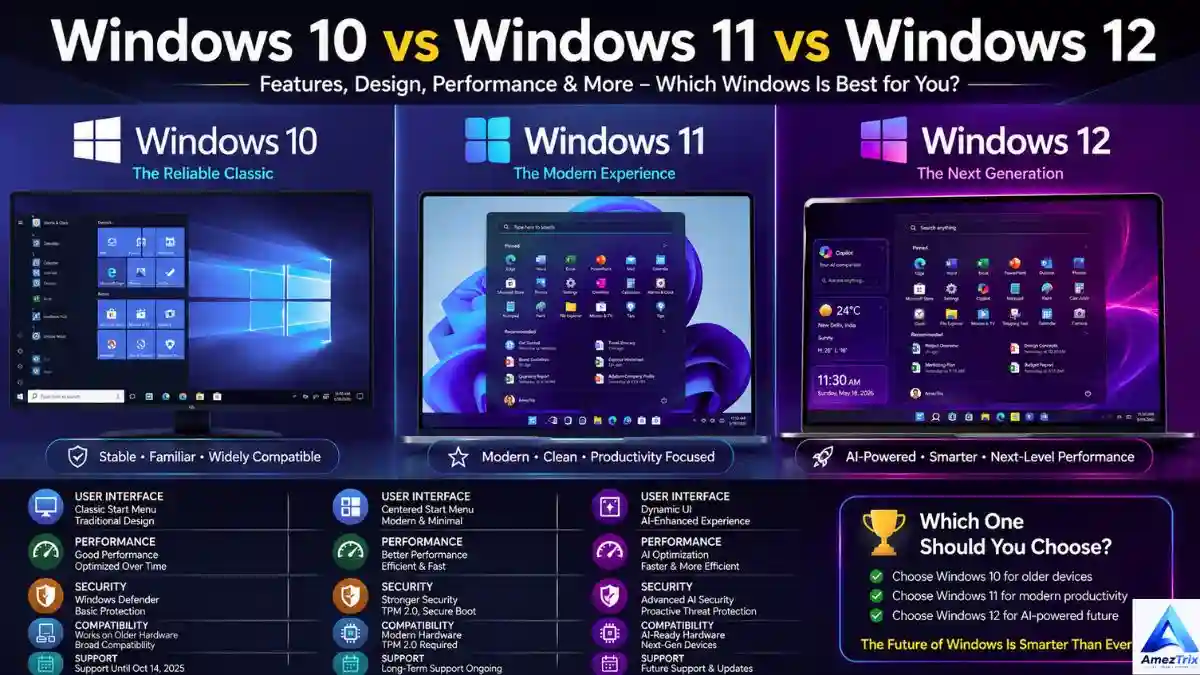
Windows 10 vs Windows 11 vs Windows 12: Full Comparison
Important: Windows 12 is not released. The third column below is based on industry reporting and informed predictions, not confirmed specs. Read it as “likely,” not “guaranteed.”
| Feature | Windows 10 | Windows 11 | Windows 12 (expected) |
|---|---|---|---|
| Launch year | 2015 | 2021 | No official date |
| Status | Free security updates ended Oct. 14, 2025; paid Extended Security Updates are available for eligible users | Current flagship | Unannounced |
| Look and feel | Classic layout | Rounded corners, centered design | More AI-first |
| Start menu | Left-aligned | Centered (movable) | Customizable, AI-driven |
| Taskbar | Standard | Refreshed | Smart AI widgets |
| Snap layouts | Basic snapping | Advanced layouts | AI-assisted arrangement |
| Copilot | Barely present | Built in | Woven through the OS |
| AI capability | Very limited | Copilot plus growing tools | Built around AI |
| Search | Keyword-based | Faster, Copilot support | Natural-language, meaning-based |
| Gaming | DirectX 12 | Auto HDR, DirectStorage | Further tuning |
| TPM | Not mandatory | TPM 2.0 required | Likely TPM 2.0 or newer |
| Secure Boot | Optional | Required | Expected to stay required |
| Processors | Older CPUs fine | Modern CPUs | Latest Intel, AMD, Snapdragon |
| RAM | 2 GB (4 GB+ for 64-bit) | 4 GB | Expected 8 GB |
| Storage | 32 GB | 64 GB | Expected 64-128 GB |
| Battery | Standard | Better | Adaptive AI power management |
| Security | Windows Defender | Layered protection | AI-driven threat detection |
| Updates | Large, traditional | Smaller, more frequent | Smarter background installs |
| Best for | Legacy hardware | Most users today | Future AI-ready PCs |
Which version should you pick?
| Version | Best for | Our advice |
|---|---|---|
| Windows 10 | Older hardware | Move to Windows 11 if your PC qualifies; routine support has ended |
| Windows 11 | Students, gamers, professionals, everyday users | The smart pick for 2026 |
| Windows 12 (expected) | Buyers of future AI-first PCs | Wait for Microsoft to confirm it |
On Windows 10 without paid Extended Security Updates? You are running a system that no longer receives routine protection, so upgrading to Windows 11 is the sensible step. Already on Windows 11? You do not need to wait. AI features, security patches and speed improvements are landing there now.
Features Expected in the Next Windows
Microsoft’s public direction gives a fairly good preview, even without a Windows 12 product.
AI woven into everything
Instead of a separate app, AI is expected to sit underneath the system: planning your day, summarizing your inbox, sorting files and adjusting settings without being asked.
Search that understands you
Imagine typing “find my presentation from last month” or “show my vacation photos” without remembering a single file name. Natural-language search is already appearing in early Copilot features.
A bigger role for Copilot
Copilot is moving from helper to built-in layer, assisting with coding, writing, images, troubleshooting and full workflows. Many of these abilities rely on large language models, so our Gemini vs ChatGPT vs Claude comparison is a useful read to understand the engines behind them.
A cleaner interface
Expect polish, not a total redesign: smoother animations, better transparency, more useful widgets, a refreshed File Explorer and deeper customization.
Lighter, faster updates
Nobody likes updates that swallow a lunch break. Smaller packages, background installs, quicker reboots and better rollback options are the likely direction.
Productivity upgrades to watch
- Smarter Snap Layouts across single and multiple monitors
- More flexible virtual desktops for work, gaming and personal use
- Better clipboard history with cross-device sync
- More accurate voice typing in more languages
- Stronger accessibility: live captions, voice access, Narrator, Magnifier, eye control
Deeper cloud integration
Expect tighter OneDrive sync, automatic backups, Microsoft 365 integration and settings that follow you between devices. Cloud sync and large updates work best on a stable connection. If you live somewhere remote, our satellite internet guide explains whether satellite broadband can handle Windows updates and online work.
Gaming
- DirectStorage: loads game data from NVMe SSDs straight to the GPU, cutting load times
- Auto HDR: adds richer color to games not built for HDR
- Xbox integration: closer ties with Game Pass, cloud gaming and cross-play
- Better GPU scheduling: aimed at higher frame rates and lower input lag
Security
- AI-based threat detection in Microsoft Defender
- Passwordless sign-in with Windows Hello, fingerprints, face recognition and passkeys
- Smart App Control to block untrusted apps
- Virtualization-based Security, Memory Integrity and BitLocker
Who should care most?
Students (AI study help), professionals (smoother collaboration), creators (faster editing), developers (modern tools), gamers (better frame rates), businesses (manageable security) and anyone tired of a slow PC.
| Area | Windows 11 today | Where it is heading |
|---|---|---|
| Interface | Modern and clean | Refined with AI touches |
| AI | Copilot built in | Deeper, system-wide help |
| Performance | Solid | Increasingly optimized |
| Security | Strong hardware protection | AI-enhanced detection |
| Gaming | DirectStorage, Auto HDR | Better GPU scheduling |
| Updates | Regular feature drops | Smaller, faster installs |
| Cloud | OneDrive, Microsoft 365 | Smarter cross-device sync |
| Hardware | Broad support | Tuned for NPU-equipped PCs |
Expected Windows 12 System Requirements
Microsoft has published no Windows 12 requirements because the product does not exist. The numbers below are a reasonable planning baseline built from Windows 11 rules and the AI direction.
| Component | Expected minimum |
|---|---|
| Processor | 64-bit, 2+ cores, 1 GHz or faster |
| RAM | 8 GB |
| Storage | 64 GB (128 GB+ better) |
| Graphics | DirectX 12 compatible |
| Display | HD (720p) or higher |
| Firmware | UEFI |
| Security | TPM 2.0 and Secure Boot |
| Internet | Needed for setup and updates |
| Account | Microsoft account for Home edition |
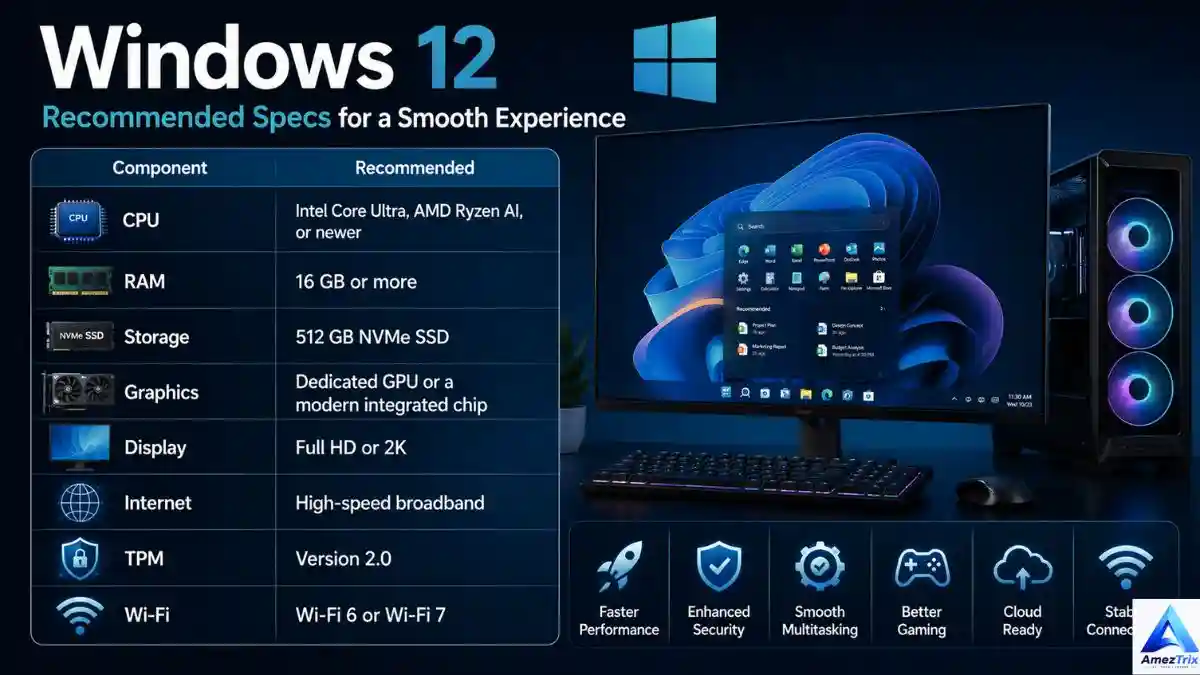
| Component | Recommended |
|---|---|
| CPU | Intel Core Ultra, AMD Ryzen AI or newer |
| RAM | 16 GB or more |
| Storage | 512 GB NVMe SSD |
| Graphics | Dedicated GPU or modern integrated graphics |
| Display | Full HD or 2K |
| Network | Broadband with Wi-Fi 6 or Wi-Fi 7 |
| TPM | 2.0 |
Heavier AI features will probably need a processor with a built-in NPU (Neural Processing Unit), like those in current Copilot+ PCs. If you plan to buy new hardware, our guides to the top AI chip companies and the top 10 semiconductor companies show who builds the processors behind AI PCs.
Will your current PC be ready?
Most PCs that run Windows 11 well should handle what comes next if they have:
- TPM 2.0 enabled
- Secure Boot turned on
- An SSD instead of a hard drive
- UEFI firmware
- A reasonably modern Intel or AMD processor
- At least 8 GB RAM
- DirectX 12 graphics
PCs without an NPU will likely still run the OS but may skip the flashiest AI tools.
60-second compatibility check
- CPU and RAM: Settings → System → About
- TPM: press Windows + R, type
tpm.msc, confirm version 2.0 is ready - Secure Boot: open System Information and check that “Secure Boot State” says On
- Storage: keep at least 64 GB free; 100 GB+ makes upgrades smoother.
How You Will Probably Upgrade
When there is something to upgrade to, expect three routes:
- Windows Update: the easiest path. Open Settings, check for updates, download, restart.
- Installation Assistant: a guided tool, as Microsoft has offered before, that skips building install media.
- Bootable USB: best for a completely fresh start. Download official media, make the USB, boot from it and install.
Clean install or in-place upgrade?
Choose a clean install if your PC feels sluggish, shows frequent errors, has a brand-new SSD, or you are jumping from a much older Windows version. If everything runs fine, an in-place upgrade is quicker and less disruptive.
Performance gains to expect
- Faster boots through better startup management
- Smarter memory use and quicker app switching
- Lower background CPU load, meaning less heat and better battery life
- AI-assisted sleep modes and adaptive brightness
Should You Wait or Upgrade Now?
Upgrade or invest in new hardware if you:
- Want early access to AI productivity tools
- Use your PC for work, coding or content creation
- Care about staying ahead on security
- Already own a Windows 11-compatible machine
- Want better gaming and cloud sync
It is fine to wait if:
- Your current setup runs well
- Your hardware will not meet future requirements anyway
- You rely on older software or peripherals that may break
The upsides
Faster everyday performance, less repetitive work, better gaming, stronger built-in security, longer battery life, a cleaner look, smoother multitasking and better accessibility.
The trade-offs
- Higher hardware demands. PCs without an NPU may miss the best AI features.
- A learning curve. Long-time Windows 10 users will need time to adjust.
- More internet reliance. Several AI and setup features need a connection and a Microsoft account.
- Uneven AI support. What you get depends on your specific hardware.
Pre-upgrade checklist
- Back up everything important
- Update drivers and firmware
- Install the latest Windows updates
- Confirm hardware compatibility
- Free up storage
- Make sure TPM 2.0 and Secure Boot are on
- Keep your Microsoft account details ready
- Create a recovery drive or restore point
Mistakes to avoid
- Skipping the compatibility check
- Upgrading without a backup
- Running out of disk space mid-install
- Using outdated drivers
- Disabling Secure Boot or TPM to “make it work”
- Downloading ISO files from unofficial sites
- Turning the PC off during installation
Running a site or blog on your PC setup? A fast machine helps, but hosting matters too. See our list of the cheapest web hosting plans. Students can also explore the best AI tools for students that already work on Windows 11.
Windows 12 FAQ
Has Windows 12 officially launched?
No. Microsoft has not released or officially named it. Leadership has said the near-term plan is Windows 11 updates and AI features, not a new OS version.
Will Windows 12 be a free upgrade?
Unknown. Microsoft has announced no pricing. The free Windows 10 to 11 upgrade is a hint, not a promise.
Will my Windows 11 PC be compatible?
Most likely, if it meets Windows 11 requirements. The main risk is missing advanced AI features without an NPU.
Will TPM 2.0 still matter?
Yes. It is a core security requirement and is not expected to disappear.
Will gaming performance improve?
Very likely, building on DirectStorage, Auto HDR and smarter GPU scheduling.
Can I upgrade straight from Windows 10?
If your hardware qualifies, a direct path will probably exist, but the exact rules depend on Microsoft’s future announcement.
Will a Microsoft account be mandatory?
For Home editions, that has been the pattern and is expected to continue.
Is Windows 12 better than Windows 11?
There is nothing to compare yet. The trend is toward more AI, tighter security and better performance, all arriving through Windows 11 updates.
Should I buy a new PC right now?
Only if you need one. If you do, choose a Windows 11-compatible PC with an NPU, 16 GB RAM and an NVMe SSD.
Where should I download official updates?
Only from Microsoft’s own channels. Third-party download sites are a common source of malware.
Final Verdict
The next chapter of Windows is being written through AI, performance tuning, stronger security and cloud features, and not necessarily through a new version number. Microsoft has said a new OS is not imminent, so the practical move is to stop watching the calendar for “Windows 12” and follow Windows 11 updates and official Microsoft announcements.
Keep your PC updated, make sure it meets modern security standards, and if you are buying new, pick AI-ready specs so you are covered whenever the next real leap arrives. Want to rank content in the new AI search world as well? Read how to rank in ChatGPT.
Key Takeaways
- Windows 12 is not announced, and Microsoft has said no new OS launch is planned in the near term.
- AI is the centerpiece of Windows’ future, delivered through Windows 11 updates for now.
- TPM 2.0, Secure Boot and NPU-equipped processors will matter most for compatibility.
- Performance, security and gaming gains are arriving continuously, so you do not need to wait.
- An AI-capable, Windows 11-compatible PC is the best way to stay future-ready.

Rajendra Parmar
Founder & Editor • AmezTrix
Rajendra Parmar is the Founder and Editor of AmezTrix, a platform covering Artificial Intelligence, Technology, WordPress, Web Hosting, Digital Marketing, Gadgets, Software Reviews, and emerging innovations. His mission is to simplify complex technology through practical tutorials, honest reviews, and well-researched guides that help readers make smarter digital decisions.