Gemini 3.5 Flash vs GPT-5.6, Claude Opus 5 & Sonnet 5 — see pricing, features and real use cases in one easy comparison guide by AmezTrix.
Gemini 3.5 Flash: What It Actually Does, What It Costs, and Whether You Need It
Quick answer: Gemini 3.5 Flash is Google DeepMind’s stable, agent-focused model. The API ID is gemini-3.5-flash. It runs on the Gemini 3 Flash reasoning core, handles close to a million tokens of input, and lets you dial reasoning up or down depending on the job. It’s built for coding, AI tool-calling agents, and tasks that take more than one step to finish.
Here’s the thing about AI models right now — nobody’s impressed by a chatbot that just answers questions anymore. That bar was cleared years ago. What people actually want is something that can plan a task, pick the right tool, run some code, check its own work, and only then hand you a result. Gemini 3.5 Flash is Google’s take on that problem. It’s not trying to be the most charming conversationalist in the room. It’s trying to get real work done, fast and without burning a hole in your API budget.
So let’s actually go through it — what it can do, what it costs, how it compares to the other Gemini models, and where it might trip you up.
Gemini 3.5 Flash vs Top AI Competitors
Gemini 3.5 Flash isn’t operating in a vacuum. Every major AI lab has its own flagship pushing into the same agentic, coding-heavy territory, and honestly, keeping track of who’s ahead this month has become a bit of a full-time job. Here’s where things stand as of September 2026.
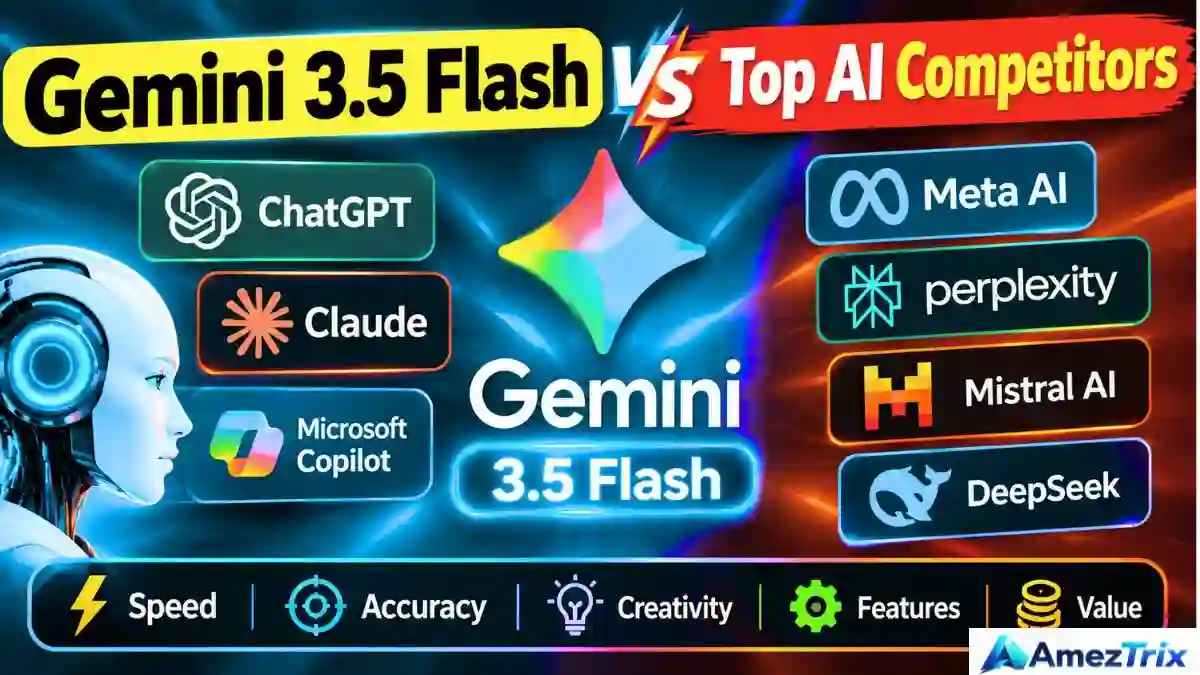
Top Competitors of Gemini 3.5 Flash
| AI Model | Company | Best For | Key Strength | Competition Level |
|---|---|---|---|---|
| CHAT GPT-5.6 | OpenAI | Reasoning, coding & general AI | Strong all-round performance | 🔥 Very High |
| Claude Opus 5 | Anthropic | Advanced coding & complex tasks | Deep agentic coding ability | 🔥 Very High |
| Claude Sonnet 5 | Anthropic | Coding & professional workflows | Great speed-to-intelligence ratio | 🔥 High |
| Gemini 3.1 Pro | Advanced reasoning | Google’s higher-end reasoning tier | 🔥 High | |
| Gemini 3 Flash | Fast, everyday AI tasks | Previous-gen Flash, still solid | High | |
| Grok 4.6 | xAI | Agentic and coding work | Long-running agents, fast inference | High |
| DeepSeek | DeepSeek | Coding & cost-efficient workloads | Strong cost-to-performance ratio | High |
| Gemini 3.5 Flash-Lite | High-volume workloads | Lower cost, lower latency | High |
A quick note on that table — Anthropic’s lineup moved fast this year. Opus 4.7 and Sonnet 4.6 were the names circulating earlier in 2026, but Claude Opus 5 and Claude Sonnet 5 have since taken over as the current flagships, so that’s what actually competes with Gemini 3.5 Flash today. Same story on the OpenAI side — GPT-5.5 has already been succeeded by GPT-5.6. Worth remembering next time you read an “up-to-date” comparison chart somewhere else, because these things go stale within weeks.
Feature-by-Feature Comparison
| Feature | Gemini 3.5 Flash | GPT-5.6 | Claude Opus 5 | Claude Sonnet 5 | Gemini 3.1 Pro |
|---|---|---|---|---|---|
| AI Company | OpenAI | Anthropic | Anthropic | ||
| Reasoning | Excellent | Excellent | Excellent | Very good | Excellent |
| Coding | Excellent | Excellent | Excellent | Excellent | Excellent |
| AI Agents | Excellent | Excellent | Excellent | Very good | Excellent |
| Multimodal Input | Yes | Yes | Yes | Yes | Yes |
| Long Context | Up to 1M tokens | Large | Large | Large | Large |
| Function Calling | Yes | Yes | Yes | Yes | Yes |
| Code Execution | Yes | Yes | Yes | Yes | Yes |
| Search / Tool Grounding | Yes | Yes | Yes | Yes | Yes |
| Best Use Case | Agents & coding | General AI & reasoning | Complex coding | Professional workflows | Advanced reasoning |
On paper, most of these models tick the same boxes — reasoning, coding, agents, multimodal, tool calling. That’s exactly why the differences that actually matter tend to live outside a feature table: pricing per token, how well a model holds up on your specific codebase, how forgiving it is with messy real-world input, and how fast it responds under load. I’d treat this table as a starting filter, not the final word — run your own test prompts before betting a production workflow on any single model.
One more thing worth flagging: benchmark scores (SWE-Bench, Terminal-Bench, and the like) deserve their own separate comparison rather than getting folded into a feature table like this one. They measure very different things model to model, and mixing hard numbers with general “Excellent / Very Good” ratings tends to blur more than it clarifies.
In short: Gemini 3.5 Flash goes head-to-head with heavyweights like GPT-5.6, Claude Opus 5, Claude Sonnet 5, and Gemini 3.1 Pro. Its strongest ground is coding, AI agents, multimodal processing, tool use, and long-context work — that’s where it earns its spot in the conversation rather than just tagging along.
What Exactly Is Gemini 3.5 Flash?
It’s a multimodal reasoning model, part of the Gemini 3 family, and it sits on top of the Gemini 3 Flash reasoning core. The main upgrade? Adjustable thinking levels. You can tell it to think less for a quick, cheap answer, or think harder when the task actually deserves it.
Google built this one with a few specific jobs in mind:
- Running agent workflows, including sub-agents that hand off tasks to each other
- Coding — especially the messy, multi-step kind
- Long-horizon tasks that stretch across many turns, not just one prompt
- Actual production use, not just impressive demos
A normal chatbot answers you and stops there. This one’s designed to sit inside something bigger — read a file, go search for backup information, call a function, run some code, and only wrap up once it’s actually done the work.
Gemini 3.5 Flash, at a Glance
| Feature | Detail |
|---|---|
| Model ID | gemini-3.5-flash |
| Model type | Multimodal reasoning model |
| Input types | Text, image, video, audio, PDF |
| Output type | Text |
| Input context | ~1,048,576 tokens |
| Max output | ~65,536 tokens |
| Thinking levels | Yes — minimal, low, medium, high |
| Function calling | Yes |
| Code execution | Yes |
| Search grounding | Yes |
| Computer use | Preview |
| Structured outputs | Yes |
| Status | Generally available (stable) |
What Actually Makes It Different
Reasoning you can turn up or down
Older models mostly gave you one setting: think a fixed amount, every time, whether the task needed it or not. Gemini 3.5 Flash doesn’t work that way. Sorting a batch of support tickets? Minimal thinking, done in a blink, barely costs anything. Untangling a gnarly multi-file bug? Crank it up to high and let it actually work the problem. That kind of control sounds small on paper, but once you’re paying per token, it matters a lot.
A context window that can swallow a whole codebase
Roughly a million tokens of input room means you can dump in a full repo, a stack of research papers, or a 200-page manual without chopping it into pieces first. That said — and this is worth saying plainly — a bigger window doesn’t automatically mean better understanding. I’ve seen plenty of cases where people assume “more context” solves everything, and it doesn’t. You still need decent retrieval and a well-written prompt, or the model just drowns in noise like anyone would.
It reads more than just text
Text, images, video, audio, PDFs — all in the same request if you need it. Say you’ve got a screenshot of a broken layout, a PDF spec, and a written description of the bug. You can throw all three at it together and ask for a fix, no separate OCR step required.
Built to run in a loop, not just answer once
Function calling, code execution, search grounding, structured outputs, URL context, and a preview version of computer use — put together, these let the model act like the brain inside an agent. It decides what tool to reach for next, looks at what came back, and keeps going instead of stopping after one reply.
Where It Really Shines: Coding
Coding is arguably the headline feature here. Google built this one for iterative, back-and-forth coding loops — plan, write, test, fix, repeat — rather than spitting out a single code snippet and calling it done.
Developers are mostly using it for things like:
- Writing and cleaning up code
- Chasing bugs across several files at once
- Reviewing pull requests
- Writing test suites
- Making sense of large, unfamiliar repositories
- Mapping out multi-step builds before writing a line
Around its May 2026 release, Google shared benchmark results on tests like Terminal-Bench 2.1 and SWE-Bench Pro — both designed to measure realistic, multi-step engineering work rather than toy problems. Worth keeping in mind, though: benchmark numbers are snapshots taken under specific conditions. They tell you something, but they’re not a promise of how the model performs on your particular codebase.
Where It Really Shines: Best AI model for AI agents
The old chatbot flow was simple:
User asks → model answers. That’s it.
An agent flow looks more like this:
User sets a goal → model reasons through it → calls tools → takes actions → checks results → gives a final answer.
Gemini 3.5 Flash was clearly built for the second version. Function calling, code execution, search grounding, computer-use preview — stack those together and you get a model that can figure out which Google AI tool it needs, read what comes back, and keep pushing toward the goal instead of quitting after one message.
Some places this actually gets used:
- A support agent that pulls up an order and drafts a resolution on its own
- A coding agent that reads a bug report, writes a patch, and opens the PR
- A research assistant that searches, cross-checks sources, and pulls together a summary
- Document review for finance or legal teams, where accuracy really matters
- An SEO researcher that gathers competitor data and organizes it into something usable
One honest caveat, though: the model on its own isn’t a finished business agent. You still have to build the guardrails, the permissions, and the integration glue around it. Nobody skips that part, no matter what the marketing says.
The API, in Plain Terms
You access it through Google’s Gemini API, using the model ID gemini-3.5-flash. It works with both the Interactions API and the older GenerateContent API.
| API Capability | Supported? |
|---|---|
| Text input | Yes |
| Image input | Yes |
| Video input | Yes |
| Audio input | Yes |
| PDF input | Yes |
| Thinking / reasoning control | Yes |
| Function calling | Yes |
| Code execution | Yes |
| Search grounding | Yes |
| Structured output | Yes |
| URL context | Yes |
| Context caching | Yes |
| Computer use | Preview |
What It Costs for Gemini 3.5 Flash
Standard pricing runs on tokens, the way most APIs work these days.
| Component | Price per 1M tokens |
|---|---|
| Input | $1.50 |
| Output (thinking tokens included) | $9.00 |
| Context caching | $0.15 |
| Cache storage | $1.00 per 1M tokens/hour |
If your workload isn’t time-sensitive, batch pricing knocks the cost down quite a bit:
| Batch Component | Price per 1M tokens |
|---|---|
| Input | $0.75 |
| Output | $4.50 |
There’s a free tier too, though it comes with the usual rate limits. And honestly, the cost story here is the same as with any usage-based API — a small side project might cost you almost nothing, while a production agent chewing through millions of tokens a day adds up quickly. Check Google’s live pricing page before you commit anything to production. These numbers move.
Gemini 3.5 Flash vs. Gemini 3 Flash
| Aspect | Gemini 3.5 Flash | Gemini 3 Flash |
|---|---|---|
| Foundation | Gemini 3 Flash reasoning core | Gemini 3 architecture |
| Reasoning control | Adjustable thinking levels | Advanced, but less granular |
| Coding performance | Sharper for agent loops | Strong |
| Context window | ~1M tokens | ~1M tokens |
| Computer use | Preview | Supported |
| Release status | Stable, GA | Availability varies |
It’s not a total reinvention. Same reasoning lineage, just tuned harder for coding and agent work.
Gemini 3.5 Flash vs. Gemini 3.5 Flash-Lite
| What you need | Go with |
|---|---|
| Deep reasoning | Gemini 3.5 Flash |
| Serious coding work | Gemini 3.5 Flash |
| Multi-step agents | Gemini 3.5 Flash |
| Huge volume, low cost | Gemini 3.5 Flash-Lite |
| Classification or translation at scale | Gemini 3.5 Flash-Lite |
| Speed-critical routing | Gemini 3.5 Flash-Lite |
Cheapest option isn’t always the smartest pick. Match the model to what you’re actually trying to do.
Getting Started, Step by Step
Open Google AI Studio first and just poke around — don’t jump straight into production. Select the model using gemini-3.5-flash. Run one simple prompt before you throw a complicated task at it; you’ll learn more that way than you’d expect.
Once that’s working, try mixing in different inputs — an image, a PDF, whatever fits your use case. Then start layering in tools: function calling, code execution, search grounding, one at a time rather than all at once. Track how it performs — accuracy, speed, cost per call, how often tool calls actually succeed. And before anything touches real users, put proper safeguards in place: authentication, scoped permissions, monitoring, the works. Skipping this step is how projects end up on the front page for the wrong reasons.
The Good and the Not-So-Good
What works well:
- Solid agent and coding performance
- A context window big enough for entire projects, not just chunks of them
- Real multimodal support, not a bolt-on
- Reasoning you can actually tune for cost
- A stable API that’s ready for production, not just testing
Where it falls short:
- Costs climb fast if your outputs (and thinking) run long
- A huge context window won’t save you from bad prompting
- Computer use is still in preview — treat it as such
- Google’s Flash lineup moves fast, so “latest” won’t stay true for long
- Agent apps still need careful engineering; the model alone won’t do it for you
Is This Still Google’s Newest Model?
No, and that’s worth being upfront about if you’re reading this later in 2026. Gemini 3.5 Flash launched in May 2026, and Google hasn’t sat still since — newer Flash generations have already followed it into the catalog. This model is still stable and fully supported. But if you’re starting something new from scratch, it’s worth a quick check on Google’s docs to see if a newer version fits better before you build around this one.
Frequently Asked Questions
What is Gemini 3.5 Flash?
A multimodal reasoning model from Google DeepMind, aimed at coding, agent workflows, and tasks that need long context. API ID: gemini-3.5-flash.
Gemini 3.5 Flash: Is it free?
There’s a free tier, with limits attached. Paid pricing sits at $1.50 per million input tokens and $9 per million output tokens.
How big is the context window?
About 1,048,576 input tokens, with a max output near 65,536 tokens.
Can it actually write and debug code?
Yes — that’s one of its core strengths, especially multi-step debugging across files.
Can it run AI agents?
Yes. Function calling, code execution, search grounding, and a preview computer-use tool make it a solid engine for agent-style applications.
Does it handle images, video, audio, and PDFs?
All four, alongside plain text, in the same request.
Is it better than Gemini 3 Flash?
It’s a tighter, more refined version built on the same foundation — better tuned for coding and agents. Whether it’s “better” for you depends on your workload and budget.
Is it Google’s newest model right now?
No. The catalog has moved on with newer Flash releases since this one launched.
Bottom Line
Gemini 3.5 Flash isn’t chasing personality points. It’s built for people who need a model that reasons through a problem, picks the right tool, reads through messy real documents, and actually finishes a multi-step job without falling apart halfway. Pricing scales with how much you use it, and computer use is still labeled preview for a reason — it’s not fully baked yet. But for coding assistants, research agents, and document-heavy automation, it holds up well in practice. Just keep an eye on Google’s model catalog before you lock in a long-term build around it — this space doesn’t sit still for long.
About Author
Rajendra Parmar is the Founder and Editor of AmezTrix, where he covers Artificial Intelligence, Technology, WordPress, Web Hosting, Digital Marketing, Gadgets, and Software. His mission is to simplify complex technology through practical tutorials, honest reviews, and well-researched guides that help readers make smarter digital decisions.